
SaaS Mobile App UI/UX DesignMohidul Islam
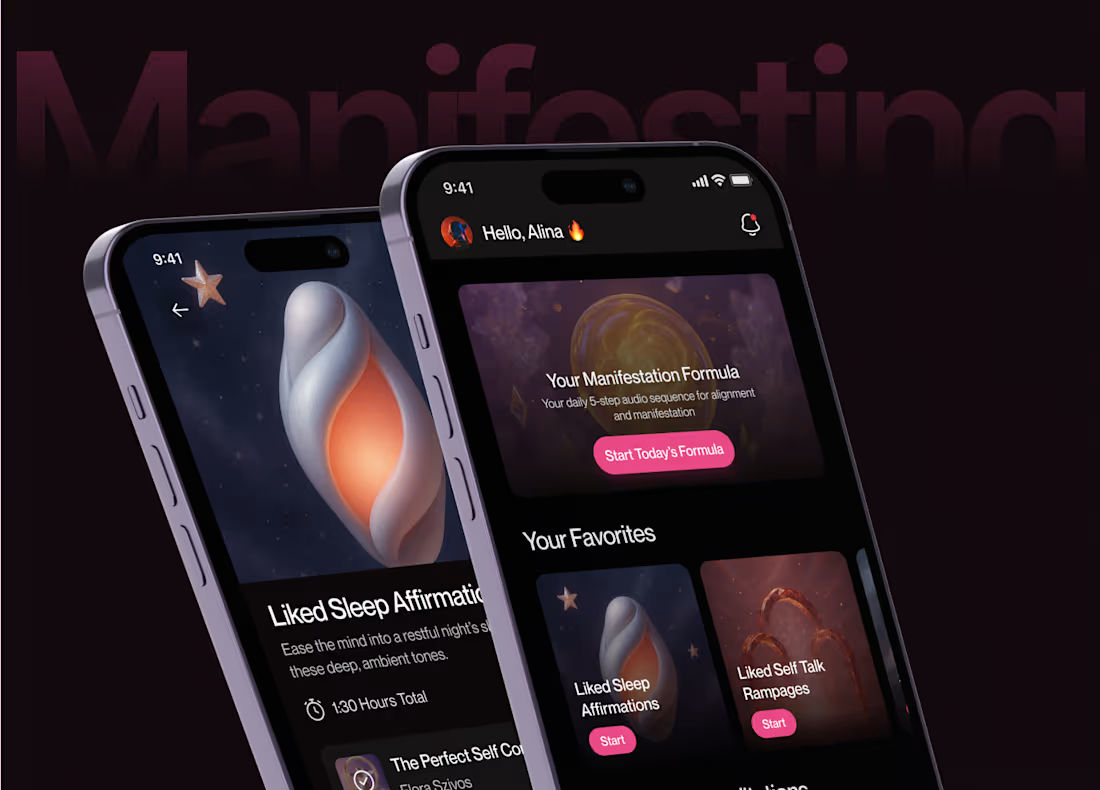
I design clean, intentional mobile experiences for manifestation and self-growth apps — built for calm, focus, and daily consistency. You get a complete UI/UX foundation in Figma, including flows, components, visual direction, and interaction logic that developers can implement without friction. The result is a product that feels warm, motivating, and ready to grow with your roadmap.
What's included
Discovery & Product Structure
Understanding your users' mindset, core rituals (affirmations, vision boards, gratitude, goal tracking), and required features. Creation of a clear information architecture and user flow map.
Wireframes & UX Foundations
Low-fidelity layouts that define navigation, hierarchy, and key interactions — onboarding, daily check-ins, progress tracking — before moving into visuals.
Full UI Design in Figma
High-fidelity designs for iOS and Android using platform-native patterns or a custom, calming design language. Includes layout, components, typography, color, iconography, and visual direction suited to a mindful, aspirational tone.
Component & Design System
A scalable set of reusable components, states, grids, and tokens — built for consistent development and easy expansion as you add features (streaks, journaling, reminders, community).
Motion & Interaction Direction
Definition of transitions, gestures, micro-interactions, and motion principles. Optional delivery of Lottie/Rive/Jitter animations for onboarding, empty states, affirmation reveals, or milestone celebrations.
Prototypes
Interactive Figma prototypes showing flow, usability, and motion to align designers, developers, and stakeholders.
Handoff for Development
Structured Figma file setup, component documentation, redlines, assets, and support for developers during implementation.
QA Support
Review of implemented screens, feedback on spacing, interaction details, and visual accuracy to ensure quality in the final build.
Example work

Starting at$1,000
Duration1 week
Tags
Adobe After Effects

Figma

Mobile App Design
UI/UX Design
Coacing
SaaS App
Wellness
Service provided by
Mohidul Islam Dhaka, Bangladesh
- 7
- Followers
SaaS Mobile App UI/UX DesignMohidul Islam
Starting at$1,000
Duration1 week
Tags
Adobe After Effects
Figma
Mobile App Design
UI/UX Design
Coacing
SaaS App
Wellness
I design clean, intentional mobile experiences for manifestation and self-growth apps — built for calm, focus, and daily consistency. You get a complete UI/UX foundation in Figma, including flows, components, visual direction, and interaction logic that developers can implement without friction. The result is a product that feels warm, motivating, and ready to grow with your roadmap.
What's included
Discovery & Product Structure
Understanding your users' mindset, core rituals (affirmations, vision boards, gratitude, goal tracking), and required features. Creation of a clear information architecture and user flow map.
Wireframes & UX Foundations
Low-fidelity layouts that define navigation, hierarchy, and key interactions — onboarding, daily check-ins, progress tracking — before moving into visuals.
Full UI Design in Figma
High-fidelity designs for iOS and Android using platform-native patterns or a custom, calming design language. Includes layout, components, typography, color, iconography, and visual direction suited to a mindful, aspirational tone.
Component & Design System
A scalable set of reusable components, states, grids, and tokens — built for consistent development and easy expansion as you add features (streaks, journaling, reminders, community).
Motion & Interaction Direction
Definition of transitions, gestures, micro-interactions, and motion principles. Optional delivery of Lottie/Rive/Jitter animations for onboarding, empty states, affirmation reveals, or milestone celebrations.
Prototypes
Interactive Figma prototypes showing flow, usability, and motion to align designers, developers, and stakeholders.
Handoff for Development
Structured Figma file setup, component documentation, redlines, assets, and support for developers during implementation.
QA Support
Review of implemented screens, feedback on spacing, interaction details, and visual accuracy to ensure quality in the final build.
Example work
$1,000