
Pro UI/UX Design for Web, iOS & AndroidRubel Meha
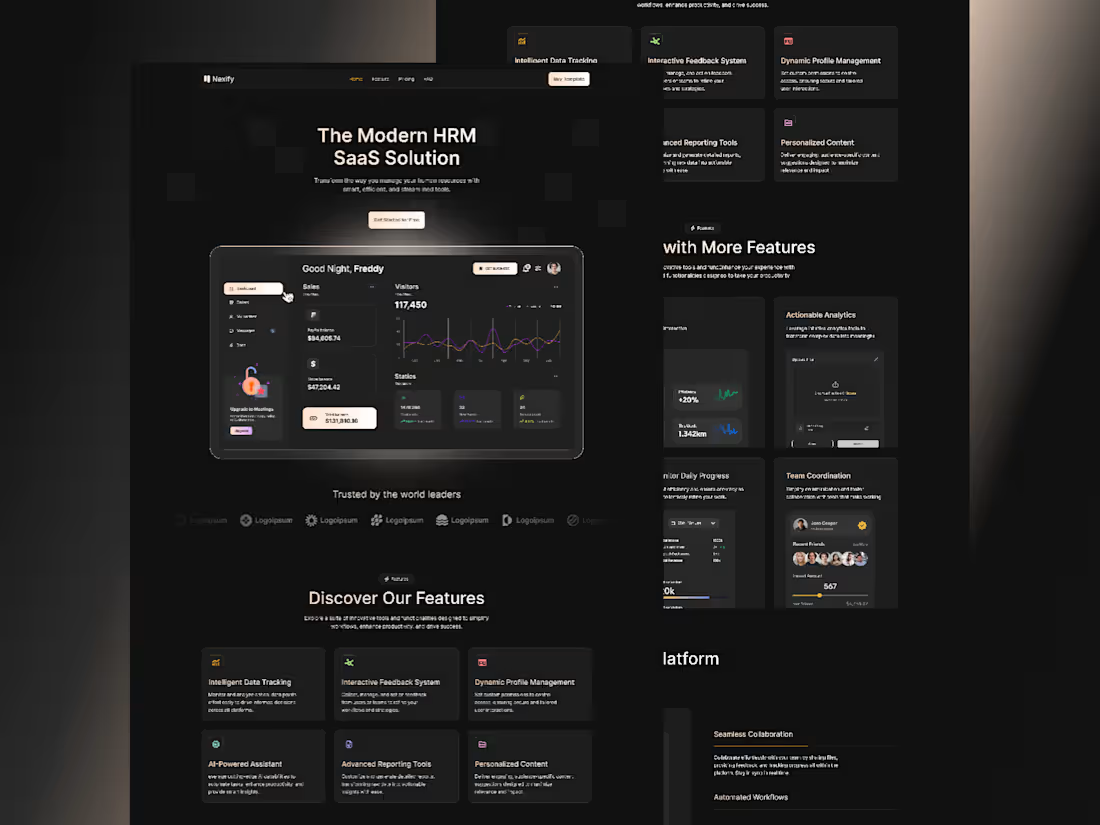
I offer end-to-end UI/UX design services, specializing in user-centered interfaces for web and mobile apps. What sets me apart is my data-driven approach—combining aesthetic design with usability testing and performance analytics to ensure products are not just beautiful, but intuitive and high-converting. I also provide detailed design systems and developer-friendly handoffs to streamline implementation.
What's included
What deliverables can a client expect from a UI/UX design project?
Answer:
Clients will receive:
✅ Wireframes & Prototypes (Low-fidelity to high-fidelity interactive mockups)
✅ UI Design Files (Final screens in Figma/Sketch/Adobe XD with design systems)
✅ User Research Report (Insights from usability testing, surveys, or competitor analysis)
✅ Style Guide (Typography, color palette, icons, and component library)
✅ Responsive & Accessible Designs (Mobile, tablet, and desktop versions with WCAG
How do wireframes differ from final UI designs?
Answer:
Wireframes → Basic layouts (grayscale, no branding) focusing on structure and user flow.
Final UI Designs → Polished, high-fidelity visuals with colors, typography, and branding.
Example:
Wireframe: A black-and-white sketch of a login screen.
Final UI: A styled login screen with buttons, gradients, and animations.
Why is a style guide important in UI/UX deliverables?
Answer:
A style guide ensures:
Consistency (fonts, colors, spacing across all screens)
Faster development (handoff to developers is smoother)
Brand alignment (matches the client’s identity)
Example: Includes hex codes, button states, and text hierarchy rules.
How is usability testing incorporated into UX deliverables?
Answer:
Usability testing provides:
📊 Test Results (Success rates, pain points, heatmaps)
📝 Recommendations (Changes to improve user experience)
🔄 Iterations (Updated designs based on feedback)
Example: A report showing 70% of users struggled with checkout—solutions proposed.

Contact for pricing
Tags
Adobe XD


Figma

Framer

Sketch

Mobile Designer
UX Designer
Web Designer
Service provided by
Rubel Meha Dhaka, Bangladesh
- 1
- Followers
Pro UI/UX Design for Web, iOS & AndroidRubel Meha
Contact for pricing
Tags
Adobe XD
Figma
Framer
Sketch
Mobile Designer
UX Designer
Web Designer
I offer end-to-end UI/UX design services, specializing in user-centered interfaces for web and mobile apps. What sets me apart is my data-driven approach—combining aesthetic design with usability testing and performance analytics to ensure products are not just beautiful, but intuitive and high-converting. I also provide detailed design systems and developer-friendly handoffs to streamline implementation.
What's included
What deliverables can a client expect from a UI/UX design project?
Answer:
Clients will receive:
✅ Wireframes & Prototypes (Low-fidelity to high-fidelity interactive mockups)
✅ UI Design Files (Final screens in Figma/Sketch/Adobe XD with design systems)
✅ User Research Report (Insights from usability testing, surveys, or competitor analysis)
✅ Style Guide (Typography, color palette, icons, and component library)
✅ Responsive & Accessible Designs (Mobile, tablet, and desktop versions with WCAG
How do wireframes differ from final UI designs?
Answer:
Wireframes → Basic layouts (grayscale, no branding) focusing on structure and user flow.
Final UI Designs → Polished, high-fidelity visuals with colors, typography, and branding.
Example:
Wireframe: A black-and-white sketch of a login screen.
Final UI: A styled login screen with buttons, gradients, and animations.
Why is a style guide important in UI/UX deliverables?
Answer:
A style guide ensures:
Consistency (fonts, colors, spacing across all screens)
Faster development (handoff to developers is smoother)
Brand alignment (matches the client’s identity)
Example: Includes hex codes, button states, and text hierarchy rules.
How is usability testing incorporated into UX deliverables?
Answer:
Usability testing provides:
📊 Test Results (Success rates, pain points, heatmaps)
📝 Recommendations (Changes to improve user experience)
🔄 Iterations (Updated designs based on feedback)
Example: A report showing 70% of users struggled with checkout—solutions proposed.
Contact for pricing