
Event Ticketing Solution for WordPressGrant Stolk
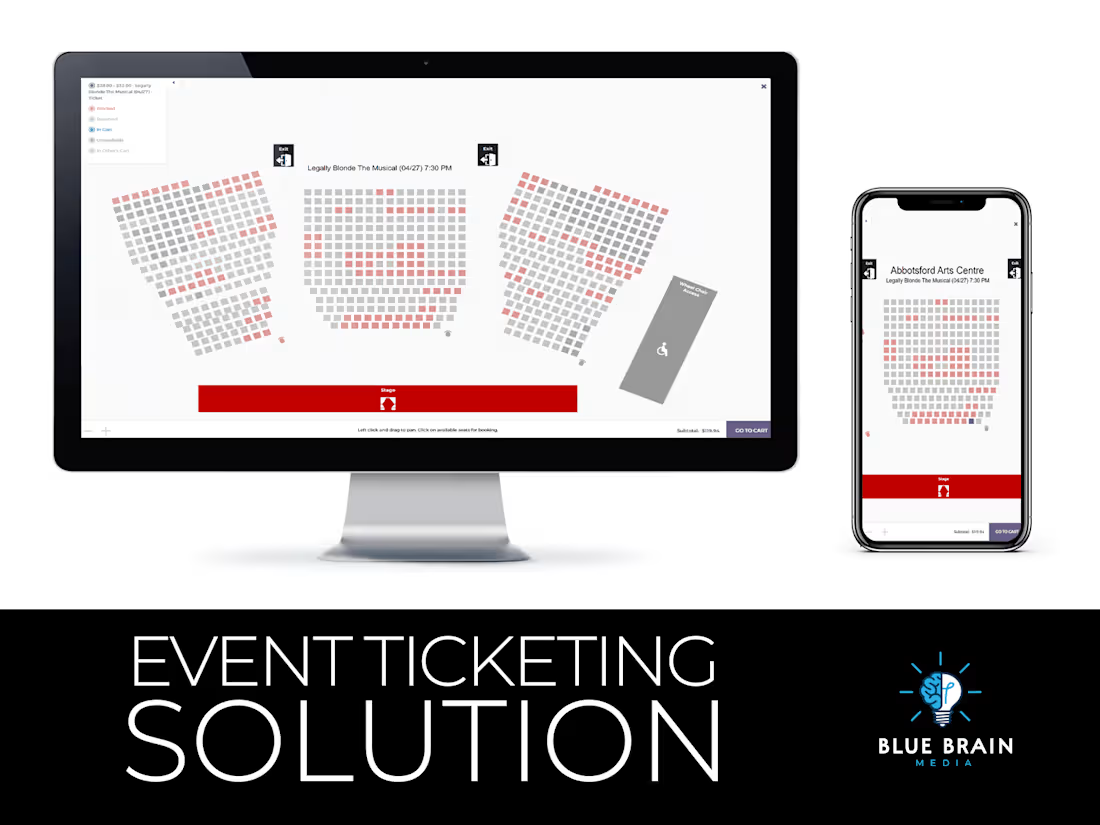
I offer a comprehensive event ticketing solution using Tickera for WordPress, tailored to manage all aspects of your event ticketing, from sales to attendee management. Unlike third-party ticketing services, this solution integrates directly with your WordPress site, giving you full control over your ticketing process without hefty fees or external dependencies. This service is ideal for creating a seamless, branded experience with custom ticket designs, automated email notifications, and optional venue mapping and seat reservation features.
What's included
Tickera Plugin Installation and Configuration
Installation and initial configuration of the Tickera plugin on your WordPress site, ensuring it is fully functional and ready for use.
Custom Ticket Design
Creation of custom ticket designs that reflect your event’s branding and style, including logos, colors, and relevant event information.
Payment Gateway Integration
Setup and integration of secure payment gateways (e.g., PayPal, Stripe) to handle ticket purchases, ensuring smooth and safe transactions for your attendees.
Event and Ticket Setup
Configuration of event details, ticket types, pricing, and availability. This includes setting up different ticket categories (e.g., VIP, General Admission) and special pricing options (e.g., early bird discounts).
Mobile Ticketing and QR Code Integration
Enable mobile ticketing and QR code integration for quick and easy check-in processes, enhancing the attendee experience and reducing wait times at the event.
Testing and Quality Assurance
Comprehensive testing of the ticketing system to ensure all features work seamlessly. This includes testing payment gateways, ticket purchases, email notifications, and check-in processes.
Optional: Venue Mapping and Seat Reservation
Integration of venue mapping and seat reservation functionality using the Tickera add-on. This feature allows attendees to select their seats from a venue map, enhancing the ticket purchasing experience. Note that this requires additional configuration and is available upon request.
Optional: Multiple Ticket Types Assignable to a Single Seat (Requires WooCommerce)
Setup and configuration to allow multiple ticket types to be assigned to a single seat on the venue map, using Tickera in conjunction with WooCommerce. This feature is ideal for events with varied ticketing options and can be included based on project requirements.
Grant's other services

Contact for pricing
Tags
Elementor

WordPress

Event Planner
Web Designer
Webflow Developer
Service provided by
Grant Stolk Abbotsford, Canada
- 1
- Followers
Event Ticketing Solution for WordPressGrant Stolk
Contact for pricing
Tags
Elementor
WordPress
Event Planner
Web Designer
Webflow Developer
I offer a comprehensive event ticketing solution using Tickera for WordPress, tailored to manage all aspects of your event ticketing, from sales to attendee management. Unlike third-party ticketing services, this solution integrates directly with your WordPress site, giving you full control over your ticketing process without hefty fees or external dependencies. This service is ideal for creating a seamless, branded experience with custom ticket designs, automated email notifications, and optional venue mapping and seat reservation features.
What's included
Tickera Plugin Installation and Configuration
Installation and initial configuration of the Tickera plugin on your WordPress site, ensuring it is fully functional and ready for use.
Custom Ticket Design
Creation of custom ticket designs that reflect your event’s branding and style, including logos, colors, and relevant event information.
Payment Gateway Integration
Setup and integration of secure payment gateways (e.g., PayPal, Stripe) to handle ticket purchases, ensuring smooth and safe transactions for your attendees.
Event and Ticket Setup
Configuration of event details, ticket types, pricing, and availability. This includes setting up different ticket categories (e.g., VIP, General Admission) and special pricing options (e.g., early bird discounts).
Mobile Ticketing and QR Code Integration
Enable mobile ticketing and QR code integration for quick and easy check-in processes, enhancing the attendee experience and reducing wait times at the event.
Testing and Quality Assurance
Comprehensive testing of the ticketing system to ensure all features work seamlessly. This includes testing payment gateways, ticket purchases, email notifications, and check-in processes.
Optional: Venue Mapping and Seat Reservation
Integration of venue mapping and seat reservation functionality using the Tickera add-on. This feature allows attendees to select their seats from a venue map, enhancing the ticket purchasing experience. Note that this requires additional configuration and is available upon request.
Optional: Multiple Ticket Types Assignable to a Single Seat (Requires WooCommerce)
Setup and configuration to allow multiple ticket types to be assigned to a single seat on the venue map, using Tickera in conjunction with WooCommerce. This feature is ideal for events with varied ticketing options and can be included based on project requirements.
Grant's other services
Contact for pricing