
Lean Product Design Sprint (4 Weeks)Michael Pons
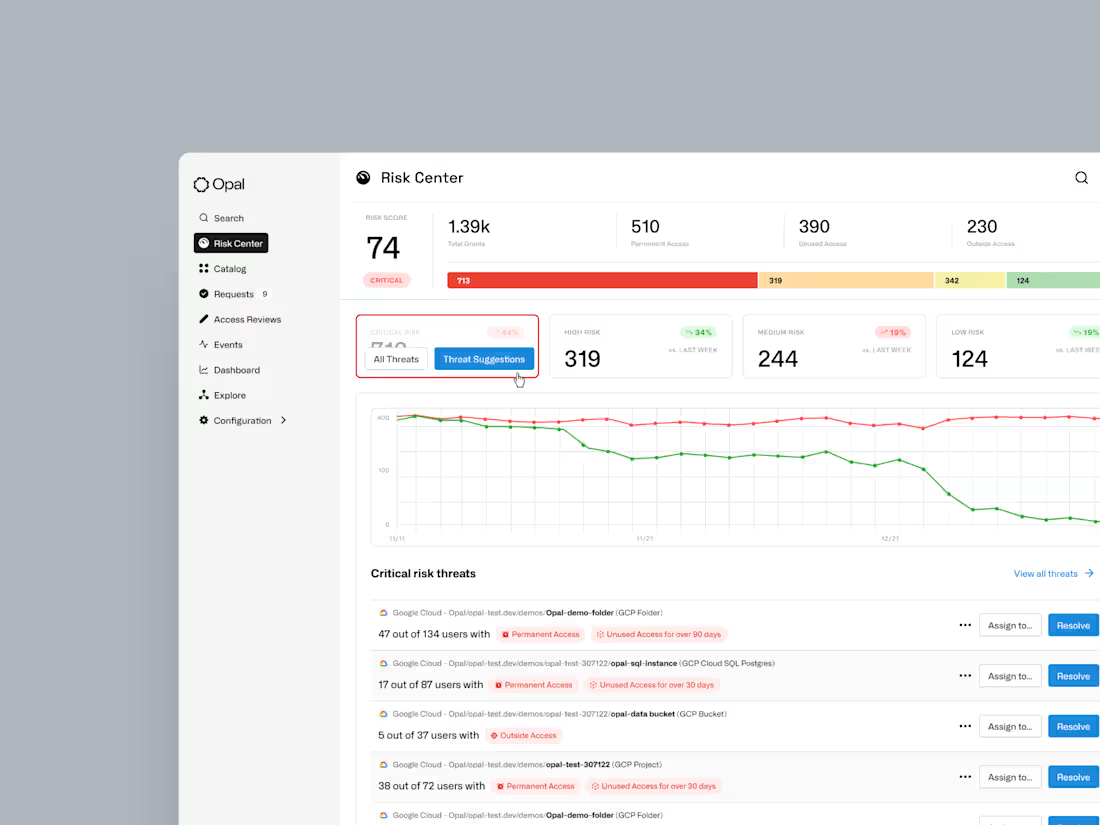
I partner with early-stage SaaS companies through structured 4-week design sprints over 12 to 16 weeks, delivering rapid, iterative solutions that drive measurable business impact.
My process combines lean research methods with agile UX principles to produce comprehensive design artifacts that support both immediate implementation and long-term scalability.
Deliverables:
Discovery Documentation – Stakeholder interviews, user research findings, competitive analysis, and process mapping that identify core friction points and opportunities
Low-Fidelity Wireframes – Rapid sketches and early-stage concepts exploring different solution approaches and information architecture
High-Fidelity Prototypes – Interactive, clickable prototypes demonstrating key user flows and features for testing and stakeholder presentations
Usability Testing Reports – Documented insights from user testing sessions with clear recommendations for iteration and improvement
Design Iteration Documentation – Before/after comparisons showing the evolution of designs through sprint cycles with rationale for key decisions
Investor-Ready Presentations – Slide decks highlighting business impact, time savings, and ROI metrics tailored for capital raise meetings
Build Figma Files – Organized design files with clear naming conventions, annotations, and developer handoff specifications
Scalable Design System – Complete component libraries, style guides, color systems, and interaction patterns that your team can implement and scale independently
What's included
Sketches and Storyboards
Low-fidelity visual representations of initial design concepts and user scenarios
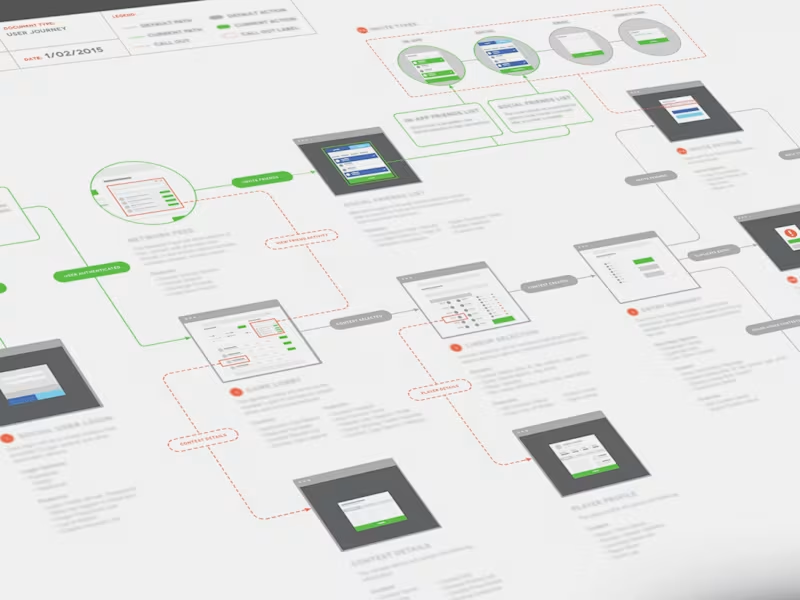
User Flows / Flowcharts
Diagrams that map out the steps a user takes to complete a specific task within the product, ensuring efficient navigation.
User Journeys / Journey Maps
Visualizations of the user's process, experience, and interactions across various touchpoints, highlighting pain-points and opportunities.
Low-fidelity Prototypes / Wireframes
Quick visual representations of potential solutions used to test concepts and gather early feedback before significant development investment.
Clickable Prototypes
An interactive, early version of the software that simulates key user flows and features, allowing real users to click through, test core functions.
AI-driven Prototypes
AI-driven prototyping can be strategic, using AI for speed, but needs developer oversight for quality, implementation and final deployment.
Design System & Style Guides
A centralized library of reusable UI components (buttons, forms, modals) and clear guidelines to maintain brand consistency and design scalability across the entire product.
A/B Testing Variations
Test different design options used in controlled experiments to determine which performs better against specific goals. This can be executed over several rounds and with multiple variables until a desired baseline is reached.
UX / UI Design
UI (User Interface) design is primarily focuses on the visual look, style, and interactivity of a product's interface and building out components into a scalable design system.
Design System Development / Management
Work closely with developers to manage centralized component libraries within tools like Figma or link to engineering documentation via tools like Storybook.
Contact for pricing
Tags
Figma

Figma Make

Framer

Linear

Miro

Product Designer
UI Designer
UX Designer
Service provided by
Michael Pons New York, USA
- 4
- Followers
Lean Product Design Sprint (4 Weeks)Michael Pons
Contact for pricing
Tags
Figma
Figma Make
Framer
Linear
Miro
Product Designer
UI Designer
UX Designer
I partner with early-stage SaaS companies through structured 4-week design sprints over 12 to 16 weeks, delivering rapid, iterative solutions that drive measurable business impact.
My process combines lean research methods with agile UX principles to produce comprehensive design artifacts that support both immediate implementation and long-term scalability.
Deliverables:
Discovery Documentation – Stakeholder interviews, user research findings, competitive analysis, and process mapping that identify core friction points and opportunities
Low-Fidelity Wireframes – Rapid sketches and early-stage concepts exploring different solution approaches and information architecture
High-Fidelity Prototypes – Interactive, clickable prototypes demonstrating key user flows and features for testing and stakeholder presentations
Usability Testing Reports – Documented insights from user testing sessions with clear recommendations for iteration and improvement
Design Iteration Documentation – Before/after comparisons showing the evolution of designs through sprint cycles with rationale for key decisions
Investor-Ready Presentations – Slide decks highlighting business impact, time savings, and ROI metrics tailored for capital raise meetings
Build Figma Files – Organized design files with clear naming conventions, annotations, and developer handoff specifications
Scalable Design System – Complete component libraries, style guides, color systems, and interaction patterns that your team can implement and scale independently
What's included
Sketches and Storyboards
Low-fidelity visual representations of initial design concepts and user scenarios
User Flows / Flowcharts
Diagrams that map out the steps a user takes to complete a specific task within the product, ensuring efficient navigation.
User Journeys / Journey Maps
Visualizations of the user's process, experience, and interactions across various touchpoints, highlighting pain-points and opportunities.
Low-fidelity Prototypes / Wireframes
Quick visual representations of potential solutions used to test concepts and gather early feedback before significant development investment.
Clickable Prototypes
An interactive, early version of the software that simulates key user flows and features, allowing real users to click through, test core functions.
AI-driven Prototypes
AI-driven prototyping can be strategic, using AI for speed, but needs developer oversight for quality, implementation and final deployment.
Design System & Style Guides
A centralized library of reusable UI components (buttons, forms, modals) and clear guidelines to maintain brand consistency and design scalability across the entire product.
A/B Testing Variations
Test different design options used in controlled experiments to determine which performs better against specific goals. This can be executed over several rounds and with multiple variables until a desired baseline is reached.
UX / UI Design
UI (User Interface) design is primarily focuses on the visual look, style, and interactivity of a product's interface and building out components into a scalable design system.
Design System Development / Management
Work closely with developers to manage centralized component libraries within tools like Figma or link to engineering documentation via tools like Storybook.
Contact for pricing