
Mobile app Design | FigmaIrfan Baig
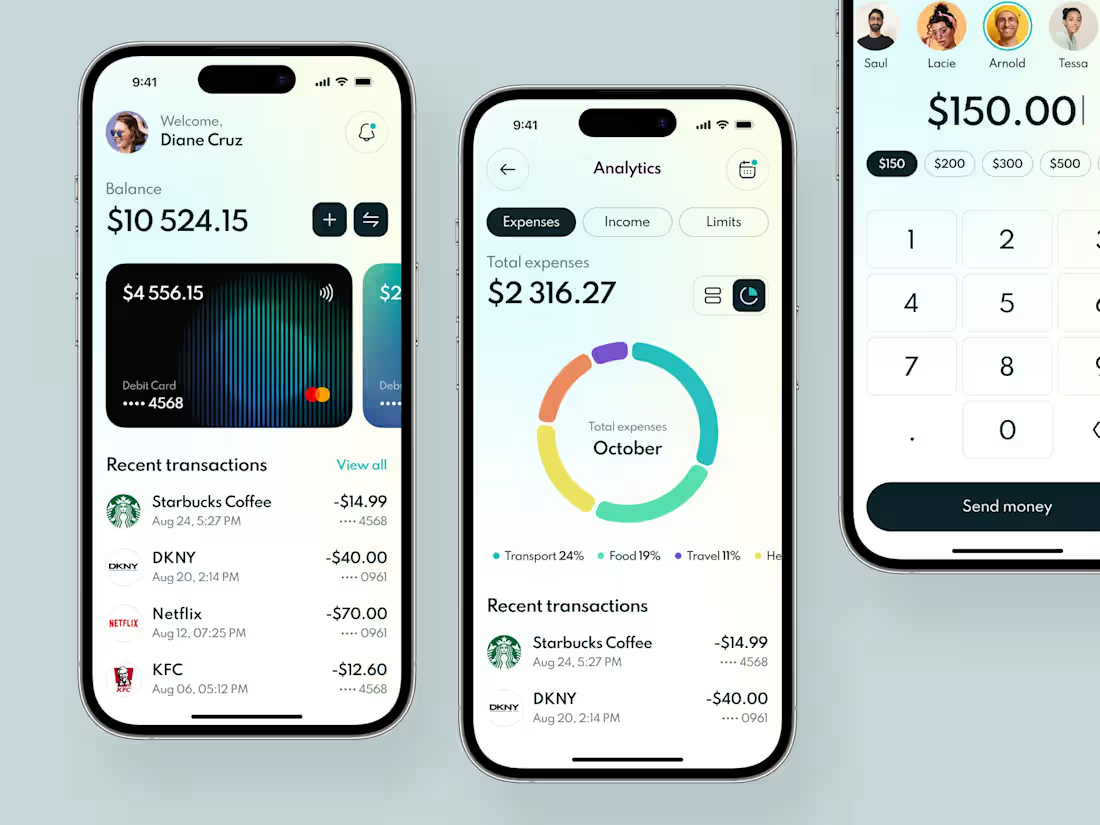
If you already have a clear idea for your mobile app, backed by user and competitor research, I can help you turn that vision into a clean, intuitive, and interactive design.
We’ll start with a discovery call where you’ll share your research, app concept, and brand assets. If you don’t have branding yet, I offer that separately.
From there, I’ll design a grayscale wireframe in Figma to map out the app’s structure. After your feedback, I’ll create a low-fidelity prototype to validate functionality and flow. Once that’s approved, I’ll deliver a high-fidelity, clickable prototype fully branded and ready for user testing or developer handoff.
• Mobile-focused (iOS, Android, or both)
• Includes 1 wireframe, 1 low-fi, and 1 high-fi prototype
• 2 feedback rounds included in the final stage
• UI design only UX research and branding available as add-ons
What's included
🔍 Step 1: Discovery & Wireframing
We’ll kick things off with a discovery meeting to align on goals, features, and user expectations. Based on this session, I’ll create a grayscale wireframe in Figma a digital sketch that outlines the app’s core structure and functionality. This will give you a clear visual direction before we dive into design.
✅ Includes 1 wireframe + a feedback session.
🔁 Additional revisions available for an extra cost.
🧪 Step 2: Low-Fidelity Prototype
Once the wireframe is approved, I’ll design a low-fidelity interactive prototype in Figma. This will start to resemble the actual app layout (still in grayscale and without imagery), offering basic interactivity to test flows. It’s the perfect stage to gather early user feedback and validate core functionality.
✅ Includes 1 low-fi prototype + feedback session.
💡 Optional: Add clickable interactions for a more realistic experience.
🎨 Step 3: High-Fidelity Mockup & Clickable Prototype
With your feedback in hand, I’ll turn the approved low-fi prototype into a high-fidelity, clickable prototype—fully styled with your branding, colors, logos, and visuals. This version will closely reflect the final product and is ideal for stakeholder reviews, user testing, or handing off to developers.
✅ Includes 2 revision rounds + feedback meetings.
🔁 Additional revisions available as an add-on.
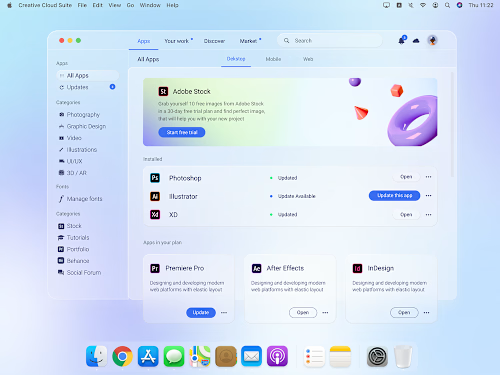
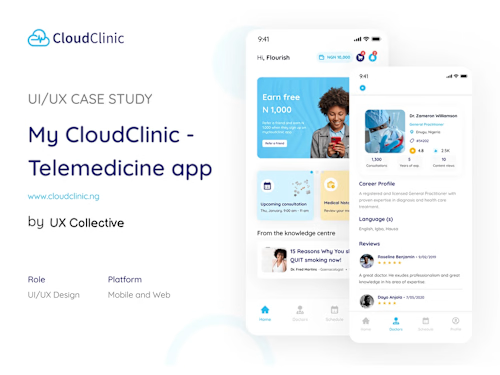
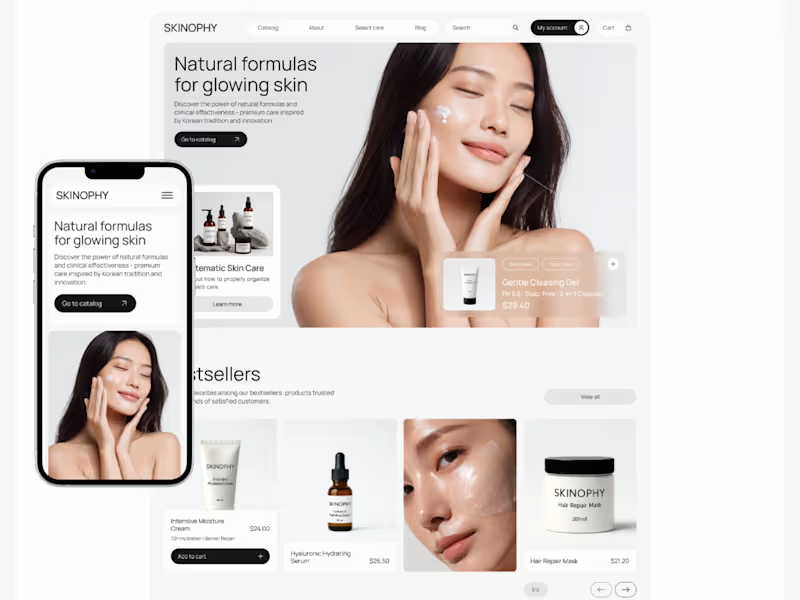
Example work

Irfan's other services
Contact for pricing
Tags
Adobe Illustrator

Adobe Photoshop

Adobe XD

Figma

Miro

Mobile Designer
Product Designer
UI Designer
Service provided by
Irfan Baig proHunza Nagar
- 5.00
- Rating
- 49
- Followers
Mobile app Design | FigmaIrfan Baig
Contact for pricing
Tags
Adobe Illustrator
Adobe Photoshop
Adobe XD
Figma
Miro
Mobile Designer
Product Designer
UI Designer
If you already have a clear idea for your mobile app, backed by user and competitor research, I can help you turn that vision into a clean, intuitive, and interactive design.
We’ll start with a discovery call where you’ll share your research, app concept, and brand assets. If you don’t have branding yet, I offer that separately.
From there, I’ll design a grayscale wireframe in Figma to map out the app’s structure. After your feedback, I’ll create a low-fidelity prototype to validate functionality and flow. Once that’s approved, I’ll deliver a high-fidelity, clickable prototype fully branded and ready for user testing or developer handoff.
• Mobile-focused (iOS, Android, or both)
• Includes 1 wireframe, 1 low-fi, and 1 high-fi prototype
• 2 feedback rounds included in the final stage
• UI design only UX research and branding available as add-ons
What's included
🔍 Step 1: Discovery & Wireframing
We’ll kick things off with a discovery meeting to align on goals, features, and user expectations. Based on this session, I’ll create a grayscale wireframe in Figma a digital sketch that outlines the app’s core structure and functionality. This will give you a clear visual direction before we dive into design.
✅ Includes 1 wireframe + a feedback session.
🔁 Additional revisions available for an extra cost.
🧪 Step 2: Low-Fidelity Prototype
Once the wireframe is approved, I’ll design a low-fidelity interactive prototype in Figma. This will start to resemble the actual app layout (still in grayscale and without imagery), offering basic interactivity to test flows. It’s the perfect stage to gather early user feedback and validate core functionality.
✅ Includes 1 low-fi prototype + feedback session.
💡 Optional: Add clickable interactions for a more realistic experience.
🎨 Step 3: High-Fidelity Mockup & Clickable Prototype
With your feedback in hand, I’ll turn the approved low-fi prototype into a high-fidelity, clickable prototype—fully styled with your branding, colors, logos, and visuals. This version will closely reflect the final product and is ideal for stakeholder reviews, user testing, or handing off to developers.
✅ Includes 2 revision rounds + feedback meetings.
🔁 Additional revisions available as an add-on.
Example work
Irfan's other services
Contact for pricing