
Stunning Mobile App UI/UX that engages your usersUzeir Mansuri
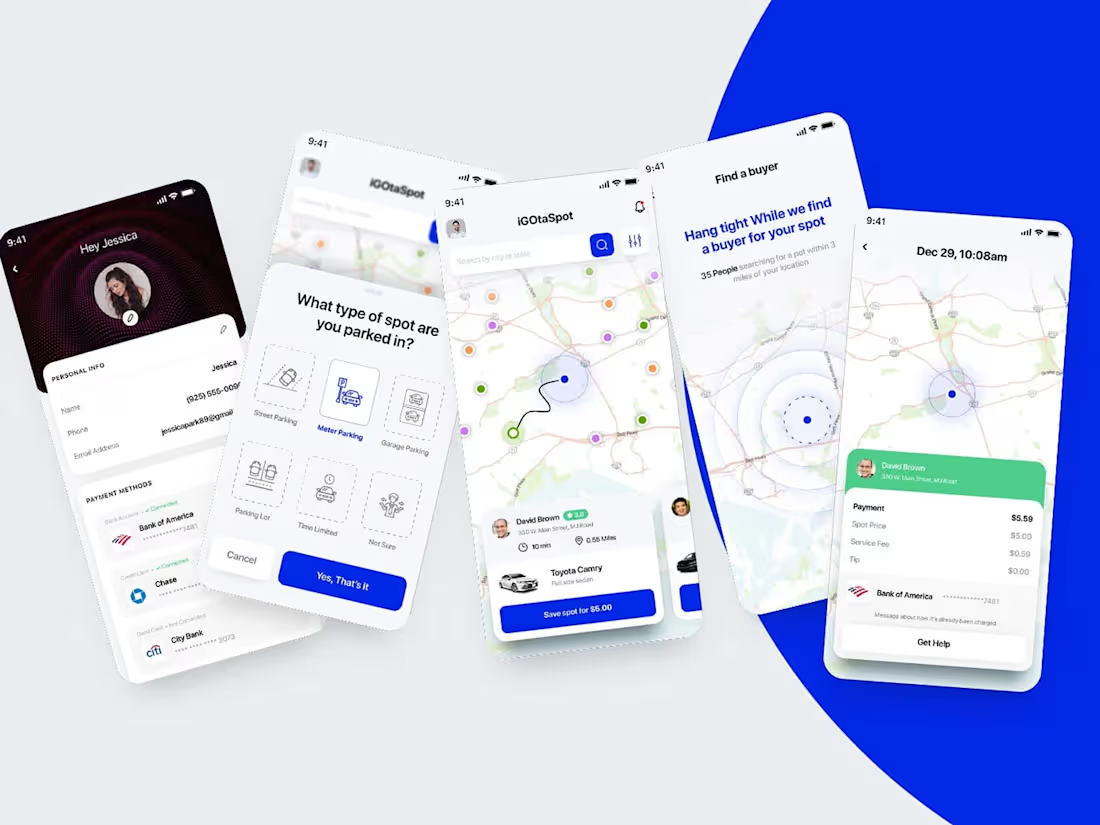
I design mobile apps that don’t just look pretty, they actually make sense to use. From wireframes to polished UI and handoff files your devs won’t hate, I cover it all. Think of me as your app’s personal stylist and usability coach, all in one.
What's included
📱 1. Mobile App Wireframes (UX)
• Low or mid-fidelity wireframes to map user flow
• Clear navigation structure and screen hierarchy
• User journey planning for a seamless experience
🎨 2. High-Fidelity UI Designs
• Fully designed app screens (iOS/Android or both)
• Custom color palette, typography, icons, and UI components
• Designed in Figma (preffered though or Photoshop if your dev is still outdated)
🌗 3. Light & Dark Mode (If needed)
• Optional support for both UI themes
🧩 4. Design System / UI Kit
• Reusable components, buttons, inputs, colors, and spacing
• Helps dev team stay consistent and build faster
📂 5. Handoff-Ready Files
• Organized Figma file with naming conventions
• Developer-ready assets (icons, images, style guide)
• Optional: Figma Dev Mode enabled or Zeplin export
🔁 6. Revisions
• Typically 1–2 rounds of revisions (based on your Contra plan)
• Feedback-based improvements on UI and flow
Bonus Add-ons (Optional)
• Clickable Prototype (Figma / InVision)
• App Store preview mockups
• Logo or app icon design
FAQs
Uzeir's other services
Contact for pricing
Tags
Adobe Illustrator

Adobe Photoshop

Adobe XD

Figma

Interaction Designer
Mobile Designer
Web Designer
Service provided by
Uzeir Mansuri Ahmedabad, India
- 5.00
- Rating
- 1
- Followers
Stunning Mobile App UI/UX that engages your usersUzeir Mansuri
Contact for pricing
Tags
Adobe Illustrator
Adobe Photoshop
Adobe XD
Figma
Interaction Designer
Mobile Designer
Web Designer
I design mobile apps that don’t just look pretty, they actually make sense to use. From wireframes to polished UI and handoff files your devs won’t hate, I cover it all. Think of me as your app’s personal stylist and usability coach, all in one.
What's included
📱 1. Mobile App Wireframes (UX)
• Low or mid-fidelity wireframes to map user flow
• Clear navigation structure and screen hierarchy
• User journey planning for a seamless experience
🎨 2. High-Fidelity UI Designs
• Fully designed app screens (iOS/Android or both)
• Custom color palette, typography, icons, and UI components
• Designed in Figma (preffered though or Photoshop if your dev is still outdated)
🌗 3. Light & Dark Mode (If needed)
• Optional support for both UI themes
🧩 4. Design System / UI Kit
• Reusable components, buttons, inputs, colors, and spacing
• Helps dev team stay consistent and build faster
📂 5. Handoff-Ready Files
• Organized Figma file with naming conventions
• Developer-ready assets (icons, images, style guide)
• Optional: Figma Dev Mode enabled or Zeplin export
🔁 6. Revisions
• Typically 1–2 rounds of revisions (based on your Contra plan)
• Feedback-based improvements on UI and flow
Bonus Add-ons (Optional)
• Clickable Prototype (Figma / InVision)
• App Store preview mockups
• Logo or app icon design
FAQs
Uzeir's other services
Contact for pricing