
AI Bots and Apps on Slack & Microsoft TeamsAnkit S
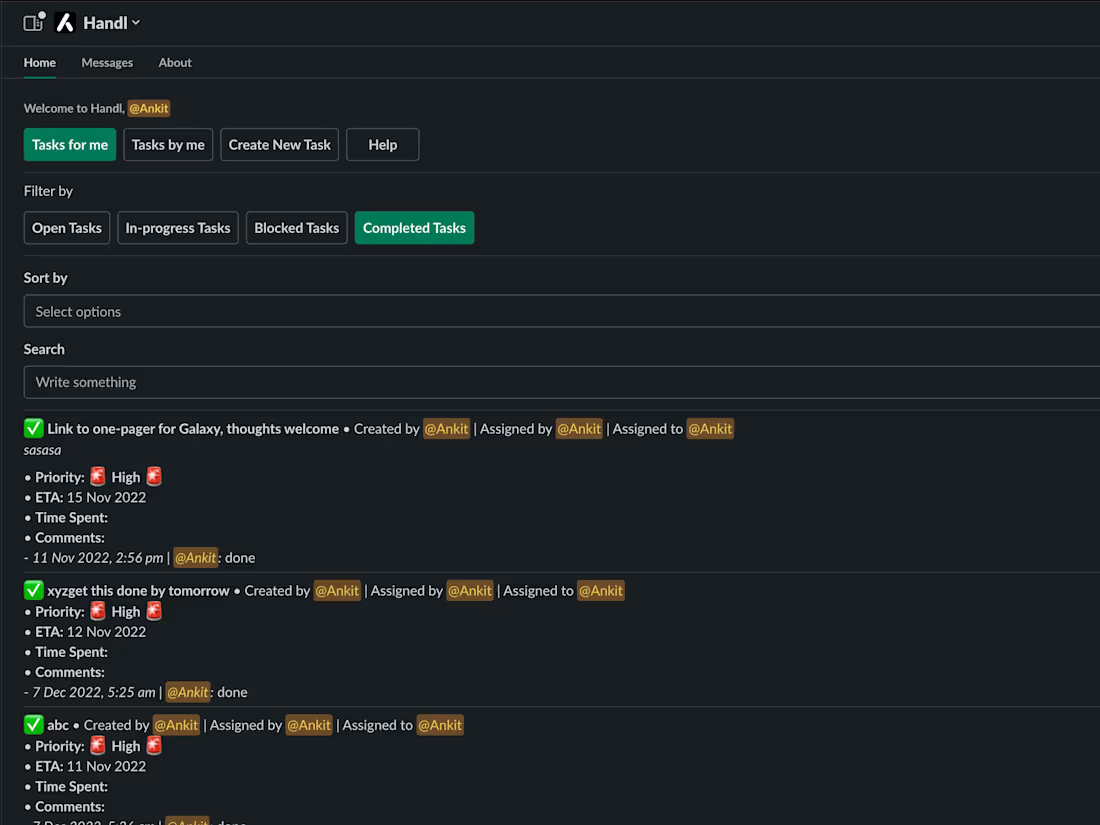
I help businesses build powerful AI bots and apps for Microsoft Teams and Slack : fully customizable, production-ready, and easy to deploy across cloud, on-prem, or serverless environments. What sets me apart is my end-to-end delivery: you get clean source code, detailed deployment guides, and a demo video : all tailored for real-world use and easy handoff. With over 200 successful projects delivered in the past 3 years across leading freelance platforms, I bring proven experience and reliability to every engagement.
What's included
AI Bot Source Code (Slack + Teams)
Fully documented and production-ready source code for AI-powered bots integrated with Microsoft Teams and Slack. The code will include message handling, context management, and platform-specific logic using best practices.
Format: GitHub repository (or downloadable ZIP)
Deployment Guides (Cloud, On-Prem, Serverless)
Step-by-step guides for deploying the bot on:
• Cloud (Azure, AWS, DigitalOcean)
• On-Premises (self-hosted servers)
• Serverless (e.g., AWS Lambda, Azure Functions)
Format: Markdown (.md) or PDF
Notes: Each environment guide includes setup prerequisites, environment variables, and troubleshooting tips.
Demo Video Walkthrough
A pre-recorded video demo showcasing:
• Core bot features
• Platform-specific interactions (Slack and Teams)
• Configuration walkthrough
Format: MP4 or YouTube/Vimeo unlisted link
FAQs
Contact for pricing
Tags
Microsoft Teams

Slack

Backend Engineer
Software Engineer
Web Developer
Service provided by
Ankit S Bengaluru, India
- $25k+
- Earned
- 4
- Paid projects
- 5.00
- Rating
- 13
- Followers
AI Bots and Apps on Slack & Microsoft TeamsAnkit S
Contact for pricing
Tags
Microsoft Teams
Slack
Backend Engineer
Software Engineer
Web Developer
I help businesses build powerful AI bots and apps for Microsoft Teams and Slack : fully customizable, production-ready, and easy to deploy across cloud, on-prem, or serverless environments. What sets me apart is my end-to-end delivery: you get clean source code, detailed deployment guides, and a demo video : all tailored for real-world use and easy handoff. With over 200 successful projects delivered in the past 3 years across leading freelance platforms, I bring proven experience and reliability to every engagement.
What's included
AI Bot Source Code (Slack + Teams)
Fully documented and production-ready source code for AI-powered bots integrated with Microsoft Teams and Slack. The code will include message handling, context management, and platform-specific logic using best practices.
Format: GitHub repository (or downloadable ZIP)
Deployment Guides (Cloud, On-Prem, Serverless)
Step-by-step guides for deploying the bot on:
• Cloud (Azure, AWS, DigitalOcean)
• On-Premises (self-hosted servers)
• Serverless (e.g., AWS Lambda, Azure Functions)
Format: Markdown (.md) or PDF
Notes: Each environment guide includes setup prerequisites, environment variables, and troubleshooting tips.
Demo Video Walkthrough
A pre-recorded video demo showcasing:
• Core bot features
• Platform-specific interactions (Slack and Teams)
• Configuration walkthrough
Format: MP4 or YouTube/Vimeo unlisted link
FAQs
Contact for pricing