
Google Workspace Workflow AutomationIvy
The problem: A repetitive manual workflow eats hours every week — copying data between sheets, sending the same follow-ups, updating records by hand.
Who this service is for: Business owners with a specific repetitive process inside Google Workspace (Sheets, Gmail, Calendar, Drive, Forms) who want it automated once, documented clearly, and handed over with no ongoing dependency.
What you get:
One clearly defined workflow built with Google Apps Script and supported Google Workspace tools: trigger → action → error handling
Written documentation: what it does, how to run it, what to do if it fails
Testing evidence: what was tested and the results
Rollback instructions
What is included:
One newly scoped workflow — defined in writing before work begins
Google Workspace tools only (Sheets, Gmail, Calendar, Drive, Forms)
Built in test copies first; deployed to live files only after your written approval
A backup is created before any client file is modified
What is excluded:
Repairing an existing broken script (that's the $150 service)
Unrelated additional workflows — each new workflow is a separate scope
Integrations beyond the agreed Google Workspace scope
Ongoing maintenance or monitoring — a separate discussion, never assumed
What I need from you (in writing):
The current manual process, step by step
Which Google tools are involved (Sheets, Gmail, Calendar, Drive, Forms)
What "done" looks like — the exact outcome you expect
A test copy of any files involved
Timeline: About 1 week from completed intake and scope confirmation.
Revisions: One adjustment round within 7 days for behavior corrections inside the agreed scope.
How I check my work: Trigger behavior tested; permissions verified; error handling tested with bad inputs; duplicate-run behavior confirmed; timezone and quota limits checked; deployed to live files only after your written approval. A backup is created before any client file is modified.
FAQ:
How is this different from the $150 debugging? This builds something new that didn't exist. Debugging fixes something broken you already have.
What if I need changes after delivery? One adjustment round is included. Further changes are quoted separately as private custom work.
Will it keep working? I document every dependency and failure mode. Ongoing maintenance is a separate discussion, never assumed.
Next step: Describe the workflow you want to improve, step by step — I'll reply within one business day during working hours.
All work is written and asynchronous — no calls, no meetings. I reply in writing within one business day during my working hours (Monday–Thursday mornings, Eastern). This is a service target, not a guarantee — messages arriving outside working hours are answered the next working morning. Work begins only after your project is confirmed and the required payment status is verified in Contra. Your files are accessed only as necessary for the agreed work. When necessary, temporary working, backup, or staging copies are stored securely and are never shared with unauthorized parties. Copies under my control are deleted after delivery and the agreed revision period. Third-party platforms may retain data under their own policies.
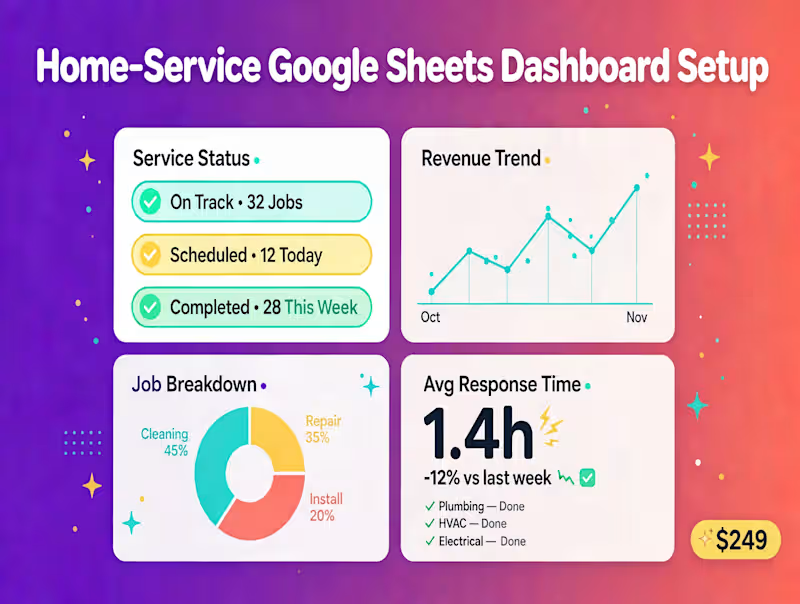
Which service do you need? — Spreadsheet you don't trust → $75 Audit (inspection + report only). Broken script you already have → $150 Debugging (one defined issue). Need a new tracking system → $249 Dashboard. Want a manual process automated → $300 Automation (one new workflow). If it doesn't fit one of these, message me and I'll tell you honestly.
FAQs

Starting at$300
Duration1 week
Tags
Business Process Automation
Google Apps Script
Google Sheets

Google Workspace
API Integration
CRM Automation
Workflow Automation
Service provided by
Ivy Orlando, USA
- 6
- Followers
Google Workspace Workflow AutomationIvy
Starting at$300
Duration1 week
Tags
Business Process Automation
Google Apps Script
Google Sheets
Google Workspace
API Integration
CRM Automation
Workflow Automation
The problem: A repetitive manual workflow eats hours every week — copying data between sheets, sending the same follow-ups, updating records by hand.
Who this service is for: Business owners with a specific repetitive process inside Google Workspace (Sheets, Gmail, Calendar, Drive, Forms) who want it automated once, documented clearly, and handed over with no ongoing dependency.
What you get:
One clearly defined workflow built with Google Apps Script and supported Google Workspace tools: trigger → action → error handling
Written documentation: what it does, how to run it, what to do if it fails
Testing evidence: what was tested and the results
Rollback instructions
What is included:
One newly scoped workflow — defined in writing before work begins
Google Workspace tools only (Sheets, Gmail, Calendar, Drive, Forms)
Built in test copies first; deployed to live files only after your written approval
A backup is created before any client file is modified
What is excluded:
Repairing an existing broken script (that's the $150 service)
Unrelated additional workflows — each new workflow is a separate scope
Integrations beyond the agreed Google Workspace scope
Ongoing maintenance or monitoring — a separate discussion, never assumed
What I need from you (in writing):
The current manual process, step by step
Which Google tools are involved (Sheets, Gmail, Calendar, Drive, Forms)
What "done" looks like — the exact outcome you expect
A test copy of any files involved
Timeline: About 1 week from completed intake and scope confirmation.
Revisions: One adjustment round within 7 days for behavior corrections inside the agreed scope.
How I check my work: Trigger behavior tested; permissions verified; error handling tested with bad inputs; duplicate-run behavior confirmed; timezone and quota limits checked; deployed to live files only after your written approval. A backup is created before any client file is modified.
FAQ:
How is this different from the $150 debugging? This builds something new that didn't exist. Debugging fixes something broken you already have.
What if I need changes after delivery? One adjustment round is included. Further changes are quoted separately as private custom work.
Will it keep working? I document every dependency and failure mode. Ongoing maintenance is a separate discussion, never assumed.
Next step: Describe the workflow you want to improve, step by step — I'll reply within one business day during working hours.
All work is written and asynchronous — no calls, no meetings. I reply in writing within one business day during my working hours (Monday–Thursday mornings, Eastern). This is a service target, not a guarantee — messages arriving outside working hours are answered the next working morning. Work begins only after your project is confirmed and the required payment status is verified in Contra. Your files are accessed only as necessary for the agreed work. When necessary, temporary working, backup, or staging copies are stored securely and are never shared with unauthorized parties. Copies under my control are deleted after delivery and the agreed revision period. Third-party platforms may retain data under their own policies.
Which service do you need? — Spreadsheet you don't trust → $75 Audit (inspection + report only). Broken script you already have → $150 Debugging (one defined issue). Need a new tracking system → $249 Dashboard. Want a manual process automated → $300 Automation (one new workflow). If it doesn't fit one of these, message me and I'll tell you honestly.
FAQs
$300