
📱 Mobile App UI/UX Design – Intuitive, Modern & User-CenteredMoses Obadeyi
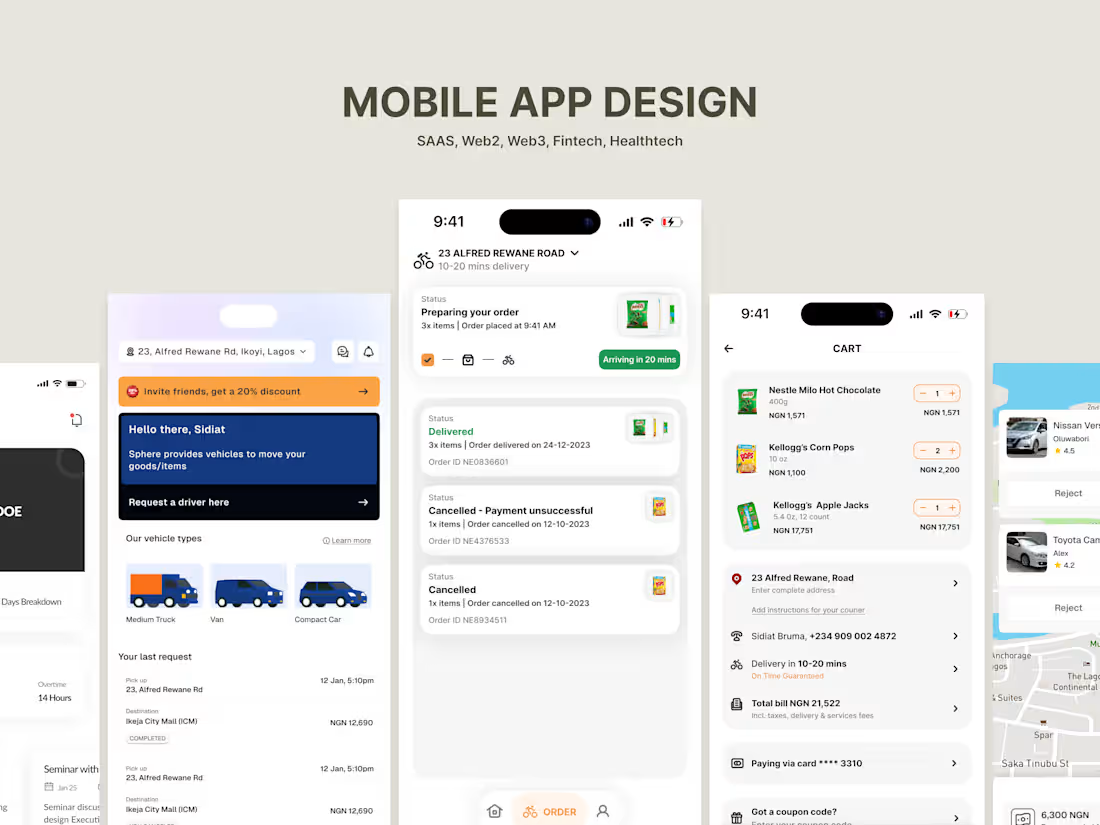
I design modern, user-friendly mobile apps that combine beauty with functionality, helping businesses turn ideas into products their users love. From discovery and user journey mapping to polished UI and developer-ready prototypes, I deliver a complete end-to-end design process. What makes me unique is my ability to simplify complex flows into seamless experiences, ensuring your app not only looks great but also drives engagement, retention, and business growth.
What's included
Understanding your Idea & Goals
Every great app starts with a clear idea. I begin by having a detailed conversation with you to learn about:
1. What your app is about and the problem it solves
2. Who your target users are (e.g., students, business owners, everyday people)
3. What features are most important for launch (your MVP)
4. What success looks like for you (downloads, sales, retention, or engagement).
This step ensures I’m not just designing “pretty screens,” but building an experience that works for your business goals.
User Research
Next, I study competitor apps and analyze what users expect in your industry. This helps me understand:
1. Which design patterns are familiar and useful to your audience
2. What frustrations users face with other apps
3. How we can make your app stand out while still being easy to use
I also gather visual inspiration to align on a mood and style for your app before starting design.
User Journey
Here, I create user flows simple diagrams that show how someone will move through your app. For example:
1. How a new user signs up and creates a profile
2. How they discover features and complete key actions
3. How they come back again and again
This step makes sure the app is logical, intuitive, and frustration-free.
Wireframes
Before diving into colors and visuals, I sketch out wireframes (like the blueprint of a house).
1. These show the structure of each screen — where buttons, menus, forms, and content go.
2. It’s a quick and low-cost way to adjust layouts before we invest in full design.
Wireframes keep the project efficient, aligned, and focused on functionality.
Visual Design
Once the structure is approved, I move into UI Design the stage where your app comes to life.
1. I apply your brand’s colors, typography, icons, and imagery.
2. I create clean, modern screens that feel professional and engaging.
3. I focus on accessibility (readable text, clear buttons, good contrast) so all users have a great experience.
This stage is where the app starts looking “real.”
Prototype
Designs are not just static images. I turn them into a clickable prototype inside Figma.
1. You’ll be able to click through the app as if it were live.
2. This lets you experience the flow firsthand and share it with your team or investors.
It’s also a great way to test ideas with real users before development.
Feedback & Iteration
No design is perfect on the first try. I welcome your feedback and make revisions to ensure the app fully matches your vision.
This collaborative step ensures you’re confident before moving into development.
Final Handoff to Developers
When everything is ready, I package the project for a smooth developer handoff:
1. Organized Figma files with all screens and assets
2. A design system (colors, typography, buttons, components) to keep things consistent
3. Notes and specifications so developers know exactly how things should work
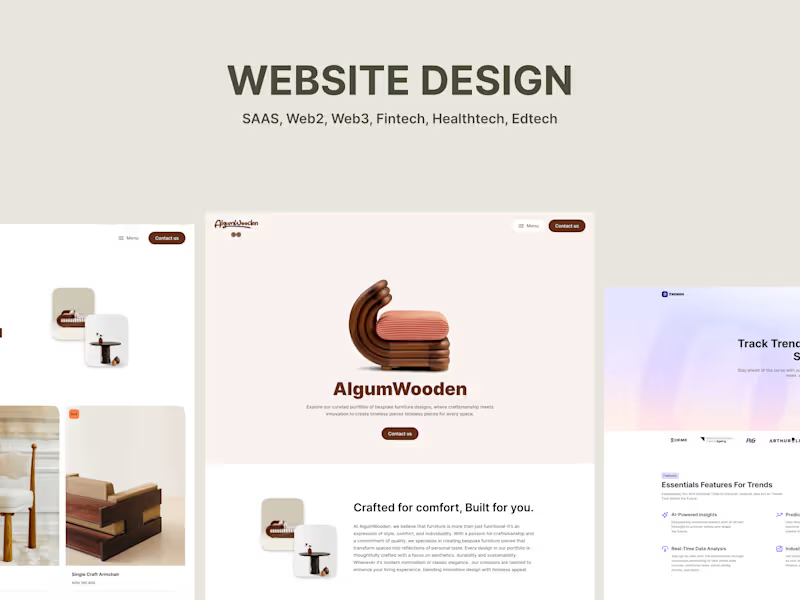
Moses 's other services
Contact for pricing
Tags
Adobe After Effects

Adobe Illustrator

Adobe XD

Figma

Sketch

Interaction Designer
Mobile Designer
Web Designer
Service provided by
Moses Obadeyi Lagos, Nigeria
- 4
- Followers
📱 Mobile App UI/UX Design – Intuitive, Modern & User-CenteredMoses Obadeyi
Contact for pricing
Tags
Adobe After Effects
Adobe Illustrator
Adobe XD
Figma
Sketch
Interaction Designer
Mobile Designer
Web Designer
I design modern, user-friendly mobile apps that combine beauty with functionality, helping businesses turn ideas into products their users love. From discovery and user journey mapping to polished UI and developer-ready prototypes, I deliver a complete end-to-end design process. What makes me unique is my ability to simplify complex flows into seamless experiences, ensuring your app not only looks great but also drives engagement, retention, and business growth.
What's included
Understanding your Idea & Goals
Every great app starts with a clear idea. I begin by having a detailed conversation with you to learn about:
1. What your app is about and the problem it solves
2. Who your target users are (e.g., students, business owners, everyday people)
3. What features are most important for launch (your MVP)
4. What success looks like for you (downloads, sales, retention, or engagement).
This step ensures I’m not just designing “pretty screens,” but building an experience that works for your business goals.
User Research
Next, I study competitor apps and analyze what users expect in your industry. This helps me understand:
1. Which design patterns are familiar and useful to your audience
2. What frustrations users face with other apps
3. How we can make your app stand out while still being easy to use
I also gather visual inspiration to align on a mood and style for your app before starting design.
User Journey
Here, I create user flows simple diagrams that show how someone will move through your app. For example:
1. How a new user signs up and creates a profile
2. How they discover features and complete key actions
3. How they come back again and again
This step makes sure the app is logical, intuitive, and frustration-free.
Wireframes
Before diving into colors and visuals, I sketch out wireframes (like the blueprint of a house).
1. These show the structure of each screen — where buttons, menus, forms, and content go.
2. It’s a quick and low-cost way to adjust layouts before we invest in full design.
Wireframes keep the project efficient, aligned, and focused on functionality.
Visual Design
Once the structure is approved, I move into UI Design the stage where your app comes to life.
1. I apply your brand’s colors, typography, icons, and imagery.
2. I create clean, modern screens that feel professional and engaging.
3. I focus on accessibility (readable text, clear buttons, good contrast) so all users have a great experience.
This stage is where the app starts looking “real.”
Prototype
Designs are not just static images. I turn them into a clickable prototype inside Figma.
1. You’ll be able to click through the app as if it were live.
2. This lets you experience the flow firsthand and share it with your team or investors.
It’s also a great way to test ideas with real users before development.
Feedback & Iteration
No design is perfect on the first try. I welcome your feedback and make revisions to ensure the app fully matches your vision.
This collaborative step ensures you’re confident before moving into development.
Final Handoff to Developers
When everything is ready, I package the project for a smooth developer handoff:
1. Organized Figma files with all screens and assets
2. A design system (colors, typography, buttons, components) to keep things consistent
3. Notes and specifications so developers know exactly how things should work
Moses 's other services
Contact for pricing