
Website Design in FigmaMuhammad Danyal Asif
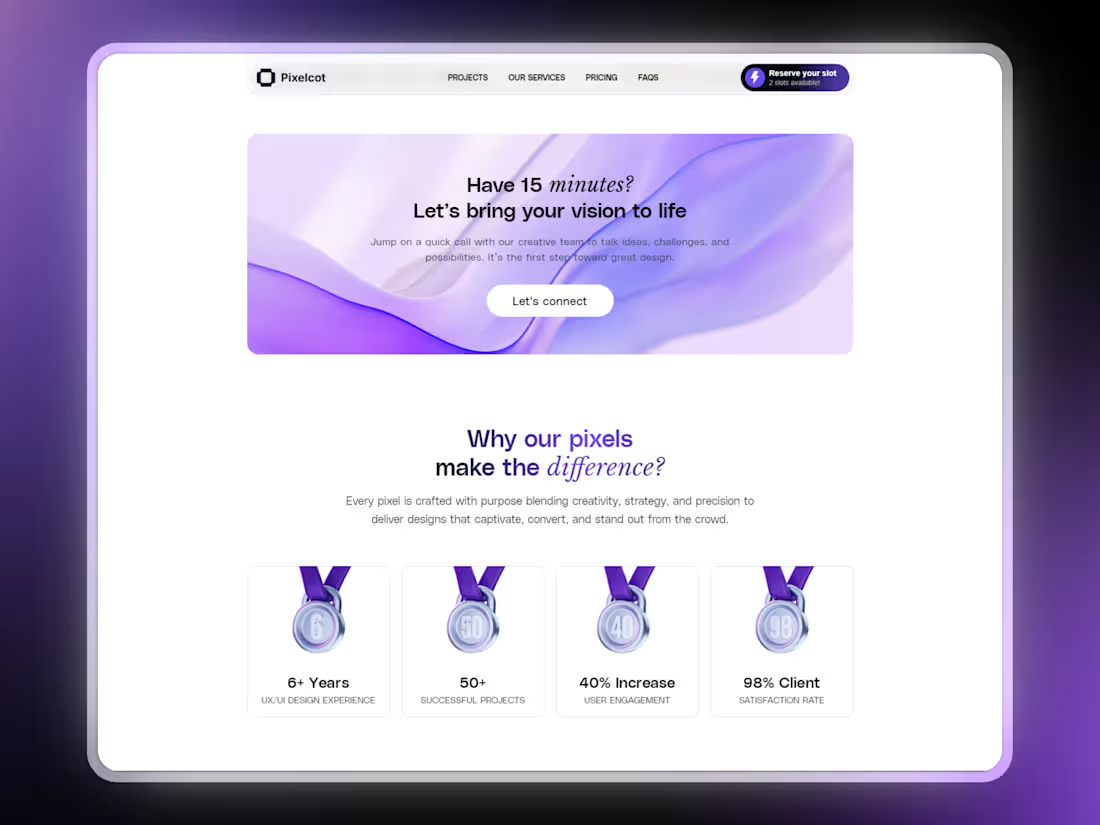
You'll get highly detailed pixel perfect design in figma that will be built according to your brand needs. Custom, reusable components will ensure your design is easy to update and maintain without any technical hassle.
My Design Process: Figma to Framer
Requirement Gathering:
Discuss your project goals, brand identity, and design preferences during a consultation.
Understand your audience and key features needed for your website.
Design in Figma:
Craft a visually appealing, user-centered design in Figma, focusing on functionality and aesthetics.
Share the design with you for feedback and revisions.
Add Animations & Interactions:
Integrate custom interactions, hover effects, and animations to make the website dynamic and engaging.
Testing & Feedback:
Test the website for responsiveness, functionality, and animations across different devices.
Gather your feedback and make necessary adjustments.
What's included
Figma Design File
Get full figma design file including all the assests used and custom fonts (if any).
Reusable Components
You'll get custom, reusable components in Figma, ensuring your design is easy to update and maintain without any technical hassle.
Animation Files (Rive, After Effects, Jitter)
If the design includes custom animations made in Rive, After Effects or Jitter, you'll get access to all the files.
FAQs
Muhammad Danyal's other services
Contact for pricing
Tags
Figma

Framer

Framer Designer
Framer Developer
Web Designer
Service provided by
Muhammad Danyal Asif Bahawalpur, Pakistan
- 5.00
- Rating
- 159
- Followers
Website Design in FigmaMuhammad Danyal Asif
You'll get highly detailed pixel perfect design in figma that will be built according to your brand needs. Custom, reusable components will ensure your design is easy to update and maintain without any technical hassle.
My Design Process: Figma to Framer
Requirement Gathering:
Discuss your project goals, brand identity, and design preferences during a consultation.
Understand your audience and key features needed for your website.
Design in Figma:
Craft a visually appealing, user-centered design in Figma, focusing on functionality and aesthetics.
Share the design with you for feedback and revisions.
Add Animations & Interactions:
Integrate custom interactions, hover effects, and animations to make the website dynamic and engaging.
Testing & Feedback:
Test the website for responsiveness, functionality, and animations across different devices.
Gather your feedback and make necessary adjustments.
What's included
Figma Design File
Get full figma design file including all the assests used and custom fonts (if any).
Reusable Components
You'll get custom, reusable components in Figma, ensuring your design is easy to update and maintain without any technical hassle.
Animation Files (Rive, After Effects, Jitter)
If the design includes custom animations made in Rive, After Effects or Jitter, you'll get access to all the files.
FAQs
Muhammad Danyal's other services
Contact for pricing