
Webflow Page Speed (Lighthouse) optimizationRoman Avshalumov
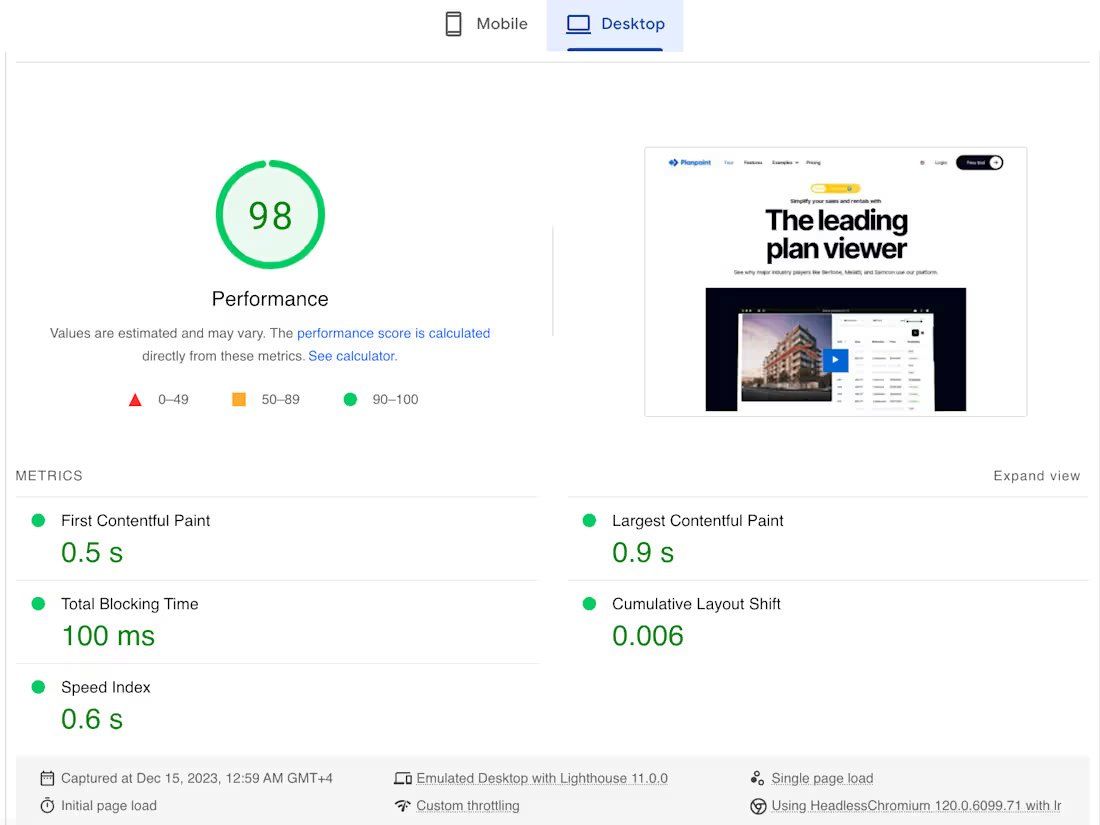
I'm Roman, a website performance optimization specialist with more than 12 years of experience.
I optimized more than 500 websites on WordPress, Shopify, HubSpot, custom and Webflow.
Optimising Webflow is incredibly difficult. Webflow is a no code editor, meaning there is no code for us to tweak, no plugins, no performance settings. Still, there is always a room for improvement.
HOW DO I DO IT?
I've been a speed optimization specialist for years and developed a unique workflow for these tasks. Upon getting access to your website I will send you a link to the progress tracker.
There you can watch how the work is going
I will write all changes down there (and you will be able to check them out at any time, even in a year from now)
At the end, I will submit Before / After tests and recommendations there if they will be any. This is my own custom system for tracking speed projects and I also developed many custom functions optimizing WordPress for speed. You won't find them anywhere else.
Send me a link to your website to receive free performance analysis and let's make it hella fast :)
What's included
Backup and staging
Firstly, I'll create a copy of your website and test all changes there - safety first!
Page Speed optimization
Optimising Webflow is incredibly difficult. Webflow is a no code editor, meaning there is no code for us to tweak, no plugins, no performance settings. Still, there is always a room for improvement.
Progress tracking
Upon getting access to your website I will send you a link to the progress tracker. I will write down all changes down there,
At the end, I will submit Before / After tests and recommendations there if they will be any. This is my own custom system for tracking speed projects and I also developed many custom functions optimizing WordPress for speed. You won't find them anywhere else.
FAQs


Starting at$500
Duration1 week
Tags
GTmetrix

Pingdom

Webflow

SEO Specialist
Web Developer
Webflow Developer
Service provided by
Roman Avshalumov maxGeorgiana, USA
- $25k+
- Earned
- 14
- Paid projects
- 5.00
- Rating
- 107
- Followers
Webflow Page Speed (Lighthouse) optimizationRoman Avshalumov
Starting at$500
Duration1 week
Tags
GTmetrix
Pingdom
Webflow
SEO Specialist
Web Developer
Webflow Developer
I'm Roman, a website performance optimization specialist with more than 12 years of experience.
I optimized more than 500 websites on WordPress, Shopify, HubSpot, custom and Webflow.
Optimising Webflow is incredibly difficult. Webflow is a no code editor, meaning there is no code for us to tweak, no plugins, no performance settings. Still, there is always a room for improvement.
HOW DO I DO IT?
I've been a speed optimization specialist for years and developed a unique workflow for these tasks. Upon getting access to your website I will send you a link to the progress tracker.
There you can watch how the work is going
I will write all changes down there (and you will be able to check them out at any time, even in a year from now)
At the end, I will submit Before / After tests and recommendations there if they will be any. This is my own custom system for tracking speed projects and I also developed many custom functions optimizing WordPress for speed. You won't find them anywhere else.
Send me a link to your website to receive free performance analysis and let's make it hella fast :)
What's included
Backup and staging
Firstly, I'll create a copy of your website and test all changes there - safety first!
Page Speed optimization
Optimising Webflow is incredibly difficult. Webflow is a no code editor, meaning there is no code for us to tweak, no plugins, no performance settings. Still, there is always a room for improvement.
Progress tracking
Upon getting access to your website I will send you a link to the progress tracker. I will write down all changes down there,
At the end, I will submit Before / After tests and recommendations there if they will be any. This is my own custom system for tracking speed projects and I also developed many custom functions optimizing WordPress for speed. You won't find them anywhere else.
FAQs
$500