
UI/UX DesignerPrakash Suryavanshi
Discovery: At the beginning of the project, you will work with the client to understand their business goals, target audience, and any existing user data they have. This helps you to define the scope of the project and develop a plan for the design process.
User Research: Next, you will conduct user research to gain insights into the needs and behaviors of the target audience. This may involve user interviews, surveys, usability testing, and other research methods to understand how users interact with similar products and identify pain points in the user experience.
Information Architecture: Based on the research, you will develop an information architecture that organizes the content and functionality of the product in a logical and intuitive way. This may involve creating user personas, mapping out user flows, and creating wireframes to illustrate the structure of the product.
Visual Design: Once the information architecture is in place, you will create the visual design of the product. This involves selecting colors, typography, images, and other visual elements that support the brand and create a cohesive look and feel.
Prototyping: With the visual design in place, you will create interactive prototypes that allow the client to test and refine the user experience. This may involve creating low-fidelity wireframes or high-fidelity interactive mockups.
User Testing: You will conduct user testing to get feedback on the design and identify areas for improvement. This may involve conducting user interviews, usability testing, and other research methods to understand how users interact with the product.
Iteration and Optimization: Based on the feedback from user testing, you will refine and optimize the design. This may involve making changes to the information architecture, visual design, and interaction design.
Handoff: Finally, you will hand off the design to the client or development team, providing them with the necessary assets and documentation to implement the design.
What's included
Client will receive:
The specific deliverables you will get as a client are -
Wireframes: These are rough sketches that outline the basic layout and structure of a webpage or application. They typically show where various elements (such as buttons, images, and text) will be placed and how they will interact with each other.
Prototypes: A prototype is an interactive mockup of a design that allows stakeholders to get a feel for how the final product will function. This can be anything from a clickable wireframe to a fully functional demo.
User Flows: User flows outline the steps a user will take to accomplish a specific task within an application or website. They help designers and developers to understand the user's journey and identify pain points that can be addressed.
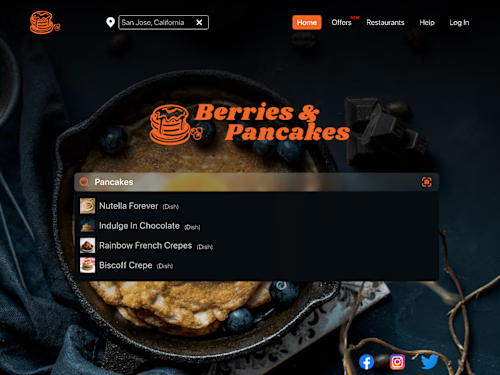
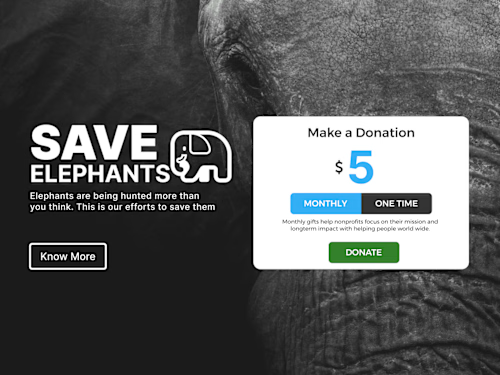
Design Mockups: These are detailed visual representations of the final design. They show the layout, typography, color scheme, and other design elements that will be used in the final product.
Design Style Guides: A style guide outlines the overall look and feel of the design, including things like color palettes, typography, and other visual guidelines.
Example work
Prakash's other services

Starting at$10
Tags
Adobe Illustrator

Adobe Photoshop

Adobe XD

Figma

Google Drive

Graphic Designer
UX Designer
Web Designer
Service provided by
Prakash Suryavanshi Mumbai, India
UI/UX DesignerPrakash Suryavanshi
Starting at$10
Tags
Adobe Illustrator
Adobe Photoshop
Adobe XD
Figma
Google Drive
Graphic Designer
UX Designer
Web Designer
Discovery: At the beginning of the project, you will work with the client to understand their business goals, target audience, and any existing user data they have. This helps you to define the scope of the project and develop a plan for the design process.
User Research: Next, you will conduct user research to gain insights into the needs and behaviors of the target audience. This may involve user interviews, surveys, usability testing, and other research methods to understand how users interact with similar products and identify pain points in the user experience.
Information Architecture: Based on the research, you will develop an information architecture that organizes the content and functionality of the product in a logical and intuitive way. This may involve creating user personas, mapping out user flows, and creating wireframes to illustrate the structure of the product.
Visual Design: Once the information architecture is in place, you will create the visual design of the product. This involves selecting colors, typography, images, and other visual elements that support the brand and create a cohesive look and feel.
Prototyping: With the visual design in place, you will create interactive prototypes that allow the client to test and refine the user experience. This may involve creating low-fidelity wireframes or high-fidelity interactive mockups.
User Testing: You will conduct user testing to get feedback on the design and identify areas for improvement. This may involve conducting user interviews, usability testing, and other research methods to understand how users interact with the product.
Iteration and Optimization: Based on the feedback from user testing, you will refine and optimize the design. This may involve making changes to the information architecture, visual design, and interaction design.
Handoff: Finally, you will hand off the design to the client or development team, providing them with the necessary assets and documentation to implement the design.
What's included
Client will receive:
The specific deliverables you will get as a client are -
Wireframes: These are rough sketches that outline the basic layout and structure of a webpage or application. They typically show where various elements (such as buttons, images, and text) will be placed and how they will interact with each other.
Prototypes: A prototype is an interactive mockup of a design that allows stakeholders to get a feel for how the final product will function. This can be anything from a clickable wireframe to a fully functional demo.
User Flows: User flows outline the steps a user will take to accomplish a specific task within an application or website. They help designers and developers to understand the user's journey and identify pain points that can be addressed.
Design Mockups: These are detailed visual representations of the final design. They show the layout, typography, color scheme, and other design elements that will be used in the final product.
Design Style Guides: A style guide outlines the overall look and feel of the design, including things like color palettes, typography, and other visual guidelines.
Example work
Prakash's other services
$10