
Upgrade your Power BI reports from standard visuals to modern, executive-level Dark UI dashboards in seconds!
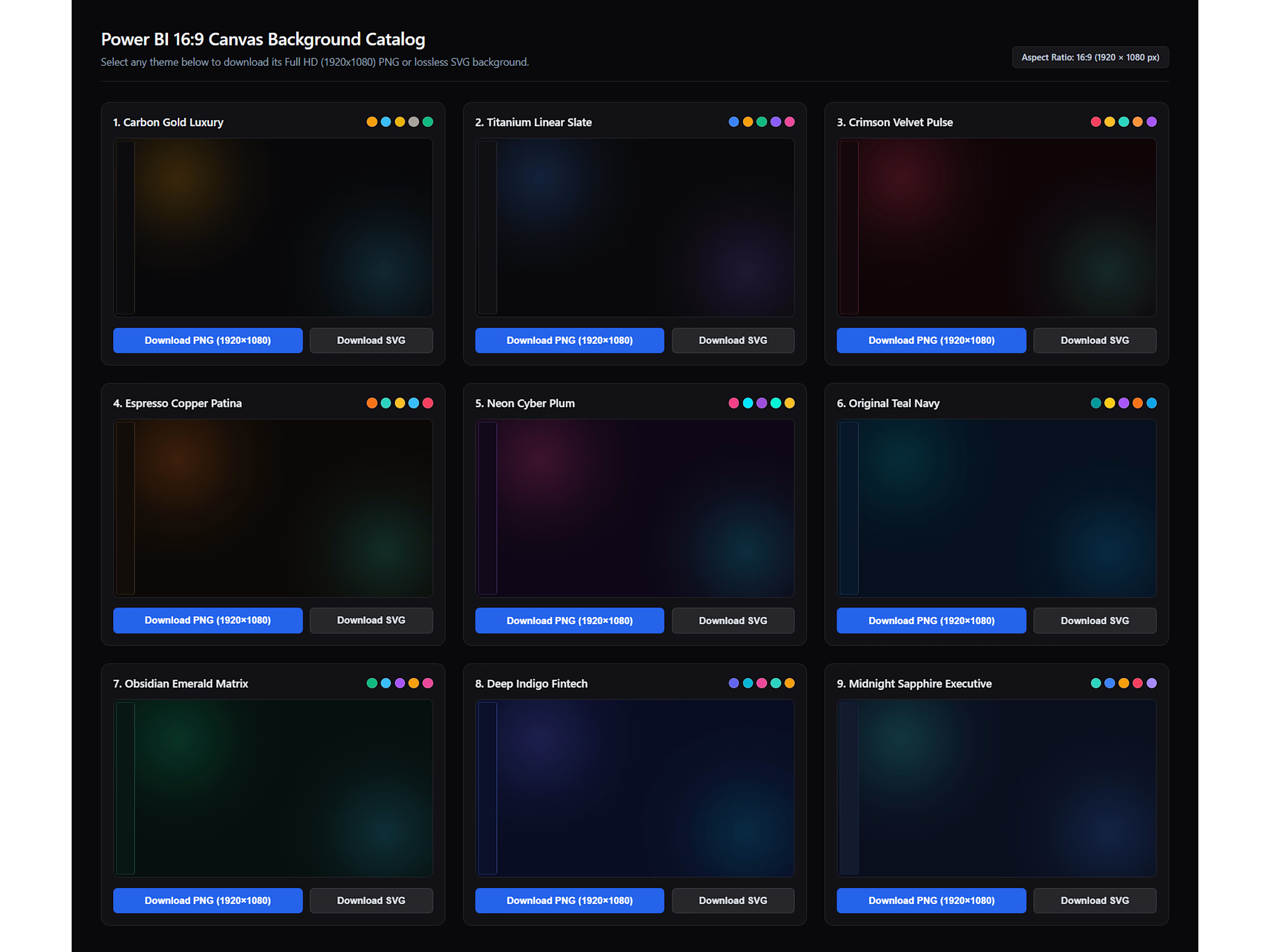
This free kit includes 5 carefully crafted, high-contrast dark JSON themes and 9 matching 16:9 ambient glow canvas backgrounds designed specifically for Executive, Finance, Marketing, and E-Commerce dashboards.
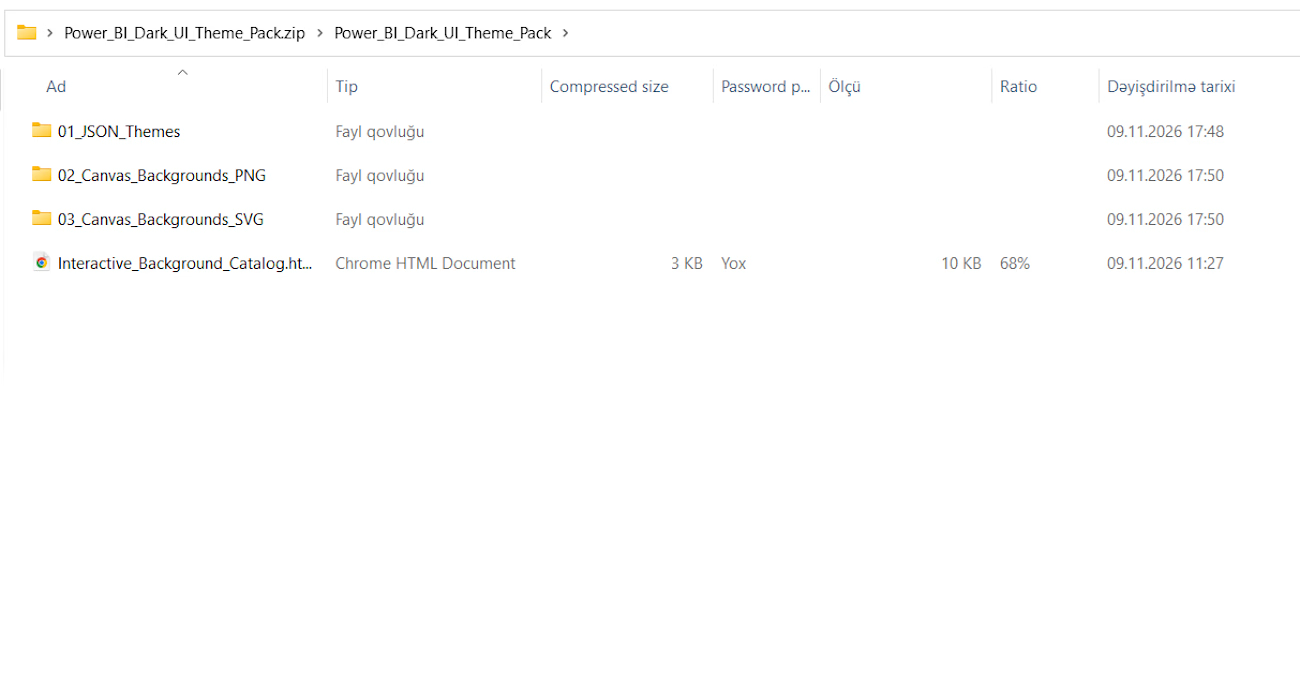
📦 WHAT'S INCLUDED IN THE ZIP:
• 5 Custom Power BI Theme Files (.JSON) – Pre-configured rounded corners, modern color palettes, clean typography, and formatted axes.
• 9 Full HD 16:9 Canvas Backgrounds (.PNG - 1920x1080px) – Built-in left navigation sidebar and soft ambient radial glows.
• 9 Lossless Vector Backgrounds (.SVG) – Zero color banding, ultra-crisp scaling on 4K displays.
• 1 Interactive HTML Catalog Generator – Preview all 9 background styles and export them directly from your browser.
• Theme Cover / Title Page & Video Demo – See exactly how the themes look in action.
🎨 9 BACKGROUND & THEME STYLES IN THE CATALOG:
Carbon Gold Luxury (Executive / Finance)
Titanium Linear Slate (Neutral Minimalist Dark UI)
Crimson Velvet Pulse (E-Commerce / Marketing)
Espresso Copper Patina (Retail / Operations)
Neon Cyber Plum (Modern Tech UI)
Original Teal Navy (Corporate BI)
Obsidian Emerald Matrix (Growth / Analytics)
Deep Indigo Fintech (Banking / Crypto)
Midnight Sapphire Executive (Boardroom Reporting)
🚀 HOW TO USE:
In Power BI Desktop, go to View -> Themes -> Browse for themes and select any of the 5 .JSON files.
Go to Format Page -> Canvas Background -> Browse and select your favorite .SVG or .PNG background (Set Transparency to 0% and Image Fit to 'Fit').
💡 Need a custom Power BI dashboard, DAX optimization, or end-to-end data modeling for your business? Feel free to message me directly on Contra!
Get it for$0.00
Tags
Dashboard Design
Data Analytics
Excel VBA

Microsoft Excel

Microsoft Power BI

Business Intelligence
Data Visualizer
Data Visualizer
Excel
Power BI
Product Data Analyst
Reporting
Dark Mode UI
Dashboard
JSON Theme
Power BI Template
Power BI Theme
Product created by
Mahammadali Mammadov Baku, Azerbaijan
- 3
- Followers
Get it for$0.00
Tags
Dashboard Design
Data Analytics
Excel VBA
Microsoft Excel
Microsoft Power BI
Business Intelligence
Data Visualizer
Data Visualizer
Excel
Power BI
Product Data Analyst
Reporting
Dark Mode UI
Dashboard
JSON Theme
Power BI Template
Power BI Theme
Upgrade your Power BI reports from standard visuals to modern, executive-level Dark UI dashboards in seconds!
This free kit includes 5 carefully crafted, high-contrast dark JSON themes and 9 matching 16:9 ambient glow canvas backgrounds designed specifically for Executive, Finance, Marketing, and E-Commerce dashboards.
📦 WHAT'S INCLUDED IN THE ZIP:
• 5 Custom Power BI Theme Files (.JSON) – Pre-configured rounded corners, modern color palettes, clean typography, and formatted axes.
• 9 Full HD 16:9 Canvas Backgrounds (.PNG - 1920x1080px) – Built-in left navigation sidebar and soft ambient radial glows.
• 9 Lossless Vector Backgrounds (.SVG) – Zero color banding, ultra-crisp scaling on 4K displays.
• 1 Interactive HTML Catalog Generator – Preview all 9 background styles and export them directly from your browser.
• Theme Cover / Title Page & Video Demo – See exactly how the themes look in action.
🎨 9 BACKGROUND & THEME STYLES IN THE CATALOG:
Carbon Gold Luxury (Executive / Finance)
Titanium Linear Slate (Neutral Minimalist Dark UI)
Crimson Velvet Pulse (E-Commerce / Marketing)
Espresso Copper Patina (Retail / Operations)
Neon Cyber Plum (Modern Tech UI)
Original Teal Navy (Corporate BI)
Obsidian Emerald Matrix (Growth / Analytics)
Deep Indigo Fintech (Banking / Crypto)
Midnight Sapphire Executive (Boardroom Reporting)
🚀 HOW TO USE:
In Power BI Desktop, go to View -> Themes -> Browse for themes and select any of the 5 .JSON files.
Go to Format Page -> Canvas Background -> Browse and select your favorite .SVG or .PNG background (Set Transparency to 0% and Image Fit to 'Fit').
💡 Need a custom Power BI dashboard, DAX optimization, or end-to-end data modeling for your business? Feel free to message me directly on Contra!
$0.00