
Requires Framer. This is a code component for Framer projects — not a standalone app or plugin for another platform.
Overview
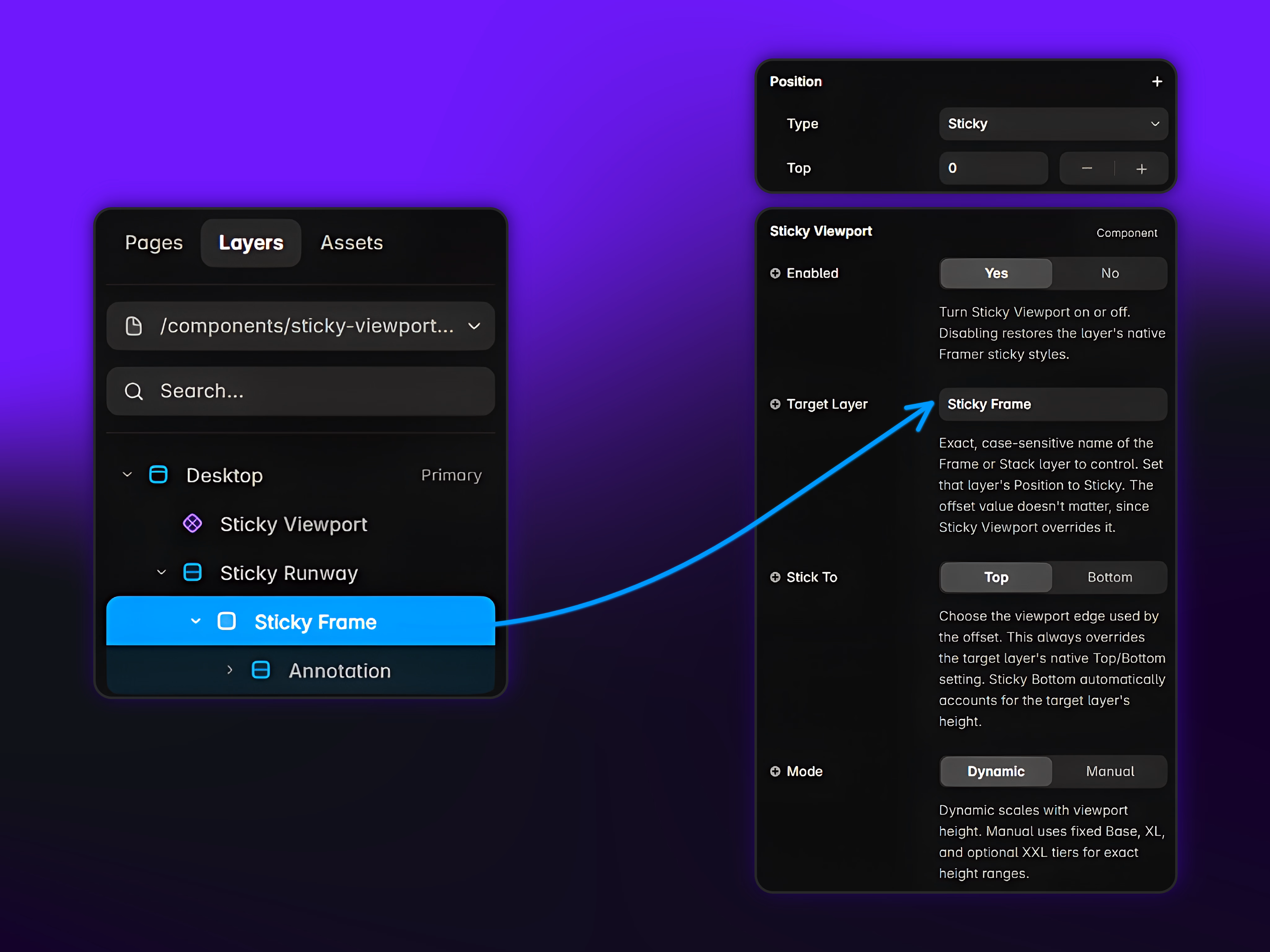
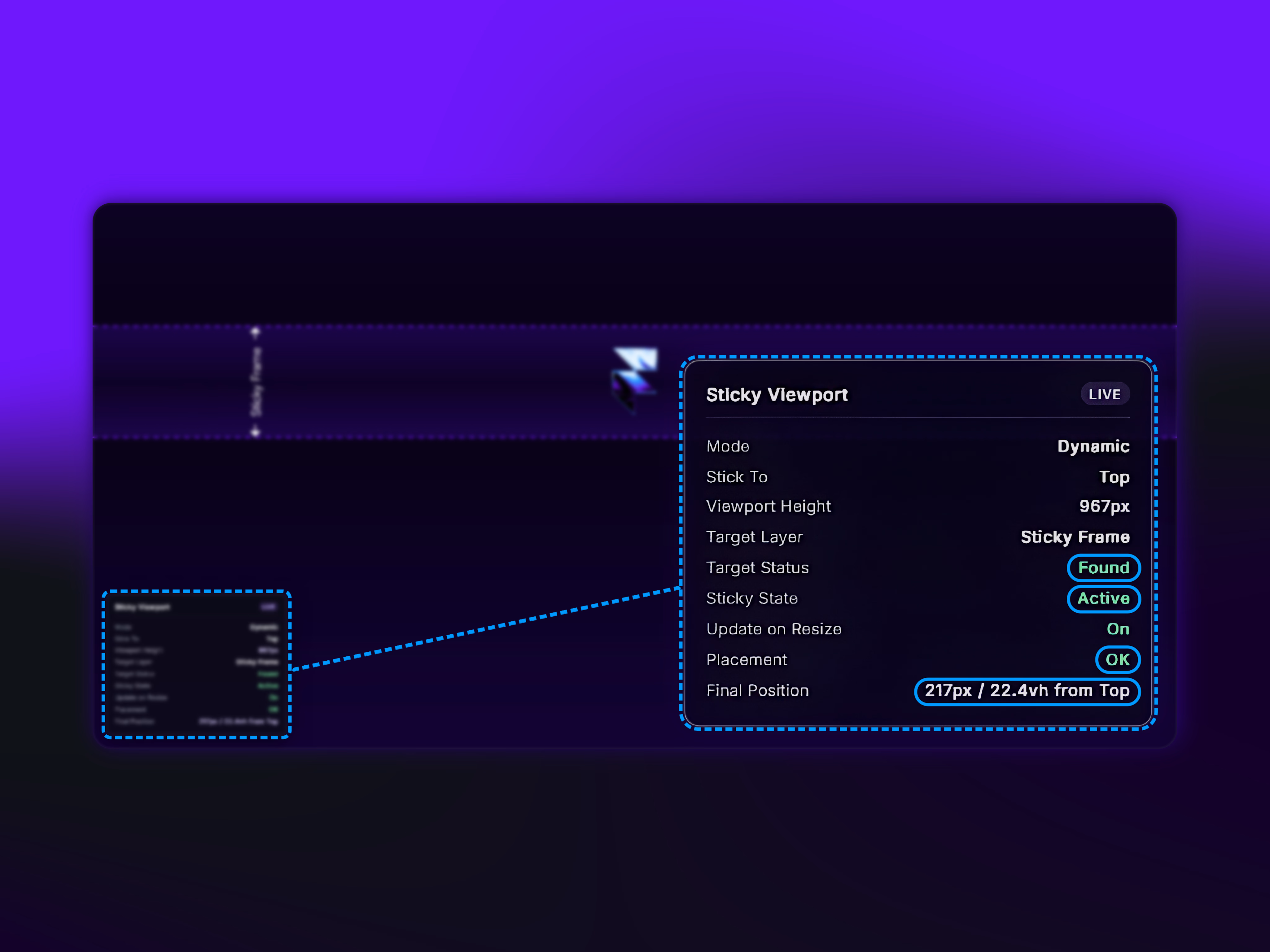
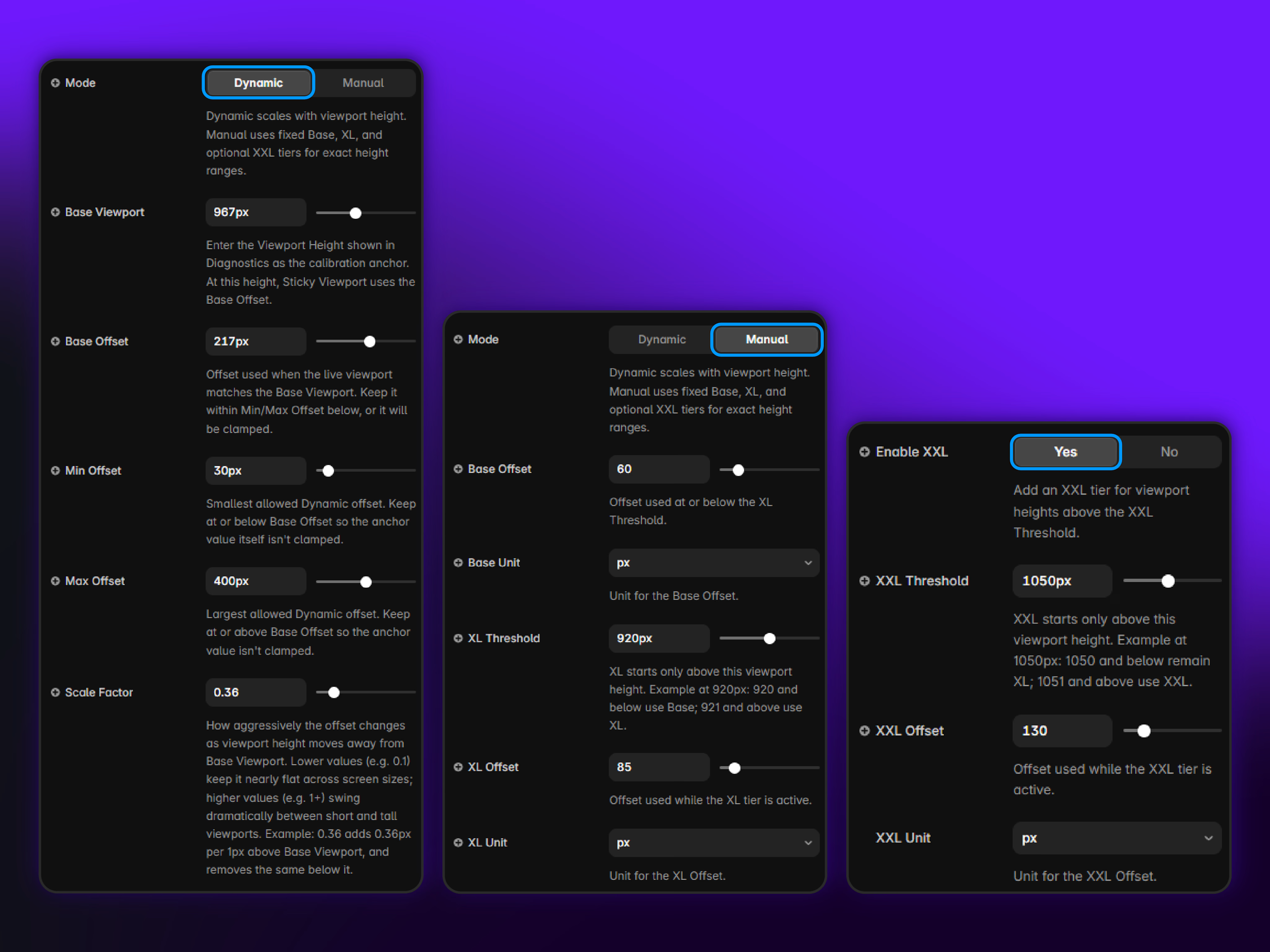
Framer's native sticky positioning uses a single fixed offset that rarely holds up across different viewport heights. Sticky Viewport adds a live, viewport-height-aware offset that adapts automatically, scaling continuously or switching between fixed tiers, while keeping Framer's native sticky workflow. Target any Frame or Stack with Position set to Sticky, then choose Stick To (Top or Bottom). Verify instantly with the built-in Diagnostics overlay in Preview and on published pages. No code required.
Want full details about this component?
Find everything here: Full Tutorial & Video
Want to see exactly how it behaves?
Try it before you buy: Live Interactive Demo
License: Single-Use Commercial License, per Framer's Community Terms — licensed for use in one end product.
Refund Policy: Due to the digital nature of our products, all sales are final. Once a product has been delivered, it cannot be returned, exchanged, or refunded. Please review the product details and demos before purchasing.
Questions, or need something custom built?Email support.motiondevlab@proton.me
Made by Motion Dev Lab
Get it for$12.00
Tags
Framer

Framer Developer
Framer Development
Low-Code/No-Code Developer
Responsive Design
UI/UX Design
Web Designer
Product created by
Reinis Lazdins Riga, Latvia
- 4
- Followers
Get it for$12.00
Tags
Framer
Framer Developer
Framer Development
Low-Code/No-Code Developer
Responsive Design
UI/UX Design
Web Designer
Requires Framer. This is a code component for Framer projects — not a standalone app or plugin for another platform.
Overview
Framer's native sticky positioning uses a single fixed offset that rarely holds up across different viewport heights. Sticky Viewport adds a live, viewport-height-aware offset that adapts automatically, scaling continuously or switching between fixed tiers, while keeping Framer's native sticky workflow. Target any Frame or Stack with Position set to Sticky, then choose Stick To (Top or Bottom). Verify instantly with the built-in Diagnostics overlay in Preview and on published pages. No code required.
Want full details about this component?
Find everything here: Full Tutorial & Video
Want to see exactly how it behaves?
Try it before you buy: Live Interactive Demo
License: Single-Use Commercial License, per Framer's Community Terms — licensed for use in one end product.
Refund Policy: Due to the digital nature of our products, all sales are final. Once a product has been delivered, it cannot be returned, exchanged, or refunded. Please review the product details and demos before purchasing.
Questions, or need something custom built?Email support.motiondevlab@proton.me
Made by Motion Dev Lab
$12.00