
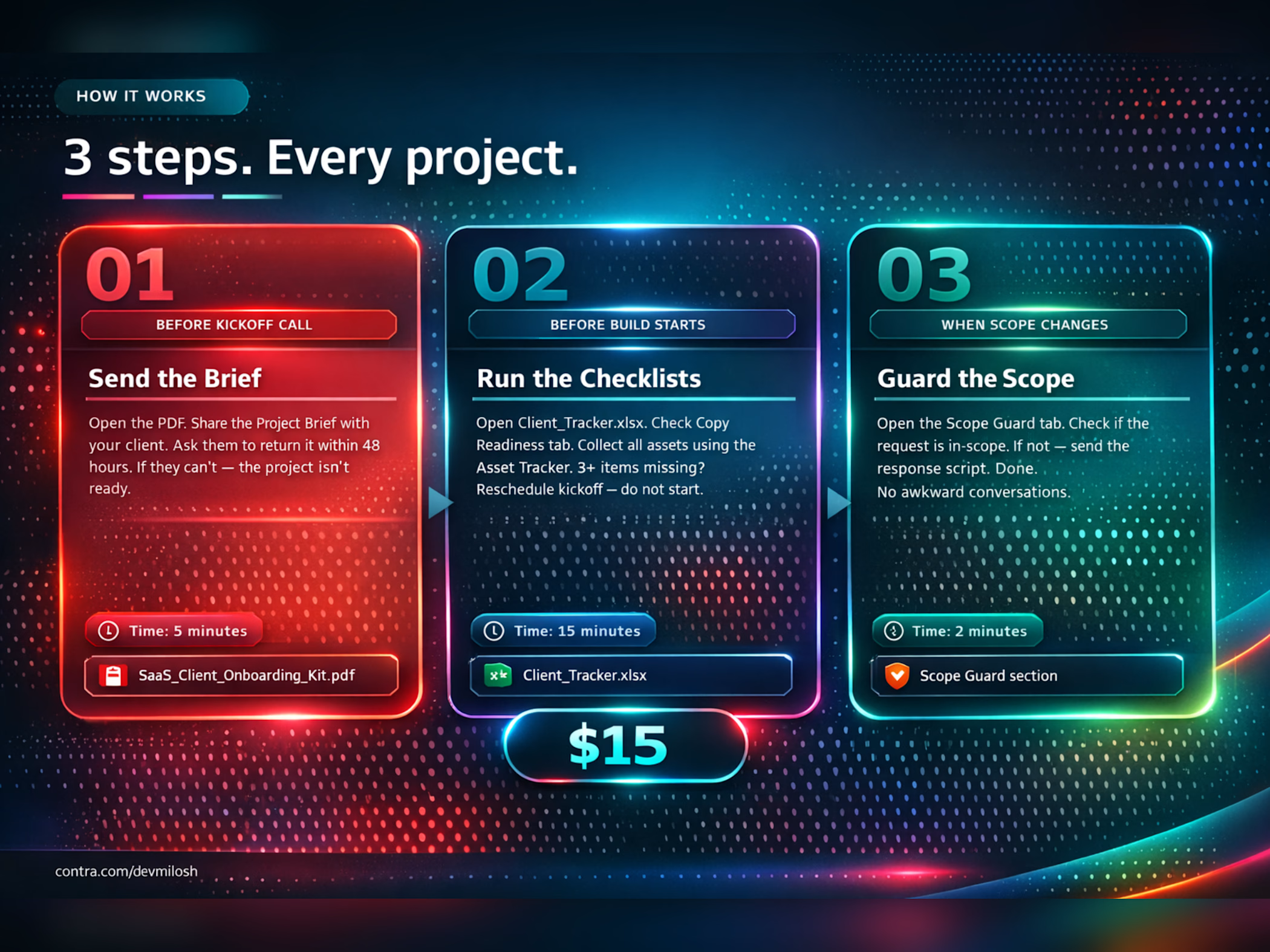
Client Onboarding Template for Webflow freelancers and web designers who are tired of starting projects in the dark.
Client projects don't fall apart during the build. They fall apart in the first 48 hours — before you open Webflow, before you write a single line of CSS, before anything useful happens.
The client doesn't have their copy ready. The assets come in the wrong format. Someone asks for "one small addition" that takes three hours. Nobody agreed what "done" actually means. And by week two, you're managing a chaos situation that started on day one.
This template gives you everything you need to kick off professionally, collect the right materials from your client, and protect your time from scope creep — before it starts.
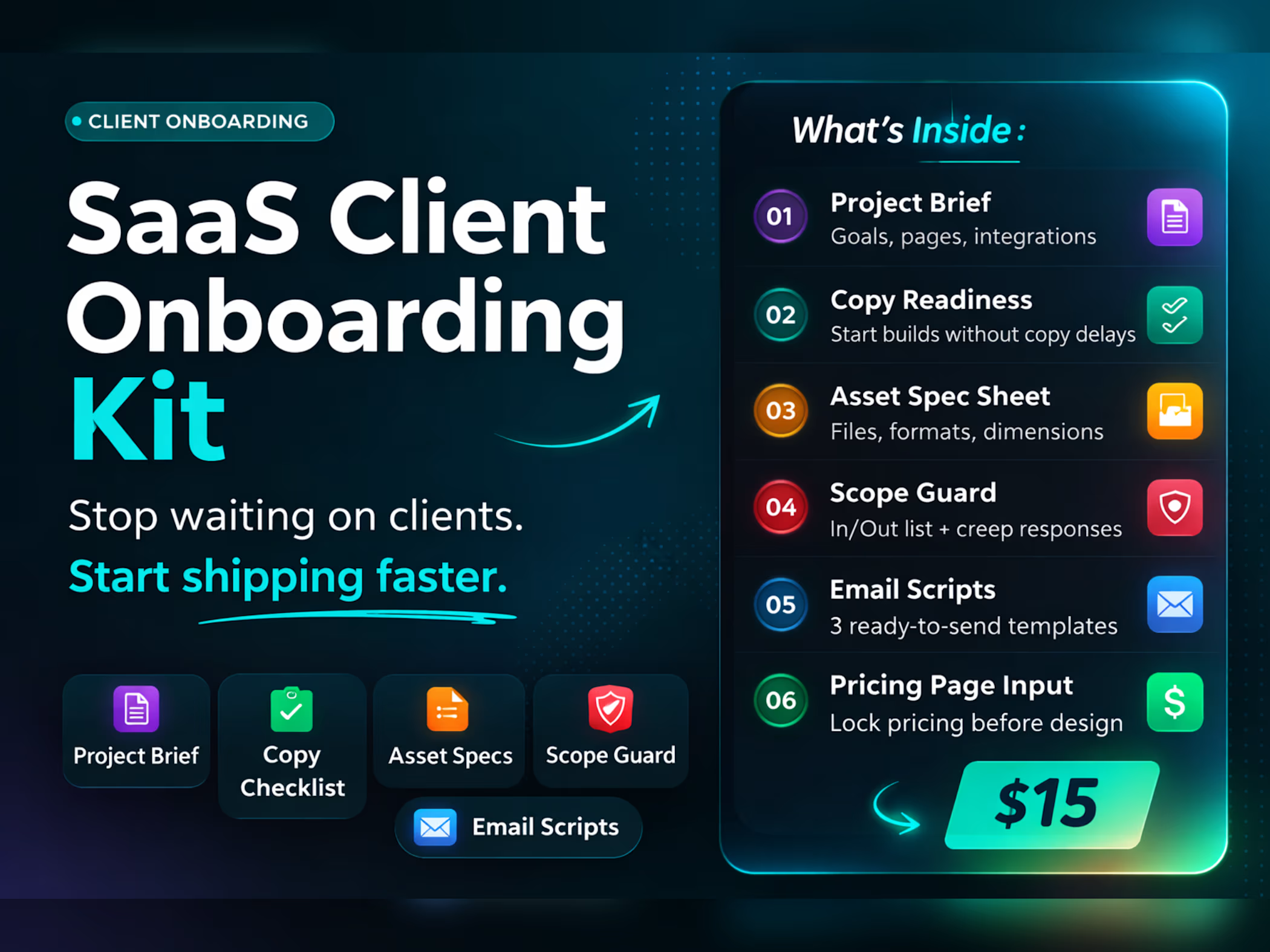
What's inside (5 files):
Project Brief Template — Send this to your client within 24 hours of signing. It covers goals, pages, integrations, timeline, and content ownership. If a client can't return it in 48 hours, the project isn't ready to start. This one document alone eliminates 80% of kickoff confusion.
Copy Readiness Checklist — 30 items across five page types: Homepage, Features, Pricing, About, and Legal. Every item is labeled Required, Recommended, or Optional. The rule is simple: do not open Webflow until all Required items are checked. This checklist is the reason projects start on time.
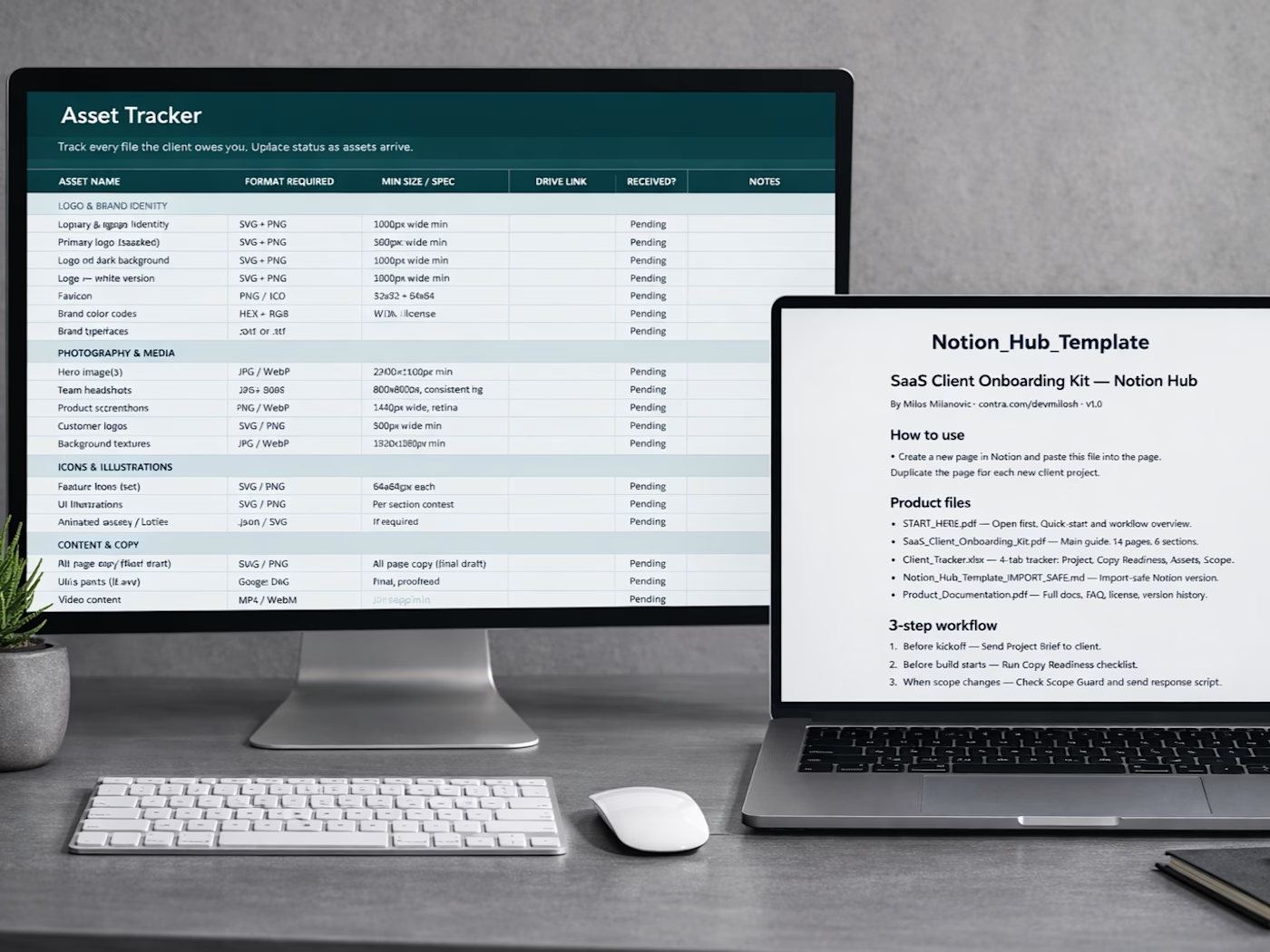
Asset Spec Sheet — Every logo format, every image size, every file type your client needs to deliver — documented in one place. No more "what size should the hero image be?" No more receiving a JPEG when you needed an SVG. Send this with the Project Brief and get everything in one Google Drive folder.
Scope Guard — An Included / Not Included list you agree on with your client at kickoff, plus a copy-paste response script for when scope creep hits. When a client asks for something new, you check the list, fill in the brackets, and send. No awkward conversation, no guilt, no free work.
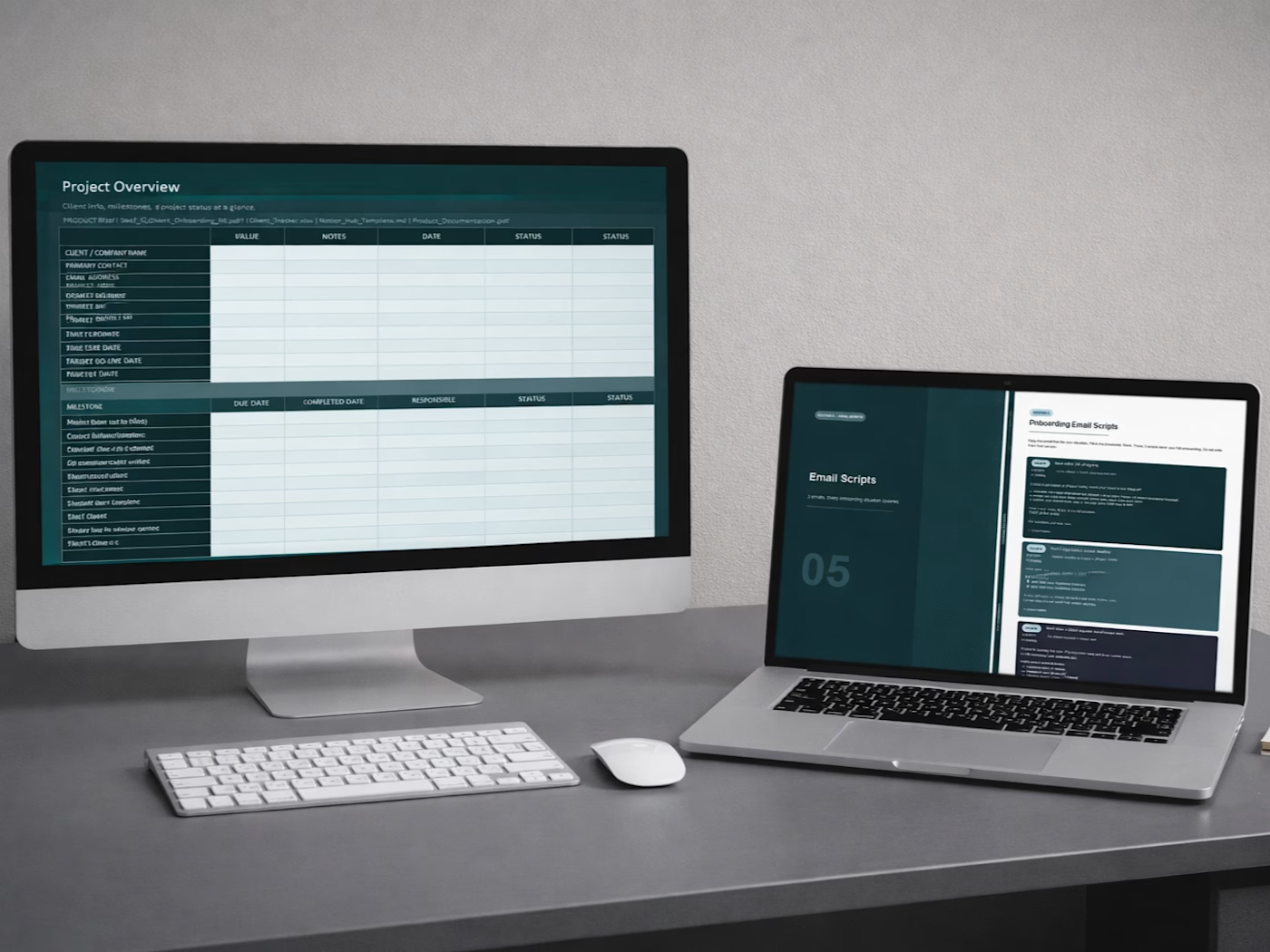
3 Email Scripts — Kickoff email, deadline reminder, and scope change response. All three are ready to send. Fill in the brackets, hit send. The deadline reminder alone has saved hours of follow-up on every project it's been used on.
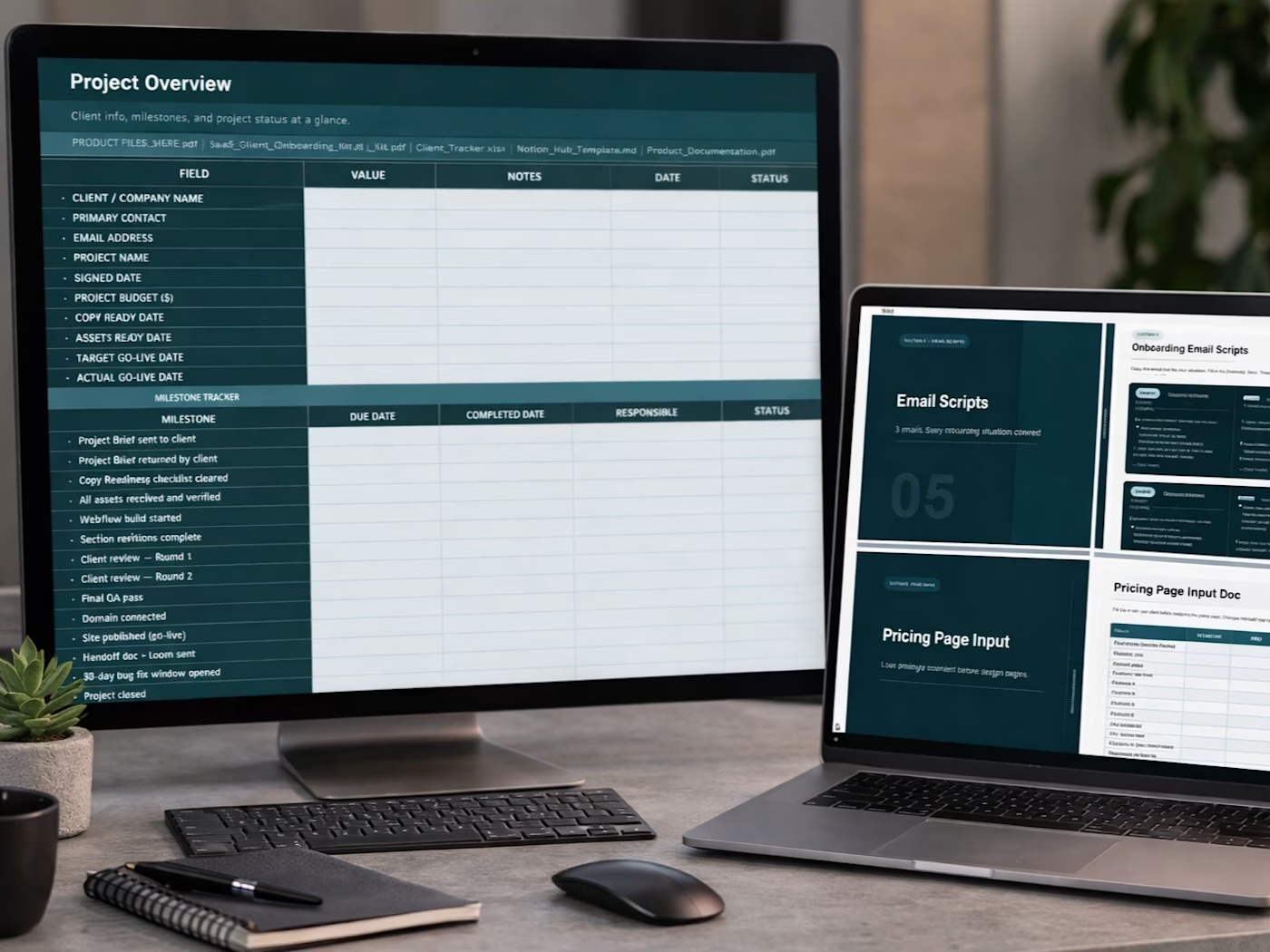
Client Tracker (Excel) — A 4-tab spreadsheet: Project Overview with a 12-milestone tracker, Copy Readiness tracker, Asset Tracker, and Scope Guard. Dropdown validations and conditional formatting included. Works in Microsoft Excel, Google Sheets, and LibreOffice.
Notion Hub Template — All 7 sections of the kit in a single Markdown file. Paste it into any Notion page and everything renders instantly — tables, checklists, email scripts, all of it. Duplicate per client. No Notion subscription required.
Who this is for:
Webflow freelancers working with SaaS companies and startups. Web designers who've had at least one project run late because the client wasn't ready. Freelancers who want to look more professional from day one. Small agencies that need a repeatable onboarding process that doesn't depend on one person's memory.
Who this is NOT for:
Designers looking for a Webflow site template or cloneable. Developers building e-commerce or Shopify stores. Anyone who needs copywriting help or content creation — this kit collects and organizes client content, it doesn't write it.
The math:
One delayed project costs you 3–10 hours of rework and follow-up. One scope creep situation costs you more. This template costs $15 and works on every project you take — forever, with no per-project fee.
Get it for$15.00
Tags
Notion

Webflow

client onboarding
freelancer tools
SaaS
Product created by
Milos Milanovic Belgrade, Serbia
- $1k+
- Earned
- 2
- Paid projects
- 4.90
- Rating
- 51
- Followers
Milos's other products
Website Launch Checklist
$15.00
Website Compliance Checklist
$15.00
Get it for$15.00
Tags
Notion
Webflow
client onboarding
freelancer tools
SaaS
Client Onboarding Template for Webflow freelancers and web designers who are tired of starting projects in the dark.
Client projects don't fall apart during the build. They fall apart in the first 48 hours — before you open Webflow, before you write a single line of CSS, before anything useful happens.
The client doesn't have their copy ready. The assets come in the wrong format. Someone asks for "one small addition" that takes three hours. Nobody agreed what "done" actually means. And by week two, you're managing a chaos situation that started on day one.
This template gives you everything you need to kick off professionally, collect the right materials from your client, and protect your time from scope creep — before it starts.
What's inside (5 files):
Project Brief Template — Send this to your client within 24 hours of signing. It covers goals, pages, integrations, timeline, and content ownership. If a client can't return it in 48 hours, the project isn't ready to start. This one document alone eliminates 80% of kickoff confusion.
Copy Readiness Checklist — 30 items across five page types: Homepage, Features, Pricing, About, and Legal. Every item is labeled Required, Recommended, or Optional. The rule is simple: do not open Webflow until all Required items are checked. This checklist is the reason projects start on time.
Asset Spec Sheet — Every logo format, every image size, every file type your client needs to deliver — documented in one place. No more "what size should the hero image be?" No more receiving a JPEG when you needed an SVG. Send this with the Project Brief and get everything in one Google Drive folder.
Scope Guard — An Included / Not Included list you agree on with your client at kickoff, plus a copy-paste response script for when scope creep hits. When a client asks for something new, you check the list, fill in the brackets, and send. No awkward conversation, no guilt, no free work.
3 Email Scripts — Kickoff email, deadline reminder, and scope change response. All three are ready to send. Fill in the brackets, hit send. The deadline reminder alone has saved hours of follow-up on every project it's been used on.
Client Tracker (Excel) — A 4-tab spreadsheet: Project Overview with a 12-milestone tracker, Copy Readiness tracker, Asset Tracker, and Scope Guard. Dropdown validations and conditional formatting included. Works in Microsoft Excel, Google Sheets, and LibreOffice.
Notion Hub Template — All 7 sections of the kit in a single Markdown file. Paste it into any Notion page and everything renders instantly — tables, checklists, email scripts, all of it. Duplicate per client. No Notion subscription required.
Who this is for:
Webflow freelancers working with SaaS companies and startups. Web designers who've had at least one project run late because the client wasn't ready. Freelancers who want to look more professional from day one. Small agencies that need a repeatable onboarding process that doesn't depend on one person's memory.
Who this is NOT for:
Designers looking for a Webflow site template or cloneable. Developers building e-commerce or Shopify stores. Anyone who needs copywriting help or content creation — this kit collects and organizes client content, it doesn't write it.
The math:
One delayed project costs you 3–10 hours of rework and follow-up. One scope creep situation costs you more. This template costs $15 and works on every project you take — forever, with no per-project fee.
Milos's other products
Website Launch Checklist
$15.00
Website Compliance Checklist
$15.00
$15.00