

PREVIEW : https://beetle.framer.website
Most commerce templates stop at the design. The bag looks right,
the checkout page looks right, and then you discover there is
nothing behind the Place Order button.
Beetle is the whole thing. A customer can browse a category, pick a
colour, add to their bag, apply a promo code, choose a delivery
method, and place an order - and you get that order by email, in a
Google Sheet, or in whatever tool you already use, while the
customer gets their own confirmation automatically.
HOW ORDERS REACH YOU
Four channels, use any combination:
Email - the order arrives in your inbox, itemised
Google Sheet - one row per order, with an included Apps Script
Webhook - JSON to Zapier, Make, n8n or your own endpoint
Framer Forms - orders in the Framer dashboard
And one that goes the other way: the customer's own copy. The
moment they place an order they receive an itemised confirmation
with the total, their delivery method, an order reference and your
payment link - sent from your own inbox through EmailJS or through
the Google Sheet script, so replies come back to you. You write the
opening and closing lines in the CMS; the template writes the rest.
HOW PAYMENT WORKS (read this before you buy)
A Framer site cannot process card payments, and this template does
not pretend otherwise. It captures the order; the money is taken by
your own payment link.
What happens: the customer places the order, it is recorded and
both of you are emailed, and they are sent to your payment link to
pay - Stripe, PayPal, Lemon Squeezy, Paddle, Contra, or whichever
gateway works in your country. Their confirmation carries that link
and an order reference. Every order lands in your sheet with an
empty "Paid?" column for you to tick off as payments arrive.
That suits made-to-order and small-batch selling, deposits,
invoices, bank transfer and cash on delivery. It is not a
replacement for Shopify if you need automatic card capture,
inventory that counts itself down, or shipping labels.
The upside: no platform cut, no monthly fee, and the payment
relationship stays yours.
WHAT A CUSTOMER CAN DO
Browse a shop grid and category pages, with quick add
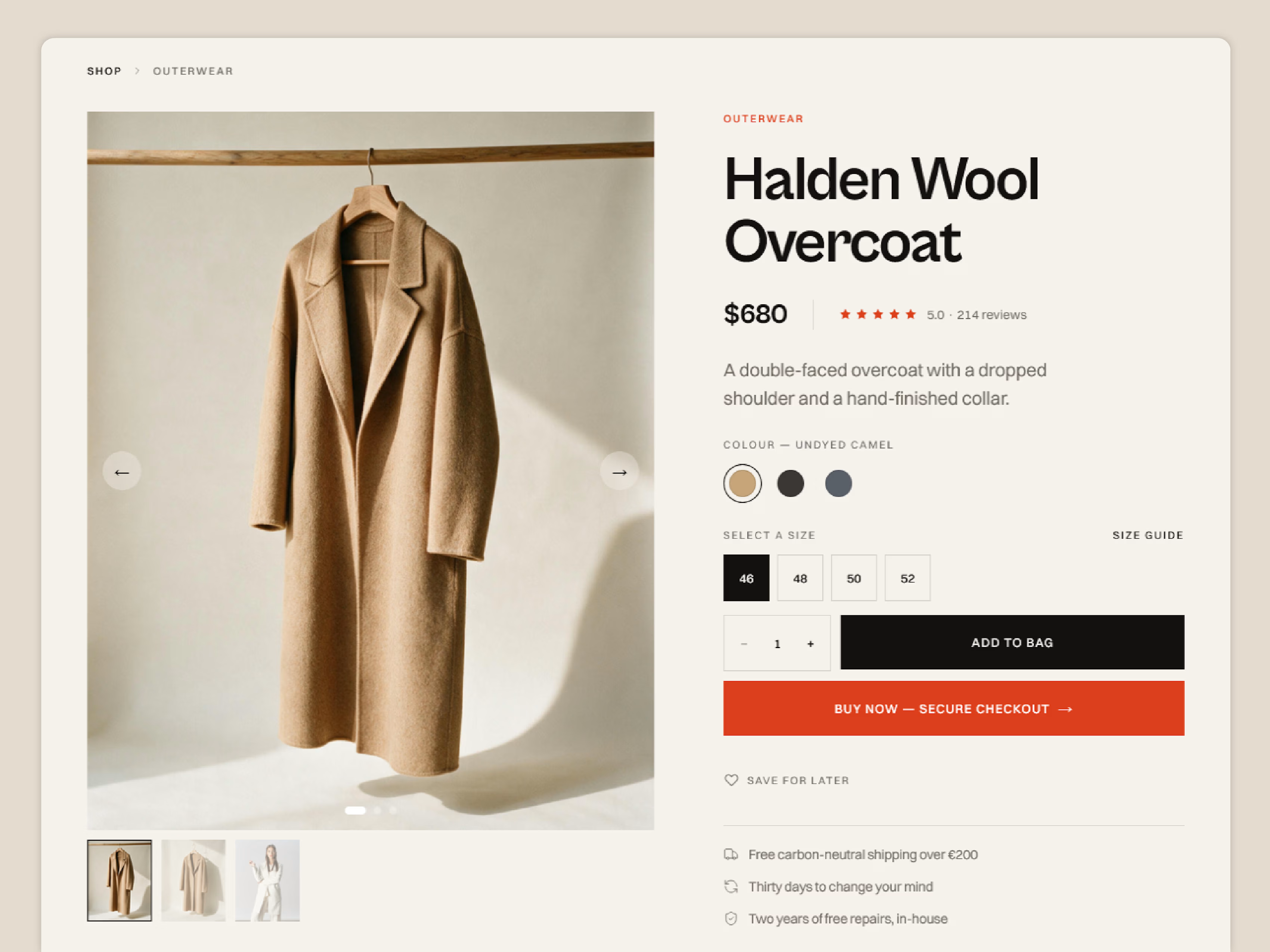
Read a product page with a gallery, thumbnails, colour choices, a size chart, reviews and stock state
Add to a bag that survives a refresh and a return visit
Save things to a wishlist
Redeem a promo code, see the discount in the total
Choose a delivery method and see it priced into the total
Have their details remembered for next time - no account, no password, nothing stored on a server
Look back at their own past orders, and reorder in one click
WHAT YOU CONTROL FROM THE CMS
Products, categories, a colour palette products are tinted from,
announcements for the ticker, the promo popup and its code, journal
articles, and one Shop Settings item holding every order setting -
payment link, notification address, email wording, the lot.
Colour styles and text styles throughout, so recolouring the whole
shop is a handful of edits rather than a hunt through layers.
WHAT IS INCLUDED
17 pages: home, shop, product detail, collections, cart, checkout, review, wishlist, orders, journal + article, about, contact, FAQ, shipping & returns, privacy, terms, 404
6 CMS collections, pre-filled with demo content
Desktop, tablet and phone layouts throughout
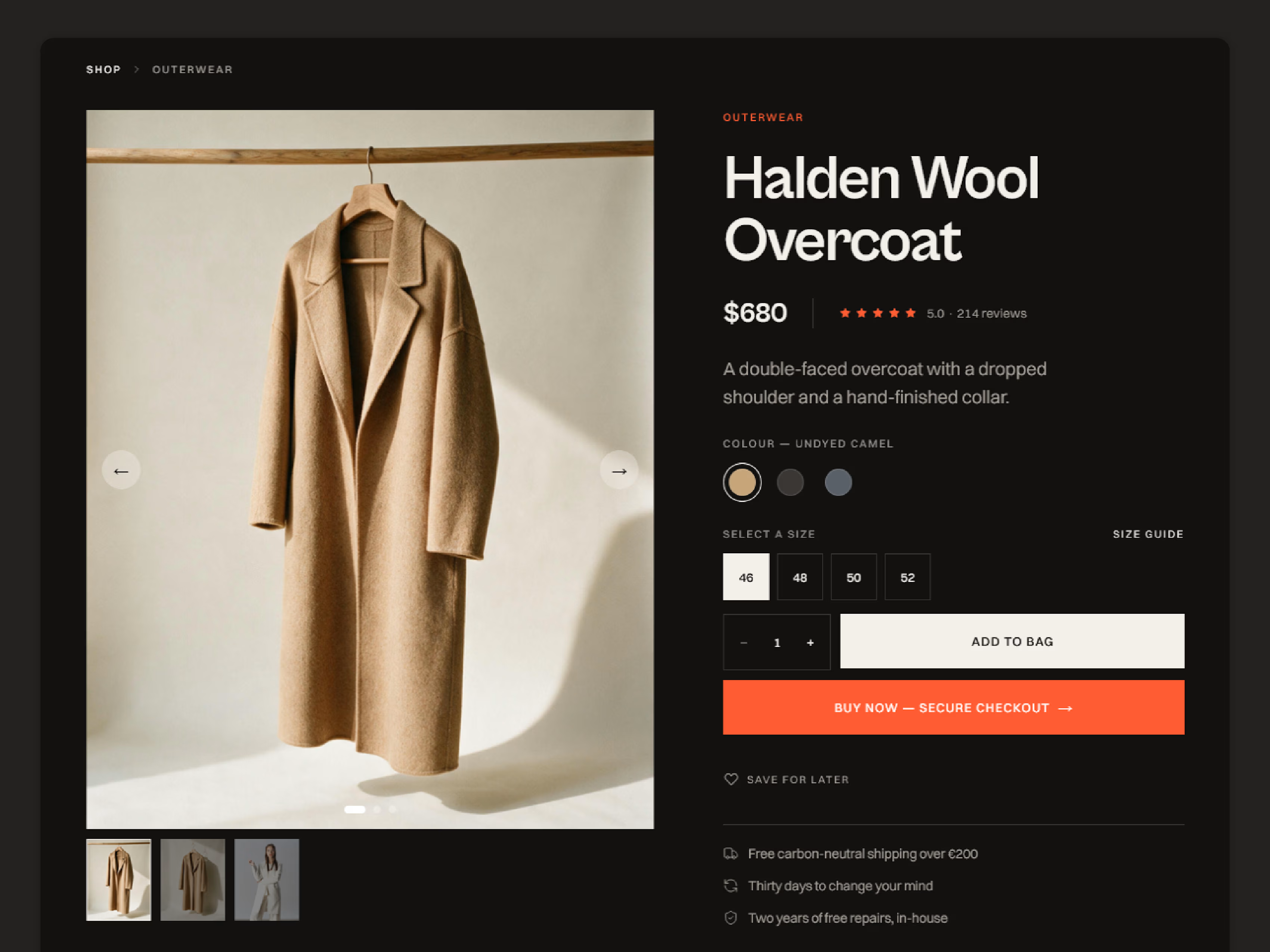
Light and dark aware colour styles
Written setup guides: the shop in one page, plus step-by-step guides for the Google Sheet and EmailJS, with the Apps Script and an HTML email template ready to paste
WHO IT IS FOR
Small brands and makers who want to sell a considered range - a few
dozen products, not a few thousand - without paying a platform
every month, and without asking a developer for help.
WHAT YOU NEED
A Framer site, an email address, and a payment link if you want one
(Stripe, PayPal, Contra, or your local gateway). The Google Sheet
and EmailJS steps are free and optional; each takes about ten
minutes and both are documented step by step.
FEATURES
Bag that persists between visits, with a slide-out drawer
Checkout with delivery methods priced into the total
Promo codes with a working discount
Order confirmation emailed to the customer automatically
Orders to email, Google Sheet, webhook or Framer Forms
Google Apps Script included, with setup guide
EmailJS template included, with setup guide
Wishlist with a header count and its own page
Local order history and remembered details - no accounts
Product colours picked from a CMS palette
Size chart lightbox per product
Sold-out state across the shop
Product gallery with thumbnails
Ratings that hide themselves until a product has reviews
CMS announcement ticker
Promo popup, responsive
17 pages, three breakpoints, colour and text style
Questions before you buy? Email me at muminulhasankhan@gmail.com — happy to help.
Get it for$79.00
Standard
$79.00
Instant Remix link to the full template: 17 pages, six CMS collections, working bag, checkout and order emails, with written setup guides.
Tags
Framer

Framer Ecommerce Template
framer template
framer website design
Product created by
Md Muminul Hasan Khan Sylhet, Bangladesh
- 7
- Followers
Md Muminul Hasan's other products
Reflex AI Template
$129.00
FolioHub
$79.00
Get it for$79.00
Standard
$79.00
Instant Remix link to the full template: 17 pages, six CMS collections, working bag, checkout and order emails, with written setup guides.
Tags
Framer
Framer Ecommerce Template
framer template
framer website design
PREVIEW : https://beetle.framer.website
Most commerce templates stop at the design. The bag looks right,
the checkout page looks right, and then you discover there is
nothing behind the Place Order button.
Beetle is the whole thing. A customer can browse a category, pick a
colour, add to their bag, apply a promo code, choose a delivery
method, and place an order - and you get that order by email, in a
Google Sheet, or in whatever tool you already use, while the
customer gets their own confirmation automatically.
HOW ORDERS REACH YOU
Four channels, use any combination:
Email - the order arrives in your inbox, itemised
Google Sheet - one row per order, with an included Apps Script
Webhook - JSON to Zapier, Make, n8n or your own endpoint
Framer Forms - orders in the Framer dashboard
And one that goes the other way: the customer's own copy. The
moment they place an order they receive an itemised confirmation
with the total, their delivery method, an order reference and your
payment link - sent from your own inbox through EmailJS or through
the Google Sheet script, so replies come back to you. You write the
opening and closing lines in the CMS; the template writes the rest.
HOW PAYMENT WORKS (read this before you buy)
A Framer site cannot process card payments, and this template does
not pretend otherwise. It captures the order; the money is taken by
your own payment link.
What happens: the customer places the order, it is recorded and
both of you are emailed, and they are sent to your payment link to
pay - Stripe, PayPal, Lemon Squeezy, Paddle, Contra, or whichever
gateway works in your country. Their confirmation carries that link
and an order reference. Every order lands in your sheet with an
empty "Paid?" column for you to tick off as payments arrive.
That suits made-to-order and small-batch selling, deposits,
invoices, bank transfer and cash on delivery. It is not a
replacement for Shopify if you need automatic card capture,
inventory that counts itself down, or shipping labels.
The upside: no platform cut, no monthly fee, and the payment
relationship stays yours.
WHAT A CUSTOMER CAN DO
Browse a shop grid and category pages, with quick add
Read a product page with a gallery, thumbnails, colour choices, a size chart, reviews and stock state
Add to a bag that survives a refresh and a return visit
Save things to a wishlist
Redeem a promo code, see the discount in the total
Choose a delivery method and see it priced into the total
Have their details remembered for next time - no account, no password, nothing stored on a server
Look back at their own past orders, and reorder in one click
WHAT YOU CONTROL FROM THE CMS
Products, categories, a colour palette products are tinted from,
announcements for the ticker, the promo popup and its code, journal
articles, and one Shop Settings item holding every order setting -
payment link, notification address, email wording, the lot.
Colour styles and text styles throughout, so recolouring the whole
shop is a handful of edits rather than a hunt through layers.
WHAT IS INCLUDED
17 pages: home, shop, product detail, collections, cart, checkout, review, wishlist, orders, journal + article, about, contact, FAQ, shipping & returns, privacy, terms, 404
6 CMS collections, pre-filled with demo content
Desktop, tablet and phone layouts throughout
Light and dark aware colour styles
Written setup guides: the shop in one page, plus step-by-step guides for the Google Sheet and EmailJS, with the Apps Script and an HTML email template ready to paste
WHO IT IS FOR
Small brands and makers who want to sell a considered range - a few
dozen products, not a few thousand - without paying a platform
every month, and without asking a developer for help.
WHAT YOU NEED
A Framer site, an email address, and a payment link if you want one
(Stripe, PayPal, Contra, or your local gateway). The Google Sheet
and EmailJS steps are free and optional; each takes about ten
minutes and both are documented step by step.
FEATURES
Bag that persists between visits, with a slide-out drawer
Checkout with delivery methods priced into the total
Promo codes with a working discount
Order confirmation emailed to the customer automatically
Orders to email, Google Sheet, webhook or Framer Forms
Google Apps Script included, with setup guide
EmailJS template included, with setup guide
Wishlist with a header count and its own page
Local order history and remembered details - no accounts
Product colours picked from a CMS palette
Size chart lightbox per product
Sold-out state across the shop
Product gallery with thumbnails
Ratings that hide themselves until a product has reviews
CMS announcement ticker
Promo popup, responsive
17 pages, three breakpoints, colour and text style
Questions before you buy? Email me at muminulhasankhan@gmail.com — happy to help.
Md Muminul Hasan's other products
Reflex AI Template
$129.00
FolioHub
$79.00
$79.00