
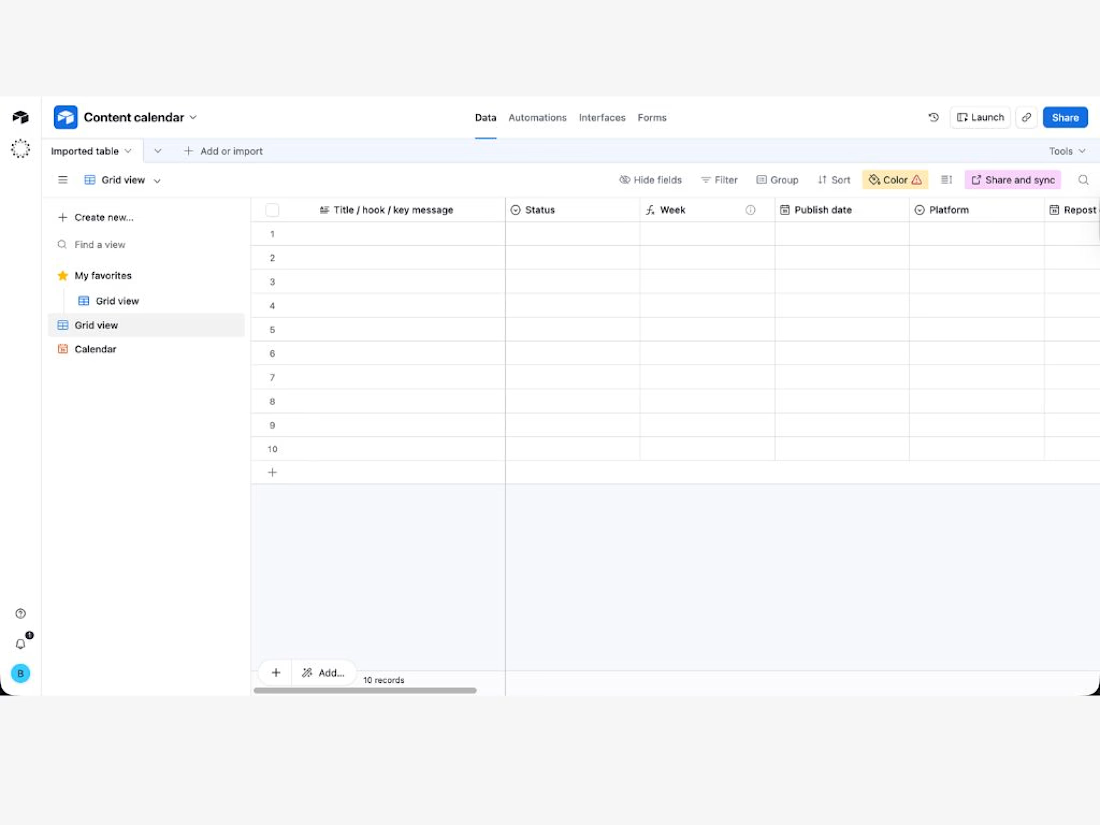
Plan your content, schedule it, and track results in one Airtable template.
If your content planning is spread across notes, docs, and random spreadsheets, this template gives you one place to manage everything.
Use it to:
capture content ideas and hooks
plan by week
schedule publish dates
organize posts by platform, profile, and content pillar
track goals and CTAs
log performance after publishing (impressions, clicks, reactions, comments, reposts)
It’s built to help you stay consistent and make better content decisions over time, without overcomplicating your workflow.
What’s included
Airtable content planning and tracking template
Grid view for planning
Calendar view for scheduling
Status workflow (idea to published)
Performance tracking fields
Quick setup guide
Sample entries so you can start fast
Who it’s for
solo marketers
founders
freelancers
small teams
Why this template is useful
Most content calendars only help you plan posts.
This one also helps you track what happened after you posted, so you can see what’s working and improve your next content cycle.
How to use it
Duplicate the template into your Airtable workspace
Add your ideas and assign a platform
Set your publish dates
Update the status as you move through your workflow
Track results after posting
Automation-ready
This template is built so you can add your own Airtable automations later (for example: status updates, reminders, or publishing workflows), but automations are not included in this version.
Get it for$9.00
Tags
Airtable

Instagram

LinkedIn

TikTok

X

Product created by
Beatrice Lazzari proMilan, Italy
- $10k+
- Earned
- 6
- Paid projects
- 5.00
- Rating
- 144
- Followers
Get it for$9.00
Tags
Airtable
Instagram
LinkedIn
TikTok
X
Plan your content, schedule it, and track results in one Airtable template.
If your content planning is spread across notes, docs, and random spreadsheets, this template gives you one place to manage everything.
Use it to:
capture content ideas and hooks
plan by week
schedule publish dates
organize posts by platform, profile, and content pillar
track goals and CTAs
log performance after publishing (impressions, clicks, reactions, comments, reposts)
It’s built to help you stay consistent and make better content decisions over time, without overcomplicating your workflow.
What’s included
Airtable content planning and tracking template
Grid view for planning
Calendar view for scheduling
Status workflow (idea to published)
Performance tracking fields
Quick setup guide
Sample entries so you can start fast
Who it’s for
solo marketers
founders
freelancers
small teams
Why this template is useful
Most content calendars only help you plan posts.
This one also helps you track what happened after you posted, so you can see what’s working and improve your next content cycle.
How to use it
Duplicate the template into your Airtable workspace
Add your ideas and assign a platform
Set your publish dates
Update the status as you move through your workflow
Track results after posting
Automation-ready
This template is built so you can add your own Airtable automations later (for example: status updates, reminders, or publishing workflows), but automations are not included in this version.
$9.00