
Notion to Ghost AI Blog Publishing Automation
Turn your content ideas and writing notes in Notion into structured, AI-assisted blog posts and publish them to Ghost with an automated n8n workflow.
This reusable n8n workflow connects Notion, Google Gemini, and Ghost CMS into a single content publishing pipeline. Instead of manually copying notes, generating an article, formatting the content, and publishing it, the workflow automates these repetitive steps.
What This Workflow Does
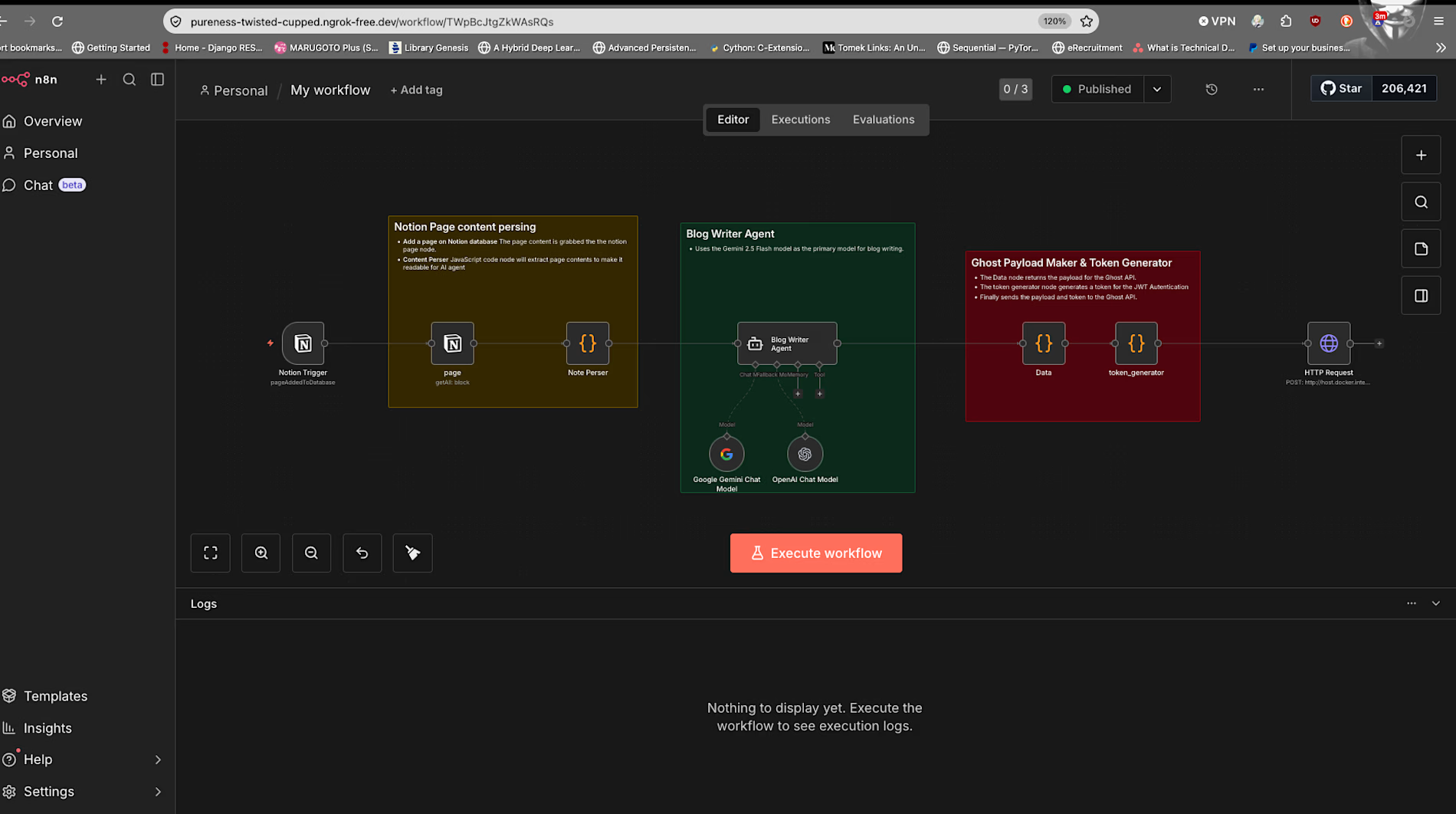
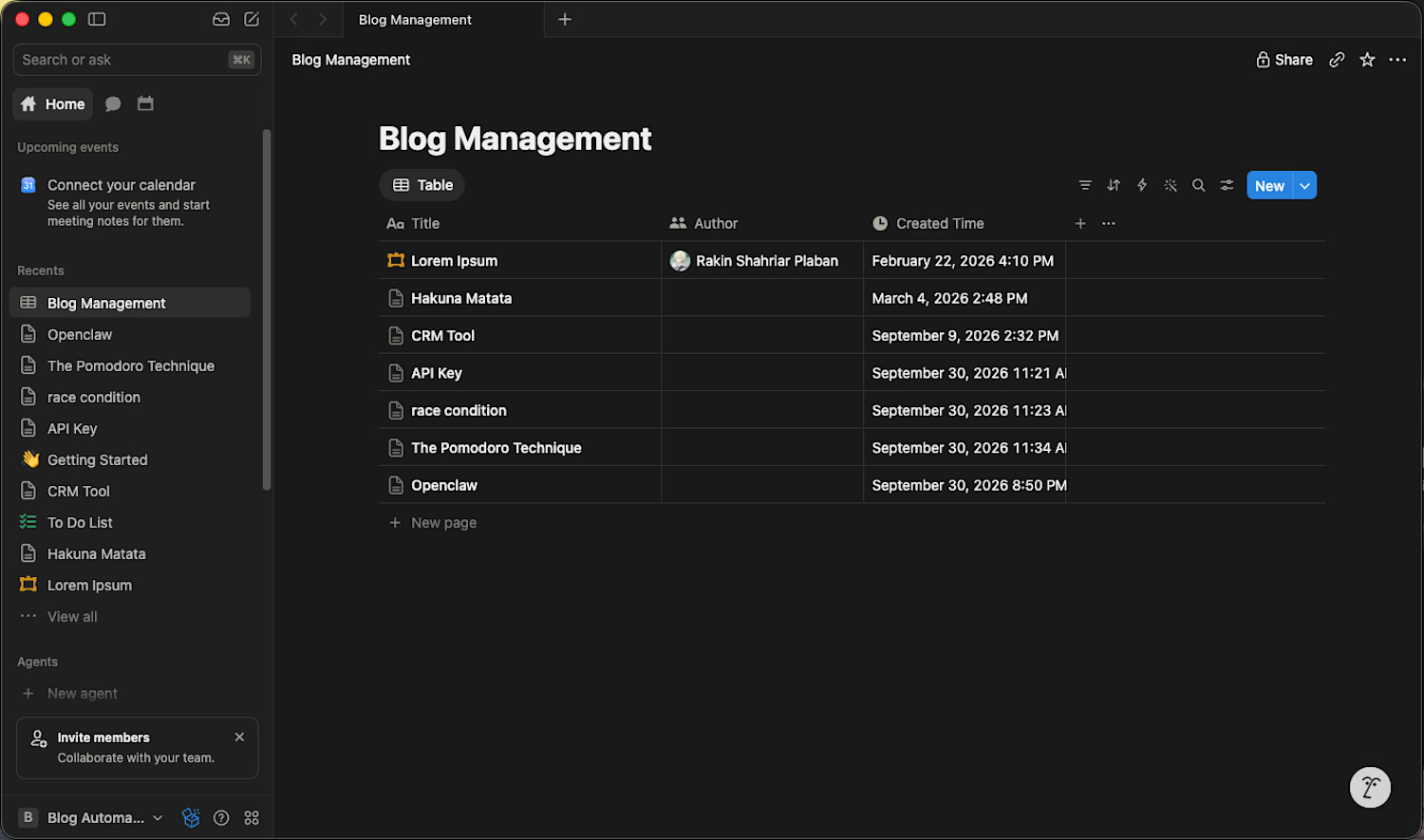
The workflow starts with content stored in a Notion database. When a new page is detected, the workflow collects the relevant writing notes and sends them to Google Gemini for AI-assisted content generation.
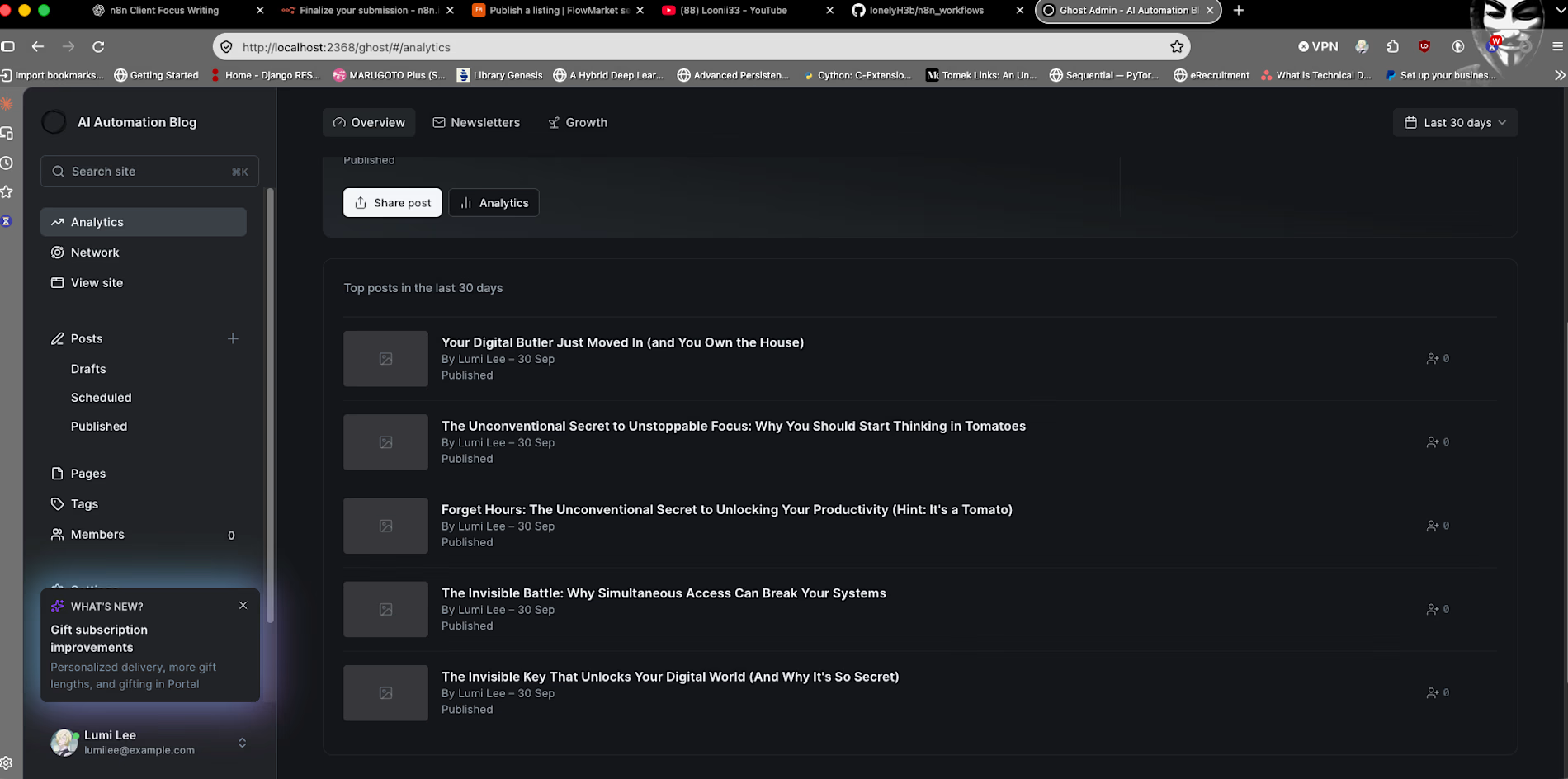
The generated content is then structured and prepared for Ghost before being sent through the Ghost Admin API for publishing.
Workflow
Notion → Extract Content → Gemini → Generate Blog → Format Content → Ghost → Publish
The workflow can be adapted to different content structures, prompts, publishing requirements, and additional applications.
Use Cases
This workflow is suitable for:
Bloggers who use Notion to organize their writing.
Content creators who want to automate repetitive publishing tasks.
Small content teams managing recurring blog production.
Developers and automation enthusiasts looking for a starting point for an AI content workflow.
n8n users who want a practical example of connecting an LLM with external APIs.
Example
You can write or collect your initial ideas and notes in a Notion page. The workflow can then process those notes with Gemini, generate a structured article, prepare the content, and send it to your Ghost publication.
This creates a repeatable pipeline from content planning to publication.
What You Receive
The template package includes:
n8n workflow JSON
Docker Compose configuration for the included self-hosted setup
Setup and configuration instructions
Required credential configuration guidance
Workflow documentation
Example configuration
Demonstration video
The workflow is provided as a reusable template that you can import into your own n8n environment and customize.
Prerequisites
You will need:
An n8n instance (self-hosted or n8n Cloud)
A Notion account and appropriately configured Notion database
A Google Gemini API key
A Ghost publication with Admin API access
Docker and Docker Compose if you choose to use the included Docker-based setup
The workflow was developed and tested with n8n 2.8.3.
You are responsible for providing your own third-party accounts and API credentials.
No personal API keys, passwords, or private credentials are included with the template.
Setup
After purchasing the template:
Import the workflow JSON into your n8n instance.
Configure your own Notion credentials.
Configure your own Google Gemini credentials.
Configure your own Ghost Admin API credentials.
Review the workflow configuration and replace example values where necessary.
Connect the workflow to your Notion database and Ghost publication.
Test the workflow with non-critical content.
Review the execution data and confirm that each step behaves as expected before enabling automatic publishing.
The included documentation provides guidance for the setup and configuration process.
Customization
The workflow is designed to be modified.
You can customize elements such as:
AI prompts
Blog structure
Content fields
Notion database structure
Publishing behavior
Ghost settings
Additional processing steps
Additional API integrations
For example, you can modify the AI prompt to produce different article formats or add additional steps to prepare content for other publishing or distribution channels.
Important Notes
This is a workflow template, not a hosted automation service. You are responsible for operating the workflow in your own n8n environment and maintaining your third-party accounts and API access.
The workflow was tested in a specific environment and with the services described above. n8n, Notion, Gemini, Ghost, and their APIs may change over time, which can require configuration changes or workflow updates.
Before using the workflow in production, test it with your own environment and data. Back up important content and verify the permissions and actions performed by each connected service.
The workflow does not guarantee that AI-generated content will be suitable for publication without review. Generated content should be reviewed and edited according to your own requirements before relying on automated publishing.
Who This Template Is For
This template is a good starting point if you:
Already use Notion for writing or content planning.
Publish articles using Ghost.
Want to experiment with AI-assisted content workflows.
Use or plan to use n8n for automation.
Prefer a reusable workflow instead of building the entire automation from scratch.
It is especially useful for users who want to learn from an actual n8n workflow while adapting it to their own content process.
Demo
A complete demonstration of the workflow is available in the accompanying YouTube video, showing how the workflow processes content and publishes it through the connected services.
Build once, customize it for your workflow, and automate the repetitive steps between your content notes and Ghost publishing.
Vidoe :
Get it for$18.00
Workflow Only
$18.00
You will get the JSON file of the workflow to integrate into your own N8n instance.
Tags
Ghost.org

Google Gemini

JavaScript
N8N

Notion

OpenAI

Ghost CMS
Product created by
Rakin Shahriar Plaban Narayanganj, Bangladesh
- 3
- Followers
Get it for$18.00
Workflow Only
$18.00
You will get the JSON file of the workflow to integrate into your own N8n instance.
Tags
Ghost.org
Google Gemini
JavaScript
N8N
Notion
OpenAI
Ghost CMS
Notion to Ghost AI Blog Publishing Automation
Turn your content ideas and writing notes in Notion into structured, AI-assisted blog posts and publish them to Ghost with an automated n8n workflow.
This reusable n8n workflow connects Notion, Google Gemini, and Ghost CMS into a single content publishing pipeline. Instead of manually copying notes, generating an article, formatting the content, and publishing it, the workflow automates these repetitive steps.
What This Workflow Does
The workflow starts with content stored in a Notion database. When a new page is detected, the workflow collects the relevant writing notes and sends them to Google Gemini for AI-assisted content generation.
The generated content is then structured and prepared for Ghost before being sent through the Ghost Admin API for publishing.
Workflow
Notion → Extract Content → Gemini → Generate Blog → Format Content → Ghost → Publish
The workflow can be adapted to different content structures, prompts, publishing requirements, and additional applications.
Use Cases
This workflow is suitable for:
Bloggers who use Notion to organize their writing.
Content creators who want to automate repetitive publishing tasks.
Small content teams managing recurring blog production.
Developers and automation enthusiasts looking for a starting point for an AI content workflow.
n8n users who want a practical example of connecting an LLM with external APIs.
Example
You can write or collect your initial ideas and notes in a Notion page. The workflow can then process those notes with Gemini, generate a structured article, prepare the content, and send it to your Ghost publication.
This creates a repeatable pipeline from content planning to publication.
What You Receive
The template package includes:
n8n workflow JSON
Docker Compose configuration for the included self-hosted setup
Setup and configuration instructions
Required credential configuration guidance
Workflow documentation
Example configuration
Demonstration video
The workflow is provided as a reusable template that you can import into your own n8n environment and customize.
Prerequisites
You will need:
An n8n instance (self-hosted or n8n Cloud)
A Notion account and appropriately configured Notion database
A Google Gemini API key
A Ghost publication with Admin API access
Docker and Docker Compose if you choose to use the included Docker-based setup
The workflow was developed and tested with n8n 2.8.3.
You are responsible for providing your own third-party accounts and API credentials.
No personal API keys, passwords, or private credentials are included with the template.
Setup
After purchasing the template:
Import the workflow JSON into your n8n instance.
Configure your own Notion credentials.
Configure your own Google Gemini credentials.
Configure your own Ghost Admin API credentials.
Review the workflow configuration and replace example values where necessary.
Connect the workflow to your Notion database and Ghost publication.
Test the workflow with non-critical content.
Review the execution data and confirm that each step behaves as expected before enabling automatic publishing.
The included documentation provides guidance for the setup and configuration process.
Customization
The workflow is designed to be modified.
You can customize elements such as:
AI prompts
Blog structure
Content fields
Notion database structure
Publishing behavior
Ghost settings
Additional processing steps
Additional API integrations
For example, you can modify the AI prompt to produce different article formats or add additional steps to prepare content for other publishing or distribution channels.
Important Notes
This is a workflow template, not a hosted automation service. You are responsible for operating the workflow in your own n8n environment and maintaining your third-party accounts and API access.
The workflow was tested in a specific environment and with the services described above. n8n, Notion, Gemini, Ghost, and their APIs may change over time, which can require configuration changes or workflow updates.
Before using the workflow in production, test it with your own environment and data. Back up important content and verify the permissions and actions performed by each connected service.
The workflow does not guarantee that AI-generated content will be suitable for publication without review. Generated content should be reviewed and edited according to your own requirements before relying on automated publishing.
Who This Template Is For
This template is a good starting point if you:
Already use Notion for writing or content planning.
Publish articles using Ghost.
Want to experiment with AI-assisted content workflows.
Use or plan to use n8n for automation.
Prefer a reusable workflow instead of building the entire automation from scratch.
It is especially useful for users who want to learn from an actual n8n workflow while adapting it to their own content process.
Demo
A complete demonstration of the workflow is available in the accompanying YouTube video, showing how the workflow processes content and publishes it through the connected services.
Build once, customize it for your workflow, and automate the repetitive steps between your content notes and Ghost publishing.
Vidoe :
$18.00