
Ever miss a notification because it got buried?
I did. A client message on Contra sat unread for two days. Didn't see the badge in 20+ tabs. A recruiter's LinkedIn message went cold because the email notification landed in spam. Missed a Rive community reply because I wasn't checking the tab.
These platforms expect you to check them constantly. I don't. My attention is scattered across projects, browsers, windows. Their notification systems don't work for me.
So I made my own.
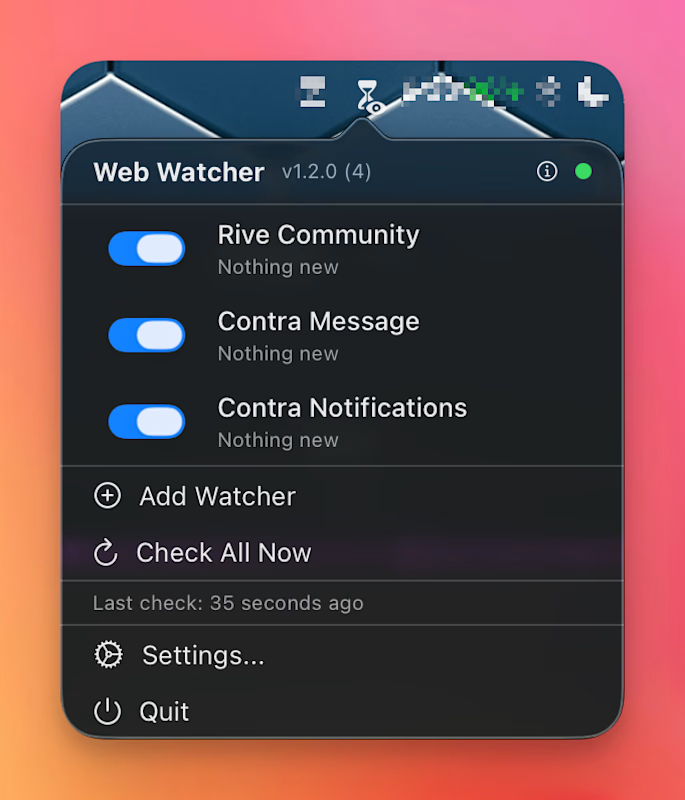
WebWatcher is a macOS menu bar app. It watches websites for changes and sends native notifications.
How it works:
Uses your existing Safari sessions. No re-login. It reads from tabs you're already logged into.
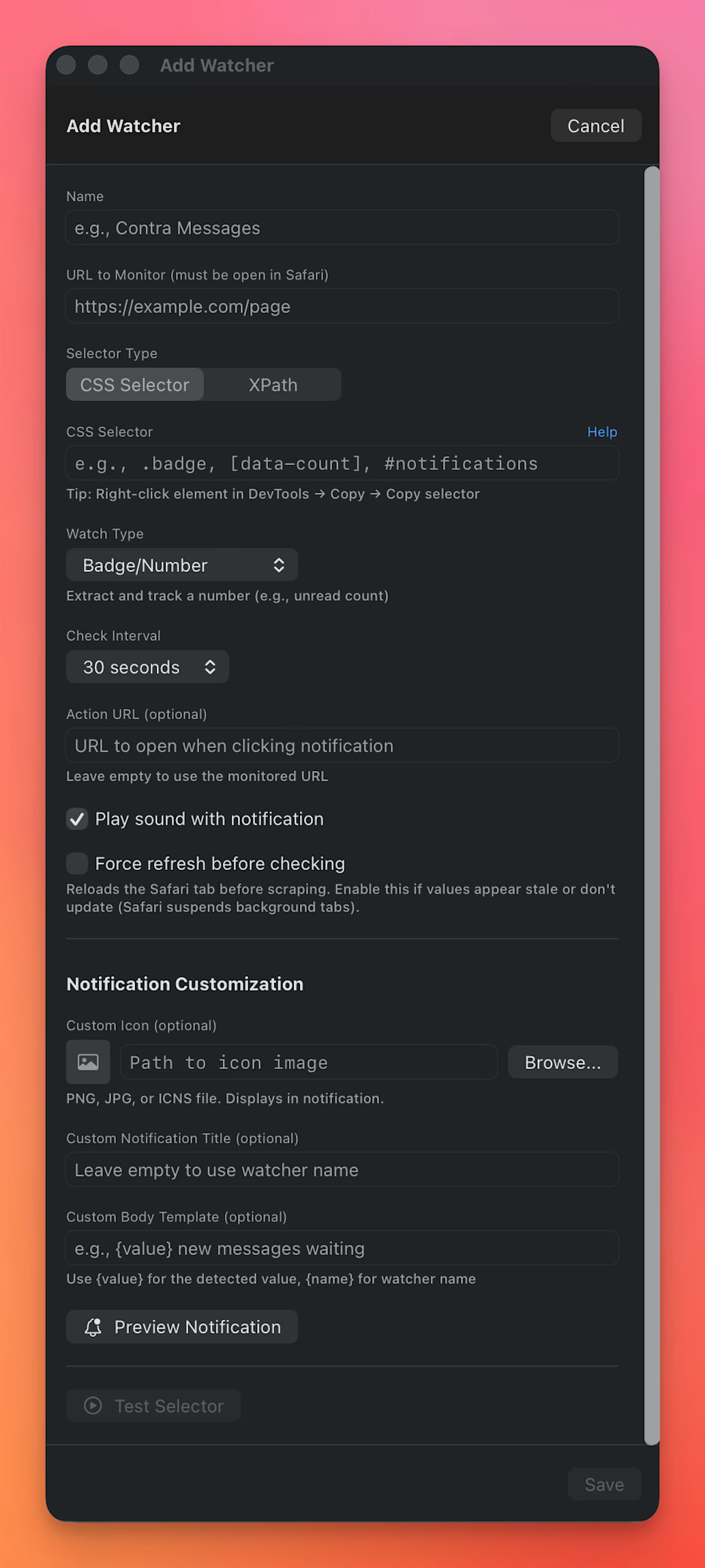
Monitors any element via CSS selectors or XPath. Notification badges, message counts, inbox items.
Only notifies when something changes. Badge went from 2 to 3? Notification. Still 3? Silence.
Custom icons per watcher, so you know which platform pinged you at a glance.
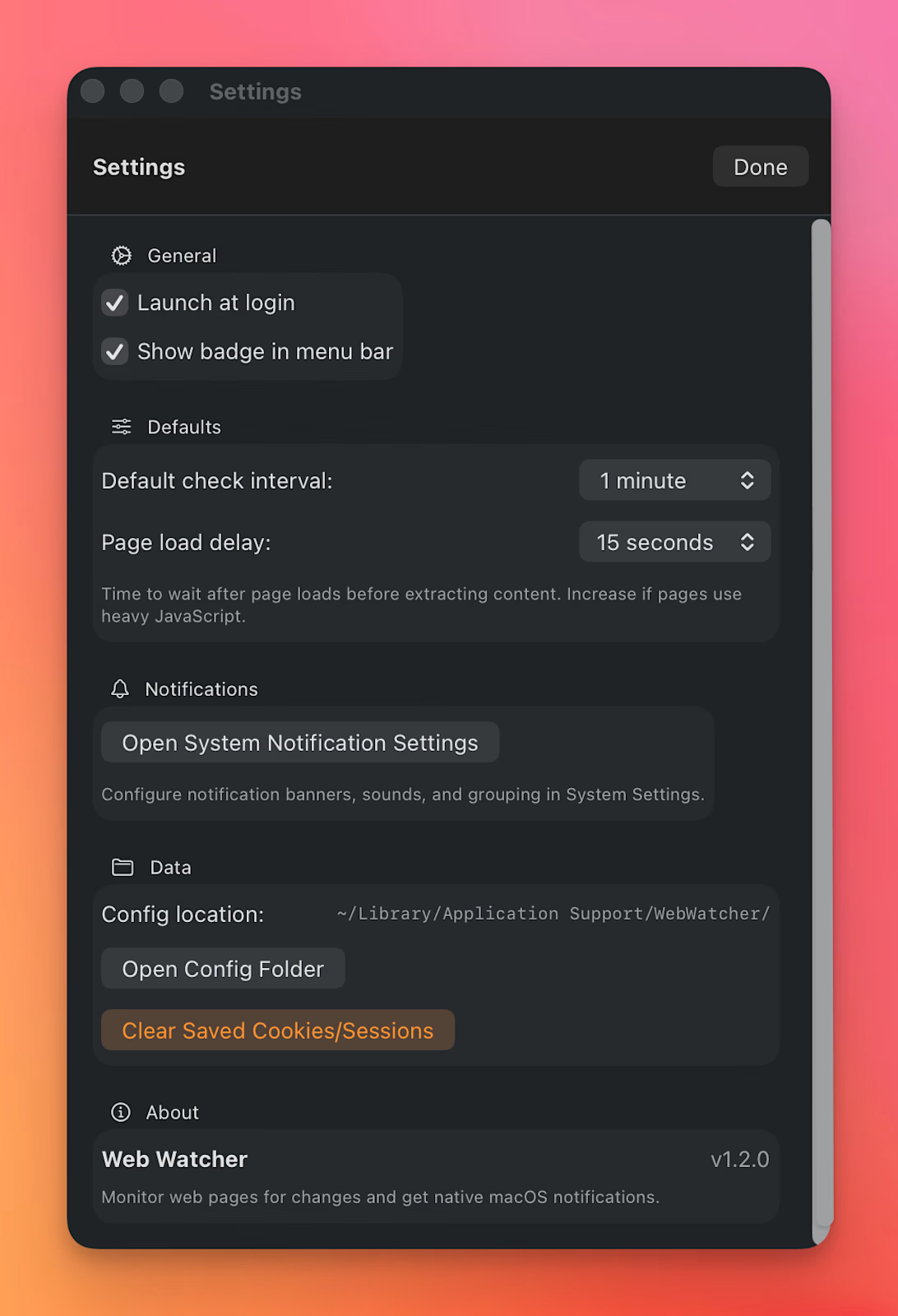
Check intervals from 15 seconds to 30 minutes.
Shows up in Notification Center with sound.
Under the hood: AppleScript talks to Safari, runs JavaScript to read the DOM, sends results to macOS notification center. No browser extensions. No cookies to manage. Works with authenticated pages because it's using your existing sessions.
Everything stays on your machine. No servers, no analytics, no data collection. Config stored locally in Application Support. The app only talks to Safari. Nothing leaves your computer.
I use it for Contra messages (the reason I built this), LinkedIn notifications, Rive community replies and so on.
Sits in my menu bar, checks in the background, and bugs me when something needs attention.
Open source: https://github.com/ivg-design/web-watcher
Drop me a line, star the repo, or open an issue/pr on Github
And if you are feeling very generous, buy it for whatever price you like!
Get it for$0.00
FREE
$0.00
You appreciate the freeware and would love to use it
Tags
FreeForever
FreelancerLife
Productivity
Product created by
Ilya G. proGreenwich, USA
- $25k+
- Earned
- 5
- Paid projects
- 5.00
- Rating
- 84
- Followers
Ilya's other products
Reframer
$0.00
RAV - Rive Animation Viewer
$0.00
Get it for$0.00
FREE
$0.00
You appreciate the freeware and would love to use it
Tags
FreeForever
FreelancerLife
Productivity
Ever miss a notification because it got buried?
I did. A client message on Contra sat unread for two days. Didn't see the badge in 20+ tabs. A recruiter's LinkedIn message went cold because the email notification landed in spam. Missed a Rive community reply because I wasn't checking the tab.
These platforms expect you to check them constantly. I don't. My attention is scattered across projects, browsers, windows. Their notification systems don't work for me.
So I made my own.
WebWatcher is a macOS menu bar app. It watches websites for changes and sends native notifications.
How it works:
Uses your existing Safari sessions. No re-login. It reads from tabs you're already logged into.
Monitors any element via CSS selectors or XPath. Notification badges, message counts, inbox items.
Only notifies when something changes. Badge went from 2 to 3? Notification. Still 3? Silence.
Custom icons per watcher, so you know which platform pinged you at a glance.
Check intervals from 15 seconds to 30 minutes.
Shows up in Notification Center with sound.
Under the hood: AppleScript talks to Safari, runs JavaScript to read the DOM, sends results to macOS notification center. No browser extensions. No cookies to manage. Works with authenticated pages because it's using your existing sessions.
Everything stays on your machine. No servers, no analytics, no data collection. Config stored locally in Application Support. The app only talks to Safari. Nothing leaves your computer.
I use it for Contra messages (the reason I built this), LinkedIn notifications, Rive community replies and so on.
Sits in my menu bar, checks in the background, and bugs me when something needs attention.
Open source: https://github.com/ivg-design/web-watcher
Drop me a line, star the repo, or open an issue/pr on Github
And if you are feeling very generous, buy it for whatever price you like!
Ilya's other products
Reframer
$0.00
RAV - Rive Animation Viewer
$0.00
$0.00