
Hang your work at real size.
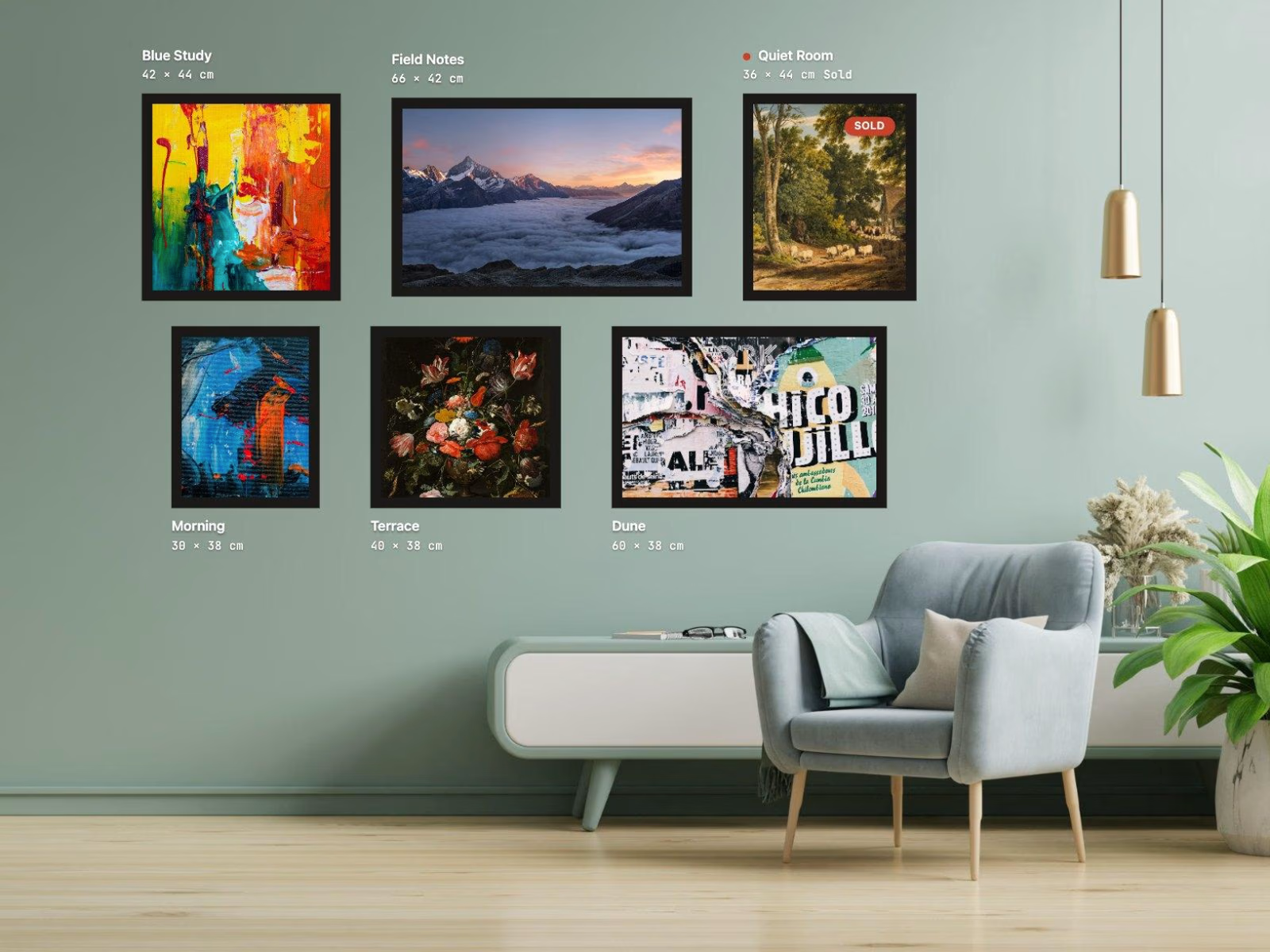
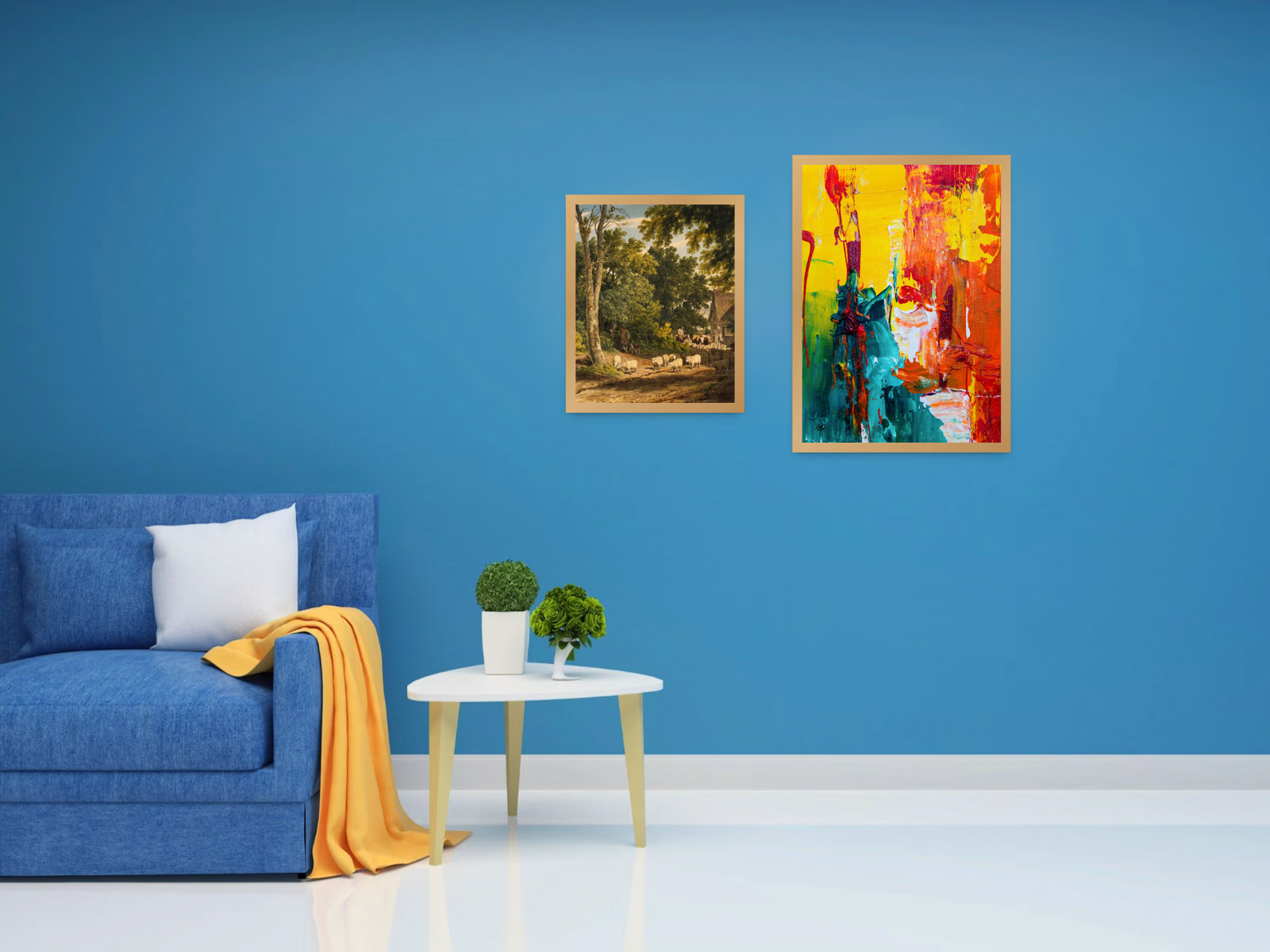
Enter the width and height of each piece in centimetres. Art Gallery Wall lays them out on one shared scale, in a real room or on a drawn wall next to a sofa, with the centre line at eye level. Visitors finally see how big 60 by 90 really is.
What it does
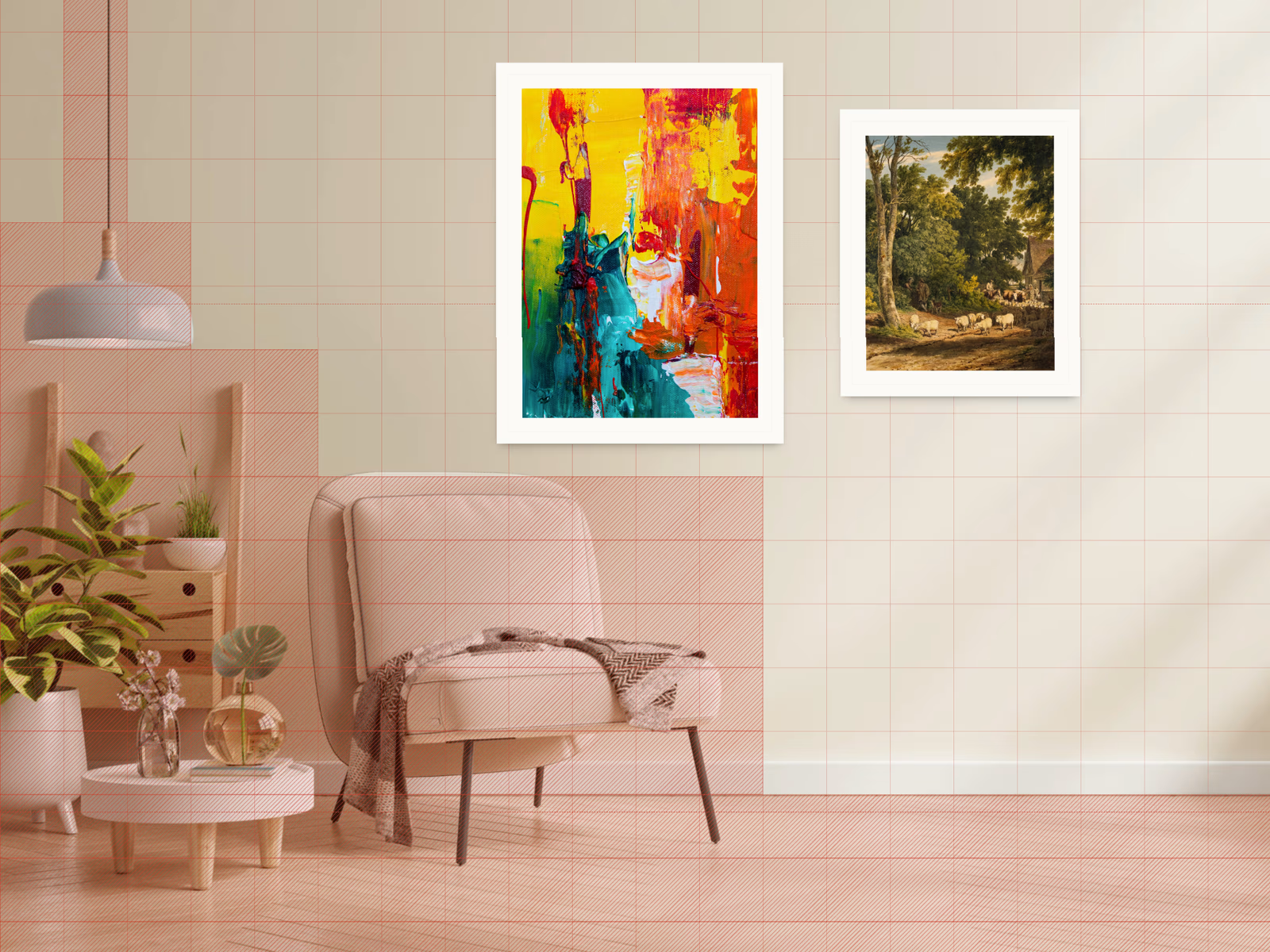
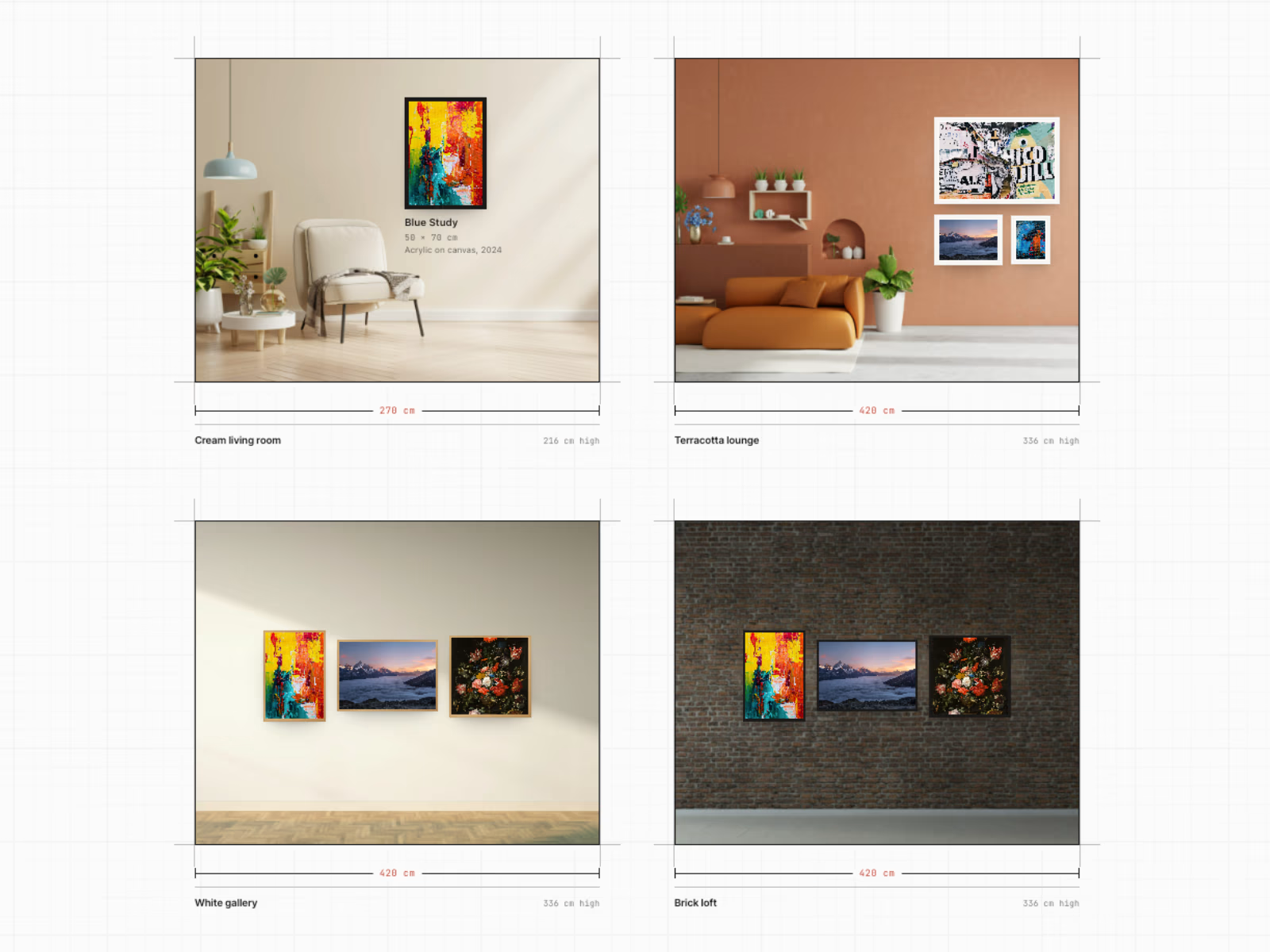
You add your works with their real dimensions and pick a room: one of ten photographed rooms, a drawn wall, or a photo of your own wall. The component computes one scale for the whole room and renders every piece, frame and mat in it. Museum hanging rules are built in: the centre of the hang sits on the eye line, rows keep even gaps, and a work never covers the sofa, a lamp or a shelf, because every room has its furniture blocked out on a grid. Your own photo gets the same grid. Hover shows the title and size, a click opens the work large with its caption and a link to its page.
What's included
The Art Gallery Wall code component, a setup guide, and the demo page as a second code file so you can rebuild the page you see in the demo.
Features
Works with image, title, size in cm, caption, link and sold mark.
Ten calibrated room photos with furniture blocked out, a drawn wall, or your own photo with your own blocked squares.
Four ways to hang: exposition, salon, grid and manual.
Eye level, gap and alignment in centimetres.
Drawn wall: auto or fixed width, height, colour, plaster grain, skirting and floor.
Five frames: none, thin, white, oak and float, with frame width and mat in cm.
Warm spotlights with adjustable strength.
Sofa, chair, person or plant for scale on the drawn wall, left, centre or right.
Labels on hover or always, in cm or inches, with or without the caption, dark or light, on any side of the work (per work if you like); a label that would land on another work moves out of the way by itself.
Red sold dot, or a sold pill on the work.
Lightbox with caption, size and link, keyboard accessible.
English, Dutch, German, French, Spanish or your own words.
Static export and reduced motion respected.
Who it's for
Artists, illustrators, photographers, printmakers, galleries and print shops on Framer. Anyone who has been asked "how big is it?".
Requirements
Any Framer plan. No plugins, no API keys, no backend. The works are entered in the property panel; this version does not read from a CMS collection.
License
One purchase, unlimited projects of your own or your clients. Not for resale or redistribution as a component or template.
Refund policy
Digital product, no refunds after delivery, except when the component does not work as described because of a technical issue that cannot be fixed within 14 days. Contact info@zo-e.nl first, most questions are answered within a day.
Get it for$9.00
Tags
Framer

Framer Designer
Product created by
Michelle de Haas Veghel, Netherlands
- 1
- Followers
Michelle's other products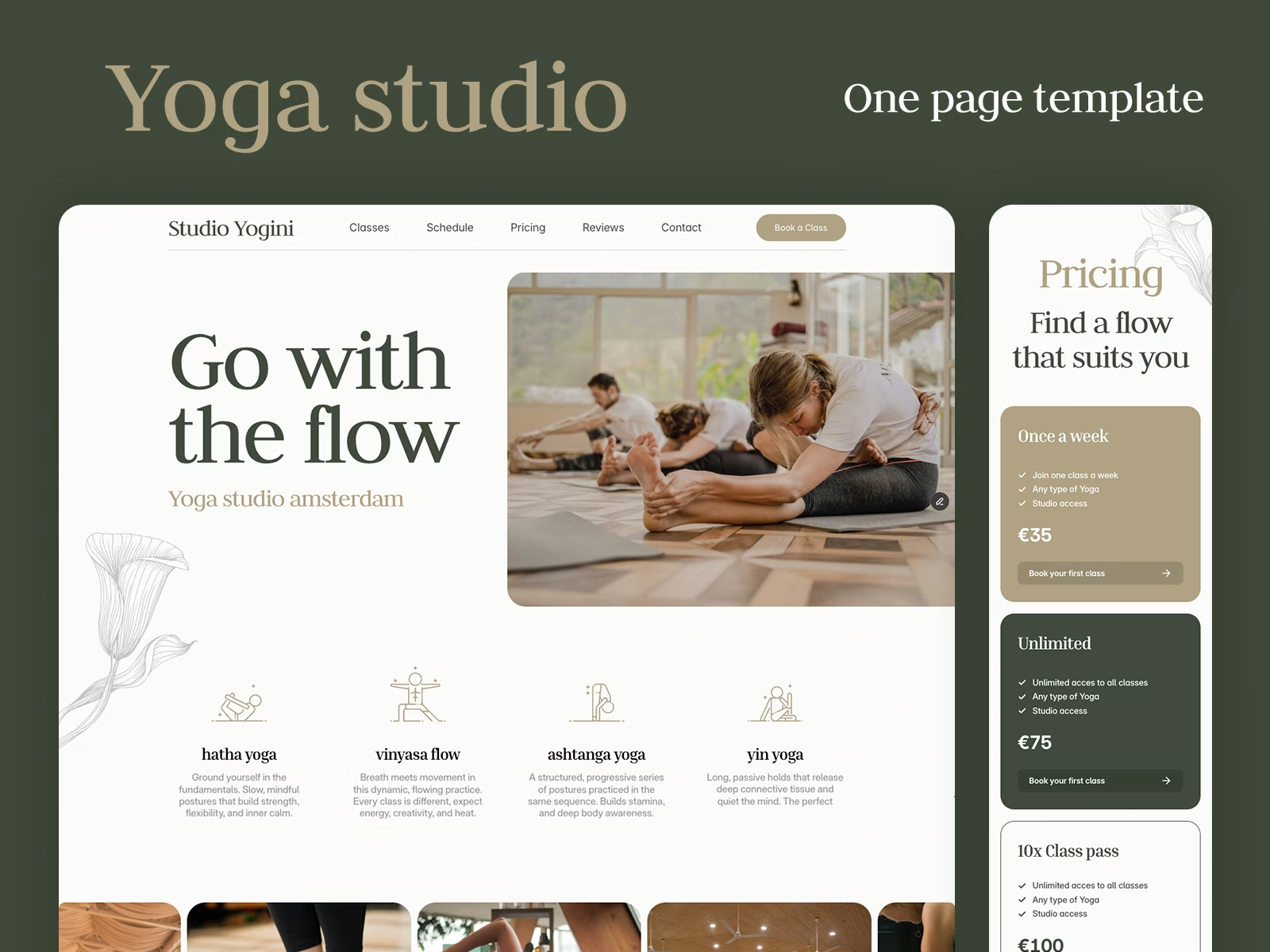

Yoga Studio - Framer OnePage Template
$0.00
LineScroller - Framer Component
$9.00
Get it for$9.00
Tags
Framer
Framer Designer
Hang your work at real size.
Enter the width and height of each piece in centimetres. Art Gallery Wall lays them out on one shared scale, in a real room or on a drawn wall next to a sofa, with the centre line at eye level. Visitors finally see how big 60 by 90 really is.
What it does
You add your works with their real dimensions and pick a room: one of ten photographed rooms, a drawn wall, or a photo of your own wall. The component computes one scale for the whole room and renders every piece, frame and mat in it. Museum hanging rules are built in: the centre of the hang sits on the eye line, rows keep even gaps, and a work never covers the sofa, a lamp or a shelf, because every room has its furniture blocked out on a grid. Your own photo gets the same grid. Hover shows the title and size, a click opens the work large with its caption and a link to its page.
What's included
The Art Gallery Wall code component, a setup guide, and the demo page as a second code file so you can rebuild the page you see in the demo.
Features
Works with image, title, size in cm, caption, link and sold mark.
Ten calibrated room photos with furniture blocked out, a drawn wall, or your own photo with your own blocked squares.
Four ways to hang: exposition, salon, grid and manual.
Eye level, gap and alignment in centimetres.
Drawn wall: auto or fixed width, height, colour, plaster grain, skirting and floor.
Five frames: none, thin, white, oak and float, with frame width and mat in cm.
Warm spotlights with adjustable strength.
Sofa, chair, person or plant for scale on the drawn wall, left, centre or right.
Labels on hover or always, in cm or inches, with or without the caption, dark or light, on any side of the work (per work if you like); a label that would land on another work moves out of the way by itself.
Red sold dot, or a sold pill on the work.
Lightbox with caption, size and link, keyboard accessible.
English, Dutch, German, French, Spanish or your own words.
Static export and reduced motion respected.
Who it's for
Artists, illustrators, photographers, printmakers, galleries and print shops on Framer. Anyone who has been asked "how big is it?".
Requirements
Any Framer plan. No plugins, no API keys, no backend. The works are entered in the property panel; this version does not read from a CMS collection.
License
One purchase, unlimited projects of your own or your clients. Not for resale or redistribution as a component or template.
Refund policy
Digital product, no refunds after delivery, except when the component does not work as described because of a technical issue that cannot be fixed within 14 days. Contact info@zo-e.nl first, most questions are answered within a day.
Michelle's other products
Yoga Studio - Framer OnePage Template
$0.00
LineScroller - Framer Component
$9.00
$9.00