
Social Media Calendar | Client Portal Notion Template
Stop scrambling for content ideas and start showing up with a plan.
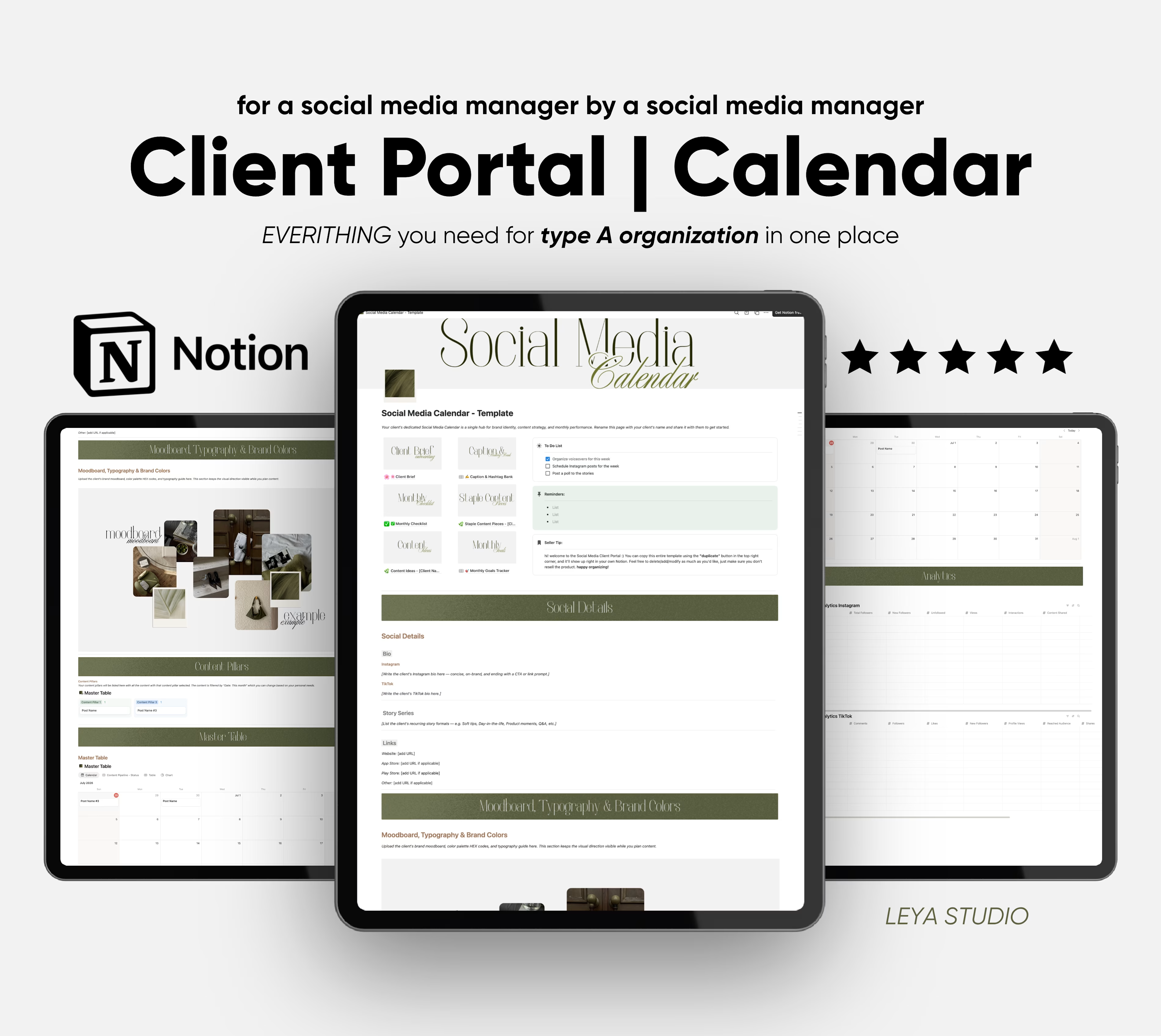
This Notion template is built for social media managers and content creators who want one clean, organized hub for every client, from brand identity to scheduling to analytics. No more scattered Google Docs, no more forgotten captions, no more missed posting days.
What's inside:
Client Brief: Capture the client's brand voice, goals, and key information right at the start so you always have context when creating content.
Caption & Hashtag Bank: Store ready-to-use captions and curated hashtag sets by category so you never write from scratch again.
Monthly Checklist: A recurring task list to keep your monthly workflow on track, from filming to scheduling to reporting.
Staple Content Pieces: Document the evergreen content formats that work for each client so you can repeat what converts.
Content Ideas: A running bank of content ideas organized by client, so inspiration never goes to waste.
Monthly Goals Tracker: Set clear targets each month and stay accountable to growth metrics that actually matter.
Social Details: Client bios, story series formats, website and app store links for Instagram and TikTok in one place.
Moodboard, Typography & Brand Colors: Keep the client's visual direction visible while you plan so every piece of content stays on-brand.
Content Pillars: Define the core themes and categories driving the strategy, with posts organized by pillar.
Master Table: A full content pipeline with calendar view, status tracking, and chart* view to see your entire month at a glance.
Analytics: Monthly performance tracking for both Instagram and TikTok, all in one place.
Who this is for: Social media managers handling client accounts, content creators managing their own brand, and freelancers who want to look more professional and deliver better results. Or social media managers just starting out and still feeling overwhelmed not knowing what they need to successfully run clients social media.
Duplicate to your Notion with one click. Works on the free Notion plan*.
_____
Chart view cannot be used with a free profile but is still there if you ever upgrade.


Get it for$30.00
Tags
Notion
Content Creator
Content Editor
Social Media Manager
Social Media Strategist
Templates
Social Media Calendar | Client Portal Notion Template
Stop scrambling for content ideas and start showing up with a plan.
This Notion template is built for social media managers and content creators who want one clean, organized hub for every client, from brand identity to scheduling to analytics. No more scattered Google Docs, no more forgotten captions, no more missed posting days.
What's inside:
Client Brief: Capture the client's brand voice, goals, and key information right at the start so you always have context when creating content.
Caption & Hashtag Bank: Store ready-to-use captions and curated hashtag sets by category so you never write from scratch again.
Monthly Checklist: A recurring task list to keep your monthly workflow on track, from filming to scheduling to reporting.
Staple Content Pieces: Document the evergreen content formats that work for each client so you can repeat what converts.
Content Ideas: A running bank of content ideas organized by client, so inspiration never goes to waste.
Monthly Goals Tracker: Set clear targets each month and stay accountable to growth metrics that actually matter.
Social Details: Client bios, story series formats, website and app store links for Instagram and TikTok in one place.
Moodboard, Typography & Brand Colors: Keep the client's visual direction visible while you plan so every piece of content stays on-brand.
Content Pillars: Define the core themes and categories driving the strategy, with posts organized by pillar.
Master Table: A full content pipeline with calendar view, status tracking, and chart* view to see your entire month at a glance.
Analytics: Monthly performance tracking for both Instagram and TikTok, all in one place.
Who this is for: Social media managers handling client accounts, content creators managing their own brand, and freelancers who want to look more professional and deliver better results. Or social media managers just starting out and still feeling overwhelmed not knowing what they need to successfully run clients social media.
Duplicate to your Notion with one click. Works on the free Notion plan*.
_____
Chart view cannot be used with a free profile but is still there if you ever upgrade.
$30.00