
I've been working on the Rive Animation Viewer for a while and never posted about any of it, so this is the catchup.
Rebuilt the whole player
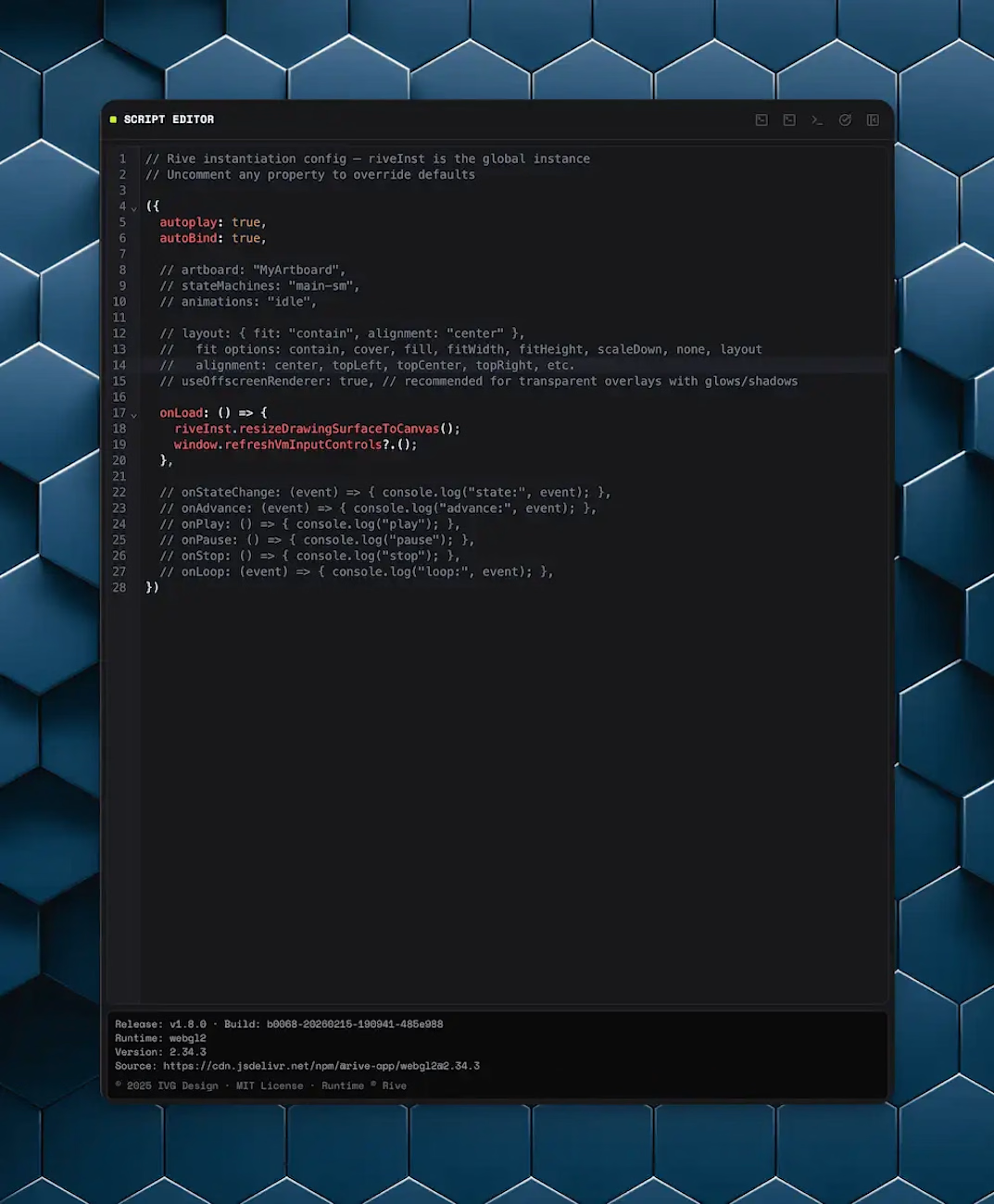
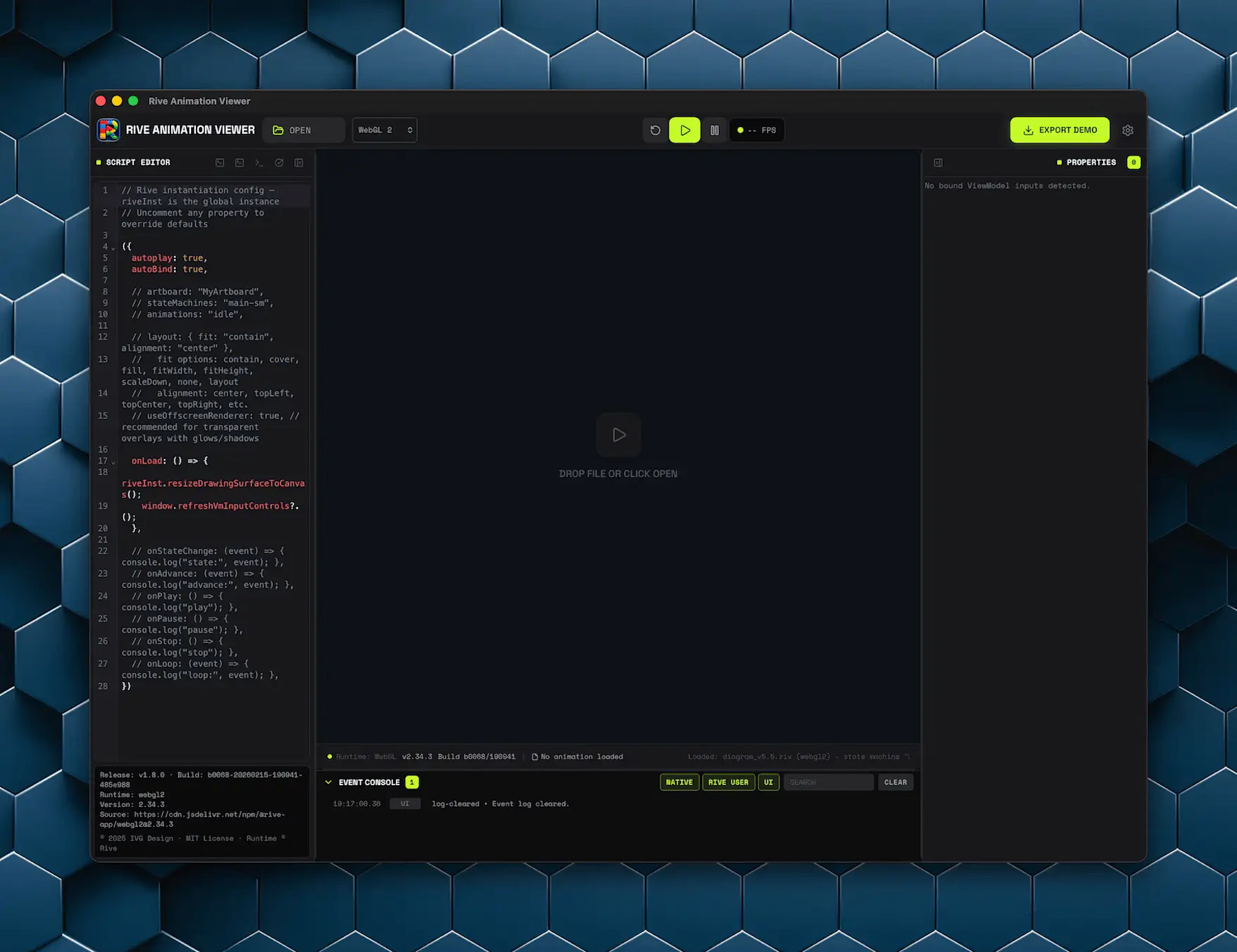
The UI is completely different now. Three-panel layout, collapsible side panels, code editor on the left, property inspector on the right. I also went through all the icons, branding, and spacing. It looks and feels like a dev tool instead of a glorified file previewer.
ViewModel controls that work
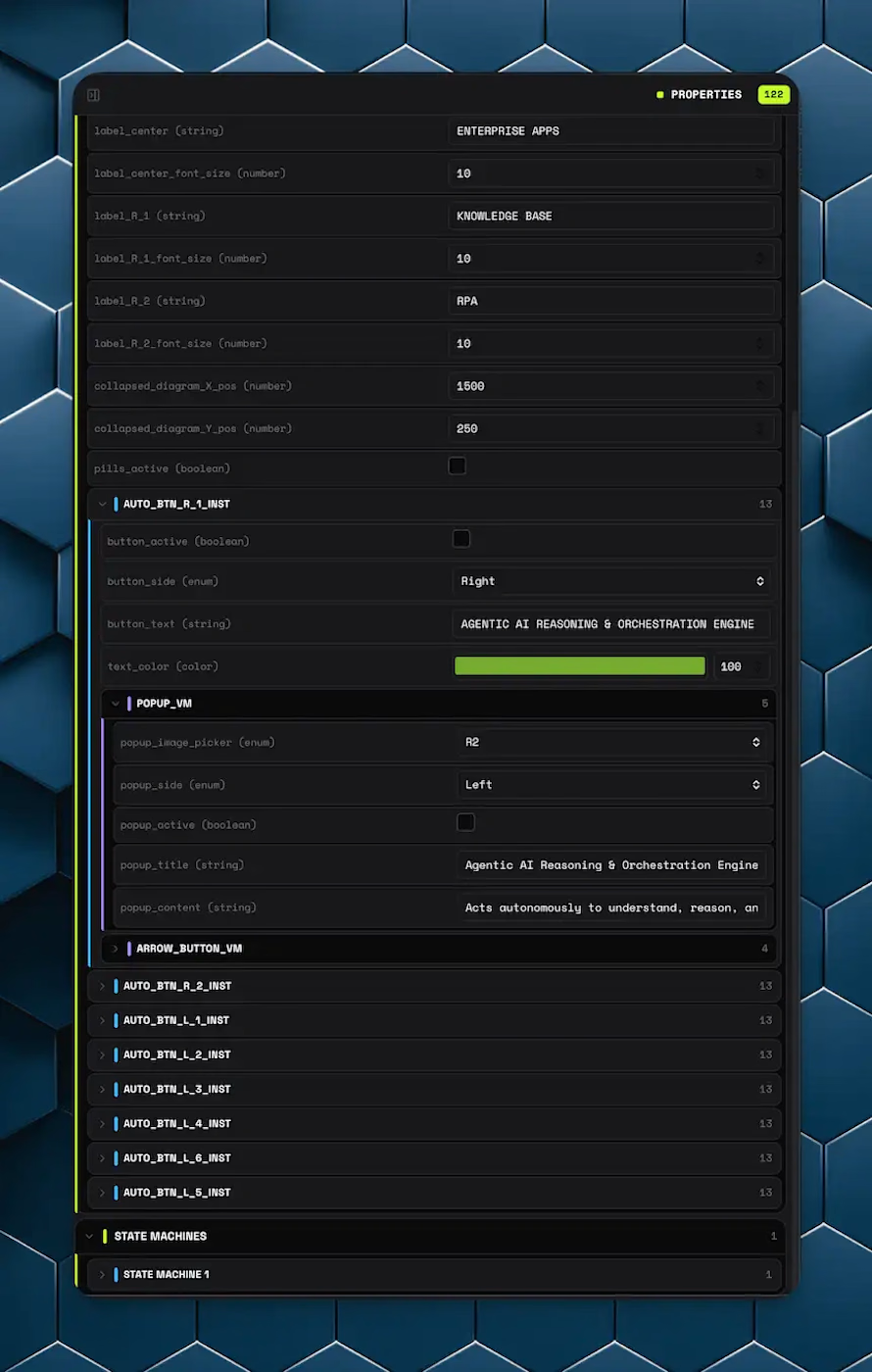
This one I'm most happy with. The app reads your .riv file, finds all ViewModel inputs, and generates controls for them: numbers, booleans, strings, enums, colors, triggers. They're organized in collapsible sections that mirror your VM hierarchy. Legacy state machine inputs work too. The controls stay in sync with runtime changes, so if a listener flips a boolean, the UI updates. Triggers are reliable now. Duplicate root VM inputs get properly deduplicated by full path, which was a surprisingly annoying bug.
Event console
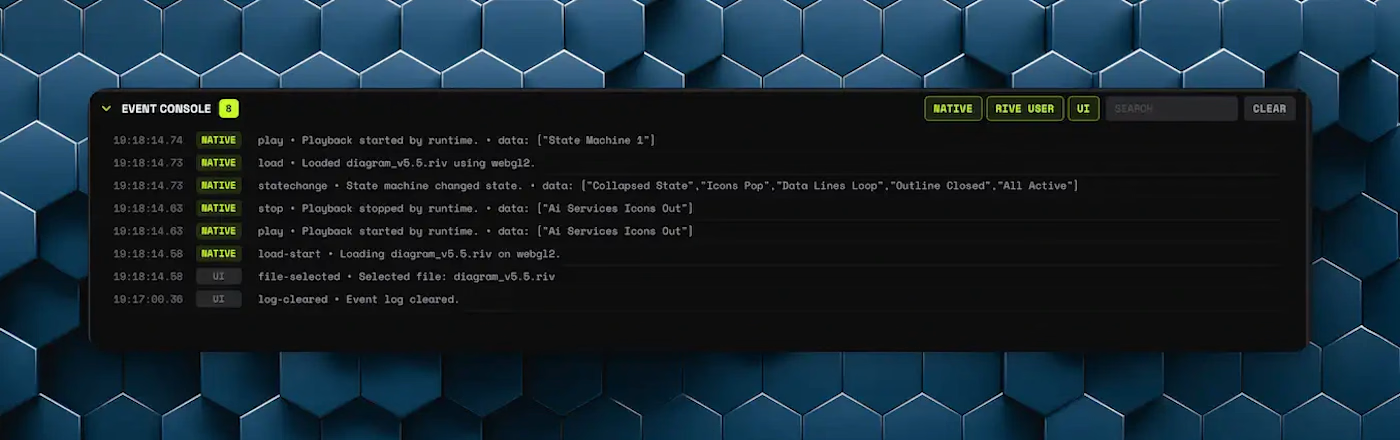
Real event log with multi-source filtering (Native, Rive User, UI) and text search. You can see what your file is doing at runtime without opening browser dev tools
Desktop is way more solid
I migrated from Tauri v1 to v2, which fixed invoke-bridge failures in packaged builds and got rid of broken module imports under the tauri:// protocol. You can double-click a .riv file and it just opens. Open With works too. File-open reliability was one of those things I kept having to revisit: polling fallbacks, queued events, single-instance forwarding. Should be solid now.
Transparency mode
Transparent canvas background, a transparency toggle in settings, and a desktop click-through mode for overlaying animations on other content. (this feature is still a WIP and you can expect future improvements)
Better exports
Exported demos carry your VM hierarchy, match the player's look, embed the app icon, and snapshot your layout state when you hit export: panel sizes, event console filters, visibility, all of it. Transparency toggle is disabled in exports since it only works on desktop.
Smaller fixes
Reset does a full reload now instead of leaving playback stopped. Property values you set in the panel survive the restart.
Visible build ID stamped in the UI.
Code editor hidden by default (you can still open it).
VM sections beyond root start collapsed.
Event filtering is multi-toggle buttons instead of a dropdown.
Canvas resizes properly when panels change.
Event filter labels stop wrapping weirdly in narrow windows.
Download, like and follow me!
Get it for$0.00
Free
$0.00
you like what I do, and want to use my app!
Tags
Rive

Desktop Apps Development
FreelancerLife
Product created by
Ilya G. proStamford, USA
- $25k+
- Earned
- 2
- Paid projects
- 5.00
- Rating
- 60
- Followers
Ilya's other products
WebWatcher
$0.00
Reframer
$0.00
Get it for$0.00
Free
$0.00
you like what I do, and want to use my app!
Tags
Rive
Desktop Apps Development
FreelancerLife
I've been working on the Rive Animation Viewer for a while and never posted about any of it, so this is the catchup.
Rebuilt the whole player
The UI is completely different now. Three-panel layout, collapsible side panels, code editor on the left, property inspector on the right. I also went through all the icons, branding, and spacing. It looks and feels like a dev tool instead of a glorified file previewer.
ViewModel controls that work
This one I'm most happy with. The app reads your .riv file, finds all ViewModel inputs, and generates controls for them: numbers, booleans, strings, enums, colors, triggers. They're organized in collapsible sections that mirror your VM hierarchy. Legacy state machine inputs work too. The controls stay in sync with runtime changes, so if a listener flips a boolean, the UI updates. Triggers are reliable now. Duplicate root VM inputs get properly deduplicated by full path, which was a surprisingly annoying bug.
Event console
Real event log with multi-source filtering (Native, Rive User, UI) and text search. You can see what your file is doing at runtime without opening browser dev tools
Desktop is way more solid
I migrated from Tauri v1 to v2, which fixed invoke-bridge failures in packaged builds and got rid of broken module imports under the tauri:// protocol. You can double-click a .riv file and it just opens. Open With works too. File-open reliability was one of those things I kept having to revisit: polling fallbacks, queued events, single-instance forwarding. Should be solid now.
Transparency mode
Transparent canvas background, a transparency toggle in settings, and a desktop click-through mode for overlaying animations on other content. (this feature is still a WIP and you can expect future improvements)
Better exports
Exported demos carry your VM hierarchy, match the player's look, embed the app icon, and snapshot your layout state when you hit export: panel sizes, event console filters, visibility, all of it. Transparency toggle is disabled in exports since it only works on desktop.
Smaller fixes
Reset does a full reload now instead of leaving playback stopped. Property values you set in the panel survive the restart.
Visible build ID stamped in the UI.
Code editor hidden by default (you can still open it).
VM sections beyond root start collapsed.
Event filtering is multi-toggle buttons instead of a dropdown.
Canvas resizes properly when panels change.
Event filter labels stop wrapping weirdly in narrow windows.
Download, like and follow me!
Ilya's other products
WebWatcher
$0.00
Reframer
$0.00
$0.00