
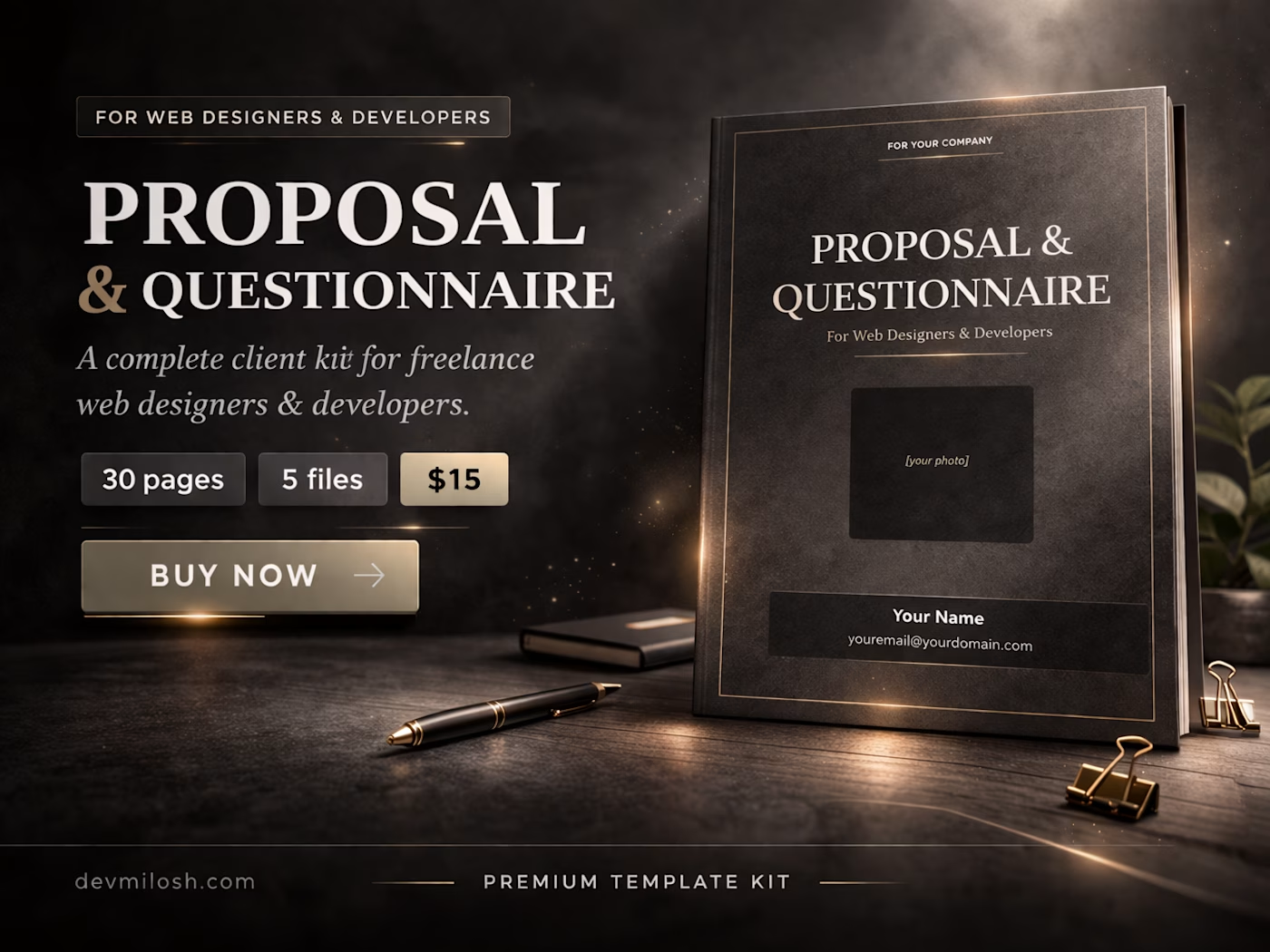
A professional website proposal template for freelance web designers and developers — 30 pages, 5 file formats, ready to send.
Most freelance web designers lose clients before the project even starts — not because their work is bad, but because their first impression is.
A Google Form. A blank Word document. A Notion page with no design. That's what most freelancers send when a potential client asks "what does working with you look like?"
This is the alternative.
What this is
A professional 30-page website proposal template built specifically for freelance web designers and web developers. It combines two documents that every serious freelance studio needs — a studio presentation and a complete client questionnaire — into one polished, ready-to-send file.
The first half presents your studio. The second half gathers everything you need from the client before the project begins. Together, they replace the back-and-forth emails, the forgotten questions, and the awkward "I forgot to ask about their budget" moments that cost you time and money on every project.
Who it's for
Freelance web designers and developers who want a web design proposal that looks as professional as their work. Built specifically for Webflow developers, but equally effective for designers working in any tool or stack — Framer, WordPress, Figma-to-code, or custom development.
If you do more than two or three projects a year, this template pays for itself the first time you send it.
What this is NOT
This is not a generic Canva template with pretty colors and no substance. It is not a blank Word document dressed up with a logo. It is not a one-page PDF that asks for a name, email, and project description and calls itself a proposal.
This is not a subscription. You pay once and use it forever — for every client, for every project, under your own studio brand.
This is not a tool that requires an account, a login, or an internet connection. Every file works completely offline, on any device, with software you already have.
And this is not a questionnaire without a presentation, or a presentation without a questionnaire. It is both — built as one cohesive document that takes a potential client from first impression to signed agreement in a single file.
Before this template
You send a client a rough email with a few questions. They reply three days later with incomplete answers. You follow up. They send more information, but forget the budget. You ask again. Two weeks in, you still don't know what they actually need — and you haven't written a single line of code or opened Figma.
When you finally send a proposal, it's a PDF you built in Canva six months ago that still has a placeholder where the client's name should go. They open it, read three lines, and you never hear from them again.
After this template
You send the proposal before the first call. The client opens a 30-page document that introduces your studio, shows your work, explains your process, and then walks them through a structured questionnaire covering everything — goals, budget, audience, branding, pages, SEO, color direction, timeline, and a signature block.
They fill it in. They send it back. You have everything you need to quote the project accurately, set clear expectations, and start work without a single follow-up email.
That's not just a better first impression. That's a better business.
What's inside — 30 pages, 5 files
Agency Presentation (pages 3–13)
Your studio introduction, team, services, portfolio, case studies, testimonials, client homework checklist, full project workflow with 6 phases, and communication policy. Everything a new client needs to understand who you are, how you work, and why they should hire you.
Client Questionnaire (pages 14–28)
A structured, fully interactive questionnaire that covers every piece of information you need before starting a web design project:
General project information, goals, and budget range
Target audience, ideal client, and business description
Website pages checklist (20 page types)
Technical requirements (CMS, animations, e-commerce, GDPR, analytics, and more)
Full branding questionnaire — business background, brand story, long-term goals
Brand words selection — 80+ adjectives to help define brand personality
Logo design preferences and font style
Marketing and SEO inputs including meta title and meta description fields
24 color palette proposals with HEX codes — client selects directly in the document
Project deadline, design level, browser and device optimization
Project agreement with client signature block
Closing Section (pages 28–30)
Timeline overview, agreement and signature fields, and a branded closing page.
Page-by-page breakdown
Page 1 — Cover
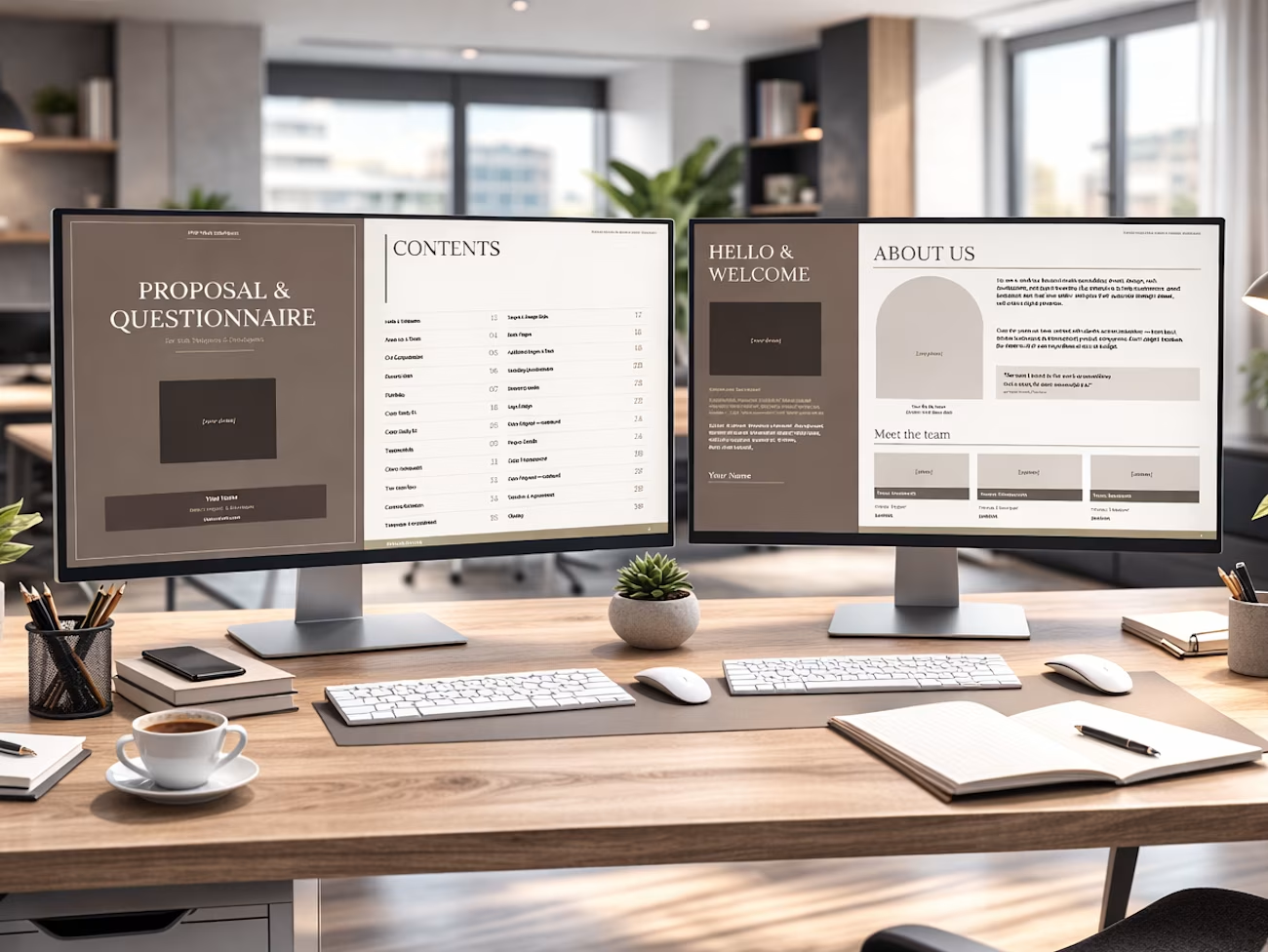
Your name, studio name, photo placeholder, title, and contact details. The first thing the client sees.
Page 2 — Table of Contents
All 30 sections listed with page numbers. Shows the client this is a serious, structured document before they read a single word.
Page 3 — Hello & Welcome
Your personal introduction, contact information, and a short statement about your approach to client work.
Page 4 — About Us & Team
Studio background, founding story, and team member introductions with photos, roles, and email addresses.
Page 5 — Our Competencies
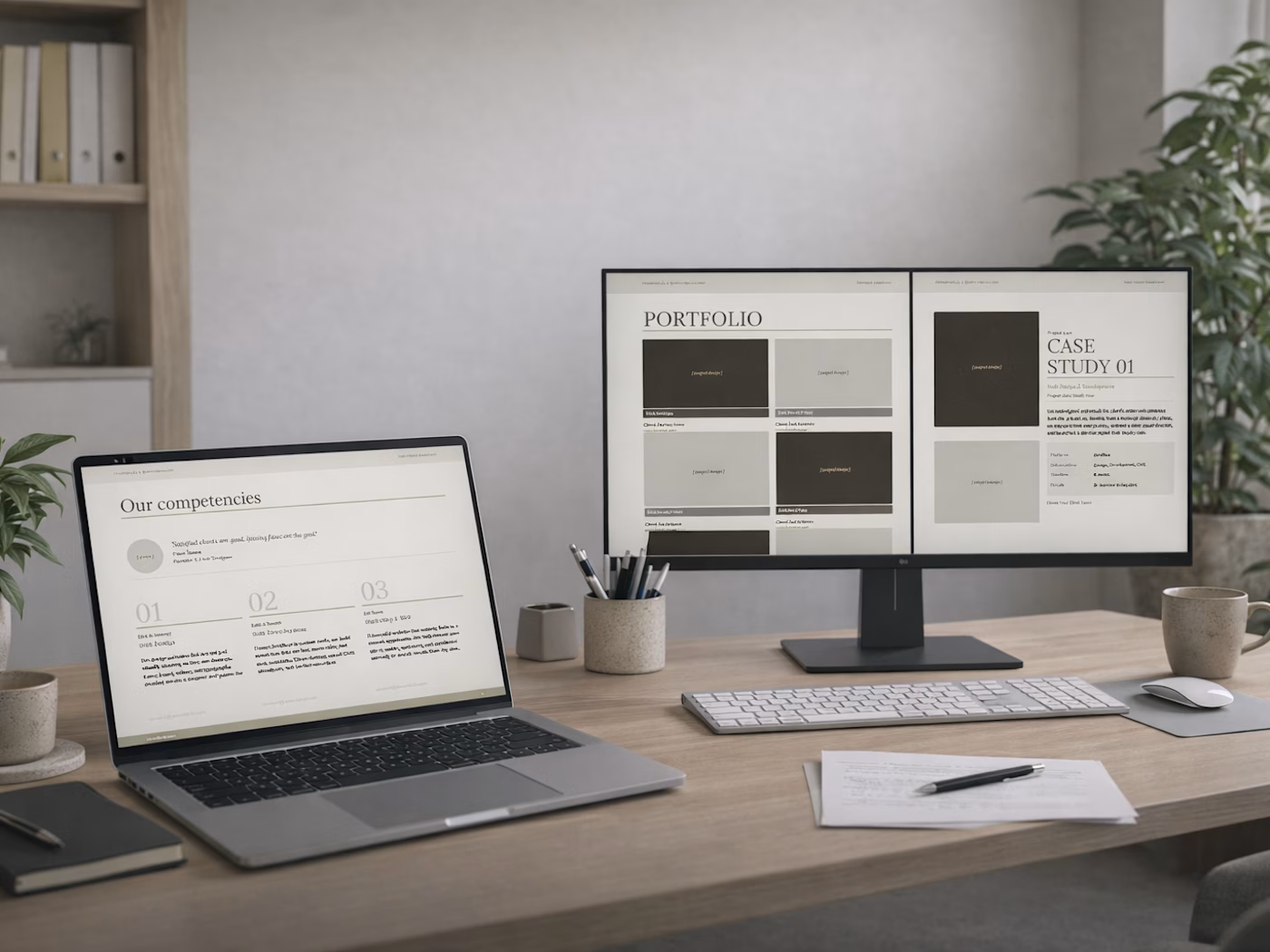
Three core service areas — web design, web development, marketing & SEO — each with a description and contact email.
Pages 6–7 — Recent Work & Portfolio
Project screenshot placeholders, a short studio description, and a 6-project portfolio grid with client names and URLs.
Pages 8–9 — Case Studies
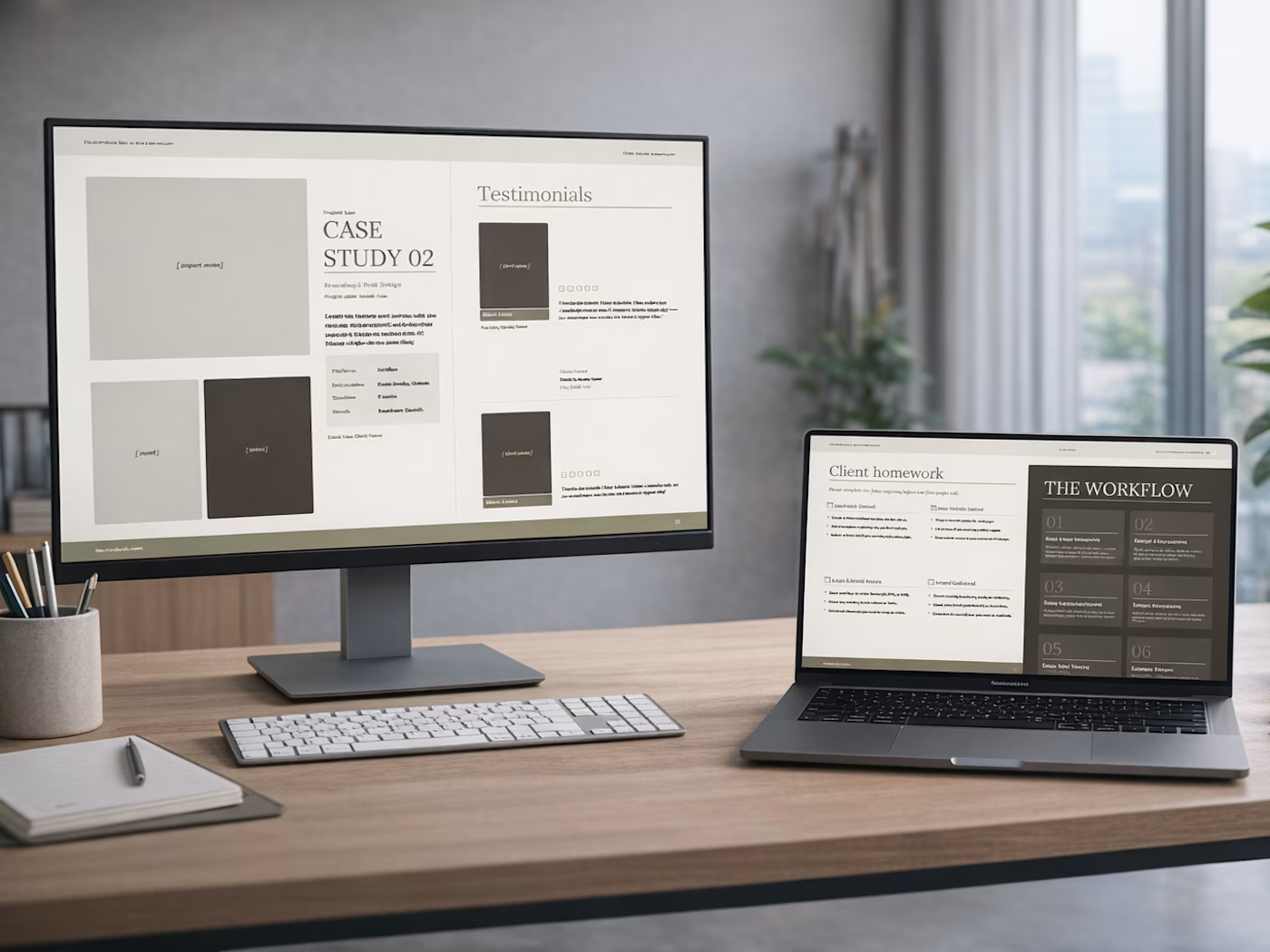
Two detailed case studies with photo placeholders, project description, platform, deliverables, timeline, and results.
Page 10 — Testimonials
Two client testimonials with photo, name, company, rating, and quote.
Page 11 — Client Homework
A structured pre-project checklist — inspiration board, website content, logo assets, brand collateral, deadlines, and questionnaire completion.
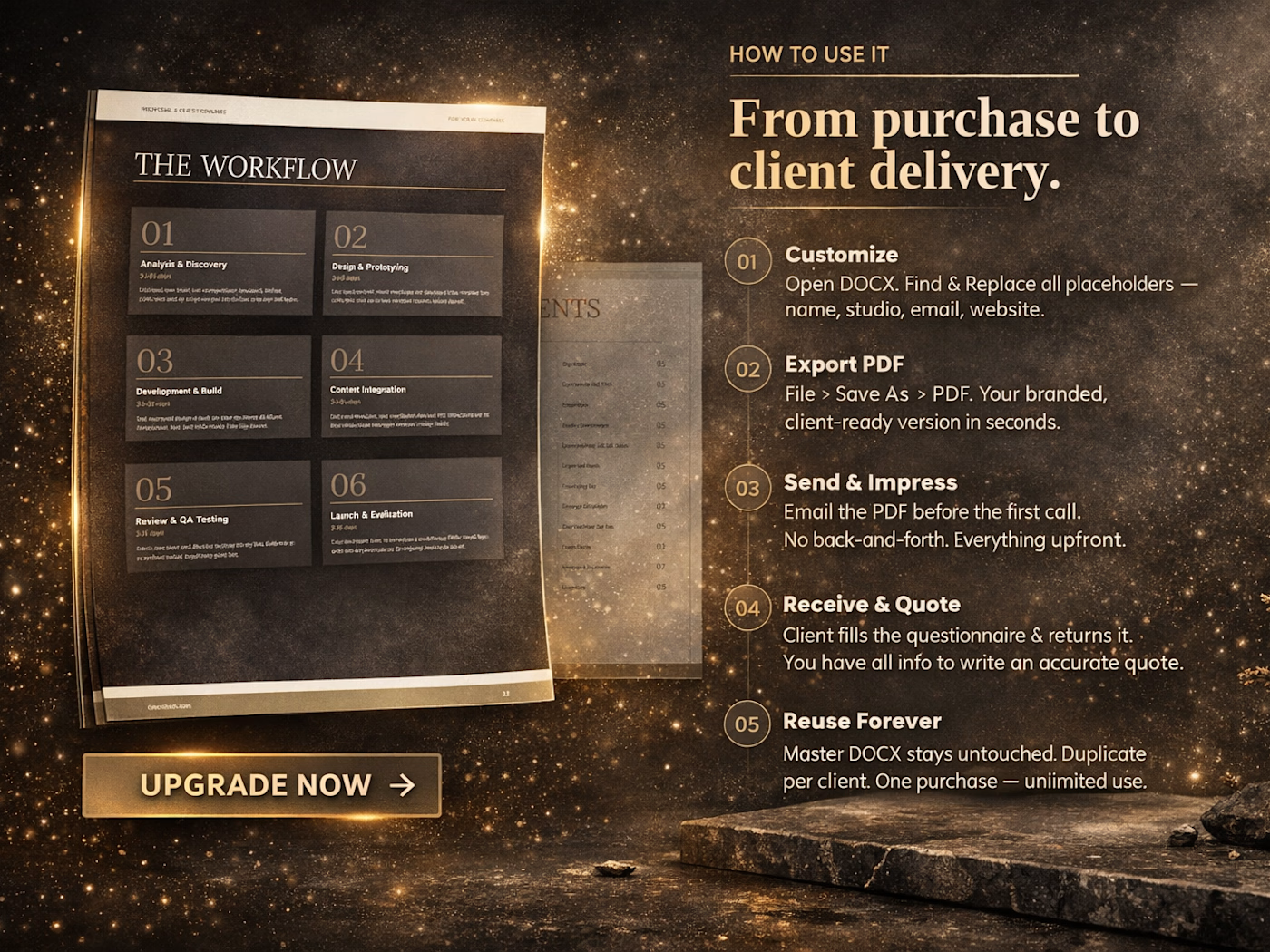
Page 12 — The Workflow
Six-phase project workflow with durations: Analysis & Discovery, Design & Prototyping, Development & Build, Content Integration, Review & QA Testing, Launch & Handover.
Page 13 — Communication
Business hours, response time policy, preferred contact method, and a note on revision requests.
Pages 14–15 — General Information
Contact data, project data, existing website, platform, launch date, and main project goals checklist.
Pages 16–17 — Target Audience
Audience type, age range, business description, ideal client, competitors, and USP fields. Design style preferences.
Page 18 — Basic Pages
20-item checklist of standard website pages. Client marks what they need.
Page 19 — Additional Pages & Technical Requirements
Custom page list and a 16-item technical requirements checklist covering CMS, animations, e-commerce, GDPR, analytics, and more.
Page 20 — Branding Questionnaire
Four open-ended branding questions covering business name meaning, founding story, long-term goals, and current challenges.
Page 21 — Brand Words
80+ personality adjectives. Client underlines or highlights all that apply, then narrows down to 5.
Page 22 — Logo Design
Six input fields covering logo title, tagline, industry, adjectives, graphics, and usage. Six font style options with visual examples.
Page 23 — Marketing & SEO
Six input fields covering traffic sources, marketing methods, social media, popular pages, SEO keywords, and competitors. Meta title and meta description fields.
Page 24 — Project Details
Deadline urgency, phasing, budget range, design level, browser and device optimization, and accessibility requirements.
Pages 25–26 — Color Proposal
24 color swatches with names and HEX codes across two pages. Client checks their preferred colors directly in the document. Custom HEX field at the bottom.
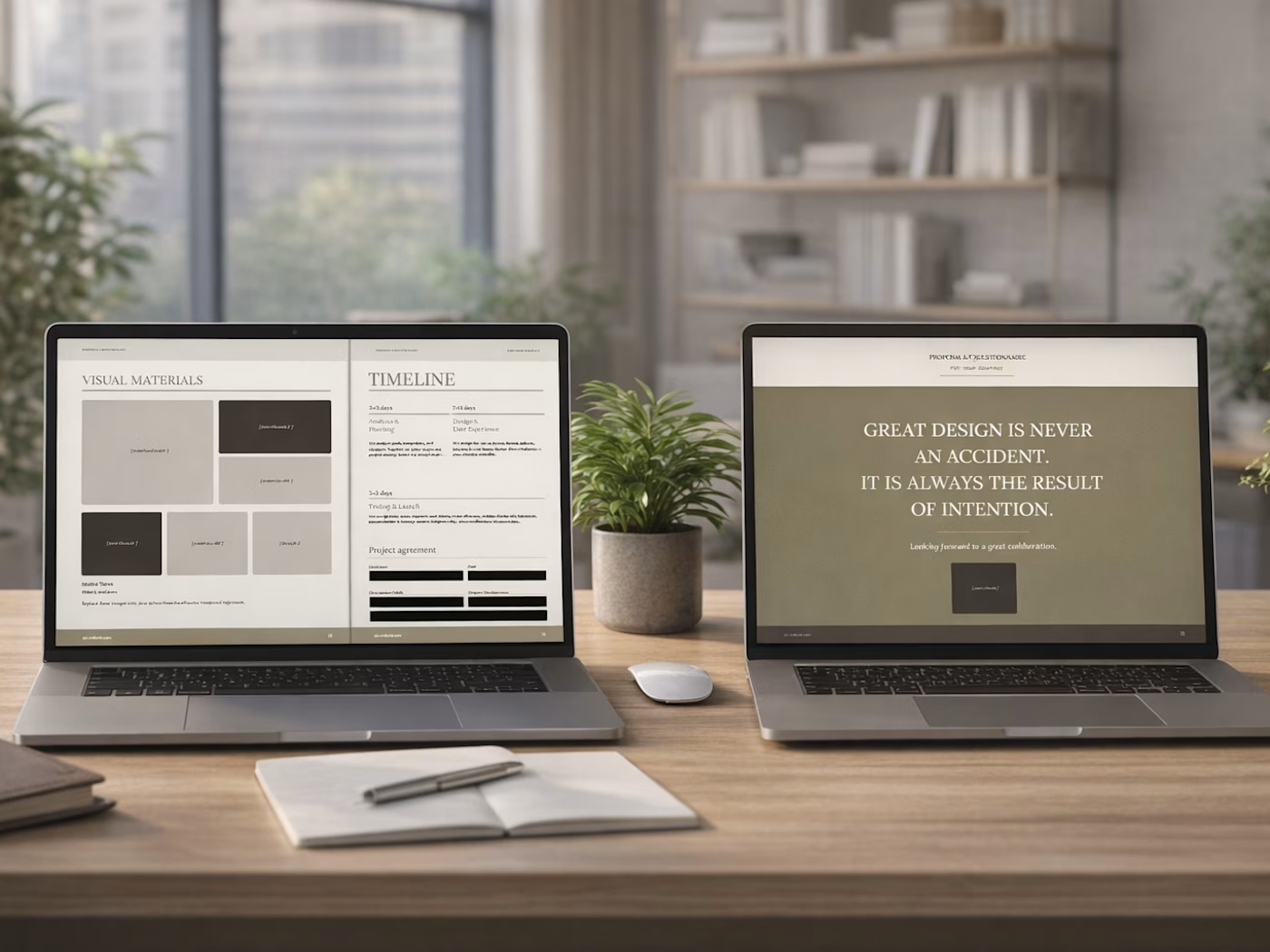
Page 27 — Visual Materials
Moodboard placeholder grid with image placeholders and reference fields.
Page 28 — Timeline & Agreement
Project phase timeline table with target date fields. Client name, date, signature, and designer name fields. Notes field.
Page 29 — Quote
A full-page closing statement with a design quote and attribution.
Page 30 — Closing
Branded closing page with thank you message, photo placeholder, and contact details.
5 file formats included
PDF — The primary client-facing version. Pixel-perfect, print-ready, and fully interactive with 219 fillable fields (76 text inputs + 143 checkboxes). The client opens it in Adobe Acrobat Reader — free — fills it in, and sends it back. No printing, no scanning.
DOCX — The editable source file. Open in Microsoft Word or Google Docs, use Find & Replace to swap all placeholder text with your own name, studio, and links. Add your project screenshots. Export to PDF. Done in 20 minutes.
PPTX — The presentation version. 30 slides, fully editable in PowerPoint or Google Slides. 485 editable text boxes across all questionnaire slides. Use it for live screen-sharing calls or send it as a standalone file.
HTML — Browser-based. No software required. 211 named form fields, works in any modern browser. Includes a built-in Save Answers button that exports the client's responses as a clean text file — no server, no submission form, works completely offline.
Documentation — A 14-section user manual covering every file format, step-by-step customization instructions, FAQ, troubleshooting guide, and licence terms. Read it once and you won't need to ask anything.
Why each format exists
The PDF is what you send. It is the client experience — designed, professional, and interactive without requiring any technical knowledge from the client.
The DOCX is how you make it yours. It is the only format where you should make edits. Change the name, the studio, the portfolio, the testimonials. Everything else flows from this file.
The PPTX is for the call. Some clients prefer a walkthrough. Open it on your screen, share it, and take them through the proposal live. Every slide is editable, every questionnaire field is clickable.
The HTML is the flexible option. Send it as a link if you host it, or attach it as a file. The client opens it in Chrome or Safari, fills in every field, clicks Save Answers, and a text file downloads to their desktop with all their responses formatted and ready for you to read.
The documentation exists because every good product deserves a manual. It answers every question before you have to ask it — and before your client has to ask you.
How to use it
Open the DOCX. Use Find & Replace to swap your name, studio name, website, and email across the entire document.
Add your own project screenshots, team photos, and case study details.
Export to PDF.
Send to every new client before the first call.
Receive it back, filled in. Start the project with everything you need.
One purchase. Unlimited clients. Lifetime access.
Frequently asked questions
Do I need special software to use this?
No. The PDF works in free Adobe Acrobat Reader. The DOCX works in Microsoft Word or free Google Docs. The PPTX works in PowerPoint or free Google Slides. The HTML works in any browser. No subscriptions, no accounts, no plugins.
Can I edit my name and logo?
Yes. Open the DOCX, use Find & Replace to swap all placeholder text, and add your own photos and screenshots. Export to PDF when done.
Can I use this for multiple clients?
Yes. One purchase covers unlimited client use under your own studio or freelance brand.
Can my client fill in the PDF without printing it?
Yes. The PDF has 219 interactive fillable fields. The client opens it in Adobe Acrobat Reader, types directly into each field, checks the checkboxes, saves the file, and sends it back.
What if my client can't open the PDF?
Send them the DOCX or the HTML version instead. The HTML works in any browser with no software required.
Is this only for Webflow developers?
No. It is built with Webflow developers in mind, but the content is platform-agnostic. It works equally well for designers using Framer, WordPress, Shopify, or custom code.
Can I resell or redistribute this template?
No. The licence covers personal and commercial use under your own brand for your own clients. Redistribution or resale is not permitted.
Why this web design proposal template works
Most proposal templates are either a blank document with no design, or a polished presentation with no questionnaire. This is both — a website design proposal that looks serious and a client questionnaire that is thorough.
The questionnaire section alone covers scope, budget, timeline, branding, SEO, color direction, and a signed project agreement. By the time a client sends it back, you have enough information to write an accurate quote, set realistic expectations, and start the project without a single follow-up email.
That's the point. Not just to look professional — but to actually run a tighter, more profitable freelance business from day one.
Get it for$15.00
Tags
Web Designer
Web Developer
Agency Template
Proposal Template
Questionnaire
Product created by
Milos Milanovic Belgrade, Serbia
- $1k+
- Earned
- 2
- Paid projects
- 4.90
- Rating
- 51
- Followers
Milos's other products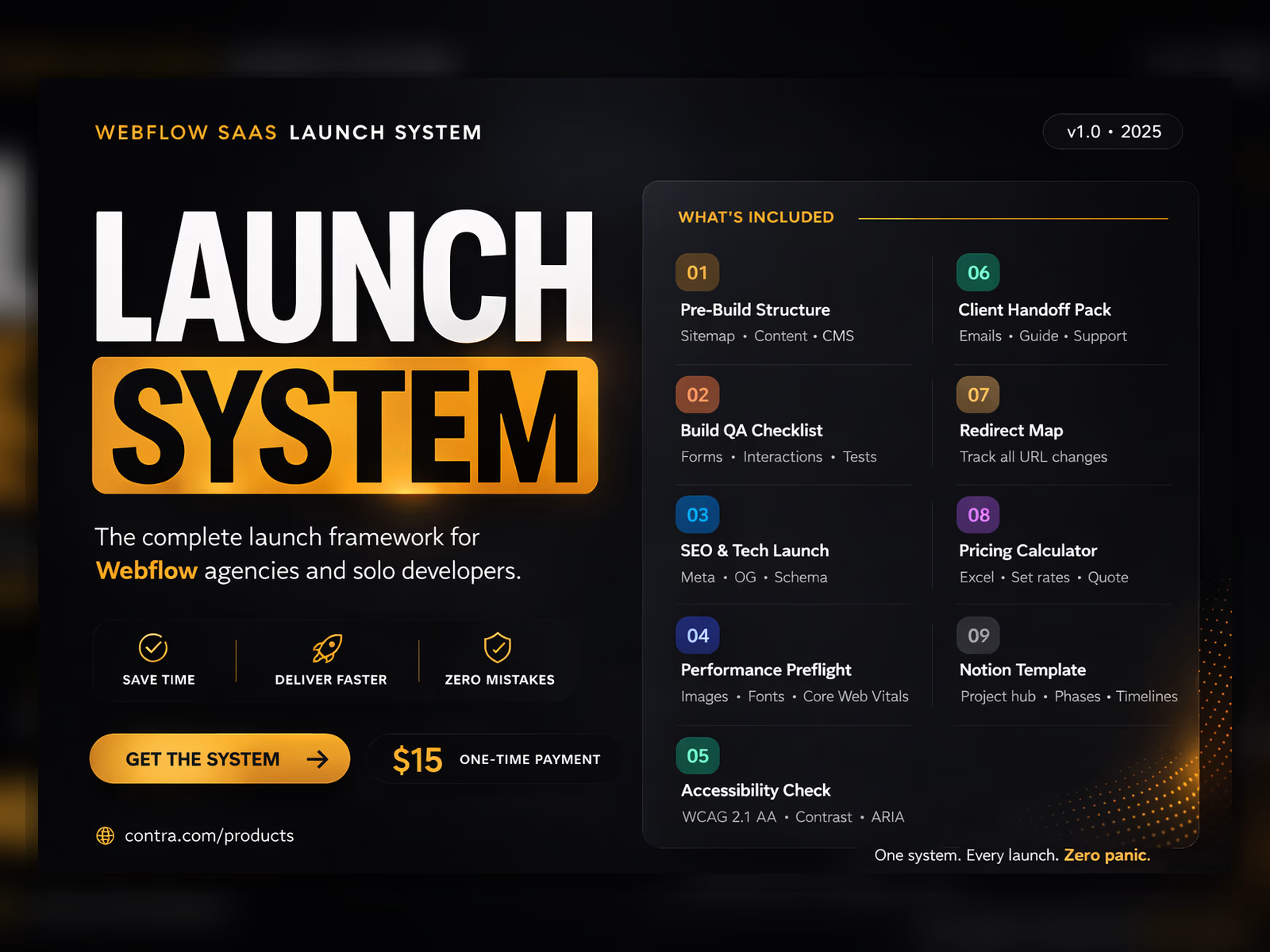
Website Launch Checklist
$15.00
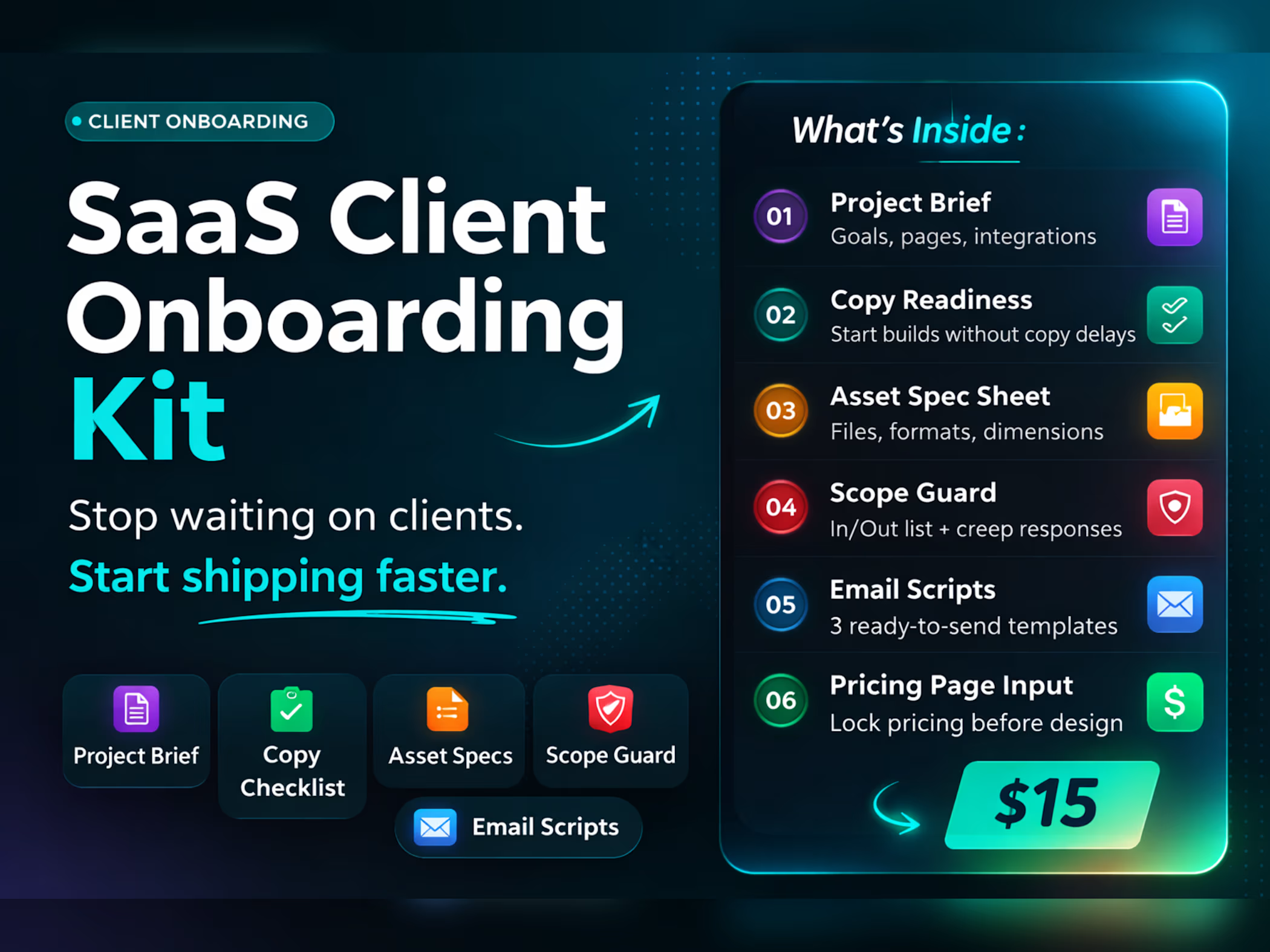
Client Onboarding Template
$15.00
Get it for$15.00
Tags
Web Designer
Web Developer
Agency Template
Proposal Template
Questionnaire
A professional website proposal template for freelance web designers and developers — 30 pages, 5 file formats, ready to send.
Most freelance web designers lose clients before the project even starts — not because their work is bad, but because their first impression is.
A Google Form. A blank Word document. A Notion page with no design. That's what most freelancers send when a potential client asks "what does working with you look like?"
This is the alternative.
What this is
A professional 30-page website proposal template built specifically for freelance web designers and web developers. It combines two documents that every serious freelance studio needs — a studio presentation and a complete client questionnaire — into one polished, ready-to-send file.
The first half presents your studio. The second half gathers everything you need from the client before the project begins. Together, they replace the back-and-forth emails, the forgotten questions, and the awkward "I forgot to ask about their budget" moments that cost you time and money on every project.
Who it's for
Freelance web designers and developers who want a web design proposal that looks as professional as their work. Built specifically for Webflow developers, but equally effective for designers working in any tool or stack — Framer, WordPress, Figma-to-code, or custom development.
If you do more than two or three projects a year, this template pays for itself the first time you send it.
What this is NOT
This is not a generic Canva template with pretty colors and no substance. It is not a blank Word document dressed up with a logo. It is not a one-page PDF that asks for a name, email, and project description and calls itself a proposal.
This is not a subscription. You pay once and use it forever — for every client, for every project, under your own studio brand.
This is not a tool that requires an account, a login, or an internet connection. Every file works completely offline, on any device, with software you already have.
And this is not a questionnaire without a presentation, or a presentation without a questionnaire. It is both — built as one cohesive document that takes a potential client from first impression to signed agreement in a single file.
Before this template
You send a client a rough email with a few questions. They reply three days later with incomplete answers. You follow up. They send more information, but forget the budget. You ask again. Two weeks in, you still don't know what they actually need — and you haven't written a single line of code or opened Figma.
When you finally send a proposal, it's a PDF you built in Canva six months ago that still has a placeholder where the client's name should go. They open it, read three lines, and you never hear from them again.
After this template
You send the proposal before the first call. The client opens a 30-page document that introduces your studio, shows your work, explains your process, and then walks them through a structured questionnaire covering everything — goals, budget, audience, branding, pages, SEO, color direction, timeline, and a signature block.
They fill it in. They send it back. You have everything you need to quote the project accurately, set clear expectations, and start work without a single follow-up email.
That's not just a better first impression. That's a better business.
What's inside — 30 pages, 5 files
Agency Presentation (pages 3–13)
Your studio introduction, team, services, portfolio, case studies, testimonials, client homework checklist, full project workflow with 6 phases, and communication policy. Everything a new client needs to understand who you are, how you work, and why they should hire you.
Client Questionnaire (pages 14–28)
A structured, fully interactive questionnaire that covers every piece of information you need before starting a web design project:
General project information, goals, and budget range
Target audience, ideal client, and business description
Website pages checklist (20 page types)
Technical requirements (CMS, animations, e-commerce, GDPR, analytics, and more)
Full branding questionnaire — business background, brand story, long-term goals
Brand words selection — 80+ adjectives to help define brand personality
Logo design preferences and font style
Marketing and SEO inputs including meta title and meta description fields
24 color palette proposals with HEX codes — client selects directly in the document
Project deadline, design level, browser and device optimization
Project agreement with client signature block
Closing Section (pages 28–30)
Timeline overview, agreement and signature fields, and a branded closing page.
Page-by-page breakdown
Page 1 — Cover
Your name, studio name, photo placeholder, title, and contact details. The first thing the client sees.
Page 2 — Table of Contents
All 30 sections listed with page numbers. Shows the client this is a serious, structured document before they read a single word.
Page 3 — Hello & Welcome
Your personal introduction, contact information, and a short statement about your approach to client work.
Page 4 — About Us & Team
Studio background, founding story, and team member introductions with photos, roles, and email addresses.
Page 5 — Our Competencies
Three core service areas — web design, web development, marketing & SEO — each with a description and contact email.
Pages 6–7 — Recent Work & Portfolio
Project screenshot placeholders, a short studio description, and a 6-project portfolio grid with client names and URLs.
Pages 8–9 — Case Studies
Two detailed case studies with photo placeholders, project description, platform, deliverables, timeline, and results.
Page 10 — Testimonials
Two client testimonials with photo, name, company, rating, and quote.
Page 11 — Client Homework
A structured pre-project checklist — inspiration board, website content, logo assets, brand collateral, deadlines, and questionnaire completion.
Page 12 — The Workflow
Six-phase project workflow with durations: Analysis & Discovery, Design & Prototyping, Development & Build, Content Integration, Review & QA Testing, Launch & Handover.
Page 13 — Communication
Business hours, response time policy, preferred contact method, and a note on revision requests.
Pages 14–15 — General Information
Contact data, project data, existing website, platform, launch date, and main project goals checklist.
Pages 16–17 — Target Audience
Audience type, age range, business description, ideal client, competitors, and USP fields. Design style preferences.
Page 18 — Basic Pages
20-item checklist of standard website pages. Client marks what they need.
Page 19 — Additional Pages & Technical Requirements
Custom page list and a 16-item technical requirements checklist covering CMS, animations, e-commerce, GDPR, analytics, and more.
Page 20 — Branding Questionnaire
Four open-ended branding questions covering business name meaning, founding story, long-term goals, and current challenges.
Page 21 — Brand Words
80+ personality adjectives. Client underlines or highlights all that apply, then narrows down to 5.
Page 22 — Logo Design
Six input fields covering logo title, tagline, industry, adjectives, graphics, and usage. Six font style options with visual examples.
Page 23 — Marketing & SEO
Six input fields covering traffic sources, marketing methods, social media, popular pages, SEO keywords, and competitors. Meta title and meta description fields.
Page 24 — Project Details
Deadline urgency, phasing, budget range, design level, browser and device optimization, and accessibility requirements.
Pages 25–26 — Color Proposal
24 color swatches with names and HEX codes across two pages. Client checks their preferred colors directly in the document. Custom HEX field at the bottom.
Page 27 — Visual Materials
Moodboard placeholder grid with image placeholders and reference fields.
Page 28 — Timeline & Agreement
Project phase timeline table with target date fields. Client name, date, signature, and designer name fields. Notes field.
Page 29 — Quote
A full-page closing statement with a design quote and attribution.
Page 30 — Closing
Branded closing page with thank you message, photo placeholder, and contact details.
5 file formats included
PDF — The primary client-facing version. Pixel-perfect, print-ready, and fully interactive with 219 fillable fields (76 text inputs + 143 checkboxes). The client opens it in Adobe Acrobat Reader — free — fills it in, and sends it back. No printing, no scanning.
DOCX — The editable source file. Open in Microsoft Word or Google Docs, use Find & Replace to swap all placeholder text with your own name, studio, and links. Add your project screenshots. Export to PDF. Done in 20 minutes.
PPTX — The presentation version. 30 slides, fully editable in PowerPoint or Google Slides. 485 editable text boxes across all questionnaire slides. Use it for live screen-sharing calls or send it as a standalone file.
HTML — Browser-based. No software required. 211 named form fields, works in any modern browser. Includes a built-in Save Answers button that exports the client's responses as a clean text file — no server, no submission form, works completely offline.
Documentation — A 14-section user manual covering every file format, step-by-step customization instructions, FAQ, troubleshooting guide, and licence terms. Read it once and you won't need to ask anything.
Why each format exists
The PDF is what you send. It is the client experience — designed, professional, and interactive without requiring any technical knowledge from the client.
The DOCX is how you make it yours. It is the only format where you should make edits. Change the name, the studio, the portfolio, the testimonials. Everything else flows from this file.
The PPTX is for the call. Some clients prefer a walkthrough. Open it on your screen, share it, and take them through the proposal live. Every slide is editable, every questionnaire field is clickable.
The HTML is the flexible option. Send it as a link if you host it, or attach it as a file. The client opens it in Chrome or Safari, fills in every field, clicks Save Answers, and a text file downloads to their desktop with all their responses formatted and ready for you to read.
The documentation exists because every good product deserves a manual. It answers every question before you have to ask it — and before your client has to ask you.
How to use it
Open the DOCX. Use Find & Replace to swap your name, studio name, website, and email across the entire document.
Add your own project screenshots, team photos, and case study details.
Export to PDF.
Send to every new client before the first call.
Receive it back, filled in. Start the project with everything you need.
One purchase. Unlimited clients. Lifetime access.
Frequently asked questions
Do I need special software to use this?
No. The PDF works in free Adobe Acrobat Reader. The DOCX works in Microsoft Word or free Google Docs. The PPTX works in PowerPoint or free Google Slides. The HTML works in any browser. No subscriptions, no accounts, no plugins.
Can I edit my name and logo?
Yes. Open the DOCX, use Find & Replace to swap all placeholder text, and add your own photos and screenshots. Export to PDF when done.
Can I use this for multiple clients?
Yes. One purchase covers unlimited client use under your own studio or freelance brand.
Can my client fill in the PDF without printing it?
Yes. The PDF has 219 interactive fillable fields. The client opens it in Adobe Acrobat Reader, types directly into each field, checks the checkboxes, saves the file, and sends it back.
What if my client can't open the PDF?
Send them the DOCX or the HTML version instead. The HTML works in any browser with no software required.
Is this only for Webflow developers?
No. It is built with Webflow developers in mind, but the content is platform-agnostic. It works equally well for designers using Framer, WordPress, Shopify, or custom code.
Can I resell or redistribute this template?
No. The licence covers personal and commercial use under your own brand for your own clients. Redistribution or resale is not permitted.
Why this web design proposal template works
Most proposal templates are either a blank document with no design, or a polished presentation with no questionnaire. This is both — a website design proposal that looks serious and a client questionnaire that is thorough.
The questionnaire section alone covers scope, budget, timeline, branding, SEO, color direction, and a signed project agreement. By the time a client sends it back, you have enough information to write an accurate quote, set realistic expectations, and start the project without a single follow-up email.
That's the point. Not just to look professional — but to actually run a tighter, more profitable freelance business from day one.
Milos's other products
Website Launch Checklist
$15.00
Client Onboarding Template
$15.00
$15.00