Freelance Data Analysts in SindhFreelance Data Analysts in Sindh
I fix warehouse chaos SOPs, SAP & Excel system for ops team
5.0
Rating
5
Followers
I fix warehouse chaos SOPs, SAP & Excel system for ops team
Cover image for How I reduced a 10-minute
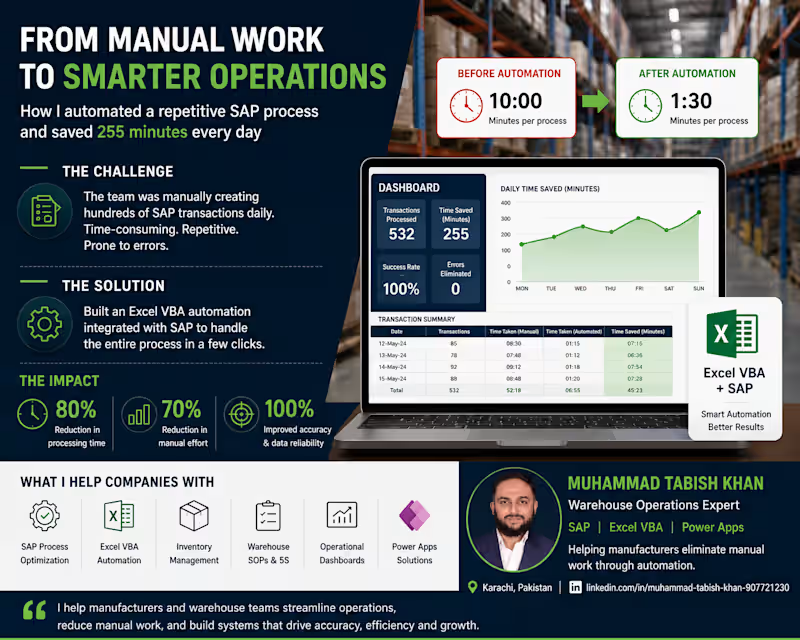
How I reduced a 10-minute SAP process to 1.5 minutes using Excel VBA — and saved 255 minutes every day This isn't a theory post. This is something I built, tested, and deployed across 2 manufacturing plants in Pakistan. If your team is running repetitive SAP transactions manually every day, this will show you exactly what's possible — and how I did it with nothing but Excel VBA. The problem In my last FMCG role we ran STOs (Stock Transfer Orders) daily. An STO is a stock movement between two plants or warehouses in SAP — and it requires 3 separate transactions to complete: → PO Creation — run NME21N, select PO type, enter shipping code, item codes, quantities, receiving plant, SLOC for each SKU → Delivery Creation — run NVL10B, go to purchase order, paste PO number, execute, click line item, save → Shipment Creation — run NVT01N, enter FK02, Z004, select P&G Interplant, click delivery tab, paste delivery number, execute, set shipping point, select date, click planning, check in, select date, click shipment start, save 50 manual steps per STO. 10 STOs per shift. 3 shifts per day. That's 1,500 manual steps every 24 hours — and 2.5 hours of pure manual work daily across all shifts. The errors The process wasn't just slow — it was a trap. The most common error: copying an 8-digit PO number and missing one digit. You wouldn't catch it until the next transaction failed — then you'd go back, find the correct PO, and restart. SAP also disconnected occasionally mid-process. When it did, you started from scratch. 30 STOs a day meant 30 chances to make a mistake. And mistakes had real consequences — wrong stock movements, delayed shipments, production line stoppages. The solution I mapped every single step across all 3 transactions. Every click, every field, every copy-paste, every keyboard shortcut. Then I built an Excel VBA tool that automated the entire flow. The tool: → Opens SAP automatically → Copies all item codes across 6 SKUs in one action → Pastes all quantities across 6 SKUs in one action → Clicks create STO — completing all 3 transactions automatically The new process: Open tool Open SAP Copy item codes Paste quantities Click create 5 steps. That's it. The results Before After Steps per STO 50 Time per STO 10 min 1.5 min Steps per day 1,500 150 Time per day 150 min 45 min Steps saved daily 1,350 Minutes saved daily 255 The impact It took me 3 months to build. Nights, weekends, failed scripts, late fixes. When it worked — it really worked. The tool was rolled out across 2 plants in Pakistan. I shared it with the regional council and they couldn't believe it was built in Excel — not by an SAP consultant, not with an IT budget, not through a formal project. I received a company award for it. What this means for your operation If your team is running repetitive SAP transactions manually, you almost certainly have the same opportunity. The tool doesn't require SAP customization. It doesn't require an IT team. It works alongside your existing SAP setup — not instead of it. Every warehouse or production operation running SAP has at least one process like this. A task done 20, 30, 50 times a day that nobody has ever stopped to question. That's where the biggest wins are hiding. Want this built for your operation? I offer SAP & Excel process consulting for warehouse and production teams. If you're running repetitive SAP transactions manually and want to explore what automation could look like for your specific setup, book a free discovery call below. 👉 [View my SAP Consulting Service]https://contra.com/s/7lbgEqRc-sap-and-erp-process-consulting-for-warehouse-operations 👉 [Schedule a Call]https://appointment.briskcloudware.com/book.html?r=lLixzwVO
0
46
Cover image for 5 Excel formulas every inventory
5 Excel formulas every inventory planner must know You don't need a fancy WMS to manage inventory well. You need Excel and the right formulas. After years of managing inventory in FMCG operations, these are the 5 formulas I use constantly — and the ones I build into every custom Excel system I deliver for clients. 1. SUMIFS — your most powerful counting tool Instead of filtering manually, SUMIFS lets you sum quantities based on multiple conditions at once. =SUMIFS(quantity_column, SKU_column, "SKU001", warehouse_column, "WH-A") Use it for: total stock by SKU and location, total dispatched by date range, production output by shift. 2. IFERROR — stop broken formulas from crashing your sheet When a formula can't find a value it returns an error. IFERROR catches it and shows something cleaner. =IFERROR(VLOOKUP(A2,data_range,2,0),"Not found") Use it for: wrapping any VLOOKUP or INDEX/MATCH so your sheet doesn't fill with #N/A errors. 3. INDEX/MATCH — better than VLOOKUP VLOOKUP breaks when you add columns. INDEX/MATCH never does. =INDEX(return_column,MATCH(lookup_value,lookup_column,0)) Use it for: pulling SAP data into your planning sheet, matching SKU codes to descriptions, linking sheets without breaking. 4. COUNTIFS — find gaps instantly COUNTIFS counts rows that meet multiple conditions. Use it to spot where data is missing or incomplete. =COUNTIFS(status_column,"Pending",date_column,"<"&TODAY()) Use it for: overdue orders, pending GRs, items with zero stock, SKUs not yet received. 5. TODAY() and date logic — automate your daily planning Stop manually updating dates. TODAY() always returns the current date — build your planning triggers around it. =IF(reorder_date<=TODAY(),"Order Now","OK") Use it for: reorder alerts, overdue shipment flags, days-since-last-receipt calculations. These 5 formulas are the foundation of every inventory Excel system I build. Master them and you can automate 80% of your daily planning without spending a rupee on software. Need a custom Excel system built around your operation? Check out my services below.
0
54
Data Analysis & Visualization | Power BI Specialist
I turn your manual data chaos into automated, high-growth.

New to Contra
I turn your manual data chaos into automated, high-growth.
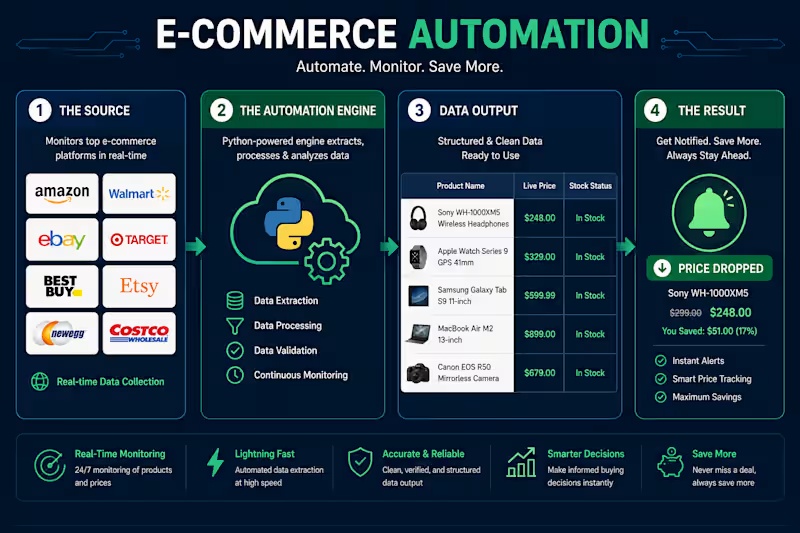
Agency Partner | Digital Ops & Development

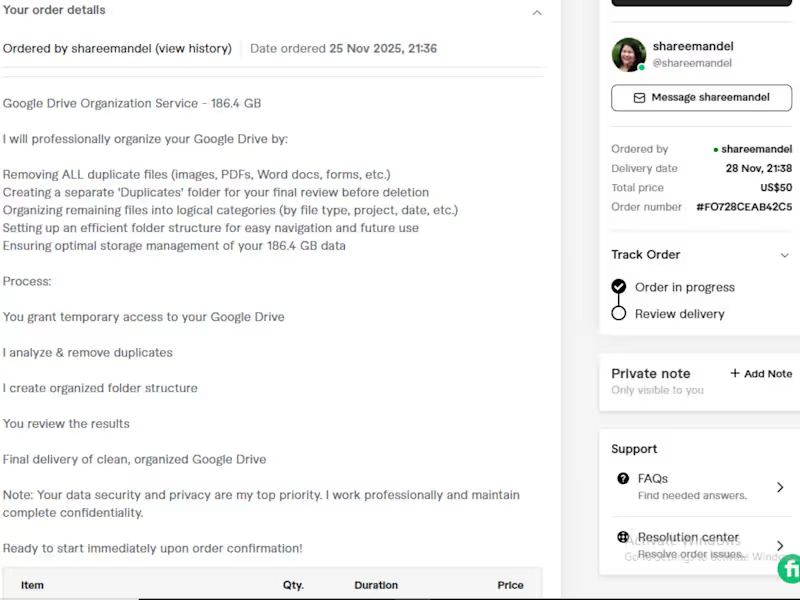
Cover image for Targeted B2B Lead Generation &
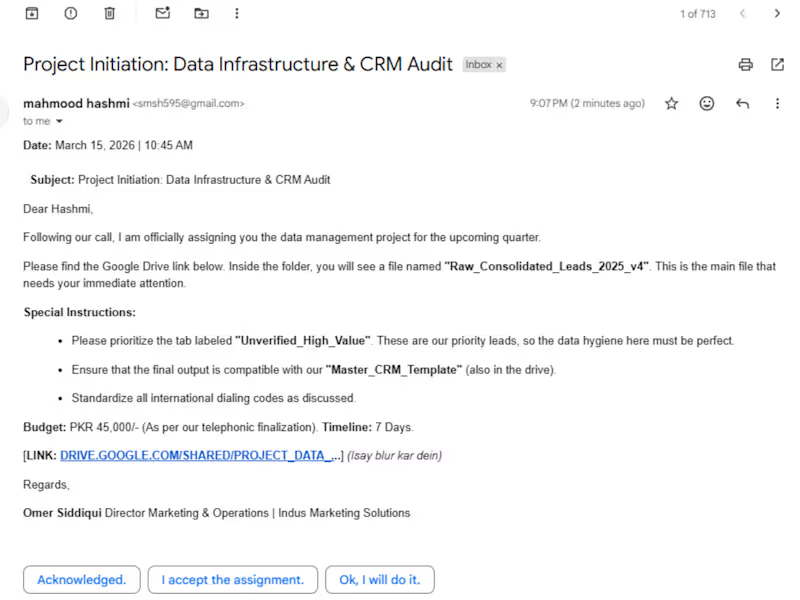
Targeted B2B Lead Generation & Strategic Data Management Project Overview: I was engaged by a private client to execute a high-precision B2B lead generation campaign coupled with comprehensive data organization. The goal was to identify high-intent prospects and build a structured database that would serve as the backbone for the client’s outreach and sales strategy. The Challenges: Lead Quality: The client required specific, verified leads that met strict industry criteria to minimize bounce rates. Information Overload: Raw data was coming in from multiple sources and needed to be unified into a single, actionable format. My Solution & Workflow: Custom Lead Mining: Used advanced search techniques and tools to extract verified B2B leads, focusing on key decision-makers. Data Verification & Cleaning: Manually validated each lead to ensure 100% accuracy of contact information and company details. Dynamic Database Creation: Developed a structured Google Sheets/CRM environment where leads were categorized by industry, location, and potential value. Process Automation: Set up a streamlined workflow for the client to easily import these leads into their email marketing software. The Results: High-Conversion Lead List: Delivered a robust database of verified leads that significantly improved the client’s campaign response rate. Operational Clarity: Provided a clean, organized system that eliminated data silos and allowed for better sales tracking. Client Retention: Successfully met all project milestones, leading to an ongoing professional relationship outside of standard platforms.
0
47
Turning complex data into actionable insights

Transforming complex data into clear, strategic insights.
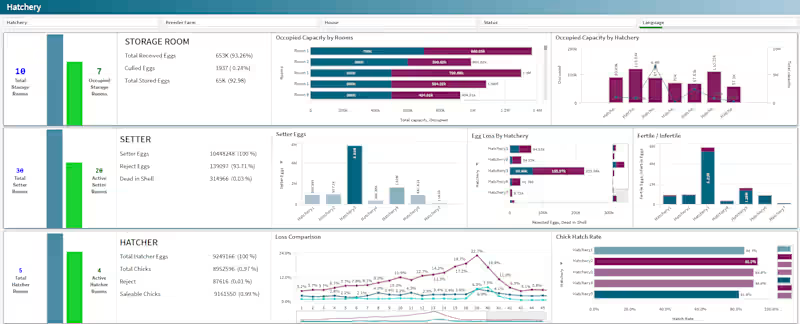
I build products that ship and ideas that scale.