
AI Voice Agents & Automation for Growing Businesses
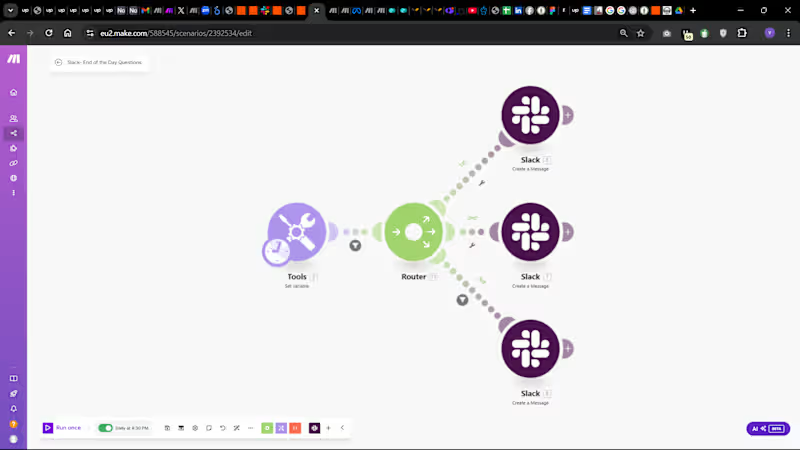
Automated End-of-Day Team Check-In via Slack
Most teams end the day without a structured wind-down. Blockers go unspoken. Progress goes unlogged. This fixes that.
Built a Make.com (http://Make.com) automation that fires every day at 4:30 PM, sets the relevant variables, then routes tailored end-of-day questions to three separate Slack channels simultaneously each getting the right prompt for their team or role.
No manager needs to remember to ask. No one gets left out. The questions show up like clockwork, every single day.
Stack: Make.com (http://Make.com) · Tools · Router · Slack
5
123
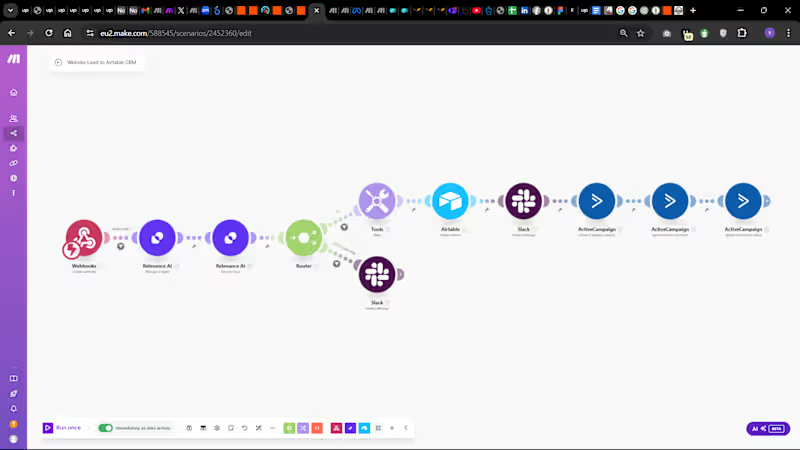
AI-Qualified Website Lead → CRM & Outreach Pipeline
Not every lead deserves the same response. This system figures that out automatically.
Built a Make.com (http://Make.com) workflow that catches inbound website leads via webhook, runs them through a spam filter, then passes clean submissions into a Relevance AI agent which qualifies the lead and executes the right action. From there, a router splits the flow: genuine leads get logged in Airtable, added to ActiveCampaign with their list status updated, and the team gets pinged on Slack. Low-quality or flagged submissions get routed to a separate Slack alert so nothing falls through the cracks.
Real leads, actioned instantly. Junk, filtered silently. Your team only sees what matters.
Stack: Webhooks · Make.com (http://Make.com) · Relevance AI · Airtable · Slack · ActiveCampaign
4
140


Customer Support & AI Automation Specialist
Customer Support & AI Automation Specialist
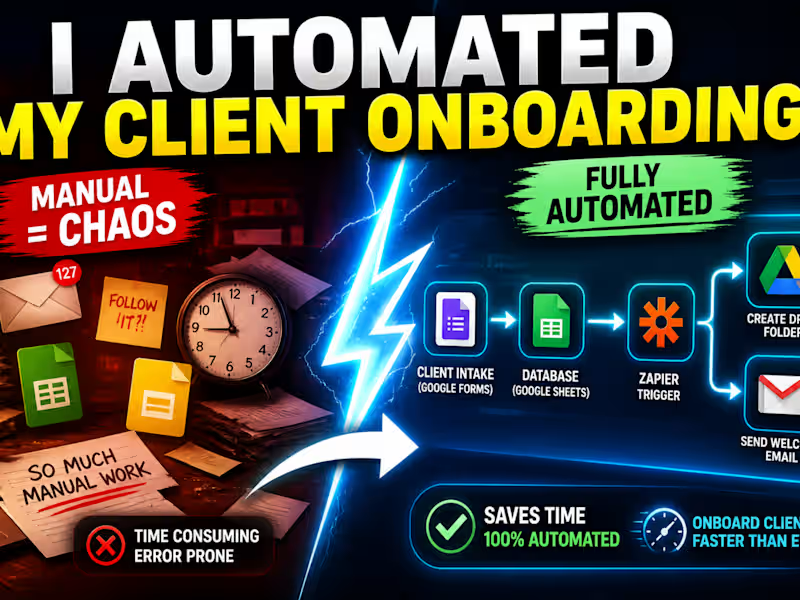
I stopped onboarding clients manually… and everything changed.
What used to take 30 minutes now runs in the background.
No follow-ups
No missed steps
No manual work
Just one form → everything handled automatically.
This is what simple automation actually looks like.
#Automation
#NoCode
#Zapier
#BusinessSystems
#ClientOnboarding
#WorkflowAutomation
#Productivity
#OnlineBusiness
#FreelancerLife
#DigitalSystems
#BuildInPublic
#Entrepreneurship
0
57
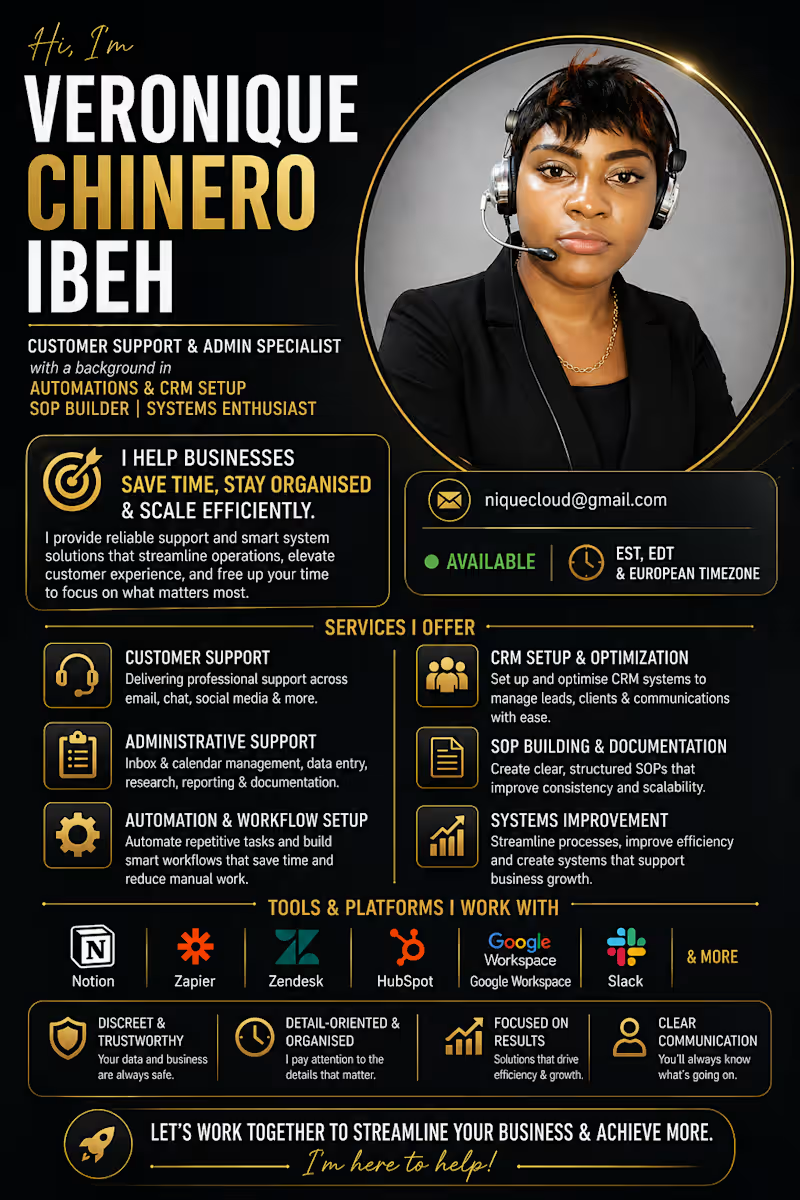
Hi, I'm Veronique.
I help small businesses and founders stop losing leads, clients, and time to disorganization.
I build done-for-you operational systems — lead pipelines, client trackers, and workflow automations — so your business runs clean without expensive software or a full-time ops hire.
My toolkit includes Notion, HubSpot, Zendesk, Zapier, and Google Workspace. I've built lead tracking systems for service businesses, set up customer support workflows, and created automations that connect your tools and eliminate manual work.
If your leads are living in WhatsApp, your follow-ups are falling through the cracks, and your operations feel held together with tape — I build the system that fixes that.
Simple. Functional. Delivered ready to use.
#NotionExpert #LeadTracking #CRM #BusinessSystems #WorkflowAutomation #HubSpot #Zapier #Zendesk #SmallBusiness #OperationsConsultant #DoneForYou #Solopreneur #StartupOps #RemoteWork #ProductivitySystems
0
60
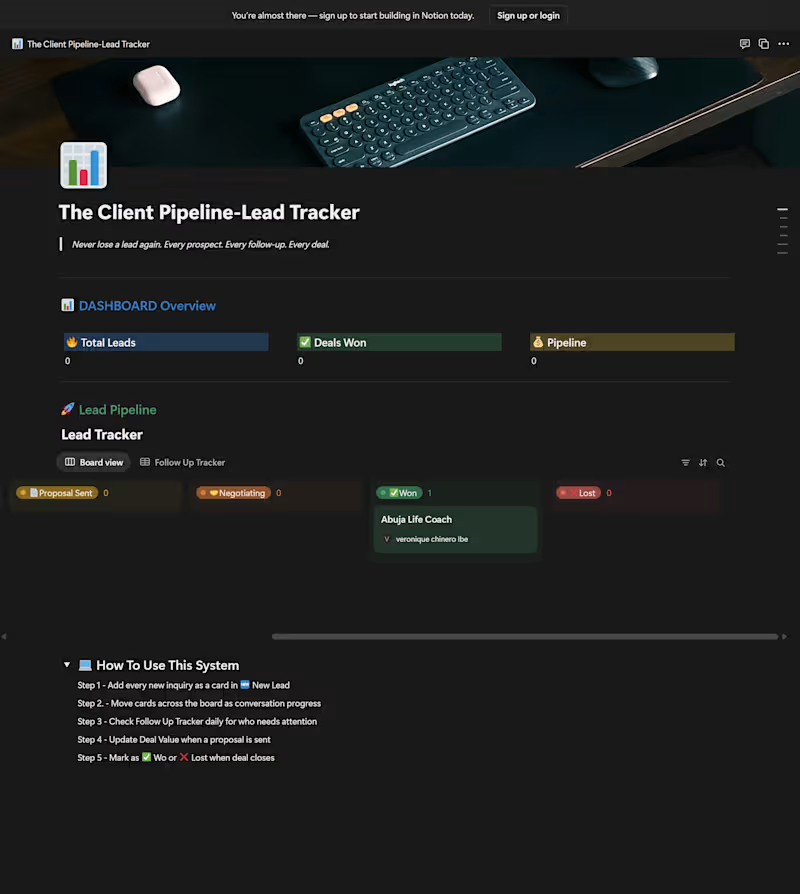
Imagine having your entire lead pipeline in one place. Every prospect clearly organised by stage with titled cards, giving you a bird’s-eye view of your sales process whether you're in the office, on your PC, or using your phone.
Simple navigation. Clean dashboard. Leads, client info, and deals all in one place.
This is a streamlined lead pipeline built in Notion, designed to make lead management easy so no opportunity slips through the cracks. Everything stays visible, organised, and easy to track.
Just purchase and start using. It can also be customised to fit your specific business needs within a day if changes are needed.
Perfect for small business owners, entrepreneurs, coaches, and service providers who need structure without complexity.
Purchase, plug in your leads, and you're running by end of day. Fully customizable to your business if you need anything adjusted.
Drop a 🙋 in the comments if you want to see what it looks like inside.
#SmallBusiness #Notion #CRM #LeadGeneration #Entrepreneurs #BusinessTools #ProductivityTools #NotionTemplate #AfricanEntrepreneurs #RemoteWork #BusinessGrowth #SalesProcess #LeadTracking
3
1
154
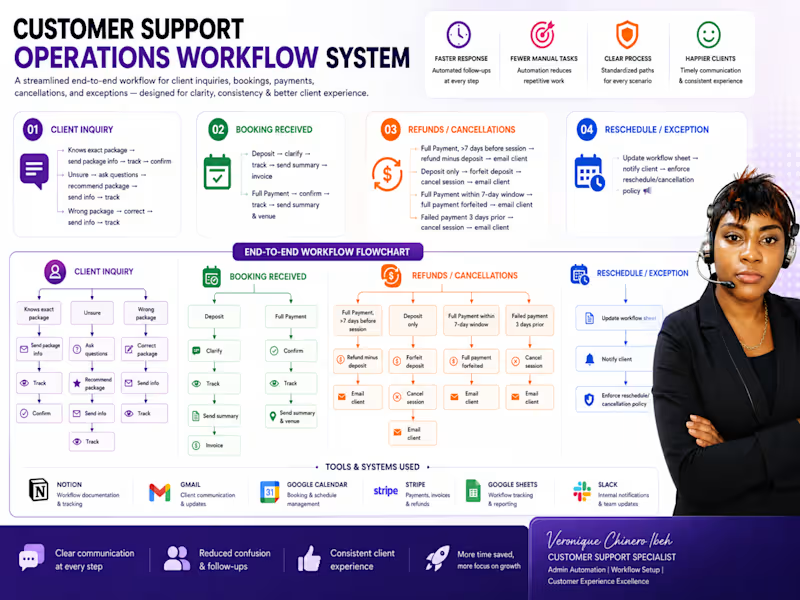
Behind every smooth customer experience is usually a well-structured operations system most people never get to see.
Recently, I mapped out a Customer Support Operations Workflow System designed to help businesses manage inquiries, bookings, cancellations, refunds, and client communication more efficiently.
What I enjoy most about this type of work is creating clarity.
Instead of scattered responses and inconsistent follow-ups, the workflow creates a clear path for:
• handling inquiries
• tracking bookings
• managing exceptions
• reducing missed communication
• improving overall client experience
I also designed it with automation and scalability in mind, meaning it can easily work alongside tools like Notion, Google Workspace, Slack, HubSpot, Zapier, and other CRM systems.
A lot of businesses don’t realize how much time is lost through manual processes until the workflow becomes organized.
This is the kind of operational structure I enjoy building and improving.
If you work with growing teams, service-based businesses, or customer-facing operations, I’d love to connect.
#CustomerSupport (https://www.linkedin.com/search/results/all/?keywords=%23customersupport&origin=HASH_TAG_FROM_FEED) #WorkflowAutomation (https://www.linkedin.com/search/results/all/?keywords=%23workflowautomation&origin=HASH_TAG_FROM_FEED) #OperationsManagement (https://www.linkedin.com/search/results/all/?keywords=%23operationsmanagement&origin=HASH_TAG_FROM_FEED) #CustomerExperience (https://www.linkedin.com/search/results/all/?keywords=%23customerexperience&origin=HASH_TAG_FROM_FEED) #BusinessOperations (https://www.linkedin.com/search/results/all/?keywords=%23businessoperations&origin=HASH_TAG_FROM_FEED) #Zapier (https://www.linkedin.com/search/results/all/?keywords=%23zapier&origin=HASH_TAG_FROM_FEED) #CRM (https://www.linkedin.com/search/results/all/?keywords=%23crm&origin=HASH_TAG_FROM_FEED) #Notion (https://www.linkedin.com/search/results/all/?keywords=%23notion&origin=HASH_TAG_FROM_FEED) #HubSpot (https://www.linkedin.com/search/results/all/?keywords=%23hubspot&origin=HASH_TAG_FROM_FEED) #AdminSupport (https://www.linkedin.com/search/results/all/?keywords=%23adminsupport&origin=HASH_TAG_FROM_FEED) #VirtualAssistant (https://www.linkedin.com/search/results/all/?keywords=%23virtualassistant&origin=HASH_TAG_FROM_FEED) #OperationsSpecialist (https://www.linkedin.com/search/results/all/?keywords=%23operationsspecialist&origin=HASH_TAG_FROM_FEED) #ProcessImprovement (https://www.linkedin.com/search/results/all/?keywords=%23processimprovement&origin=HASH_TAG_FROM_FEED) #SupportOperations (https://www.linkedin.com/search/results/all/?keywords=%23supportoperations&origin=HASH_TAG_FROM_FEED) #AutomationSystems (https://www.linkedin.com/search/results/all/?keywords=%23automationsystems&origin=HASH_TAG_FROM_FEED)
0
59

Website Designer & Developer | Email Marketer | Branding

Running a business alone can mean switching roles more times than you realise.
In one hour, you might be:
-Conducting a client meeting.
-Responding to a new enquiry.
-Rescheduling an appointment.
-Updating client records.
-Preparing a newsletter.
-Following up on an outstanding payment.
Then the actual work you started the day with gets pushed aside.
For solo business owners and small teams, this constant switching can make the day feel like a never-ending list of responsibilities.
Not every task requires your direct attention.
Routine inbox organisation, appointment coordination, document preparation, CRM updates and newsletter scheduling can often be delegated with clear instructions and appropriate access controls.
The important part is identifying which responsibilities genuinely require your expertise and which simply need to be handled reliably.
You don't have to manage every part of your business yourself to remain in control of how it operates.
Through virtual assistance, website support, CRM management and digital administration, I help business owners take recurring tasks off their hands and keep their operations organised.
If you need an extra pair of capable hands behind the scenes, I'd be happy to support your business.
#VirtualAssistant #AdministrativeSupport #BusinessManagement #CRMManagement #DigitalSupport #SmallBusinessOwner #RemoteSupport #BusinessOperations
0
17
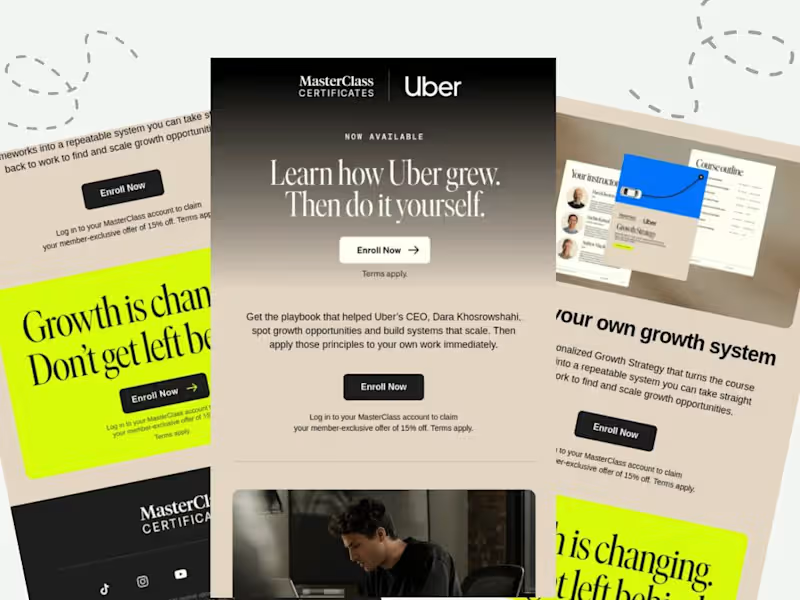

Someone who downloaded your free business guide isn't necessarily ready to buy your programme.
And someone who has already completed your programme probably doesn't need the same introductory email as a new subscriber.
Yet many businesses communicate with their entire email list as though everyone has the same needs.
This can make email marketing feel repetitive and less relevant.
A better approach is to organise subscribers based on their interests and relationship with the business.
For example, a business coach could distinguish between:
-People who downloaded a free resource.
-Subscribers interested in a particular coaching programme.
-Existing or previous clients.
-People who regularly engage with newsletters.
With thoughtful email segmentation and targeted email automation, each group can receive communication that makes sense for where they are.
This isn't about sending more emails. It's about making the emails you already send more meaningful.
I help businesses organise their email marketing, segment subscriber lists and build email campaigns and automations using platforms such as Mailchimp and Klaviyo.
If your email list needs better organisation or your campaigns aren't reaching the right audience, I can help you improve your email marketing.
1
2
189
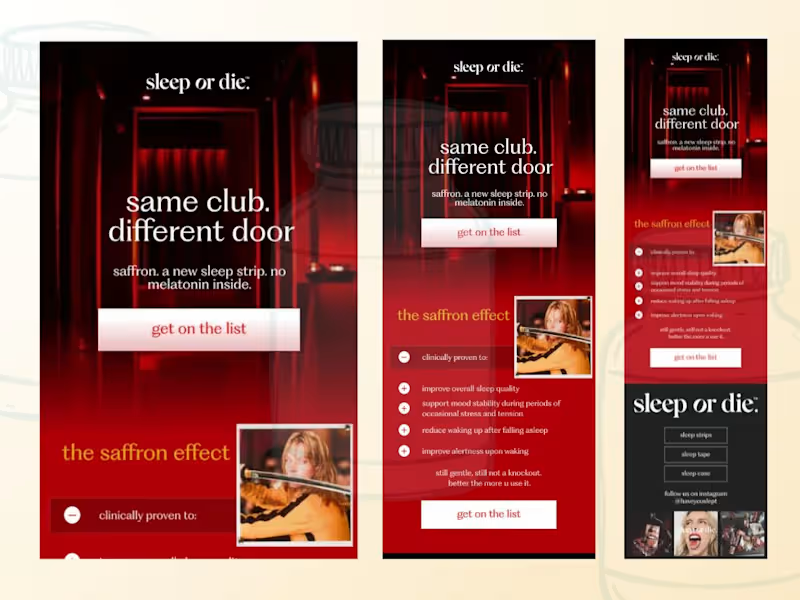

Email Marketing and Business Automation / CRM Setup
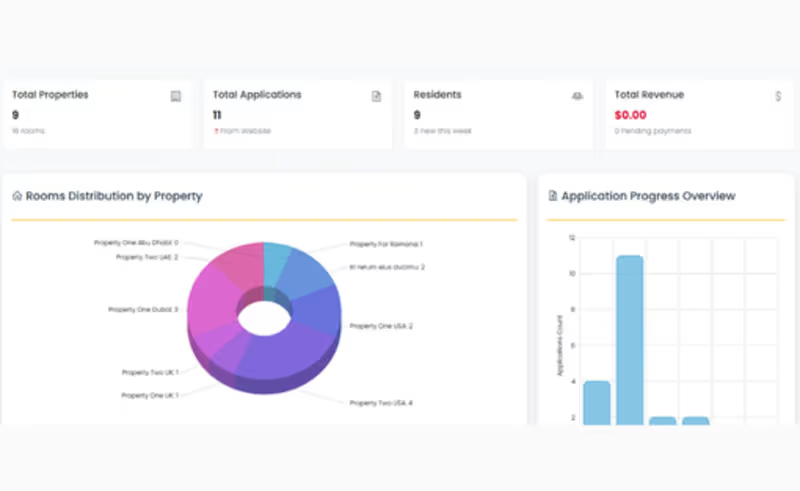
LIFE LONG PROPERTY MANAGEMENT CRM
Project description.
I built a complete estate management system that connects applications directly with the website, allowing the admin to approve or decline tenants in just a few clicks. Once approved, the system automatically moves in the tenant, starts their subscription, and processes recurring payments through Authorize.net (http://Authorize.net), ensuring everything runs smoothly without manual work.
When a tenant moves out, the system notifies the admin and automatically cancels their subscription and payments. This automation streamlined the entire process for the client, while giving them full control of their operations.
0
125

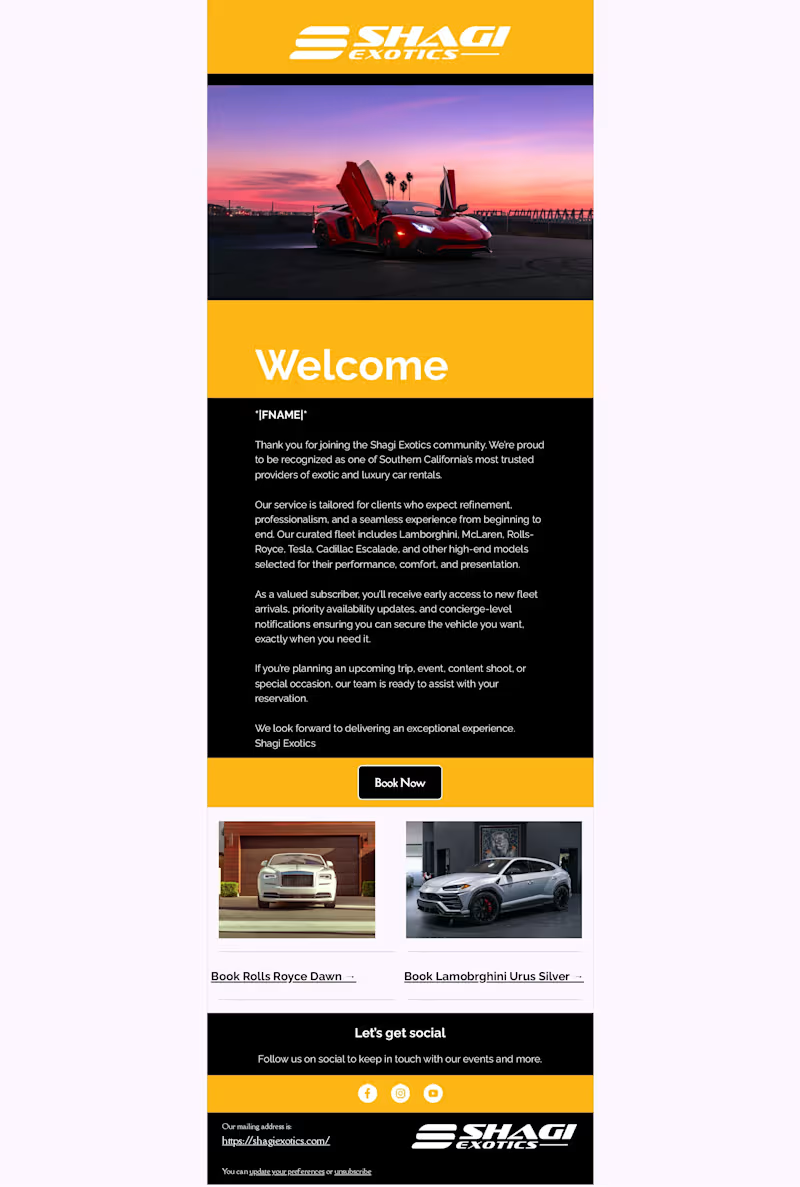
Motivated Email Marketing Ad Designs
I'm excited to share my latest project: a series of email marketing designs for the motivated. brand, centered around promoting Cialis® as an accessible, effective solution for erectile dysfunction (ED) 🧘♀️
The goal of this campaign was to create visually compelling ads that emphasize convenience, passion, long-lasting performance, and renewed confidence, while building trust through social proof, testimonials, and credible endorsements.
By highlighting benefits such as no in-person doctor visits, fast free delivery, quick onset, extended duration, and discreet packaging, these designs aim to resonate with diverse audiences seeking hassle-free enhancements to their intimate lives, ultimately driving engagement, conversions, and brand loyalty.
Some of the images, such as product renders and backgrounds, were generated using AI tools for efficiency, but the entire design process—from layout to final assembly—was crafted within Figma, ensuring a cohesive, professional output tailored for email optimization.
0
88
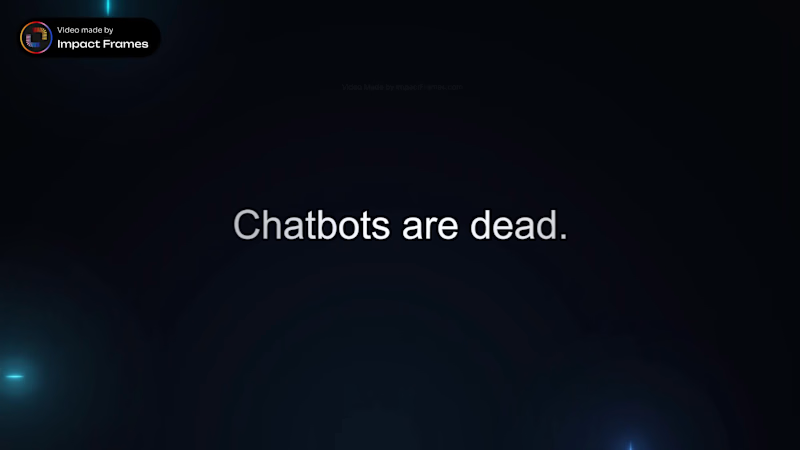
Motion Graphics Explainer Video for AI Customer Service Automation
Platform | Typewise
The Brief: This videp demonstrate how AI eliminates repetitive support tasks and speeds up ticket resolution while maintaining a seamless "human-in-the-loop" experience.
The Execution: A clean, UI-focused motion design showcasing omnichannel workflows, smart AI-to-human handoffs, and lightweight metrics callouts to highlight enterprise efficiency.
Industry: AI, SaaS
0
89

Virtual Assistant | Admin & Operations Support."
New to Contra
Virtual Assistant | Admin & Operations Support."
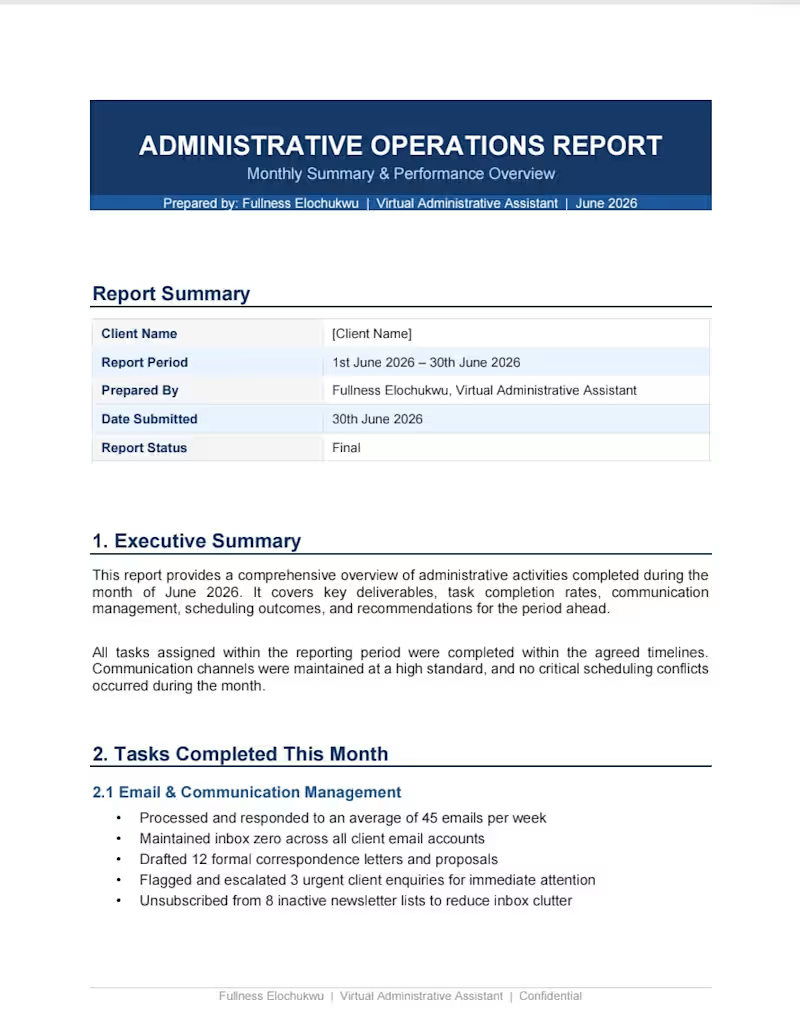
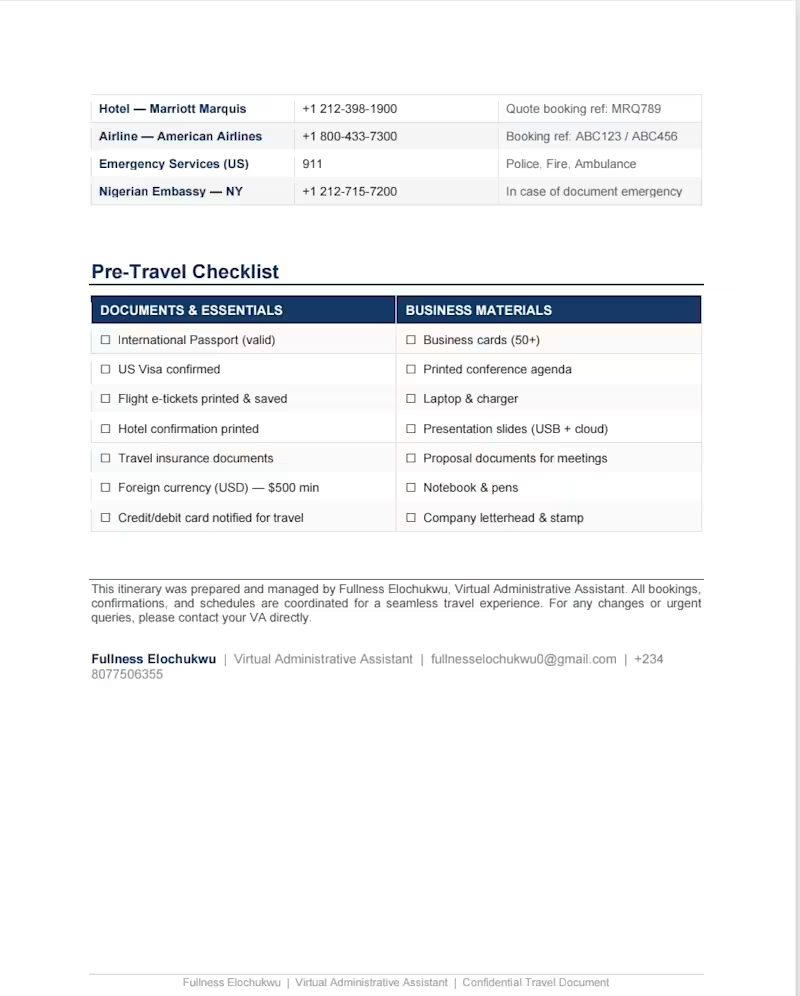
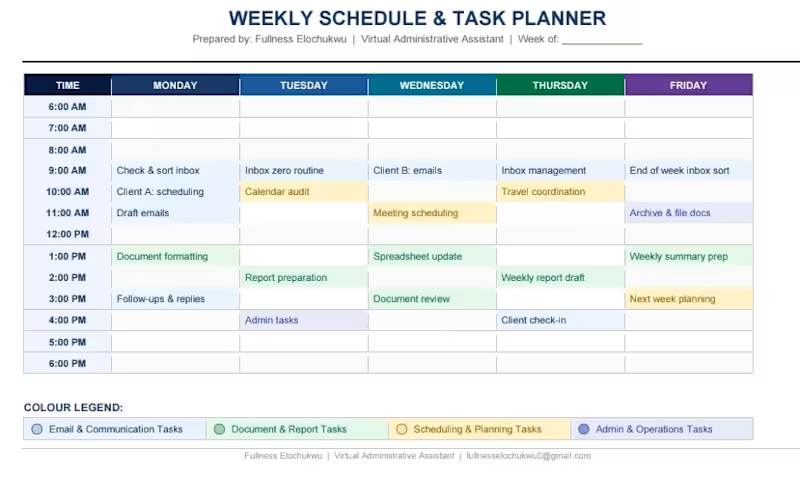

I help founders manage products and daily operations.
I help founders manage products and daily operations.
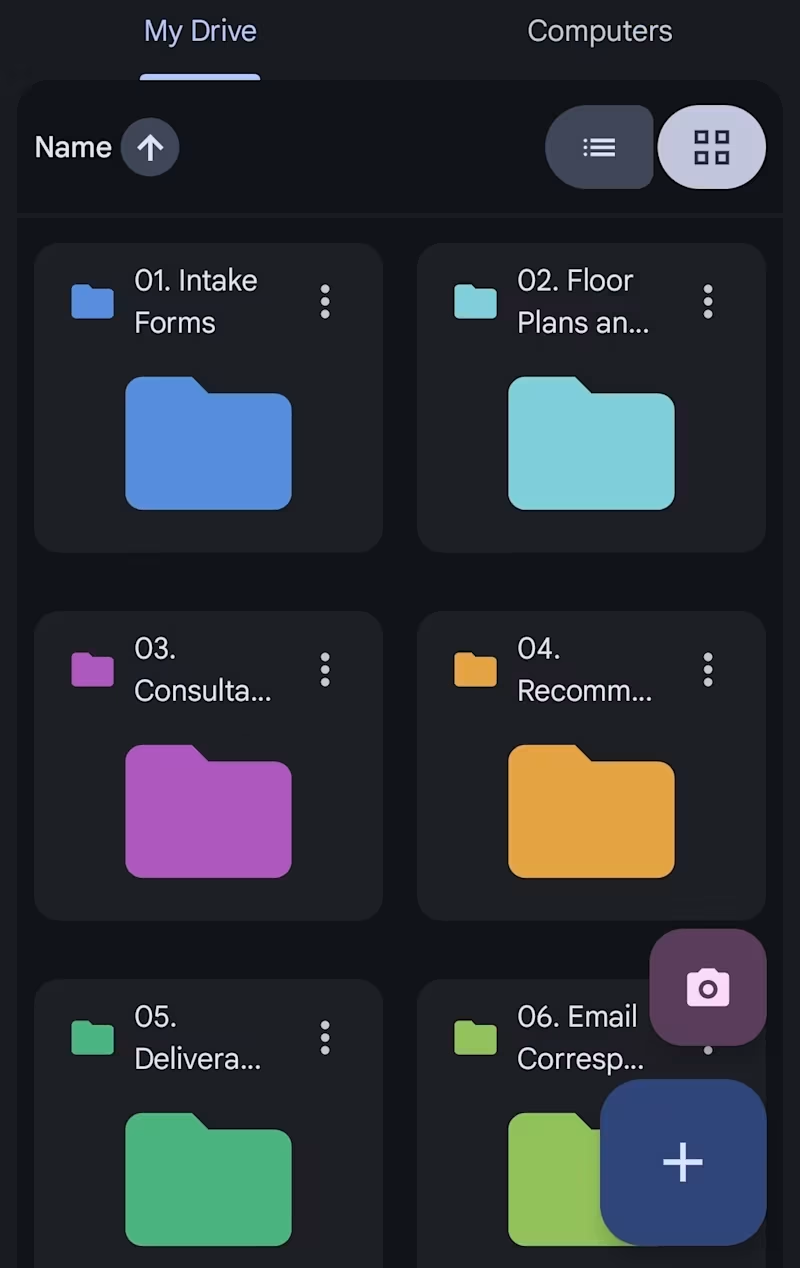
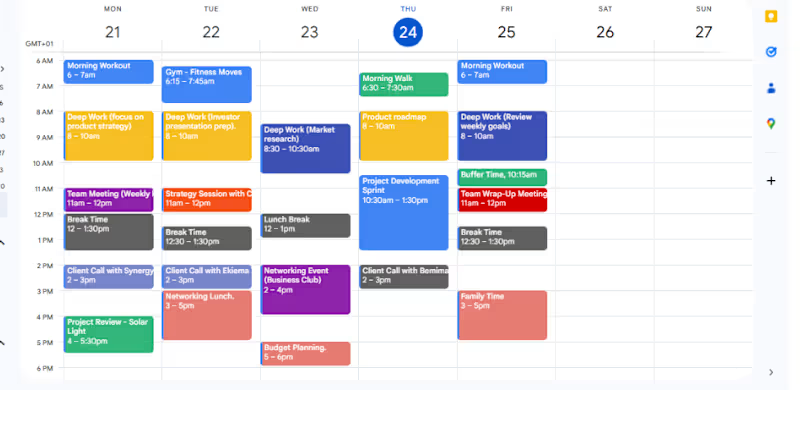
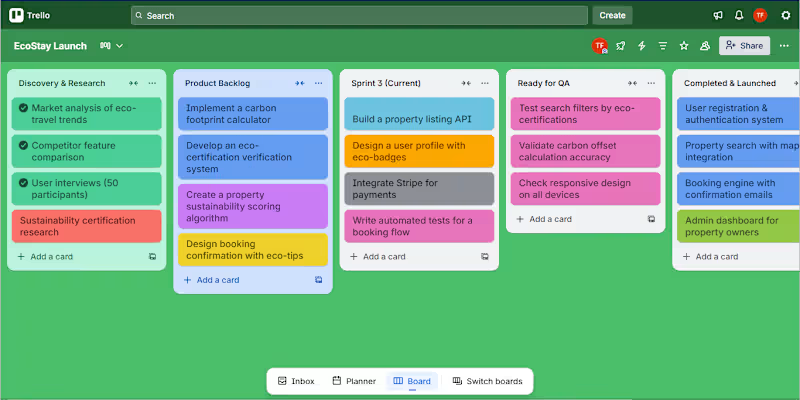

Virtual Assistant for Busy Founders & Remote Teams

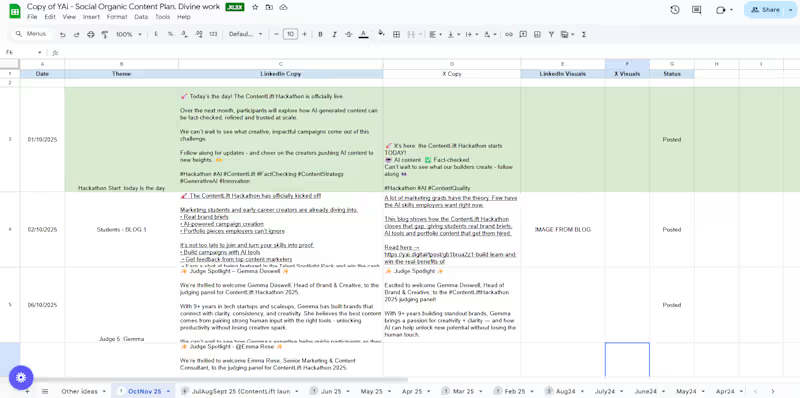
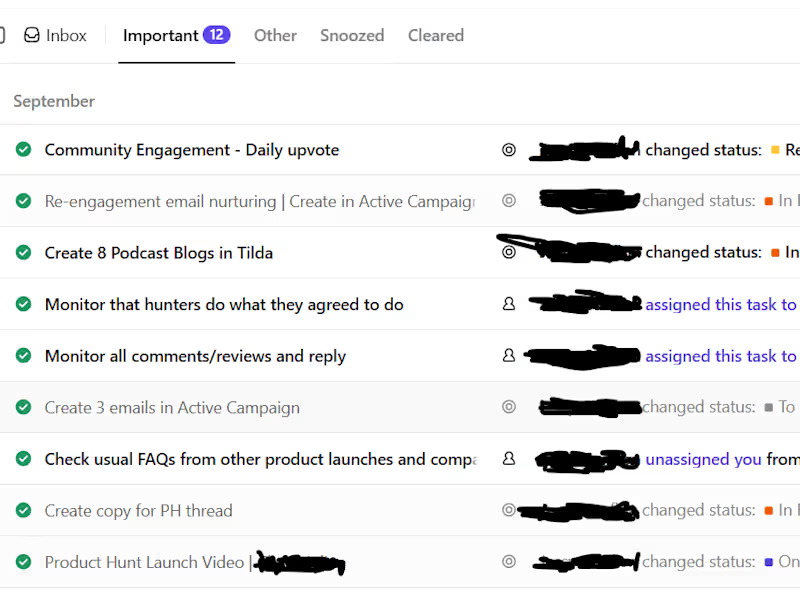
Looking back at September, I can’t help but feel grateful.
From helping a founder prepare for their first Product Hunt launch (which ended up being in the Top 10 Products of the Day 🎉) to writing blog posts, creating email campaigns, monitoring engagement, and handling community tasks.
It was exciting, challenging, and a big reminder of why I truly enjoy being a Virtual Assistant! Because every task, every project, and every collaboration teaches me something new.
I’m genuinely happy to be able to assist CEOs, founders, and executives with their day-to-day tasks and launches, helping them stay focused on what matters most while I handle the moving parts behind the scenes.
✨ If you’re looking for a Virtual Assistant to help take some tasks off your plate, from launch support to admin or marketing tasks, I’d love to help.
1
181
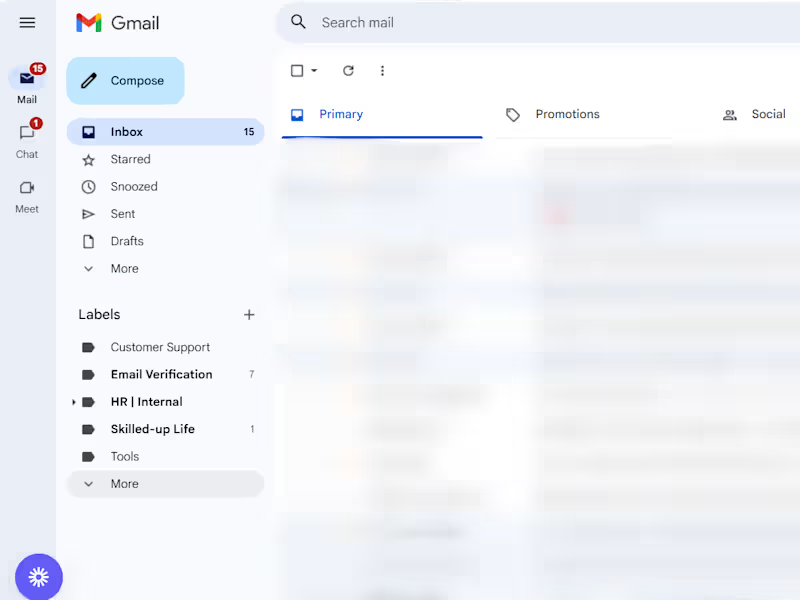
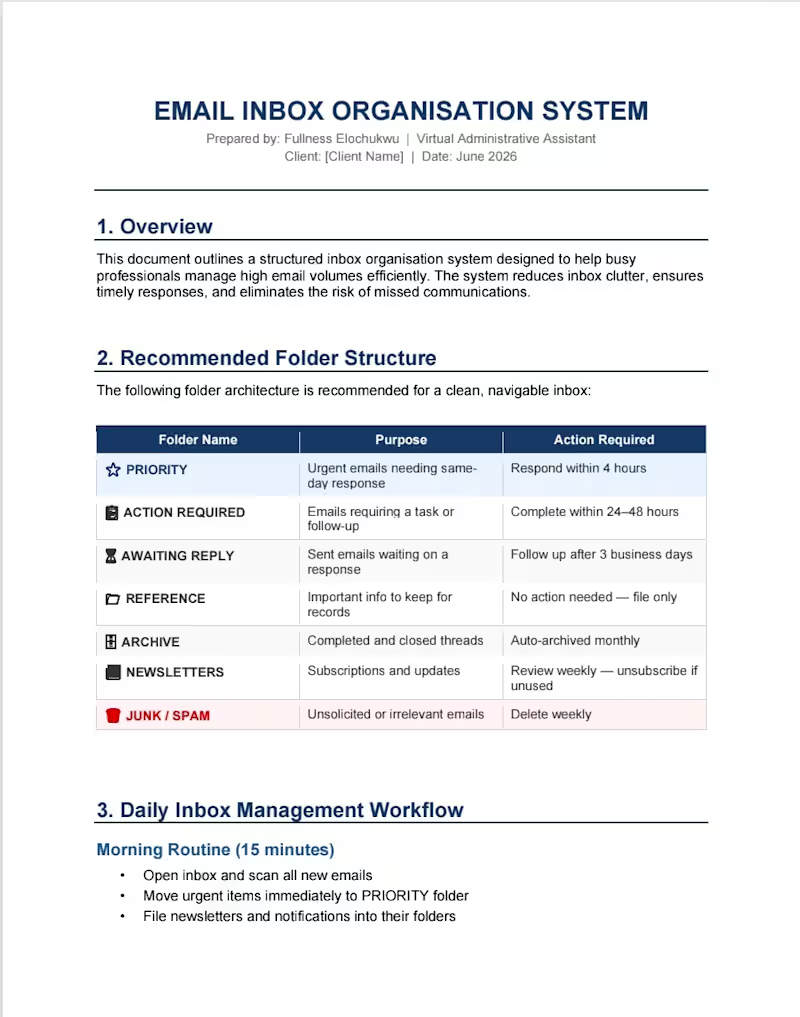
💻 Email chaos → organized inbox
One part of being a Virtual Assistant that often goes unnoticed is managing a client’s inbox.
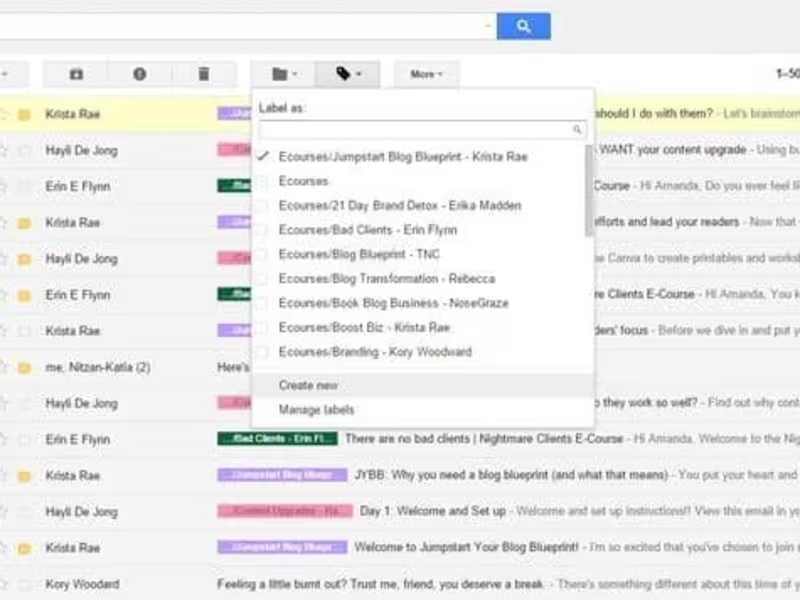
Today’s task: cleaning up and organizing a client’s Gmail, sorting, labelling, and bringing structure back to their digital workspace.
It’s not always about big, flashy projects.
Sometimes, it’s the quiet, behind-the-scenes work that makes everything else run smoothly.
✅ Clean inbox
✅ Organized folders
✅ Peace of mind for the client
0
150