
Building high-performing websites with code and no-code

Building high-performing websites with code and no-code
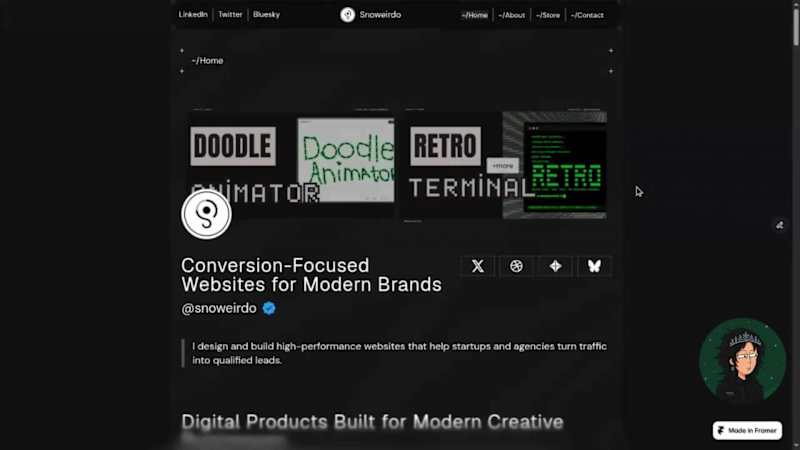
Why I built Pixelus
I’ve been thinking a lot about the friction between "showing" work and "running" a business.
For a long time, my portfolio was just a static gallery. But as I started taking on more client work and selling digital products, I realized I was spending more time managing fragmented tools than actually creating.
I wanted a single ecosystem.
I built Pixelus to bridge that gap. It’s a Framer template, but I approached it as business infrastructure, a way to remove maintenance overhead so your site acts as an engine, not a chore.
How do you handle the balance between maintaining your portfolio and managing your business operations?
X/Twitter Post (https://x.com/snoweirdo/status/2067888482232549574?s=20)
0
80

AI founders don’t struggle to build.
They struggle to launch.
→ Slow iteration
→ Generic design that hurt product trust
→ You tweak instead of shipping
Veroah is built for AI teams who need to launch fast.
👉Explore it (https://www.framer.com/marketplace/templates/veroah/?via=plankdesigns)
8
8
223


Just launched MicroSaaS Launchpad for the @YouWare challenge 😊
Founders build first, validate later. By the time you realize nobody wants it, you've wasted months.
I built a tool that validates SaaS ideas in just a few minutes. You enter your concept, it analyzes the market, generates 3 landing pages, collects real user feedback, and gives you a clear go/no-go score.
I've launched things that flopped. So have most founders I know. We skip validation because it feels like homework. This makes it quick and gives you something concrete.
Built with @YouWare for the backend and YouBase to store market insights and user feedback. It runs on real data.
Try it out: https://microsaaslaunchpad.youware.app
#YouWareChallenge
0
49

Low-Code/No-Code Web Designer




Enterprise & SMME Software Solutions Expert
Enterprise & SMME Software Solutions Expert


Front-End Developer building websites that actually work.
- 7
- Followers
Front-End Developer building websites that actually work.

Hey Ya'll👋🏽
I just wrapped up a fully coded skincare website template built for beauty brands and natural product sellers who want a polished online presence without hiring a developer from scratch.
Hand-coded in HTML, CSS, and JavaScript (no frameworks, no dependencies), fully responsive, with smooth scroll animations and clean typography. Includes a home page, full products page with category filtering, about page, and a contact page with WhatsApp order integration built with small beauty businesses in mind.
Check out the demo video below to see it in action, and let me know if you'd want something similar customised for your brand. 💚
2
131

hi!, So for the Wonder challenge I built a glass terrarium that mirrors the actual weather outside — moss when it's cloudy, water ripples when it rains, embers when it's clear, frost when it's cold. It's grown out of a piece of driftwood, hand-blown look and all, and it's presented like a page out of a naturalist's field journal rather than another app with buttons.
The whole thing started in Wonder Chat, just describing the scene until it looked right. The shader work is honestly what sold me on Wonder — I could try a moss texture, decide it looked flat, and push for depth and color variation in one more prompt instead of starting over. Same for the water, the embers, the frost.
The idea almost stayed as "four pretty pictures you click through," which felt pointless once I said it out loud. It became a real thing once I hooked it up to live weather — now it's not decoration, it's actually checking the sky. I connected Wonder to my codebase through MCP (via Cursor) so it could pull my exported jar images straight into the working app, which saved me from manually downloading and re-uploading four separate files at 4am :0
It's small, but it's the first thing I've built in a while that I'd genuinely want to keep open on my desktop.
Loom link: https://www.loom.com/share/f2384ff523ba460d8cd7a1542bb06a65
Project link: https://app.wonder.so/siphephisiwe-nyathi/files/019f391f-a5bf-71f3-b5d2-69f65680a014
Explore on your mobile phone or laptop:-) https://terrarium-weather-app.vercel.app
1
1
170

Most portfolios are static. I wanted mine to be alive. 💻⚡️
I built Pepsie.OS, a fully functional, browser-based operating system designed to be my personal mission control. It’s not just a landing page; it’s a high-security environment where my real-time data from GitHub, Linear, and Spotify converge.
From password-protected vaults for my site templates to a secure Stripe-integrated checkout, Pepsie.OS bridge the gap between aesthetic design and hardcore technical utility. Welcome to my workbench.
1. The Vision: Why Pepsie.OS?
As a developer, I find myself jumping between dozens of tabs. I wanted to create a "Single Pane of Glass"—a workbench that feels like a secure OS but runs entirely in the browser. I focused on a "Low-Light, High-Performance" aesthetic to keep the focus where it belongs: the code.
2. Real-Time Data Integration
The sidebar isn't just for show. I used dynamic JSON fetching to pipe in:
GitHub: My latest commits so clients can see I’m active.
Linear: My current sprint tasks to show project progress.
Spotify: A live "Now Playing" widget with pulsing animations to show the vibe behind the build.
3. The "Vault" & Secure Commerce
I don’t just show my work; I sell it.
The Restricted Area: A password-protected directory for "Classified" project files.
Secure Checkout: I integrated a Stripe-ready modal system for my Tax-Consulting Site Templates, allowing users to go from "Preview" to "Purchase" without leaving the OS environment.
4. Core Features at a Glance:
Draggable Window Engine: A custom-built UI that allows for a multi-tasking workspace.
Live Terminal: A built-in CLI for navigating the system directory.
Portfolio iframe: Seamlessly preview my past work within a "window" of the new OS.
Building this required more than just CSS—it required thinking about how a developer actually works. It’s about security, speed, and a touch of personality. Whether you're checking my availability or buying a template, you're experiencing my workflow firsthand.
loom link: https://www.loom.com/share/423fe8bf793b44858fc196c823d922c5
site link:
1
2
206


web developer


Versatile freelancer: Transcription, data entry, programmer
Versatile freelancer: Transcription, data entry, programmer


Web Strategist: Custom WordPress & Automated Solutions.
Web Strategist: Custom WordPress & Automated Solutions.


Web Developer | eCommerce | SEO | CRUD| PHP| MySQL🌐
Web Developer | eCommerce | SEO | CRUD| PHP| MySQL🌐


View more →