
AI SaaS Dev | LLMs, Agents, Voice & Automation | Web, Mobile
- 1x
- Hired
- 5.0
- Rating
- 6
- Followers
AI SaaS Dev | LLMs, Agents, Voice & Automation | Web, Mobile


AI-Native Full-Stack Developer
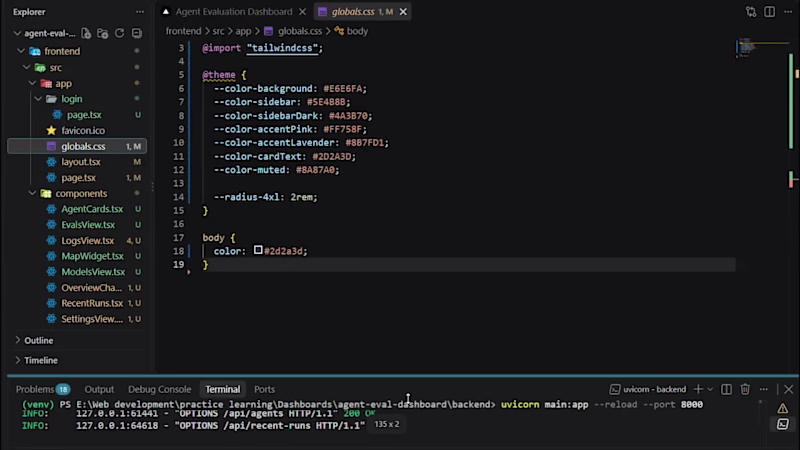
Agent Evaluation Dashboard — Full-Stack LLM Observability Tool
Teams running AI agents in production need visibility into how those agents actually perform not just whether they respond, but how accurate, fast, and cost-efficient they are. I built a full-stack observability dashboard to solve exactly that: a single place to track accuracy, latency, API cost, and schema compliance across multiple LLM models and agent types.
What I built
A responsive Next.js (App Router) frontend styled with Tailwind CSS — deep purple sidebar, live accuracy/latency charts (Recharts), filterable eval-run tables, and per-model performance comparisons
A Python FastAPI backend serving the dashboard's data layer, with token-based authentication protecting every route
Full session handling: login, protected pages, automatic redirect for unauthenticated users
A fully responsive layout collapsible drawer sidebar on mobile, reflowing grid on tablet/desktop
2
396
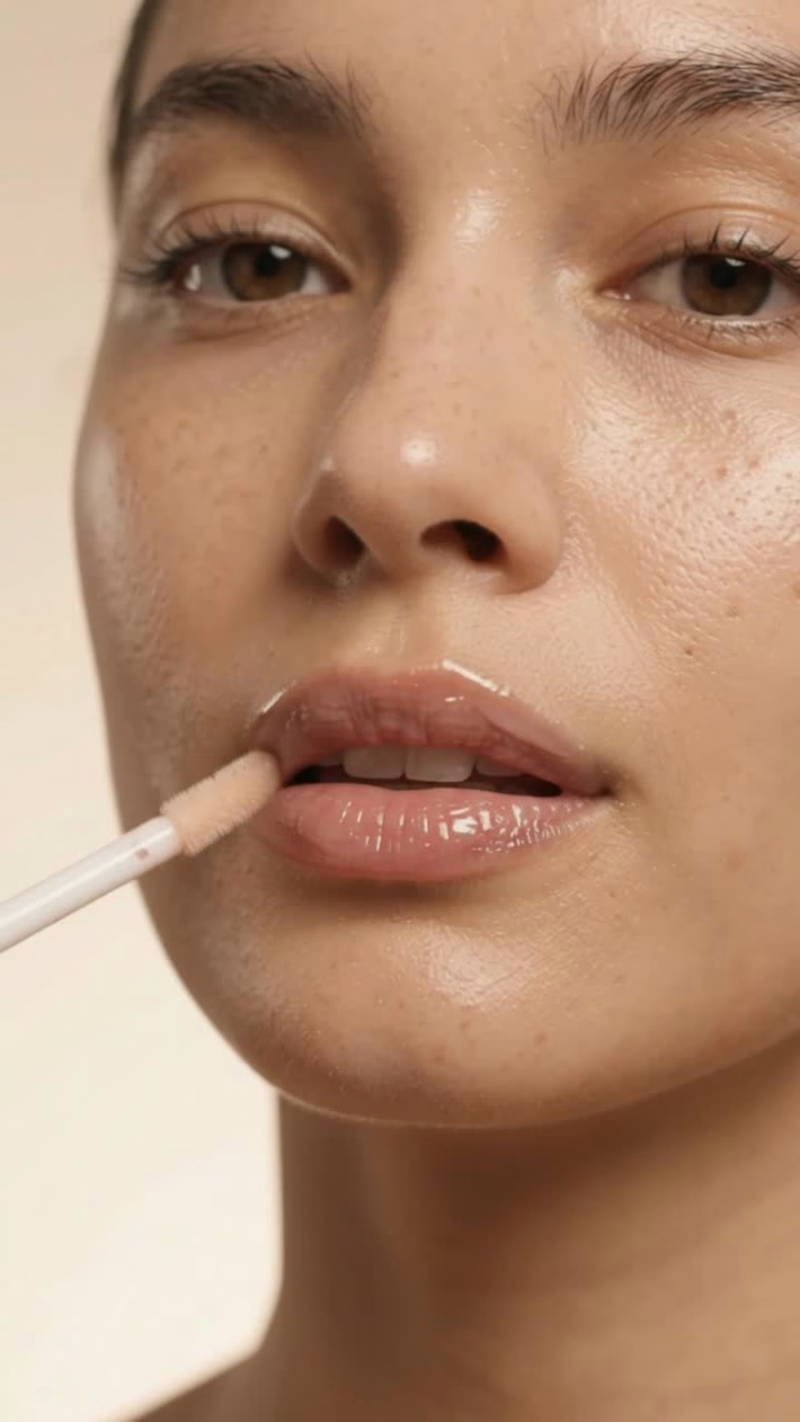
UGC ads usually mean finding a creator, sending a brief, waiting a week, then paying per video. I wanted to see how much of that an n8n workflow could handle.
The video in this post was not filmed. It was generated end to end by a workflow I built.
How it works:
I drop in a product, a short brief and a target audience
An LLM writes the UGC-style script with a hook, the body and a call to action
Veo generates the video in a natural, creator-style look
The workflow publishes it to TikTok, Reels and Shorts [and schedules it for the best time]
So the whole path from brief to published video runs without me touching an editor.
What I learned:
The prompt matters more than the model. Specific lighting, camera and tone details made the difference between “obvious AI” and “believable creator”.
Hooks decide everything. I generate several hooks per product and test them.
Always label AI-generated content where the platform requires it. It’s the right thing to do and it avoids trouble later.
If you run a brand, an e-commerce store or an agency and want a steady stream of short-form content without the cost of manual production, I build these workflows. Message me and I’ll show you how it would work for your product.
Would you trust an AI-generated UGC ad for your brand? Curious where people stand on this.
#n8n #Veo #AIVideo #UGC #AIAutomation #ContentCreation #ShortFormVideo #Ecommerce #MarketingAutomation #GenerativeAI #NoCode #SocialMediaMarketing
1
1
209
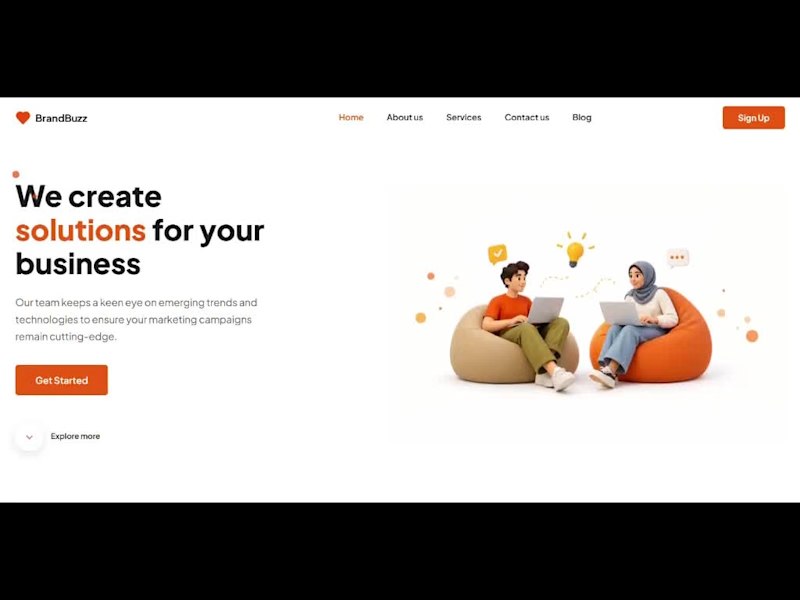
🚀 Just shipped a project: BrandBuzz, a fully interactive digital marketing agency landing page built with React + Vite!
As a Computer Science student, I wanted to move beyond tutorials and recreate a real UI design in code, so I took a design mockup and turned it into a working, responsive site.
What I built:
⚡ Sticky navbar with smooth scrolling and scroll-based active link highlighting
🎠 Auto-playing testimonials carousel that pauses on hover
🧩 Modal forms for Sign Up, Get Started and Contact Us, with keyboard support (Esc to close)
✨ Scroll-reveal animations using the Intersection Observer API
📱 A mobile-first responsive layout with a hamburger menu
♿ Accessibility basics: focus states, aria labels and reduced-motion support
What I learned:
🔹 Managing UI state with React hooks (useState, useEffect) and writing a custom useReveal hook
🔹 Building layouts with CSS Grid and Flexbox
🔹 Cleaning up event listeners and intervals properly to avoid memory leaks
🔹 Optimizing images (WebP) for faster load times
The biggest takeaway is that the small details, like hover states, transitions and spacing, are what make a website feel polished and professional.
I’m actively looking for internship and entry-level opportunities in frontend and web development, so I’d love to connect with developers, designers and recruiters. Any feedback on the project is welcome. 🙌
0
23

⚖️ Just finished building a law firm landing page from scratch, and I’m pretty proud of how it turned out!
I took a UI design and created it in React + Vite as a project for a law firm. My goal was to match the design as closely as I could, down to the spacing, typography and colors.
Here’s what I worked on:
✅ A responsive layout that works on desktop, tablet and mobile
✅ Practice area cards, a testimonials section and a contact form
✅ A clean navy and gold palette for a professional, trustworthy feel
✅ Reusable components, so the code stays organized
The hardest part was getting the small details right, like the card dividers, the font sizes and the hero image positioning.
I spent more time on these than I expected, but it taught me how much small design choices matter. I’m still learning and improving every day, so I’d love your feedback! What would you add or change?
🙌 If you’re hiring for frontend or web development roles, or just want to connect, feel free to message me!
#ReactJS (https://www.linkedin.com/search/results/all/?keywords=%23reactjs&origin=HASH_TAG_FROM_FEED) #Vite (https://www.linkedin.com/search/results/all/?keywords=%23vite&origin=HASH_TAG_FROM_FEED) #FrontendDevelopment (https://www.linkedin.com/search/results/all/?keywords=%23frontenddevelopment&origin=HASH_TAG_FROM_FEED) #WebDevelopment (https://www.linkedin.com/search/results/all/?keywords=%23webdevelopment&origin=HASH_TAG_FROM_FEED) #JavaScript (https://www.linkedin.com/search/results/all/?keywords=%23javascript&origin=HASH_TAG_FROM_FEED) #UIDesign (https://www.linkedin.com/search/results/all/?keywords=%23uidesign&origin=HASH_TAG_FROM_FEED) #ResponsiveDesign (https://www.linkedin.com/search/results/all/?keywords=%23responsivedesign&origin=HASH_TAG_FROM_FEED) #LandingPage (https://www.linkedin.com/search/results/all/?keywords=%23landingpage&origin=HASH_TAG_FROM_FEED) #LawFirmWebsite (https://www.linkedin.com/search/results/all/?keywords=%23lawfirmwebsite&origin=HASH_TAG_FROM_FEED) #StudentDeveloper (https://www.linkedin.com/search/results/all/?keywords=%23studentdeveloper&origin=HASH_TAG_FROM_FEED) #LearningInPublic (https://www.linkedin.com/search/results/all/?keywords=%23learninginpublic&origin=HASH_TAG_FROM_FEED) #BuildInPublic (https://www.linkedin.com/search/results/all/?keywords=%23buildinpublic&origin=HASH_TAG_FROM_FEED) #WebDesign (https://www.linkedin.com/search/results/all/?keywords=%23webdesign&origin=HASH_TAG_FROM_FEED) #OpenToWork (https://www.linkedin.com/search/results/all/?keywords=%23opentowork&origin=HASH_TAG_FROM_FEED) #100DaysOfCode (https://www.linkedin.com/search/results/all/?keywords=%23100daysofcode&origin=HASH_TAG_FROM_FEED)
0
29

Flutter App Developer | Beautiful, Scalable & Cross-Platform
Flutter App Developer | Beautiful, Scalable & Cross-Platform

Clutchr - The Premier Car Event Marketplace
Overview
Clutchr is a high-performance Flutter application connecting automotive organizers with enthusiasts. It streamlines event discovery and ticketing through a seamless, social-first interface.
Key Technical Features:
Geolocation Discovery: Integrated Google Maps API for real-time, proximity-based event tracking and personalized feeds.
Conversational Ticketing: A custom Real-time Chat system where users purchase tickets directly through organizer dialogue.
Dynamic QR Validation: Instant, in-chat QR code generation for secure, in-app ticket scanning and entry management.
Community Focused: Built for scale with high-fidelity UX/UI tailored to the automotive lifestyle.
0
92

TriNote - Intelligent AI Note-Taking Suite
Overview
TriNote is a high-utility productivity app that transforms raw data into structured knowledge. Developed with Flutter, it leverages Deepseek AI and custom OCR to handle everything from voice to physical documents.
Technical Features:
Multimodal Input: Supports Audio Transcription, Speech-to-Text (STT), OCR (Image-to-Text), and PDF extraction.
AI-Driven Synthesis: Uses LLMs to generate professional summaries and structured notes from fragmented content.
Monetization Engine: Seamlessly integrated Google AdMob with native layouts and In-App Purchases (IAP) for premium features.
Offline First: Built with Hive for fast, local persistent storage and high-speed retrieval.
0
133

Leanify AI: AI-Powered Fitness & Weight Loss Coach
Leanify AI is a smart fitness companion that simplifies weight loss by replacing calorie counting with sustainable habits. Built with Flutter, it uses AI algorithms to create 100% customized plans that adapt to your progress in real-time.
Key Features:
Adaptive AI Coaching: Fine-tunes fasting windows and targets based on weekly data.
No-Calorie Method: Focuses on Intermittent Fasting and movement.
Smart Tracking: Manual logging for treadmills/steppers, data standard trackers miss.
Visual Progress: Dynamic "Ideal Trend" lines to keep users motivated.
Technical Stack: Cross-platform Flutter dev with integrated LLMs for personalized scheduling and high-end UX/UI.
0
140

View more →

I turn app ideas into polished Flutter apps with clean UI
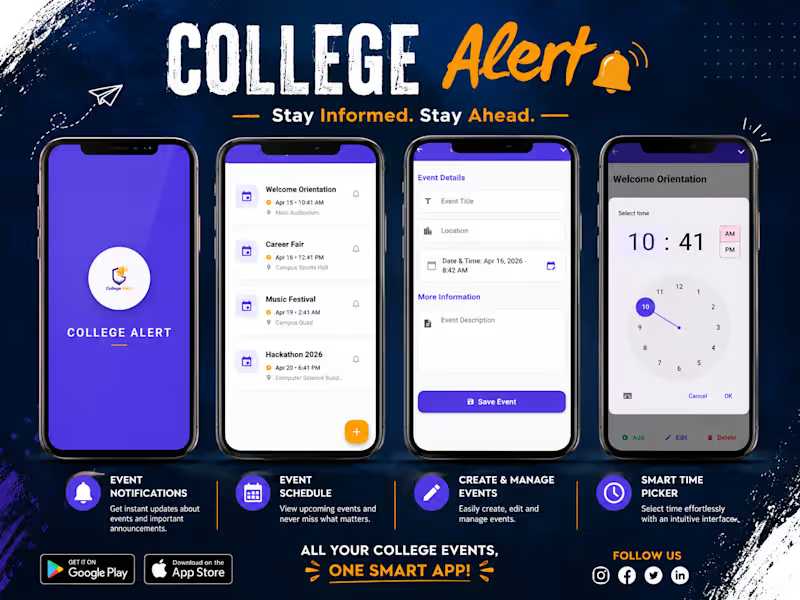
Flutter Collage Alert App.
A mobile app built to help students and faculty stay updated with important college announcements, events, and alerts. Provides instant real-time notifications.
0
103
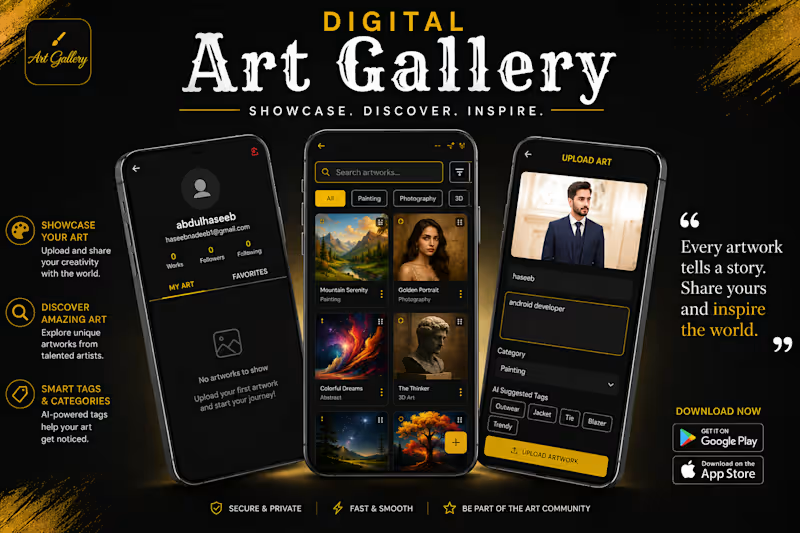
Digital Art Gallery App
A modern app where artists and users explore, upload, and interact with artworks. Includes category searches, favorite bookmarks, live community comments, and AI-based auto-tagging for easy browsing.
0
109
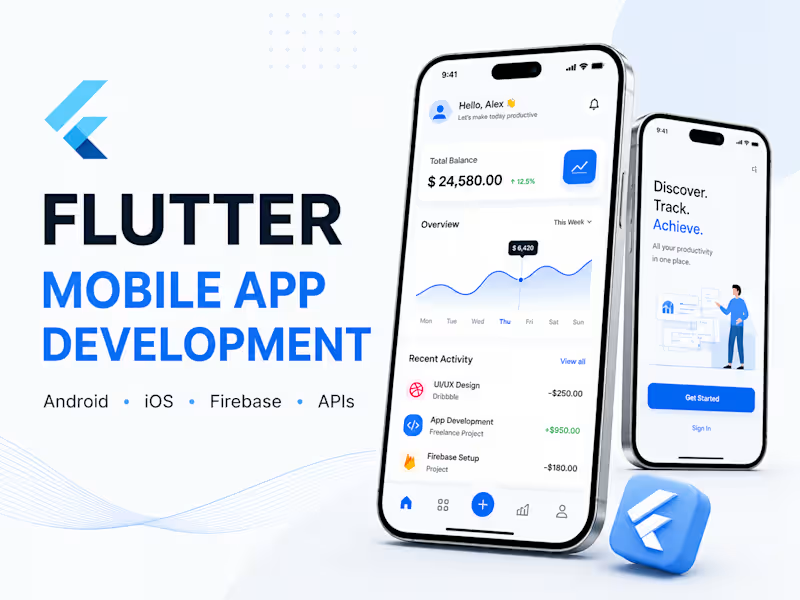
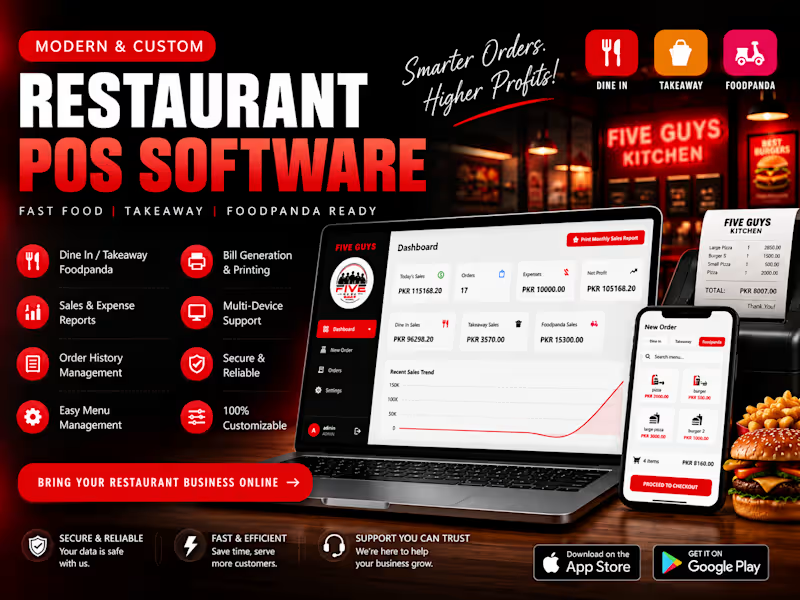

Web & App Developer: Crafting Digital Solutions
Web & App Developer: Crafting Digital Solutions


View more →