Freelancers using AgentKit in IndiaFreelancers using AgentKit in IndiaVidlume — AI Video Ads From Photos & Clips
What problem does Vidlume solve?
Most businesses already have product photos, property images, clips, brochures, and basic listing details — but turning those assets into high-quality short-form videos is slow, expensive, and inconsistent.
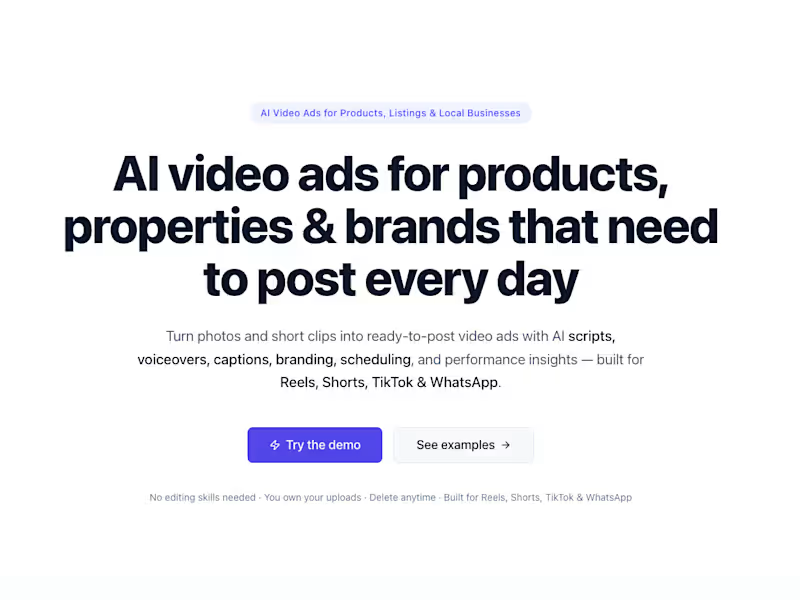
Vidlume solves the problem of creating polished video ads regularly without needing an editor, scriptwriter, voiceover artist, designer, or social media team. The platform is positioned for businesses that need ready-to-post content for Instagram Reels, YouTube Shorts, TikTok, and WhatsApp.
Core problems Vidlume solves
1. Businesses struggle to post consistently
Short-form platforms reward frequent posting, but most small teams do not have time to create professional video content every day. Vidlume helps turn existing visuals into repeatable daily content.
2. Video creation is expensive
Hiring video editors, scriptwriters, voiceover artists, and social media managers every month can become costly. Vidlume replaces much of that manual workflow with AI-assisted automation.
3. Static photos do not stop the scroll
Normal product photos or property images often look plain on social media. Vidlume transforms those assets into videos with motion, hooks, captions, music, voiceover, branding, and CTAs.
4. Real estate listings need better storytelling
For real estate brokers, static listing photos are not enough. Listings need room-by-room flow, location context, pricing, amenities, urgency, and a clear call-to-action. Vidlume is built to generate branded property reels, WhatsApp promos, listing showcases, investment reels, and locality explainers.
5. Generic templates make brands look low-effort
Instead of simple slideshow templates, Vidlume creates structured video formats such as UGC-style ads, product demos, offer-first videos, luxury property reels, investment-angle reels, and locality-based content.
What Vidlume does
Vidlume takes the assets a business already has and turns them into complete short-form video ads.
Users can upload photos, short clips, product visuals, property images, listing details, price, location, amenities, contact details, logo, and brand information. The platform then generates a ready-to-post video with:
AI-written script
Human-like voiceover
Captions and subtitles
Scene sequencing
Motion effects
Transitions
Background music
Branding
CTA screen
Multi-format exports
Scheduling and publishing support
The website describes Vidlume as a platform that handles scripting, voiceover, captions, music, transitions, formatting, scheduling, and creative variations from existing visuals.
How I built Vidlume technically
Frontend
Built with Next.js, giving users a clean dashboard where they can upload assets, manage projects, preview generated videos, edit scripts, choose formats, and export final content.
Backend
Built with Node.js, handling project creation, asset processing, AI workflow orchestration, video generation requests, user data, and API communication between the frontend, database, AWS, and AI services.
Database
Uses PostgreSQL to store users, projects, uploaded assets, generated scripts, video metadata, brand settings, export status, and scheduling data.
Cloud infrastructure
Uses AWS for scalable media handling, including secure file storage, processing workflows, and job execution.
Queue system
Uses AWS SQS to manage video generation jobs reliably. This allows heavy processing tasks to run asynchronously without blocking the user interface.
AI integrations
Multiple AI integrations are used for:
Understanding uploaded images and clips
Detecting scenes such as kitchen, bedroom, exterior, balcony, product close-up, etc.
Generating marketing scripts
Creating hooks and CTAs
Producing voiceovers
Generating captions and overlays
Creating different creative variations from the same assets
FFmpeg video processing
Uses FFmpeg for complex video generation, including:
Stitching images and clips together
Adding zoom and motion effects
Applying transitions
Syncing visuals with voiceover
Adding background music
Burning captions and overlays
Adding logos and CTA screens
Exporting in 9:16, 1:1, and 16:9 formats
Optimizing videos for Reels, Shorts, TikTok, and WhatsApp
Simple user-facing pitch
Vidlume helps businesses turn everyday photos and clips into professional short-form video ads automatically.
Instead of spending hours in Canva, CapCut, or paying editors every month, users can upload their assets once and generate ready-to-post videos with scripts, voiceovers, captions, music, transitions, branding, and CTAs.
For real estate, Vidlume turns property photos into premium listing reels with room-by-room flow, location hooks, price overlays, amenities, broker branding, and WhatsApp CTAs. For product businesses, it creates product showcases, UGC-style ads, offer videos, and social-ready creatives.
Best presentation version for potential users
The Problem
Creating good video ads consistently is hard. Most businesses have photos and clips, but they do not have the time, skills, or budget to turn them into professional videos every week.
The Solution
Vidlume uses AI to convert existing visuals into ready-to-post video ads with scripts, voiceovers, captions, branding, music, transitions, and clear CTAs.
Who it is for
Vidlume is built for real estate brokers, builders, property marketing agencies, Shopify sellers, D2C brands, creators, social media managers, and local businesses that need consistent video content.
Why it matters
Businesses can create more content, test more hooks, post more consistently, and make their products or listings look more professional without hiring a full creative team.
Technical trust
Behind the scenes, Vidlume is powered by Node.js, Next.js, PostgreSQL, AWS, SQS, multiple AI integrations, and FFmpeg-based video processing. This allows the platform to handle everything from asset upload to AI analysis, script generation, voiceover creation, video stitching, branding, export, and scheduling. Lightweight Online Video Editor
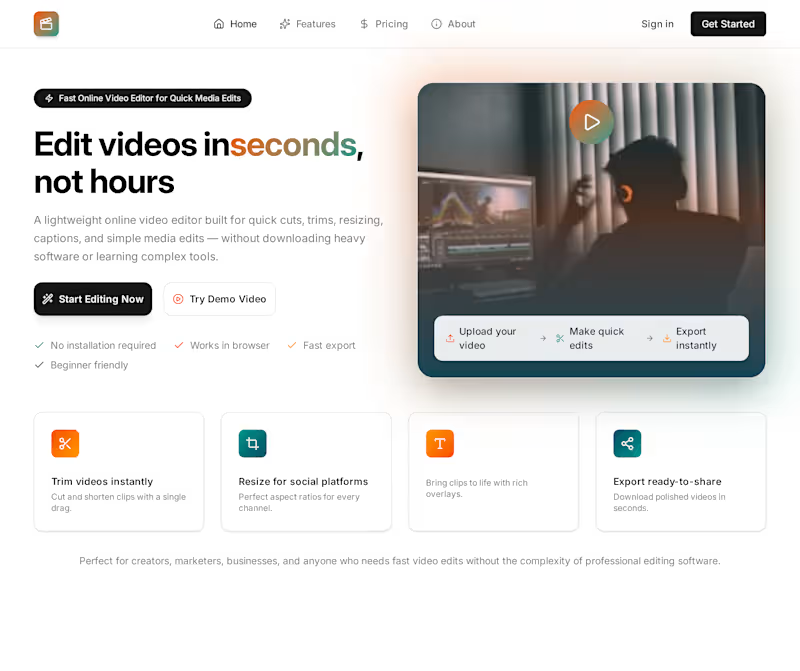
A fast, lightweight online video editor for people who need quick media edits without installing heavy editing software.
Users can upload a video, make simple edits, preview changes, and export a ready-to-share video directly from the browser.
It is designed for creators, marketers, small businesses, social media managers, and anyone who wants quick video editing without complexity.
Features It Offers
Trim and cut videos
Merge multiple clips
Resize videos for social platforms
Convert videos to different formats
Add text and captions
Add background music
Remove or replace audio
Crop and rotate videos
Compress videos for faster sharing
Generate thumbnails
Export videos in high quality
Browser-based editing with no installation
Technical Details
The system is built with a simple and scalable video-processing workflow.
Frontend
Next.js / React interface
Drag-and-drop video upload
Timeline-based preview
Edit controls for trim, crop, resize, text, audio, and export
Responsive UI for desktop and mobile
Backend
Node.js backend
PostgreSQL database
AWS S3 for storing uploaded and processed videos
Queue system using AWS SQS or BullMQ
Background workers for video processing
User project and export history management
Video Processing
FFmpeg for all complex media processing
Trimming and cutting clips
Merging videos
Resizing and cropping
Audio mixing
Format conversion
Video compression
Thumbnail generation
Caption and text overlay
Final video rendering
Storage & Export
Uploaded videos are stored securely
Edited videos are processed in the background
Final exports are saved and made available through a shareable download link
How It Works
User uploads a video
User applies quick edits in the browser
Edit settings are sent to the backend
FFmpeg processes the video based on selected edits
Final video is exported and saved
User downloads or shares the finished video
Business Value
This editor helps users:
Save time on simple edits
Avoid heavy editing software
Create social-ready videos faster
Reduce editing cost
Work directly from the browser
Export clean, ready-to-post content
Quick video edits in your browser — powered by FFmpeg. AI Customer Support Agent for Businesses
What i Built
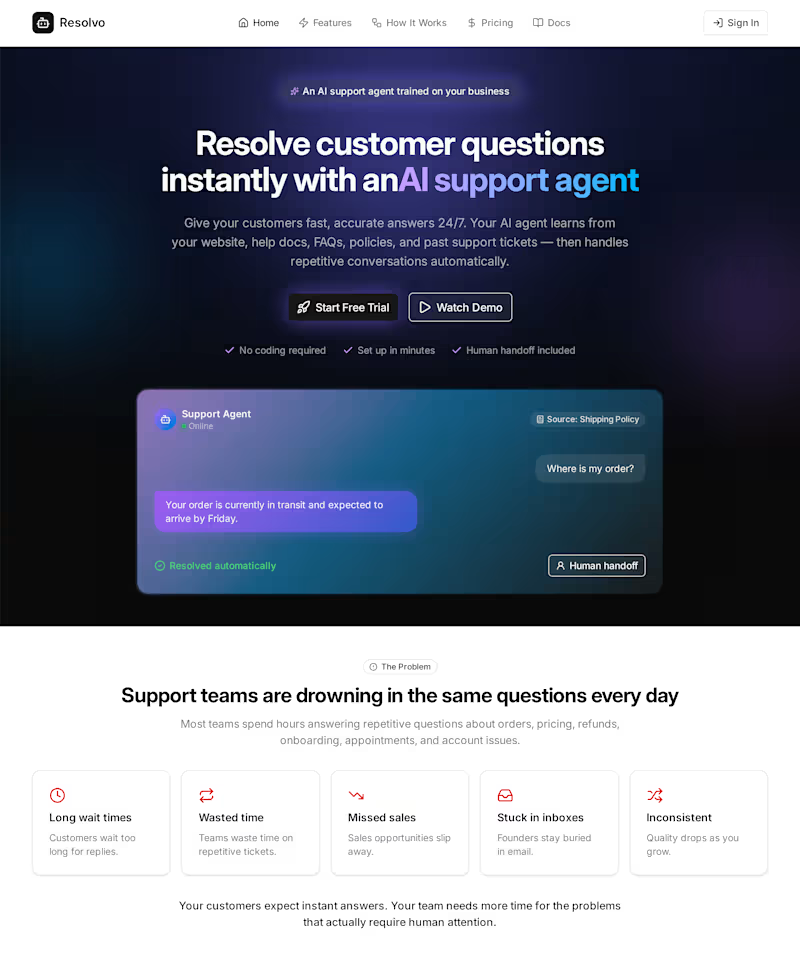
We built an AI customer support agent that helps businesses answer customer questions instantly, reduce repetitive support tickets, and support customers 24/7.
The AI is trained on the business’s own content, including website pages, FAQs, help docs, policies, pricing, product details, and past support conversations.
It does not work like a basic chatbot. It works like a trained support assistant that understands customer questions, finds the right information, replies in the brand’s tone, and escalates complex issues to a human.
Problem It Solves
Businesses spend too much time answering the same customer questions again and again:
Where is my order?
What is your refund policy?
How do I cancel?
What is included in this plan?
How do I book an appointment?
Can I speak to support?
This creates slow response times, higher support costs, and frustrated customers.
Our AI agent solves this by handling repetitive support automatically.
What the AI Does
When a customer sends a message, the AI:
Understands the customer’s question
Detects the intent, such as refund, order, billing, pricing, or technical issue
Searches the business knowledge base
Finds the most relevant answer
Responds in the company’s brand tone
Asks follow-up questions if needed
Escalates to a human when the issue is complex or sensitive
Summarizes the conversation for the support team
This helps customers get quick answers while the team focuses on important issues.
Key Features
AI trained on business data
Website chat widget
FAQ and document upload
Website content crawling
Instant customer replies
Human handoff
Conversation summaries
Brand tone customization
Intent detection
Support analytics
Multi-language support
Helpdesk and CRM integrations
Order, billing, and ticket lookup through APIs
Technical Architecture
The system uses a retrieval-based AI architecture.
When business content is uploaded, the system:
Extracts text from websites, PDFs, FAQs, and documents
Splits the content into small chunks
Converts each chunk into embeddings
Stores them in a vector database
Searches the most relevant chunks when a customer asks a question
Sends the retrieved context to the AI model
Generates a safe and accurate response based on approved business knowledge
This reduces hallucination and keeps answers business-specific.
Recommended Tech Stack
Frontend
Next.js
React
Tailwind CSS
Embedded JavaScript chat widget
Admin dashboard
Backend
Node.js / Express
PostgreSQL
Prisma ORM
Redis
Queue system using BullMQ or AWS SQS
AWS S3 for document storage
AI Layer
LLM for response generation
Embedding model for knowledge search
RAG pipeline
Intent detection
Sentiment detection
Conversation summarization
Escalation logic
Vector Database
PostgreSQL with pgvector for MVP
Pinecone, Qdrant, or Weaviate for scaling
Integrations
Shopify
WooCommerce
Stripe
Zendesk
Freshdesk
Intercom
HubSpot
Slack
WhatsApp Business API
Human Handoff
The AI escalates to a human when:
It cannot find a confident answer
The customer asks for a human
The issue involves refund approval
The customer is angry
The issue is related to billing, cancellation, or legal concerns
Account-specific action is required
Before handoff, the AI creates a short summary so the support team can respond faster.
Business Value
The AI support agent helps businesses:
Reduce repetitive tickets
Reply to customers instantly
Lower support workload
Provide 24/7 support
Improve customer satisfaction
Maintain consistent support quality
Discover common customer problems through analytics
Final Positioning
An AI customer support agent that answers customers instantly, reduces repetitive tickets, and hands off complex issues to your team.
Or shorter:
Scale customer support without hiring more agents. AI Sales & Lead Qualification Agent
What We Built
We built an AI sales agent that helps businesses capture, qualify, and convert leads automatically.
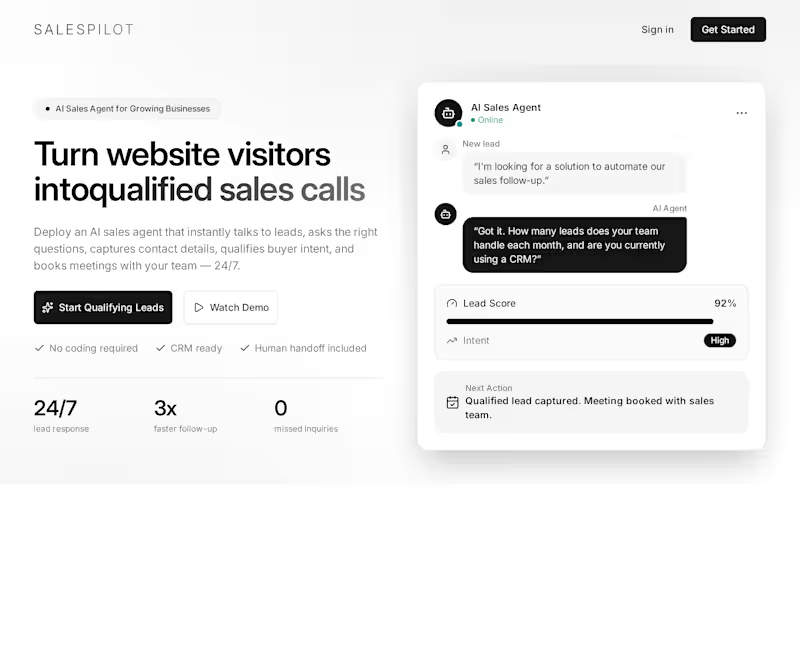
Instead of letting website visitors leave without action, the AI instantly starts a conversation, asks the right sales questions, understands buyer intent, collects contact details, scores the lead, and books meetings with the sales team.
It works 24/7, so businesses never miss high-intent leads.
Problem It Solves
Most businesses lose leads because:
They reply too late
Their team cannot respond 24/7
Unqualified leads waste sales time
Hot leads are not followed up properly
Website visitors leave without booking a call
Our AI agent solves this by responding instantly and qualifying leads before they reach the sales team.
What the AI Does
When a visitor lands on the website, the AI:
Starts a natural sales conversation
Understands what the lead is looking for
Asks qualifying questions
Collects name, email, phone, company, and requirements
Detects buying intent and urgency
Scores the lead as cold, warm, or hot
Recommends the best next step
Books a meeting with the sales team
Sends the lead details to CRM
Creates a short lead summary for follow-up
Example Flow
Visitor:
“I’m interested in automating our sales follow-up.”
AI Agent:
“Great. How many leads does your team handle every month?”
Visitor:
“Around 500 leads.”
AI Agent:
“Got it. Are you currently using any CRM like HubSpot, Salesforce, or Zoho?”
Visitor:
“Yes, HubSpot.”
AI Result:
Lead Score: High
Intent: Strong
Next Step: Book sales call
Summary: Company handles 500 monthly leads and wants sales follow-up automation with HubSpot integration.
Key Features
AI sales conversation
Lead qualification
Buyer intent detection
Lead scoring
Meeting booking
CRM integration
Human handoff
Lead summary generation
24/7 website response
Follow-up message suggestions
Sales dashboard
Conversation history
Technical Details
The system is built using an AI agent workflow.
Frontend
Website chat widget
Admin dashboard
Lead inbox
Booking interface
Analytics dashboard
Backend
Node.js backend
PostgreSQL database
Prisma ORM
Redis for session handling
Queue system for background jobs
API layer for CRM and calendar integrations
AI Layer
LLM for conversation generation
Intent detection
Lead scoring logic
Qualification question engine
Conversation summarization
Follow-up recommendation system
Integrations
HubSpot
Salesforce
Zoho CRM
Google Calendar
Calendly
Slack
Email
WhatsApp Business API
How It Works Technically
Visitor sends a message through the website chat widget
Backend stores the conversation
AI detects intent and lead stage
AI asks qualification questions based on business rules
Lead data is saved in the database
AI calculates lead score
If qualified, the system books a meeting or sends the lead to CRM
Sales team receives a summary with contact details and next steps
Business Value
This helps businesses:
Capture more leads
Reply instantly
Save sales team time
Focus only on qualified prospects
Increase booked calls
Reduce missed opportunities
Improve follow-up quality
Convert website visitors into sales opportunities
Final Positioning
An AI sales agent that talks to your website visitors, qualifies leads, and books meetings with your sales team automatically.