Freelancers using Looker Studio in Chattogram
Freelancers using Looker Studio in Chattogram
Sign Up
Post a job
Sign Up
Log In
Filters
2
Projects
People
Md Jobair Mahmud
Chattogram, Bangladesh
Google Analytics 4 | GA4 GTM Meta Pixel FB CAPI Server-Side
16
Followers
Follow
Message
Google Analytics 4 | GA4 GTM Meta Pixel FB CAPI Server-Side
0
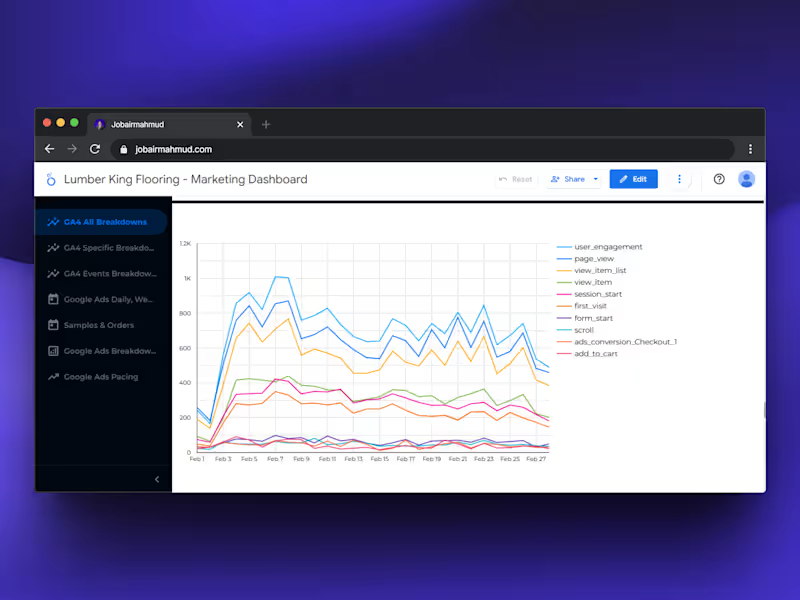
🎨 Tracking is cool but visualizing it? That’s where the magic happens. Looker Studio (formerly Google Data Studio) is my go-to tool for turning messy data into stories that actually make sense. Last week, I built a custom dashboard combining: Meta Ads (CAPI data) Google Ads conversions GA4 events and GoHighLevel leads Now the client can see: ✅ Real-time ROI ✅ Cost per lead ✅ Purchase funnel performance ✅ Which ad platform prints the most $$$ No more screenshots, no more confusion — just clean, automated dashboards. If you’re running paid campaigns but still relying on manual reports… bro, it’s time to switch.
0
302
0
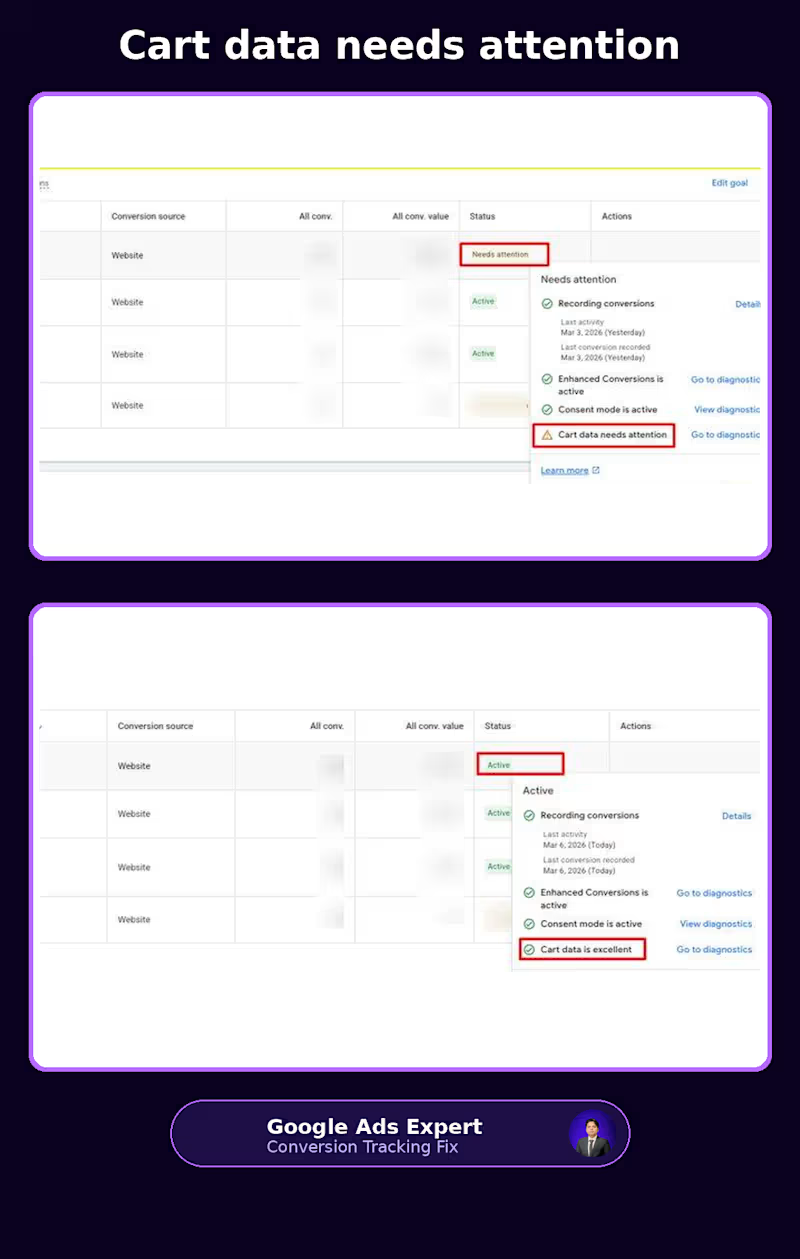
“Cart data needs attention” is not a warning I’d ignore on an ecommerce account. Especially if you're running Shopping or Performance Max. I recently worked on a setup where Google Ads was recording conversions, but the cart data wasn't being passed properly. The account was showing: Before: Cart data needs attention At first glance, you might think: “Conversions are coming in, so what's the problem?” The problem is that a purchase conversion alone doesn't tell Google everything it needs to understand the transaction. For ecommerce, the product information matters too. Which product was added? What was its ID? How many units? What was the cart value? Without that information being passed correctly, Google has less context about what people are actually buying. During the audit, I found a few issues: Cart events weren't sending the required product data correctly The dataLayer wasn't providing complete add_to_cart information Enhanced Conversions wasn't fully configured Consent Mode was affecting the signals being sent So the fix wasn't simply “install another tag.” The data flow needed to be checked from the storefront all the way into Google Ads. I fixed the ecommerce dataLayer, validated the add_to_cart and purchase events, configured Enhanced Conversions, and checked that Consent Mode was behaving correctly. After the changes, the diagnostics moved to: Recording conversions: Active Enhanced Conversions: Active Consent Mode: Active Cart data: Excellent That's the part I think ecommerce advertisers often overlook. A conversion showing up in Google Ads doesn't automatically mean your ecommerce tracking is healthy. You can have purchases being recorded while product IDs, quantities, values or consent signals are incomplete. And if you're running PMax or other value-based campaigns, those details matter because your bidding decisions are built around the data you send back. This is why I spend so much time looking beyond whether a tag “fires.” I want to know whether the right data is being collected, passed and understood by the platforms that are using it. If you're seeing “Cart data needs attention” in Google Ads, or your Shopify/WooCommerce tracking doesn't quite look right, feel free to connect or message me. Have you checked your Google Ads conversion diagnostics recently? #GoogleAds #PMax #EcommerceTracking #ConversionTracking #GoogleTagManager #EnhancedConversions
0
36
0
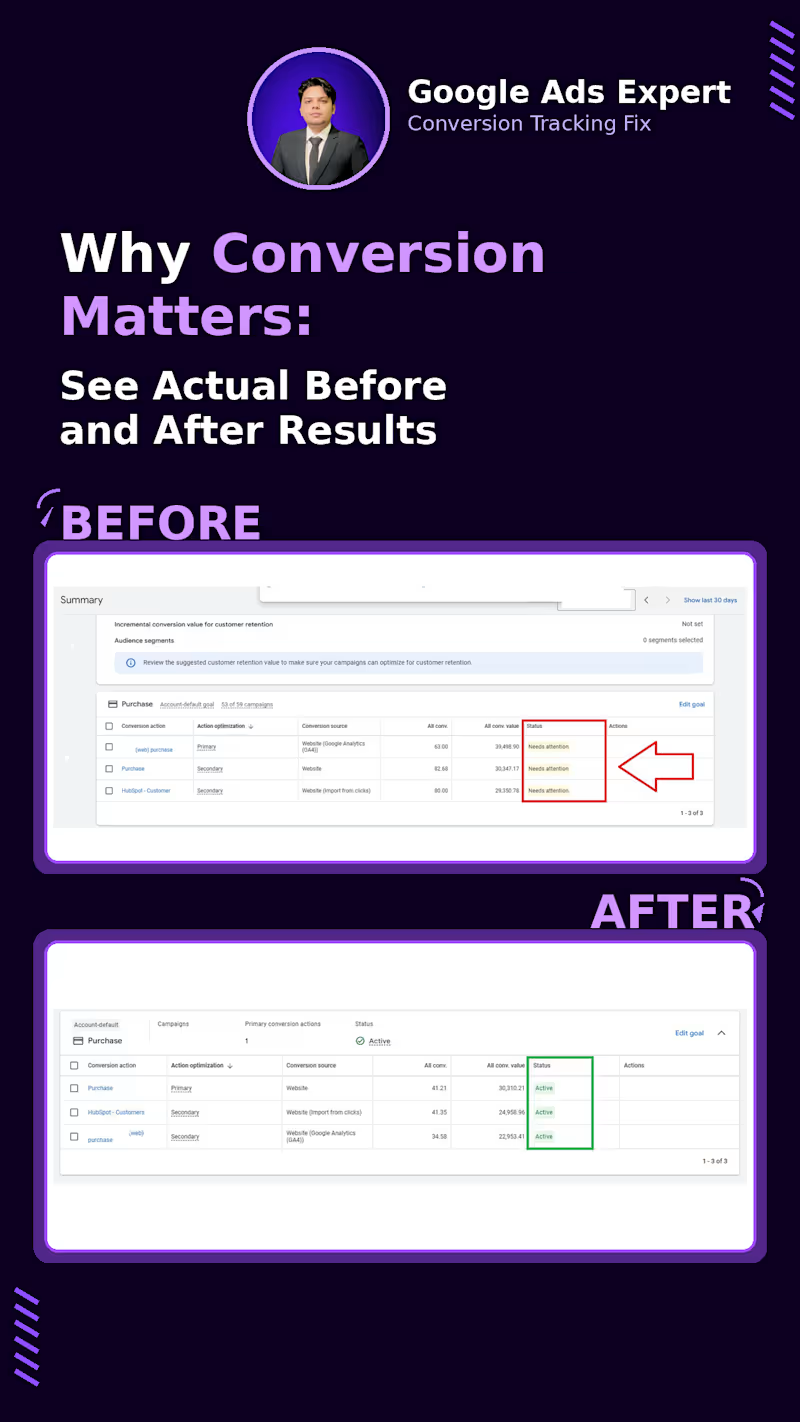
A Google Ads campaign can be perfectly structured and still optimize badly if the conversion setup is sending mixed signals. I saw this recently while auditing an account with 53 campaigns. The account had three different Purchase conversion actions: Purchase from GA4 Purchase from Website HubSpot customer import And all three were showing “Needs attention.” The bigger issue wasn't just the warning. There was no clear conversion setup telling Google Ads which purchase signal should actually drive bidding. That matters because Smart Bidding depends on the conversion data you give it. If multiple sources are tracking the same purchase, you can end up with duplicate conversions. If the wrong action is marked as Primary, campaigns may optimize toward a signal you didn't intend to use. And if the underlying tag or import isn't working properly, the bidding system is learning from incomplete data. So the first thing I worked on wasn't campaign structure or bid strategy. It was the conversion setup. I cleaned up the duplicate Purchase actions, kept the website Purchase as the clear Primary conversion, moved the GA4 and HubSpot versions to Secondary, and re-checked the tracking and Enhanced Conversions setup. After the cleanup, the conversion actions were showing “Active.” More importantly, the account had a much clearer data flow: Website → Purchase → Google Ads → Primary conversion → Smart Bidding This is something I think gets overlooked when people talk about improving ROAS. Sometimes the problem isn't the campaign. It's the signal the campaign is being optimized against. And “conversion tracking is installed” isn't enough. You also need to know: Is the right conversion being counted? Is it being counted once? Is it marked Primary or Secondary for the right reason? Is the value being passed correctly? And is Google Ads actually receiving the signal consistently? This is why I spend so much time auditing GA4, GTM, Google Ads and CRM conversion setups before touching the optimization side. Bad conversion data can make a good campaign look bad. If you're seeing “Needs attention”, unexpected conversion numbers, duplicate purchases or strange bidding behavior in Google Ads, feel free to connect or message me. When was the last time you checked the status of your Google Ads conversion actions? #GoogleAds #ConversionTracking #PPC #GoogleTagManager #PaidSearch #PerformanceMarketing
0
38
0
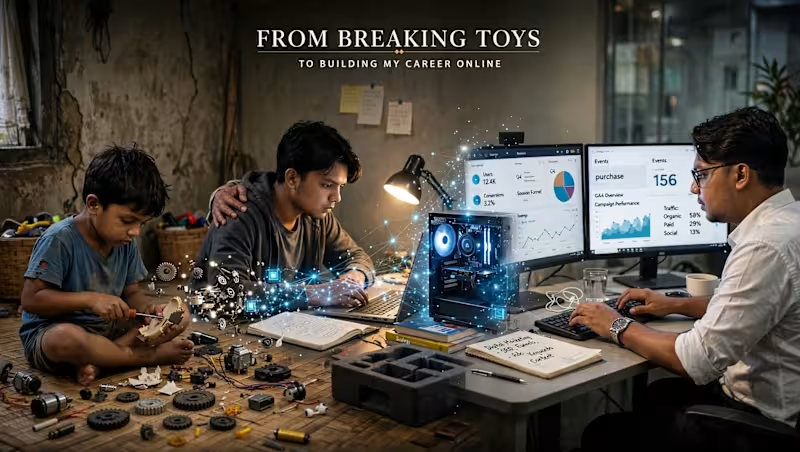
I used to break my toys. Not because I wanted to destroy them. I wanted to know what was inside. How did it work? Why did it move? That curiosity never really left me. Years later, I started learning digital marketing with a borrowed laptop. I remember getting my Google Digital Garage certificate. I was so happy that day. I even thought: “Maybe one day Google will hire me.” Then I asked my father for a computer. For almost six months. Eventually, he agreed. But there was a condition: If I got the computer, I had to take responsibility for everything after that. Internet. Tools. Everything. So I started freelancing. I opened Fiverr with almost no idea how freelancing actually worked. I didn’t understand positioning. I didn’t know how to find clients. I depended almost completely on one marketplace. Then my second order got cancelled. My account went down. Money was already tight. At one point, I struggled to pay my internet bill. And the internet wasn’t just entertainment for me. It was the thing I was trying to build my future with. People around me also didn’t really understand how someone could build a career online. The traditional path was familiar: Study → degree → stable job. So when I said I wanted to build my career through the internet, not everyone believed me. I don’t blame them. They were judging the future based on what they had seen. So I decided to prove it through results. I tried. I failed. I tried different businesses. I lost clients. I made mistakes. I started again. Eventually, I realized Fiverr wasn’t the entire internet. I explored other opportunities, joined Upwork, started working with clients from different countries, and eventually earned Top Rated status. Today, I work in web analytics and conversion tracking. GA4. GTM. Google Ads tracking. Meta Pixel + CAPI. Server-side tracking. Data layers. Consent Mode. And there’s something funny about the journey. As a kid, I took things apart to understand how they worked. Today, I do the same thing with websites and marketing systems. I take them apart. I look at the data. I find what’s broken. Then I build it properly. I’m still learning. Still experimenting. Still failing sometimes. But I’m still curious. I was once a kid who wanted to know what was inside a toy. I’m still that kid. I’m just opening different things now.
0
63
Looker Studio
(1)
Follow
Message
Explore people