The network for creativity
Join 1.25M professional creatives like you
Connect with clients, get discovered, and run your business 100% commission-free
Creatives on Contra have earned over $150M and we are just getting started
Back to feedPost


This Framer Page Load is made by me recently. 🚀
The page effect of Framer took shape in just 5 Steps!
i've tried to build this without any components, so I only set up the animations and loadings ⚡️
Check the replies for the rest of the tutorial.

#1st step: Add Page Effect
Select your custom page to customize it
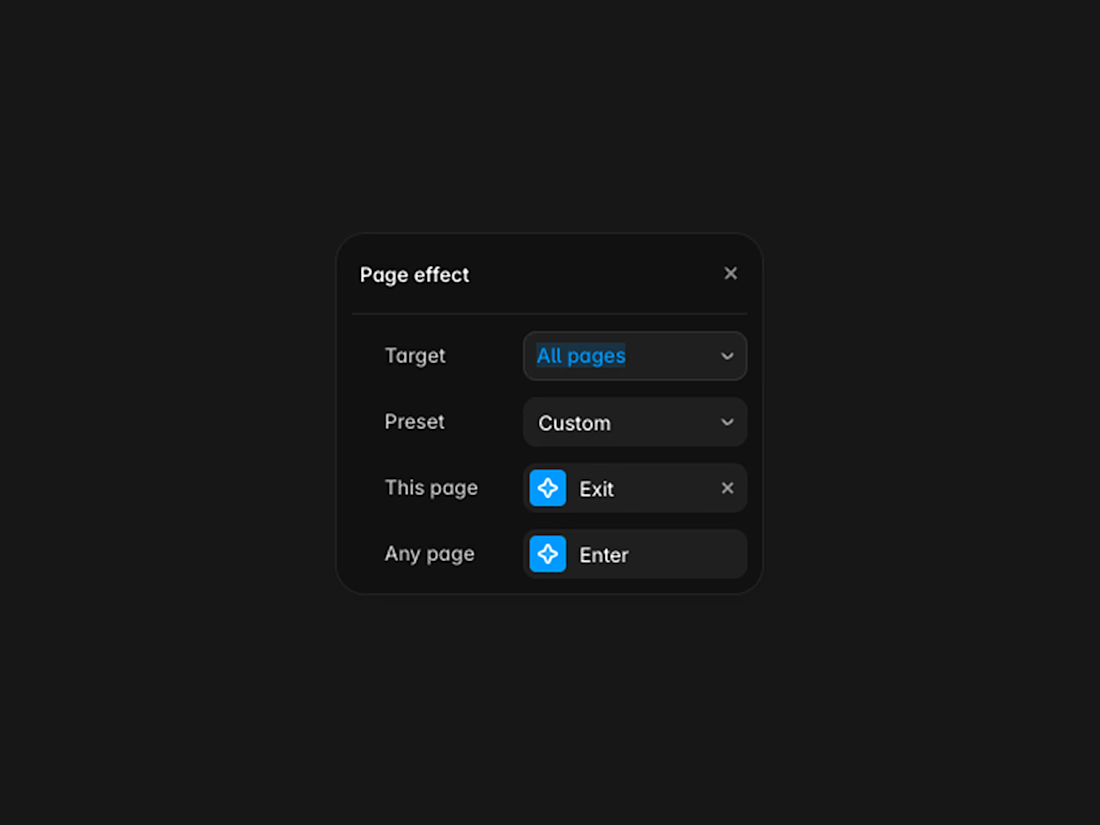
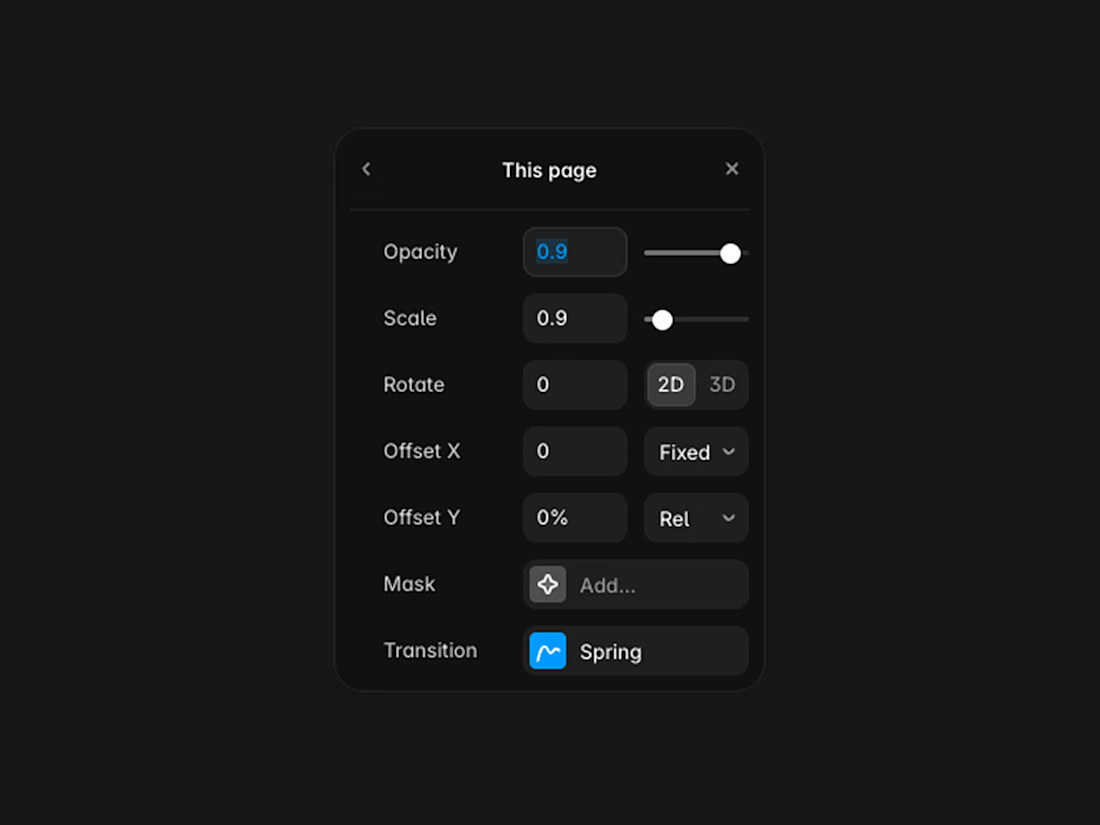
#2nd step: Page Opacity and Scale
Change Opacity into 0.9 and Scale to 0.9 or 0.8
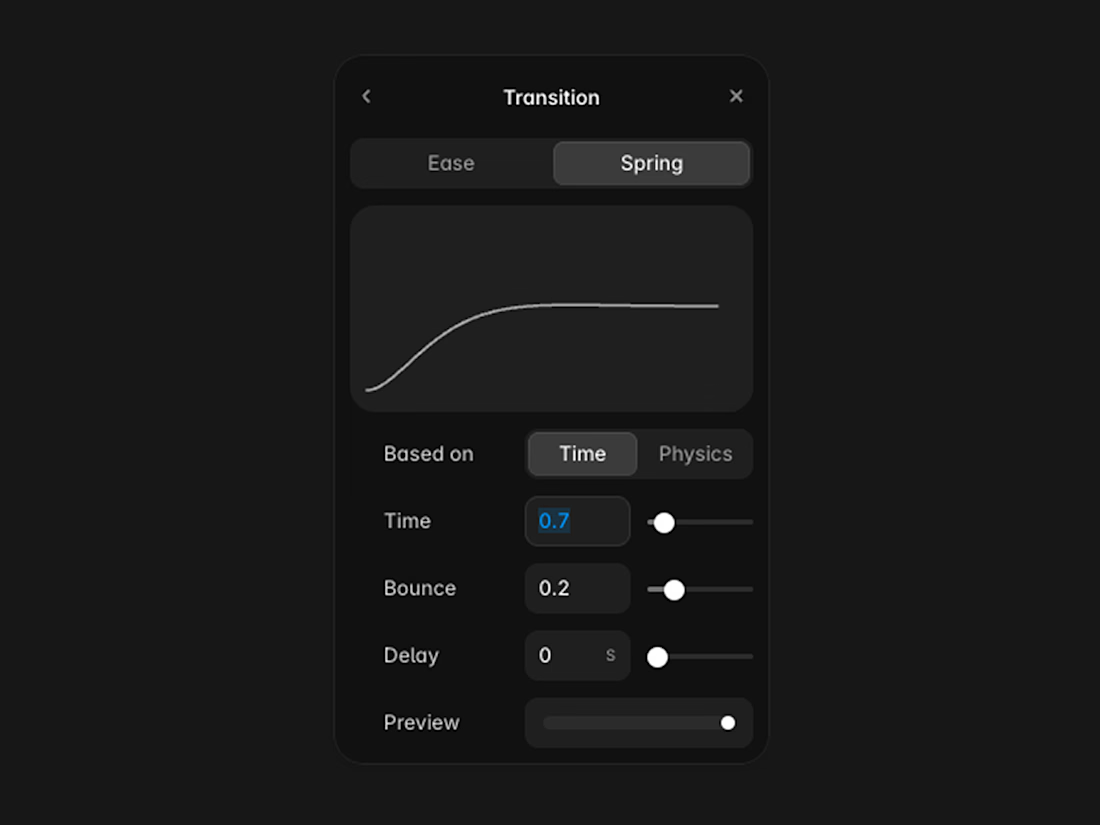
#3rd step: Page Transition
Set the time to 0.7s. In case you wanted extra delay, it can be increased up to 0.8s or 0.9s.
Set Bounce to 0.2 or 0.1.
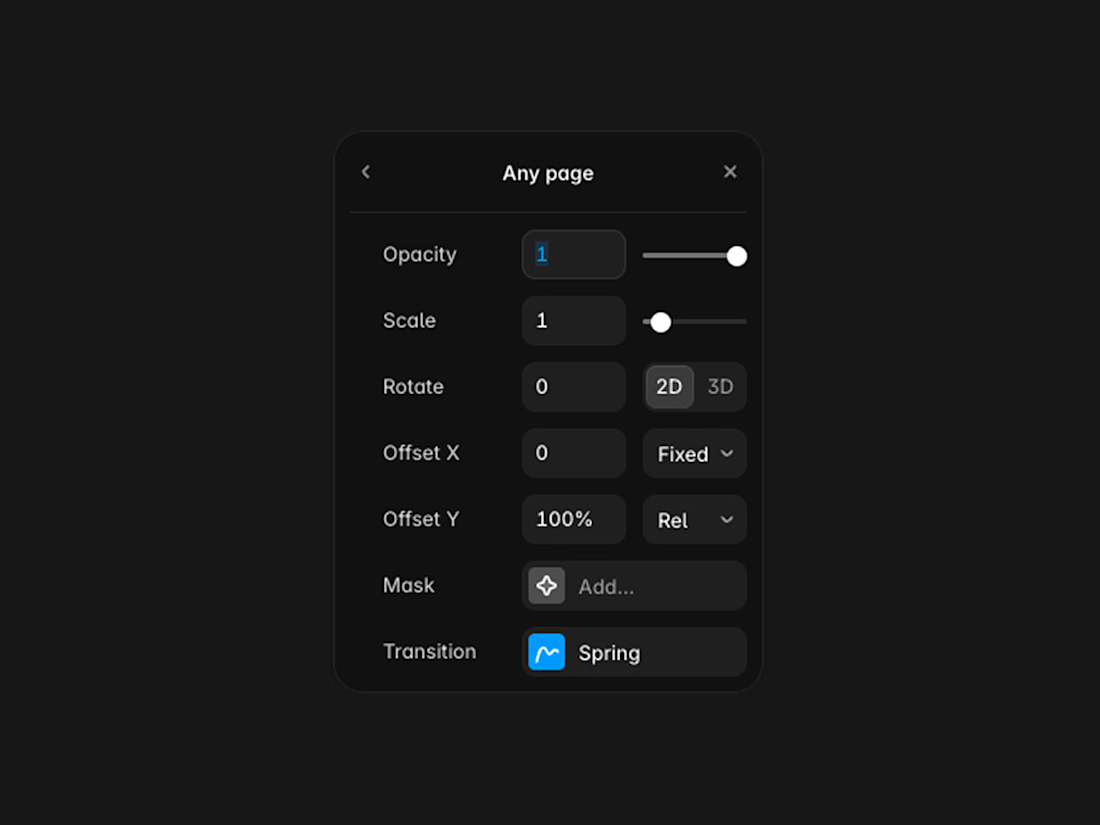
#4th step: Page Settings
Set Opacity and Scale to 1.0.
Then set the Offset Y to 100% for Loading from bottom to the top.
#5th step: Page Transitions
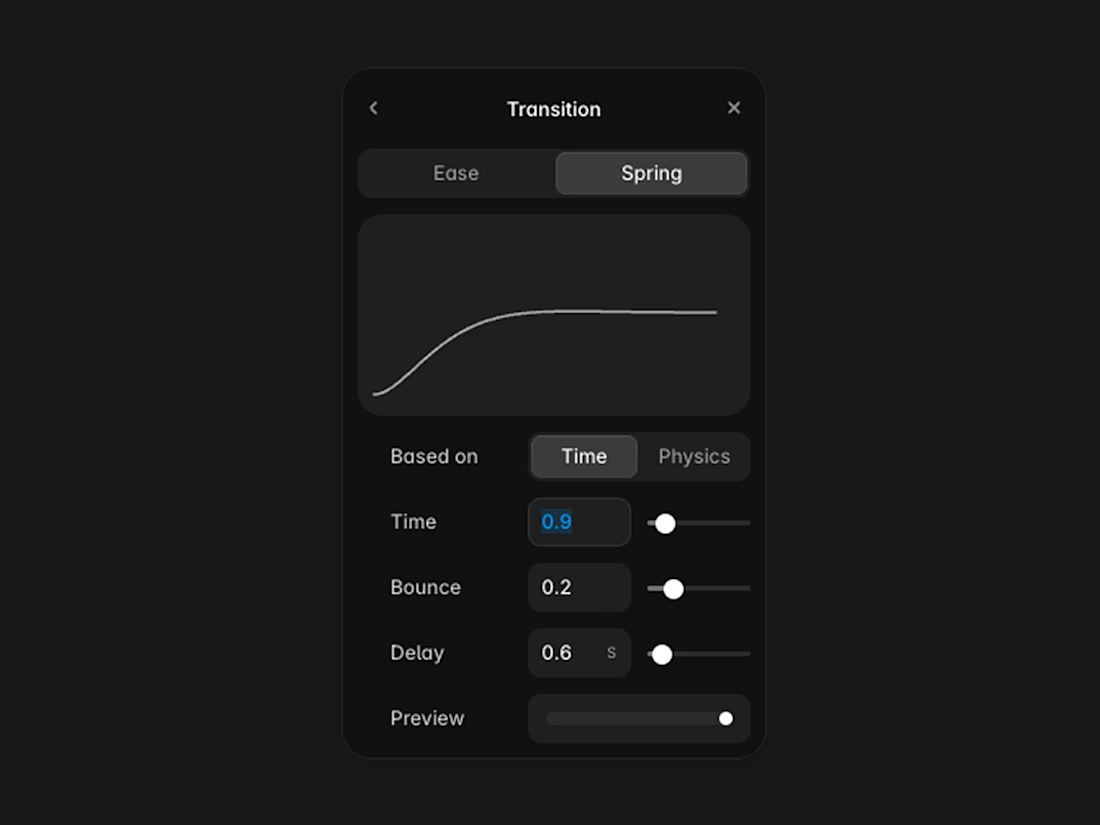
Set the Time to 0.8 or 0.9s
set the Bounce to 0.2
Delay should be set to 0.6
That’s it guys. If you followed the steps, it is all done and you have a customized Preload With pleasant delay and smooth animation. 👊🏻
The network for creativity
Join 1.25M professional creatives like you
Connect with clients, get discovered, and run your business 100% commission-free
Creatives on Contra have earned over $150M and we are just getting started
Related posts

Made some project page fixes on my Framer template in progress and made the project index page responsive before going to bed tonight.
To keep the UX feeling nice I added a scroll snapping effect to the project video panes so that they never appear only partially, but one pane at a time is always fully on screen as the user scrolls. 🔧


Really inspiring work! 😁


My portfolio just got a new look.
Fresh design with motion and a lot of small details you only find when you start playing with it.
See it live: https://rivii.work
Building something? If you want a site that looks as good as the thing you’ve built, my inbox is open.


The Selected Work section looks so sharp.